Security and Access Control
Practical file security for teams: access control and least privilege, credential handling, link hygiene, retention and deletion, breach response, and what to check before trusting a vendor with client material. These pages describe what a control does rather than which certificate it satisfies. Fast.io provides encryption in transit and at rest, scoped API keys, granular permissions, workspace isolation, and an append-only audit log, on certified infrastructure partners.
The pages assume a small team with no security function, so they lead with the controls that remove the most risk for the least effort: revoking access when someone leaves, keeping links from outliving their purpose, and being able to establish what happened after the fact. Vendor questions are framed as things to verify for yourself rather than logos to look for on a page.
32 guides in this topic.
Start here

Which Social Media Platforms Strip Photo Metadata?
Every photo your phone takes carries hidden metadata: GPS coordinates, camera model, timestamps, and more. When you upload to social media, some platforms strip this data from public copies and some do not. This guide covers 11 major platforms and messaging apps, showing what gets removed, what survives, and what the platform quietly keeps for itself.

How to Choose Document Tracking Software That Shows Who Opened Your Files
Document tracking software monitors who accesses, views, downloads, and edits shared documents, providing an audit trail for sensitive file workflows. This guide compares the leading options, breaks down the features that actually matter, and walks through how to set up tracking for your team without bolting on expensive standalone DRM tools.

How Zero-Knowledge Encryption Works in Cloud Storage
Zero-knowledge encryption means your cloud storage provider cannot read your files, even under a court order or after a breach. This guide covers how it works, which providers offer it, the trade-offs most articles skip, and how to decide whether you need it.

How to Compare File Metadata and Detect Changes Between Versions
File metadata comparison tools let you spot changes in authorship, timestamps, permissions, and embedded data between file versions. This guide covers the CLI tools, Python scripts, and platform features that forensics teams, compliance officers, and developers use to track metadata changes across files.
File Sharing with Password Protection for Download Links and Files
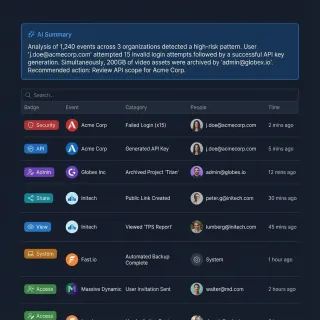
File sharing with password protection stops forwarded or exposed links from turning into unauthorized access when you send documents to clients or external teams. You can gate browser access with a password protected download link in a cloud workspace, or encrypt the file itself using encrypted ZIP archives, PDF passwords, and macOS or Windows disk tools. The right choice depends on whether protection should guard the link in transit or stay with the file after download.

How End-to-End Encrypted File Sharing Works (and When You Actually Need It)
End-to-end encrypted file sharing ensures that only the sender and recipient can read a file, with the service provider locked out entirely. This guide breaks down how E2E encryption works, how it compares to transport and server-side encryption, and when each approach makes sense for your workflow.
All guides

Cloud Document Management: Building a Secure Document Management System
Most company drives mix confidential records, active drafts, and client deliverables inside folder trees that grew over years. Connecting an AI assistant or external partner directly to those drives exposes too much. A cloud document management system solves this by combining an encrypted document repository with workspace-level scoping, per-file version history, advisory file locks, structured metadata extraction, and permission-aware search.

Document Management and Secure File Sharing for Accountants
Accounting firms, CPA practices, and bookkeepers handle thousands of tax returns, workpapers, and bank statements that should not travel over email or sit in unscoped shared drives. Federal rules require tax preparers to protect client files with encryption, role-based permissions, and activity logging. Here is how to set up document management for accountants, structure an accounting client portal, and scope access for staff and AI tools.
Enterprise File Transfer: A Complete Guide for IT Teams
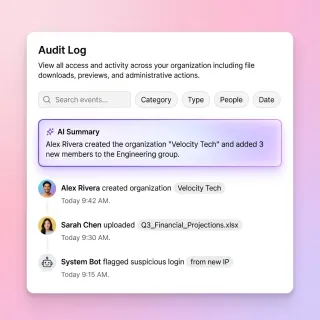
Enterprise file transfer is how organizations move sensitive data between employees, partners, and systems while maintaining security and compliance. This guide covers the key components, common methods, and what to look for when choosing a solution for your business.
File Sharing with Password Protection for Download Links and Files
File sharing with password protection stops forwarded or exposed links from turning into unauthorized access when you send documents to clients or external teams. You can gate browser access with a password protected download link in a cloud workspace, or encrypt the file itself using encrypted ZIP archives, PDF passwords, and macOS or Windows disk tools. The right choice depends on whether protection should guard the link in transit or stay with the file after download.
How End-to-End Encrypted File Sharing Works (and When You Actually Need It)
End-to-end encrypted file sharing ensures that only the sender and recipient can read a file, with the service provider locked out entirely. This guide breaks down how E2E encryption works, how it compares to transport and server-side encryption, and when each approach makes sense for your workflow.

How Photo Metadata Survives in WhatsApp, Telegram, and Signal
WhatsApp, Telegram, and Signal each handle photo metadata differently depending on how you send the image. This guide compares EXIF data preservation across all three apps, covering standard photo mode vs document mode, GPS stripping behavior, and practical steps for controlling what metadata travels with your photos.
How to Build a Secure Document Portal for External Stakeholders
A secure document portal is a branded, permission-controlled web interface where organizations share confidential files with external parties without exposing internal systems. This guide covers the security features every portal needs, how portals differ from generic file sharing and data rooms, and how to set one up step by step.
How to Choose a Managed File Transfer Solution
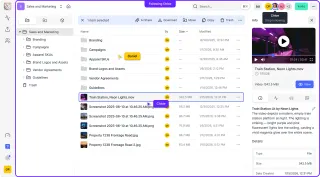
Managed File Transfer (MFT) is a secure platform for moving sensitive files between systems, partners, and customers with encryption, audit trails, and automation. This guide explains what MFT actually does, when you need it versus simpler alternatives, and what features matter most for different use cases.

How to Choose a Secure File Sharing Platform
Picking a secure file sharing platform means understanding what "secure" actually requires for your team. This guide compares seven platforms across encryption type, access controls, audit logging, compliance, and API security so you can make an informed decision without wading through marketing pages.
How to Choose Deal Room Software for M&A Transactions
Deal room software is a secure platform that enables M&A transactions by providing controlled access to confidential documents, tracking viewer activity, and simplifying due diligence workflows. This guide covers the essential features every deal room needs, how deal rooms differ from standard data rooms, and what to look for when evaluating platforms for your next transaction.
How to Choose Document Tracking Software That Shows Who Opened Your Files
Document tracking software monitors who accesses, views, downloads, and edits shared documents, providing an audit trail for sensitive file workflows. This guide compares the leading options, breaks down the features that actually matter, and walks through how to set up tracking for your team without bolting on expensive standalone DRM tools.
How to Compare File Metadata and Detect Changes Between Versions
File metadata comparison tools let you spot changes in authorship, timestamps, permissions, and embedded data between file versions. This guide covers the CLI tools, Python scripts, and platform features that forensics teams, compliance officers, and developers use to track metadata changes across files.
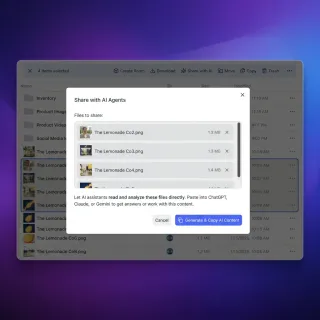
How to Implement Secure File Locks for Multi-Agent Systems
File locks in multi-agent systems keep AI agents from overwriting each other's files. In Fastio, agents acquire an advisory file lock before writing, heartbeat it while working, and release it when finished. If a second agent attempts to lock the same file, it receives an HTTP 409 status and can wait. Because every write is versioned, collaboration stays safe and auditable.

How to Implement Secure Storage for AI Agents
Secure storage for AI agents protects their long-term memory and toolsets with encryption at rest. With agent storage needs growing five times larger in recent years, a zero-trust model is now a requirement to lower breach risks. This guide shows you how to set up encrypted storage, handle secrets safely, and isolate agent workspaces to prevent leaks without slowing down your team.
How to Implement Zero-Trust AI File Sharing
Zero-trust architecture assumes breach and verifies every access. Traditional file sharing trusts users and networks, creating risks in AI workflows where agents access sensitive data. This guide shows how to build zero-trust file sharing for AI agents with layered permissions, real-time audit logs, and encryption.
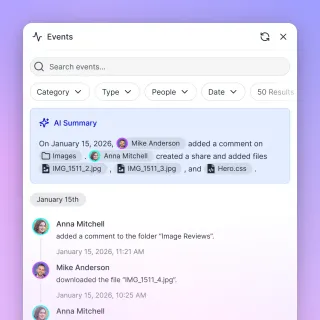
How to Send Secure Documents to Clients, Partners, and Teams
Sending secure documents requires replacing standard email attachments with controlled sharing links, client portals, or scoped workspaces that encrypt files in transit and at rest. By protecting shares with passwords, expiration dates, per-recipient access grants, and disabled downloads, teams can revoke access at any time instead of leaving permanent copies in external inboxes.

How to Set Up a Compliance Document Portal That Passes Audits
A compliance document portal centralizes the collection, organization, and auditing of regulatory and policy documents. This guide covers the features your portal needs, how to structure it for different compliance frameworks, and how to keep it audit-ready year-round.
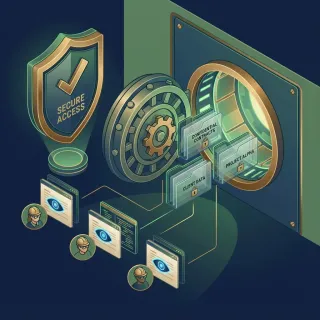
How to Set Up a Data Room for Your Startup Fundraise
A startup data room is a secure online space where founders share financial documents, legal agreements, and company information with potential investors during due diligence.
How to Set Up a Startup Data Room for Fundraising
A startup data room is an organized, secure digital repository where founders share key documents with investors during fundraising rounds. This guide walks you through setting up a professional data room, with a complete checklist organized by category and tips for making your due diligence process faster.
How to Set Up a Virtual Data Room for Your Next Deal
A virtual data room (VDR) is a secure online repository used for storing and sharing confidential documents during M&A transactions, due diligence, and other business-critical processes. This guide covers what VDRs do, who needs them, how to set one up, and what features matter most when comparing providers.

How to Set Up Granular Permissions for AI Workspaces
Granular permissions for AI workspaces make sure agents only touch the files they need for their specific jobs. By setting up a clear hierarchy and fixing delegation gaps, teams can lower security risks by multiple%. This guide shows you how to define agent roles and audit automated access in shared folders without slowing down your workflow.
How to Set Up Secure File Sharing for Your Business
Secure file sharing for business protects company documents across internal teams, external clients, and AI agents using encryption, role-based permissions, and expiring links. Most data exposure happens when folders mix internal and client files under broad drive permissions or unscoped AI connectors. This guide covers the core security controls for business file sharing and how to isolate access without migrating your existing cloud drives.
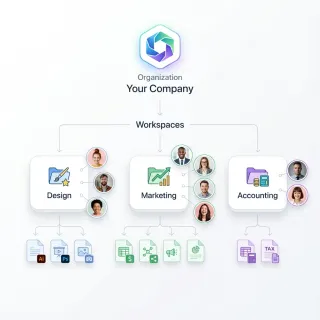
How to Set Up Secure File Sharing for Your Law Firm
Law firm file sharing refers to secure systems that enable attorneys to exchange confidential documents with clients and co-counsel while maintaining attorney-client privilege. This guide covers the security features your firm needs, how to organize files by matter, and how to set up client portals that protect sensitive information.
How to Set Up Secure RAG Document Storage for AI Agents
Secure RAG document storage keeps original files, vector embeddings, and retrieval safe for AI agents in production. Add encryption at rest and in transit, set permissions carefully, and limit queries to avoid leaks from prompt injection or grabbing too much data. RAG makes agents more accurate, but multiple% of setups have risks without good controls. Fastio has secure RAG built in through Intelligence Mode auto-indexing.
How to Share Files Securely
Sending sensitive documents through email or public cloud links exposes your data to interception and unauthorized access.
How to Share Files Securely with Encryption
Encrypted file sharing protects files with cryptographic algorithms during transfer and storage, ensuring only authorized recipients can access the content. This guide covers how encryption works, the three types you need to know (at-rest, in-transit, and end-to-end), and practical steps to share sensitive documents without exposing them to interception or unauthorized access.
How to Share Files with External Stakeholders Securely
External file sharing is the secure exchange of documents and digital assets with people outside your organization, including clients, vendors, partners, and contractors. This guide covers practical methods for protecting sensitive data while maintaining the collaboration speed your business needs. You will learn how to evaluate sharing tools, set up secure workflows, and avoid the common mistakes that lead to data breaches.
How Zero-Knowledge Encryption Works in Cloud Storage
Zero-knowledge encryption means your cloud storage provider cannot read your files, even under a court order or after a breach. This guide covers how it works, which providers offer it, the trade-offs most articles skip, and how to decide whether you need it.
Managed File Transfer (MFT): What It Is and Modern Alternatives
Managed File Transfer (MFT) is enterprise software for securely exchanging files between organizations, with encryption, audit trails, and compliance features. Traditional MFT costs hundreds of thousands per year and requires dedicated IT staff. This guide explains what MFT does, who needs it, and how modern cloud-native platforms offer the same security without the complexity.
Secure File Transfer: How to Send Sensitive Files Online
Secure file transfer protects documents in transit and at rest while keeping control over who can open, edit, or download them after delivery. Email attachments and personal drive links scatter sensitive files across outside inboxes with no way to revoke access or verify what changed. Moving transfers into organization-owned workspaces and branded shares lets teams exchange large files with clients, partners, and AI agents under clear permissions and a detailed activity log.
Virtual Data Room Comparison: M&A Pricing, Features, and Options
An M&A virtual data room gives deal teams controlled external access, dynamic watermarking, and structured buyer Q&A, often billed per page or per deal. Smaller transactions, fundraising rounds, and client due diligence rarely need enterprise contracts when flat-rate VDRs or permissioned workspaces cover the work. This comparison breaks down virtual data room pricing, top VDR providers, security controls, and workspace options.
Which Social Media Platforms Strip Photo Metadata?
Every photo your phone takes carries hidden metadata: GPS coordinates, camera model, timestamps, and more. When you upload to social media, some platforms strip this data from public copies and some do not. This guide covers 11 major platforms and messaging apps, showing what gets removed, what survives, and what the platform quietly keeps for itself.