Document Management and Secure File Sharing for Accountants
Accounting firms, CPA practices, and bookkeepers handle thousands of tax returns, workpapers, and bank statements that should not travel over email or sit in unscoped shared drives. Federal rules require tax preparers to protect client files with encryption, role-based permissions, and activity logging. Here is how to set up document management for accountants, structure an accounting client portal, and scope access for staff and AI tools.


Why Email and Flat Shared Drives Break Accounting Document Management
IRS and Security Summit partners warn that scammers pose as prospective clients and send malicious attachments. Despite that exposure, many accounting firms and bookkeepers still collect W-2s, 1099s, K-1s, and bank statements through standard email attachments and store them in sprawling shared drives.
Email fails accounting file sharing in two ways. Standard attachments travel and sit in inboxes without link expiration, download restrictions, or a way to revoke access after a return is delivered. If a client's personal email account is compromised years later, every tax return and Social Security number sitting in their sent and received folders is exposed.
Inside the firm, flat folder trees in SharePoint, Google Drive, Box, or Dropbox create a second problem. Client source documents, internal audit workpapers, partner review notes, and multi-year archives end up mixed inside the same parent directories. Restructuring years of nested client folders is rarely realistic during or between filing seasons.
That folder sprawl also blocks safe AI adoption. When a CPA firm or advisory practice connects Claude or ChatGPT directly to a company-wide SharePoint site or Google Drive, user-level drive permissions are almost always wider than what the assistant should see. Without a way to scope files per engagement or per client workspace, an AI assistant answering a question about one corporate tax return can pull context from unrelated client folders.
Helpful references: Fastio Workspaces, Fastio Collaboration, and Fastio AI.
Related guides
- How to Set Up Secure File Sharing for Your Law FirmLaw firm file sharing refers to secure systems that enable attorneys to exchange confidential documents with clients...
- How to Set Up Secure File Sharing for Your BusinessSecure file sharing for business protects company documents across internal teams, external clients, and AI agents...
- How to Choose a Secure File Sharing PlatformPicking a secure file sharing platform means understanding what "secure" actually requires for your team. This guide...
- File Sharing with Password Protection for Download Links and FilesFile sharing with password protection stops forwarded or exposed links from turning into unauthorized access when you...
- How End-to-End Encrypted File Sharing Works (and When You Actually Need It)End-to-end encrypted file sharing ensures that only the sender and recipient can read a file, with the service provider...
- How to Share Files with External Stakeholders SecurelyExternal file sharing is the secure exchange of documents and digital assets with people outside your organization,...
More on this subject: Security and Access Control (32 guides)
FTC Safeguards Rule Requirements for Tax and Accounting Files
The FTC Safeguards Rule classifies tax preparers as financial institutions under the Gramm-Leach-Bliley Act. Any firm or independent practitioner that prepares tax returns or provides accounting and bookkeeping services involving consumer financial records must maintain specific technical and administrative controls.
Encryption in transit and at rest. Client tax records and financial statements must be encrypted in transit (such as TLS 1.2 or higher) and at rest (such as AES-256). Requesting or delivering tax returns as unencrypted email attachments falls short of this standard.
Role-based access controls. Staff members, seasonal preparers, and outside contractors should only reach the client workspaces and shares required for their engagements. When a seasonal preparer finishes a contract or a client engagement concludes, the firm needs a clean way to revoke access immediately.
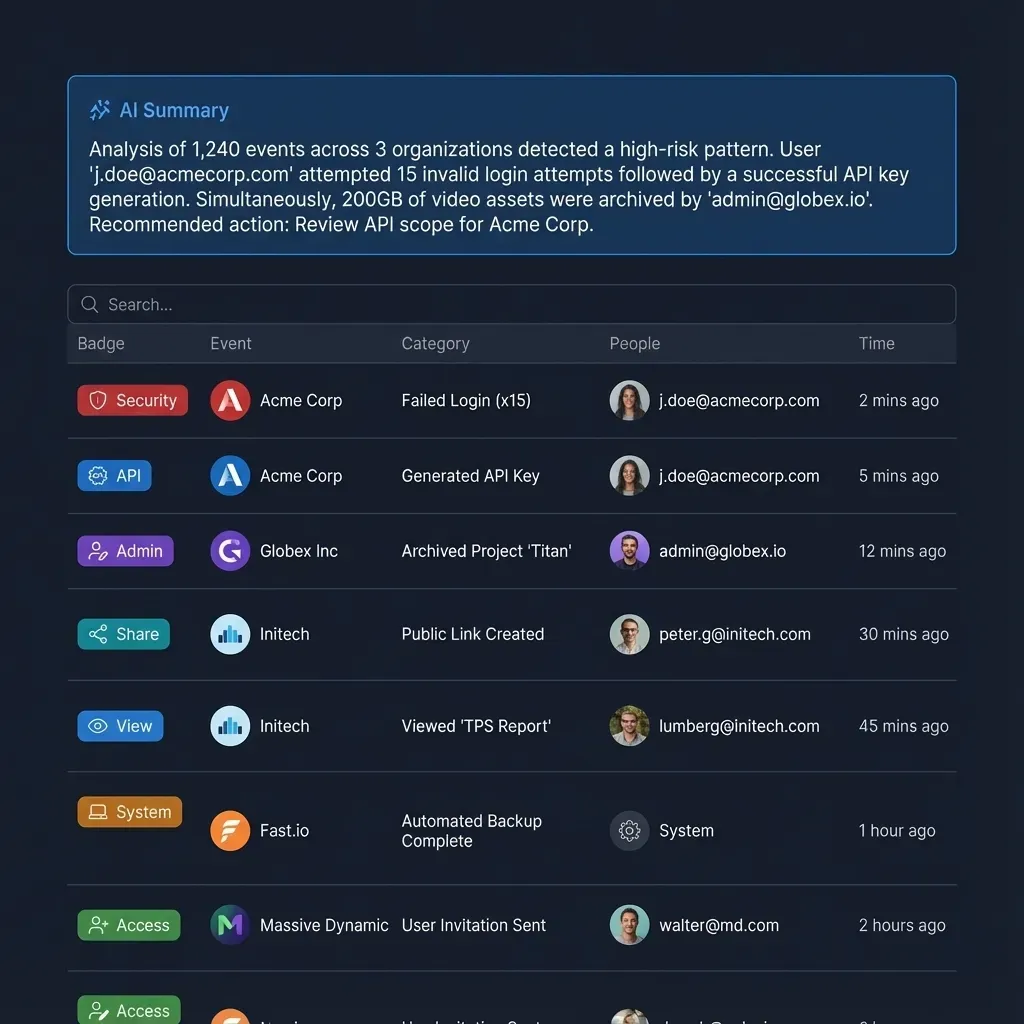
Activity logging. Firms need records of what changed across client repositories, including file uploads, edits, moves, deletions, permission updates, and share creation, reviewed on a regular schedule.
Written Information Security Plan (WISP). Every tax preparation practice must maintain a written plan designating a qualified individual to oversee data protection. IRS Publications 5708 and 5709 provide templates that small and mid-sized accounting firms can adapt.
Breach notification. Since May 2024, the FTC Safeguards Rule requires covered financial institutions to notify the FTC electronically within 30 days after discovering a security breach affecting 500 or more consumers, alongside reporting to an IRS Stakeholder Liaison and state tax authorities.
How to Structure Document Management and Accounting Client Portals
Replacing email attachments and untangling shared drives does not require migrating years of historical tax archives out of your existing cloud storage. A practical setup separates internal workpapers, external client exchange, and AI context into distinct boundaries.
1. Keep source drives intact and scope by workspace
Most accounting firms already store files in SharePoint, OneDrive, Google Drive, Box, or Dropbox. Instead of rebuilding that folder hierarchy, organize active client work into one workspace per client, audit engagement, or entity. In Fastio, Cloud Sync and Cloud Import connect Google Drive, Dropbox, Box, and OneDrive folders (including SharePoint document libraries through OneDrive for Business) to a workspace on a schedule or on demand, one-way or two-way. One-way sync brings the selected folders into the workspace without altering anything in the source drive.
2. Separate internal workpapers from the accounting client portal
Internal trial balances, partner notes, and draft adjustments belong in the team's workspace, not in the client's view. In Fastio, role-based access is granted per organization, workspace, and share, so every member of a workspace reaches its contents according to their role. To give a client access to only their deliverables or a single tax-year folder, publish a dedicated share or branded client portal rather than adding the client as a workspace member.
3. Replace email attachments with Receive, Send, and Exchange shares
Purpose-built share modes handle each stage of a client engagement without forcing clients to register for an account:
- Receive shares act as a secure upload dropbox where clients submit W-2s, 1099s, receipts, and bank statements through a browser link.
- Exchange shares provide two-way file sharing for bookkeepers, controllers, and recurring monthly close engagements.
- Send shares deliver completed tax packages and financial statements with optional password protection, link expiration dates, and the option to disable file downloads.
4. Coordinate preparers, reviewers, and e-signatures in one place
During filing peaks, preparers and partners review the same returns and supporting schedules under tight deadlines. In-browser previews render PDFs, spreadsheets, scanned documents, images, and design or camera formats directly in the browser, and anchored comments let a reviewer pin a question to a specific PDF page or document region. Notes sit beside the files, and preparers and agents co-edit them live with visible cursors.
Every file keeps version history so prior drafts can be restored. When multiple people or agents work on the same spreadsheet, advisory file locks let a writer acquire a per-file lease, renew it by heartbeat, and release it when finished (with override available to anyone holding write permission), while showing teammates who holds the lock. When engagement letters, Form 8879 authorizations, or advisory agreements are ready to sign, e-signature routes documents to signers in sequence or in parallel with no signer account required, an optional one-time passcode per signer, and a tamper-evident audit certificate that records each signer's IP address and browser before filing the executed copy back into the workspace.
5. Scope AI assistants and extract structured document data
When an accounting team connects Claude or ChatGPT to Fastio through its consolidated MCP toolset (https://mcp.fast.io/mcp/tools for Claude and general MCP clients, https://mcp.fast.io/mcp/operations for ChatGPT and Codex, or https://mcp.fast.io/mcp/code for coding agents; setup steps at https://mcp.fast.io/docs), the Review Permissions screen scopes the assistant to specific workspaces and sets Read Only or Read & Write access. Once Intelligence is enabled on a workspace, files are indexed for hybrid search and citation-backed chat, allowing a preparer to locate a specific K-1 clause or depreciation schedule across hundreds of PDFs. Inside a client portal, Ripley AI can also answer client questions directly from shared documents.
For batch document processing across invoices, receipts, or tax forms, Metadata Views turn workspace files into a queryable grid. You describe the fields to extract in plain English (such as vendor name, invoice date, tax year, or total amount), and AI populates a typed, sortable table across matching PDFs, spreadsheets, and scanned pages. If an agent builds the initial organization and workspace structure, ownership transfer lets it hand the organization to the firm's managing partner or IT lead with a claim link.


Set Up Scoped Client Portals and Accounting Workspaces
Organize client tax files, collect documents through branded Receive and Exchange shares, and scope AI assistants by workspace. Monthly plans start with a 14-day free trial (card required).
Comparing Document Management and File Sharing Tools for Accountants
Accounting firms, CPA practices, and financial services teams generally evaluate four categories of software when upgrading from email and flat cloud drives.
- Accounting practice management suites (TaxDome, Canopy): built-in tax organizers, billing, and integrations with tax prep software such as Lacerte and Drake. The tradeoff is per-user billing and replacing existing practice workflows.
- Enterprise financial document systems (ShareFile, Egnyte): centralized repository governance, virtual data rooms, and granular link policies for large firms. The tradeoff is higher administrative overhead for small firms.
- General cloud storage drives (SharePoint, Google Drive, Dropbox, Box): where most firm files already live. Broad user-level permissions make client portal isolation and narrow AI scoping difficult.
- Scoped workspaces and client portals (Fastio): syncs selected folders from existing drives into scoped workspaces with branded portals, e-signature, Metadata Views, and MCP AI access. It does not include tax preparation checklists or Lacerte or Drake return calculation.
Practice management suites (TaxDome, Canopy) fit firms that want one platform to run client organizers, time and billing, and tax return storage alongside tax packages like Lacerte, UltraTax CS, or Drake.
SmartVault is document management software with a client portal, built for accounting firms.
Enterprise file sharing platforms (ShareFile, Egnyte) serve accounting and financial services firms that prioritize traditional virtual data rooms, large-scale storage governance, and structured client file exchange without changing their practice management stack.
Workspace platforms (Fastio) fit firms whose files already live in SharePoint, Google Drive, Box, or Dropbox and who need a clean way to publish branded client portals, collect signed engagement letters, extract structured data with Metadata Views, and give Claude or ChatGPT access to one client workspace at a time. External clients who open a share link do not consume a paid seat, and monthly plans start with a 14-day free trial (credit card required; see /pricing/).

Tax Season Security Practices and Your Written Information Security Plan
Filing season puts the heaviest load on a firm's document sharing. Clients upload tax forms in last-minute batches, seasonal preparers join the organization, and phishing attempts targeting tax practitioners spike.
Route every new-client file through a Receive share. Because the "new client" phishing scam relies on convincing a preparer to open a malicious email attachment from a prospective taxpayer, train staff to never open attachments from inbound emails. Reply to prospective clients with a Receive share link where files are uploaded into an isolated intake workspace and previewed in the browser.
Set link expirations and disable downloads on sensitive deliverables. When sending draft financial statements or prior-year tax packages through a Send share, set an expiration window (such as 14 to 60 days), add a share password where appropriate, and disable file downloads when recipients only need to inspect the document in the browser.
Subscribe to workspace activity feeds. Teams and agents can follow workspace activity through the events feed or activity polling, and Enterprise plans include security alerts, a compliance auditor role, legal holds, and audit streaming to a SIEM.
Document your controls in your Written Information Security Plan (WISP). Starting from the templates in IRS Publications 5708 and 5709, record how your document management system supports your firm's safeguards:
- Name the qualified individual responsible for overseeing the firm's security program.
- Map where client tax records live in your source drives and how workspaces and shares isolate each client's documents.
- Document encryption in transit and at rest, along with how organization, workspace, and share permissions are granted and revoked for seasonal staff.
- Reference your detailed activity log and AI activity summaries to show how the firm tracks file uploads, edits, moves, deletions, permission changes, and share creation across human staff and AI agents.
Sources
References used to verify factual claims in this guide.
-
IRS and Security Summit partners warn that scammers pose as prospective clients and send malicious attachments
-
FTC Safeguards Rule classifies tax preparers as financial institutions under the Gramm-Leach-Bliley Act
-
Breach notification requirement for 500+ consumers effective May 2024
-
IRS Publications 5708 and 5709 provide WISP templates for tax preparers
Frequently Asked Questions
What is the best way to set up document management for accountants?
Organize files around one workspace per client or engagement rather than a single flat folder tree. Keep existing archives in SharePoint, Google Drive, Box, or Dropbox, sync active folders into scoped workspaces, use branded Receive and Exchange shares as your accounting client portal, and review a detailed activity log of file and permission changes.
How does an accounting client portal differ from standard cloud storage links?
An accounting client portal gives clients a branded, password-protected space to upload source documents and view completed tax returns in the browser without creating an account. Because permissions in Fastio are set per organization, workspace, and share, sharing a portal or folder link keeps internal firm workpapers and other clients' files separated from the client's view.
How do CPA firms and bookkeepers share tax documents securely with clients?
CPA firms and bookkeepers replace email attachments with encrypted Receive, Send, and Exchange share links. Clients upload W-2s, 1099s, and bank statements through a Receive link, sign engagement letters through built-in e-signature with a tamper-evident audit certificate, and receive completed returns through expiring Send links that can require a password or disable downloads.
Can accounting firms connect Claude or ChatGPT to client files without exposing their entire drive?
Yes. Instead of connecting an AI assistant to an entire SharePoint site or Google Drive where user permissions are broad, sync only the selected client folders into a Fastio workspace. When connecting Claude or ChatGPT via the consolidated MCP toolset, select only the specific workspaces the assistant is allowed to reach and choose Read Only or Read & Write permissions.
Do tax preparers and accounting firms need a Written Information Security Plan?
Yes. Under the FTC Safeguards Rule, tax preparers are classified as financial institutions and must maintain a Written Information Security Plan (WISP). IRS Publications 5708 and 5709 provide templates covering the designated qualified individual, encryption in transit and at rest, role-based access controls, phishing training, incident response, and activity logging.
Related Resources

Set Up Scoped Client Portals and Accounting Workspaces
Organize client tax files, collect documents through branded Receive and Exchange shares, and scope AI assistants by workspace. Monthly plans start with a 14-day free trial (card required).