Cloud Document Management: Building a Secure Document Management System
Most company drives mix confidential records, active drafts, and client deliverables inside folder trees that grew over years. Connecting an AI assistant or external partner directly to those drives exposes too much. A cloud document management system solves this by combining an encrypted document repository with workspace-level scoping, per-file version history, advisory file locks, structured metadata extraction, and permission-aware search.


What a Cloud Document Management System Actually Does
Most organizations keep their working files in SharePoint, Google Drive, Box, or Dropbox inside folder structures that accumulated over years. Deal memos, signed contracts, internal financial spreadsheets, and client-facing deliverables sit in the same directories. When an IT lead tries to share one project folder with an outside partner or connect an AI assistant like Claude or ChatGPT to the company drive, broad user-level permissions expose far more than that person or assistant should see. Meanwhile, emailing attachments to work around permission hurdles scatters untracked copies outside the repository.
A cloud document management system (often called a secure document management system or secure document repository) solves this structural problem. It separates where files originate from how they are scoped, versioned, searched, and shared. Instead of forcing an IT team to reorganize years of legacy folders, a well-designed cloud document manager lets you group files around a specific unit of work, such as a client matter, deal, project, or department, and set clear access boundaries around that scope.
Modern cloud document management serves three audiences at once: internal colleagues who need current versions without overwriting each other, external clients and vendors who need controlled portals or share links without email attachments, and AI agents that need scoped read or write access to specific document sets.
Helpful references: Fastio Workspaces, Fastio Collaboration, and Fastio AI.

Related guides
- How to Set Up a Compliance Document Portal That Passes AuditsA compliance document portal centralizes the collection, organization, and auditing of regulatory and policy documents....
- How to Set Up Secure File Sharing for Your BusinessSecure file sharing for business protects company documents across internal teams, external clients, and AI agents...
- How to Choose a Secure File Sharing PlatformPicking a secure file sharing platform means understanding what "secure" actually requires for your team. This guide...
- How to Set Up Secure RAG Document Storage for AI AgentsSecure RAG document storage keeps original files, vector embeddings, and retrieval safe for AI agents in production....
- How to Send Secure Documents to Clients, Partners, and TeamsSending secure documents requires replacing standard email attachments with controlled sharing links, client portals,...
- How Zero-Knowledge Encryption Works in Cloud StorageZero-knowledge encryption means your cloud storage provider cannot read your files, even under a court order or after a...
More on this subject: Security and Access Control (32 guides)
Five Core Controls Every Secure Document Repository Needs
Basic cloud storage moves bytes between devices, while a secure file management system governs how documents change, who can reach them, and how teams extract information from them. Look for five foundational controls when evaluating a platform.
1. Encryption in Transit and at Rest
An encrypted document management system protects files with TLS while moving between clients and servers and encrypts stored data at rest using standards such as AES-256. Encryption at rest protects underlying storage media so that files remain unreadable without decryption keys, forming the baseline for any cloud document repository.
2. Scoped Access Controls by Workspace and Share
Deeply nested folder trees with conflicting inheritance rules are a common cause of accidental data exposure. A cleaner model sets role-based permissions at the organization, workspace, and share level. Every member of a workspace accesses the files inside that workspace according to their role. When an external client, contractor, or AI agent needs access to only a single folder or a handful of files, you place those items in a purpose-built share or a dedicated workspace rather than granting broad drive access.
3. Per-File Version History and Advisory File Locks
Accidental overwrites happen whenever two people or two automated scripts edit the same contract or spreadsheet at the same time. A cloud document management system keeps a complete per-file version history so editors can inspect earlier drafts and restore a prior version whenever needed.
To coordinate concurrent writers before conflicts happen, Fastio includes advisory per-file file locks across workspaces and shares. A person or agent acquires a lease on a file before editing, renews it by heartbeat, and releases it when finished. Workspace members can see who holds the lock, and anyone with write permission can override a stale lock if a writer disconnects. Because locks are advisory rather than blocking, concurrent writes still land safely and version history preserves every version.
4. A Detailed Activity Log of Changes
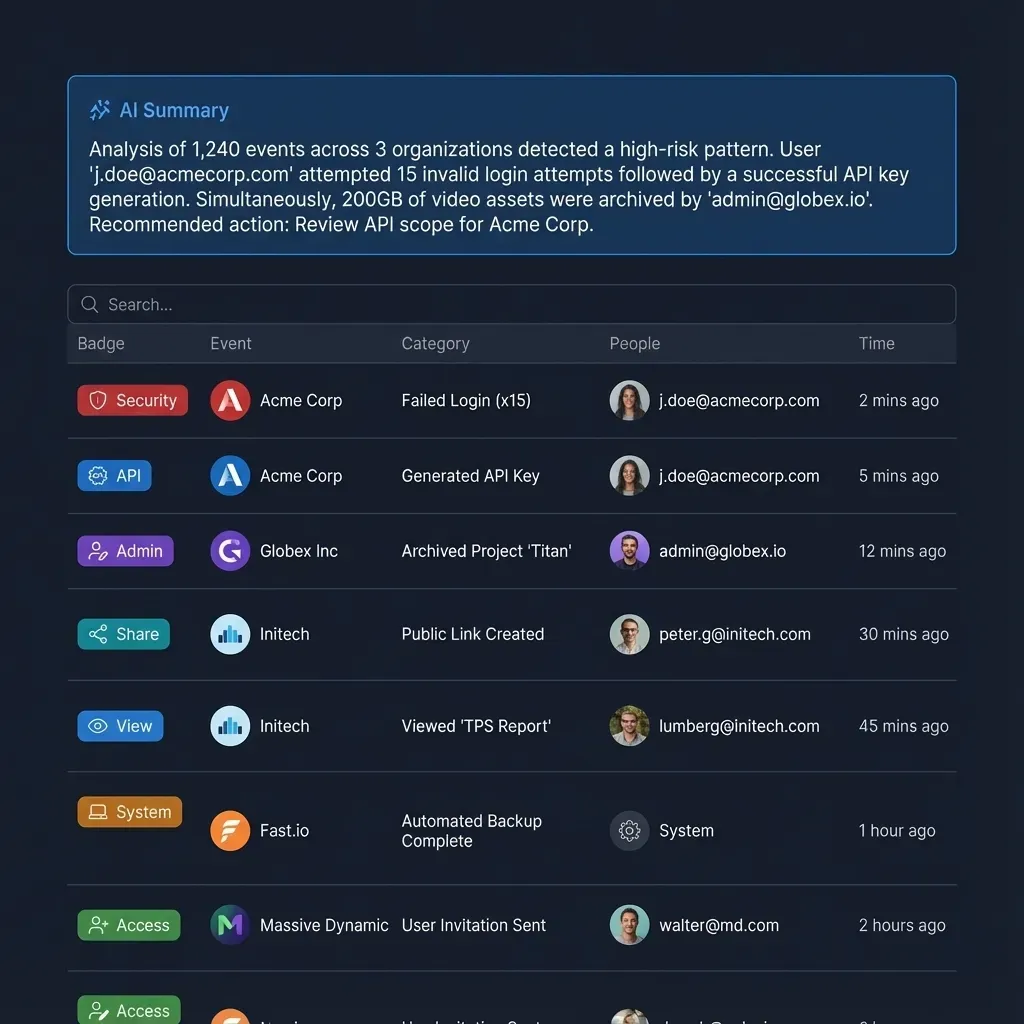
When an operations lead investigates how a contract changed or when a share was created, raw server logs are too noisy to help. A cloud document manager should maintain a detailed activity log that records storage and administrative changes across the organization for both human members and AI agents: file uploads, edits, moves, deletions, membership and permission changes, and share creation. On Enterprise plans, Fastio also provides legal holds, a compliance auditor role, security alerts, and an activity stream to a SIEM.
5. Structured Extraction and Permission-Aware Search
Security breaks down when people cannot find documents through official channels and start saving local copies on their laptops. A cloud document management system needs search that indexes both filenames and full document contents while strictly respecting workspace and share permissions.
Beyond keyword search, teams dealing with hundreds of contracts, policies, or invoices need structured data extraction. With Fastio Metadata Views, you describe the fields you want in plain English, and AI designs a typed schema (Text, Integer, Decimal, Boolean, URL, JSON, Date & Time), matches relevant files in the workspace, and populates a sortable, filterable spreadsheet. It works across PDFs, Word documents, spreadsheets, presentations, images, scanned pages, and handwritten notes without manual OCR rules or templates, and you can add new columns at any time without reprocessing existing files.
Comparing Cloud Document Management Platforms
Organizations evaluating cloud document management usually compare platforms across four categories, depending on whether their priority is on-premises server control, hybrid enterprise governance, general office storage, or scoped workspaces for teams and AI agents.
Enterprise and Mid-Market Platform Categories
- FileCloud: Offers self-hosted and cloud-hosted file sharing and governance. It fits IT departments that want direct control over server infrastructure, storage connectors, and administrative policies.
- Egnyte: Combines cloud and hybrid file governance for distributed organizations, particularly in architecture, engineering, construction, and life sciences where large files span local network storage and the cloud.
- OpenText and M-Files: Serve large enterprises with complex document classification and custom metadata hierarchies. They provide deep administrative configurability but typically require dedicated setup and administration.
- SharePoint, Google Drive, Box, and Dropbox: Act as the primary system of record where most business files are created and stored. They work well for general company storage, though user-level permissions across years of folders are often too broad when scoping access for external partners or AI tools.
- Fastio: Provides org-owned cloud workspaces built for teams, external clients, and AI agents. Instead of replacing your existing cloud drive, Fastio syncs selected folders into scoped workspaces with per-file version history, advisory file locks, Metadata Views, branded shares, built-in e-signature, and a consolidated MCP toolset.
Questions to Ask During Evaluation
Before selecting a platform, verify how each system handles daily operational workflows:
- Can you scope access without migrating your source drive? Check whether the platform can sync specific folders from SharePoint, Google Drive, Box, or Dropbox into isolated workspaces while leaving the original folder tree untouched.
- What does the activity log record? Confirm whether the log tracks file uploads, edits, moves, deletions, permission changes, and share creation across both human users and automated agents.
- How are external guests handled? Check whether clients and vendors can preview files, upload documents, or sign agreements through a browser link without consuming paid organization seats.
- How do AI assistants and agents connect? Verify whether you can restrict Claude, ChatGPT, or custom agents to specific workspaces with Read Only or Read & Write permissions rather than exposing an entire corporate drive.
Pricing Models to Watch For
Traditional per-seat pricing becomes expensive when you need to collaborate with dozens of outside clients, auditors, or contractors. Look for platforms where seats count internal organization members only and external guests accessing a share link do not consume a seat.
In Fastio, creating a user account is free, and organizations run on a paid subscription with usage-based credits for AI work and storage and seats included in each plan. Monthly plans start with a 14-day trial (credit card required); see Fastio Pricing for current plans.



Scope your documents for teams, clients, and AI agents in one workspace
Sync folders from SharePoint, Google Drive, Box, or Dropbox into encrypted workspaces with version history, file locks, Metadata Views, and citation-backed AI search. Monthly plans start with a 14-day free trial.
Setting Up Scoped Cloud Document Management Without a Migration
Rolling out a secure document management system does not require moving every file out of SharePoint, Google Drive, Box, or Dropbox. For most small and mid-sized companies, the fastest path is keeping the corporate drive as the archive while syncing active work into scoped workspaces.
Step 1: Group Documents by Unit of Work
Rather than mirroring department politics or rebuilding a ten-year folder hierarchy, create one workspace per unit of work: a deal, a legal matter, a client engagement, an executive search, an architecture project, or a department dataset. Because workspace permissions apply to the whole workspace by member role, dedicating a workspace to each project gives you a clean security boundary from day one.
Step 2: Sync Selected Folders from Your Existing Cloud Drives
Use Fastio Cloud Sync or Cloud Import to bring only the folders a workspace needs from Google Drive, Dropbox, Box, and OneDrive (including SharePoint document libraries through OneDrive for Business). Cloud Sync runs on a recurring schedule or on demand, either one-way or two-way. A one-way sync pulls updates into the Fastio workspace without altering anything in the source drive, so your team avoids a disruptive migration.
Step 3: Review, Comment, and Execute Agreements Inside the Workspace
Once files are in a workspace, keep collaboration inside the repository instead of exporting files to email threads:
- In-Browser Previews: Preview PDFs, Word documents, spreadsheets, audio, adaptive-streaming video, and professional design and camera formats including PSD, AI, RAW photos, and CAD drawings directly in the browser.
- Anchored Comments and Collaborative Notes: Pin anchored comments to a specific file version, whether on a PDF page, text selection, image region, or video timestamp. Keep Collaborative Notes beside the files, co-edited live with visible cursors by people and agents.
- Built-In E-Signature: When a contract, NDA, or engagement letter is ready to sign, send it for signature directly from the workspace using Fastio E-Signature. You can route signers in sequence or in parallel, require an optional one-time passcode per signer, and let external signers complete the envelope in their browser without creating an account. Each completed envelope produces an audit certificate recording who signed, when, and from which IP address and browser, and files the executed PDF back into the workspace.
Step 4: Scope AI Assistants and Agents to Specific Workspaces
When your team connects Claude or ChatGPT to Fastio, the sign-in flow presents a Review Permissions screen where the user chooses which workspaces the assistant can access (none, all, or specific workspaces) and selects either Read Only or Read & Write mode. With Read Only selected, tools that modify or delete data are not offered to the assistant.
For custom agents and developer tooling, Fastio provides a REST API at https://api.fast.io/current/, the @vividengine/fastio-cli command-line client, and a remote MCP server over Streamable HTTP exposing a consolidated MCP toolset: https://mcp.fast.io/mcp/tools for Claude and general MCP clients, https://mcp.fast.io/mcp/operations for ChatGPT and Codex custom servers, and https://mcp.fast.io/mcp/code for coding agents (see the MCP setup documentation). A scoped API key gives a headless agent access to a single workspace, and an agent account can build and populate an organization or workspace and hand it over to a human administrator via ownership transfer and a claim link.
Closing External Sharing and Access Gaps
Even well-structured document repositories develop leaks if external sharing and credential lifecycle management rely on manual habits.
Replace Email Attachments with Controlled Shares and Portals
Email attachments are the most common way sensitive documents leave a company's control. As soon as a file is attached to an email, you lose version continuity and cannot revoke access.
Fastio replaces attachments with purpose-built Send, Receive, and Exchange shares as well as branded Content Portals:
- Send Shares: Deliver finished files or folders to clients with custom branding, optional password protection, expiration dates, per-recipient access grants that you can grant or revoke individually, and the option to disable file downloads. Because shares stay linked to per-file version history, recipients always see the current version.
- Receive Shares: Collect tax records, vendor onboarding packets, or media assets from external guests through a browser link without requiring them to register for an account.
- Exchange Shares and Portals: Create two-way branded workspaces or client portals with custom logos, colors, and vanity URLs where outside stakeholders can preview files, ask Ripley AI questions about shared documents, and exchange deliverables inside a controlled boundary.
Revoke Stale Human and Agent Access
When an employee changes roles, a contractor finishes an engagement, or an AI agent workflow is retired, stale permissions create unnecessary exposure. Because Fastio scopes permissions at the organization, workspace, and share level, removing a member from a workspace or revoking a share grant cuts off access immediately. For connected AI clients and scoped keys, administrators can revoke any device or agent connection from Settings under Devices & Agents, or subscribe to the WebSocket and long-poll events feed to monitor permission changes, uploads, edits, moves, and share creation across the organization.
Making Documents Findable with Hybrid Search and AI Grounding
A secure document repository succeeds only when authorized people and agents can locate the exact clause, figure, or drawing they need in seconds.
Fastio's Hybrid Search combines three retrieval methods inside the permission boundary of each workspace or share:
- Exact Full-Text Matching: Locate a specific contract identifier, counterparty name, or statutory clause across documents, spreadsheets, and notes.
- Semantic Retrieval: Find documents by meaning rather than exact wording, so a search for "vendor agreement termination notice" surfaces supplier contracts that phrase the obligation as "cancellation window."
- Metadata Value Filtering: Query structured fields extracted by Metadata Views, such as filtering contracts where
renewal_datefalls before the end of the quarter or invoices wheretotal_amountexceeds a threshold.
When Intelligence is enabled on a workspace, incoming files are automatically indexed for RAG chat and summarization (Fastio AI). Team members and connected MCP agents can ask questions across a single file, a folder, or an entire workspace and receive answers with citations pointing to the exact source file, page, and passage. Because search and AI chat honor workspace and share permissions, every user and agent only sees answers derived from documents they are authorized to access.
Frequently Asked Questions
What is a cloud document management system?
A cloud document management system is a centralized online repository for storing, organizing, versioning, searching, and sharing business files. Unlike basic cloud folders, it combines encryption in transit and at rest with role-based permissions, per-file version history, advisory file locks, structured metadata extraction, controlled external sharing, and a detailed activity log of changes.
What is the difference between cloud drive storage and a secure document management system?
Standard cloud drives focus on syncing personal and departmental folders, which often leaves sensitive and shareable files mixed together under broad user-level permissions. A secure document management system adds governance and retrieval layers: workspace-level and share-level scoping for teams and AI assistants, per-file version history with rollback, advisory file locks, structured data extraction via Metadata Views, branded Send, Receive, and Exchange shares, built-in e-signature, and a detailed activity log.
How do you give Claude or ChatGPT secure document access without exposing your whole drive?
Instead of connecting an AI assistant directly to an entire SharePoint site or Google Drive, sync only the relevant project or matter folders into a dedicated Fastio workspace using Cloud Sync. When you connect Claude or ChatGPT (or connect a coding or operations agent through `https://mcp.fast.io/mcp/tools`, `https://mcp.fast.io/mcp/operations`, or `https://mcp.fast.io/mcp/code`), select only that workspace on the Review Permissions screen and choose Read Only or Read & Write access. The assistant can search and analyze the files in that workspace while the rest of your corporate drive remains unreachable.
What security features should a cloud document repository have?
Look for encryption at rest and TLS encryption in transit, role-based access controls scoped by organization, workspace, and share, per-file version history with rollback, advisory file locks to coordinate concurrent editors, controlled share links with optional passwords, expiration dates, and disabled downloads, and a detailed activity log that records uploads, edits, moves, deletions, permission updates, and share creation across people and agents.
Can a cloud document management system work with files already in SharePoint, Google Drive, Box, or Dropbox?
Yes. Fastio Cloud Sync connects Google Drive, Dropbox, Box, and OneDrive folders (including SharePoint document libraries through OneDrive for Business) to a workspace on a schedule or on demand, either one-way or two-way. You can also run a one-time import. One-way sync keeps workspace files updated without changing anything in the source drive.
How much does a cloud document management system cost?
Legacy enterprise platforms often require custom quotes and per-seat contracts plus infrastructure fees. In Fastio, plans include seats, storage, and monthly AI credits, and external guests who open a share link do not consume a seat. Monthly plans start with a 14-day trial (credit card required); see [Fastio Pricing](/pricing/) for current plans.
Related Resources

Scope your documents for teams, clients, and AI agents in one workspace
Sync folders from SharePoint, Google Drive, Box, or Dropbox into encrypted workspaces with version history, file locks, Metadata Views, and citation-backed AI search. Monthly plans start with a 14-day free trial.