Team Collaboration
Working on the same files as other people, including the ones who do not work for you. These pages cover shared workspaces, review and comment cycles, client and contractor access, permissions that survive staff changes, and keeping a single current version when several people are editing. The recurring theme is scope: giving someone exactly the access the job needs and being able to take it back cleanly afterwards.
The pages assume mixed groups: employees, contractors, clients, and the occasional person who will only ever open one file and never return. They cover access that matches that reality, review cycles that end in a decision instead of a thread, and what to do when the same document is being edited in three places at once. Version history does much of the work here.
126 guides in this topic.
Start here
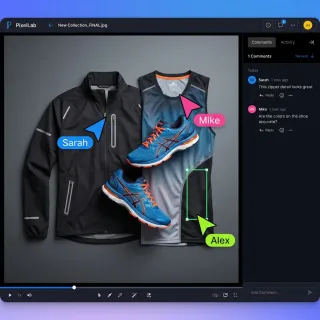
Best Music Sharing Platforms for Professional Audio in 2026
A music sharing platform is a service designed to upload, store, and share audio files with collaborators, clients, or the public. This guide compares the best options for different use cases: professional audio collaboration, client delivery, and public distribution.

7 Best Photography Client Gallery Platforms for 2026
A photography client gallery is an online platform where photographers deliver, showcase, and sell images to clients. This guide compares seven options for proofing, downloads, and print ordering, covering wedding, portrait, and commercial photography workflows.
How to Set Up DaVinci Resolve Collaboration for Your Team
DaVinci Resolve collaboration enables multiple editors, colorists, and audio engineers to work on the same project simultaneously. This guide covers three approaches: Blackmagic Cloud for real-time editing, shared storage for local teams, and proxy workflows for remote collaboration without expensive infrastructure.

Best Free Client Portal Tools in 2026
Most free client portal lists skip the fine print. This guide compares seven free client portal tools with their actual limits on storage, users, and branding so you can pick one that fits without surprise paywalls.
7 Best Video Hosting Platforms for Business in 2026
Video hosting platforms are cloud services that store, organize, and deliver video content to viewers. This guide compares seven platforms for businesses, from marketing-focused tools like Wistia to private hosting solutions for internal videos and client delivery.
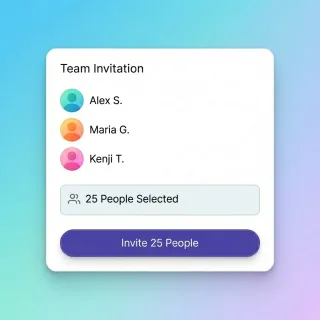
8 Best Video Review Platforms for Collaborative Feedback
A video review platform is software that enables stakeholders to watch, annotate, and approve video content through a structured workflow. The best platforms replace scattered email feedback with organized, time-coded comments that editors can actually act on.
All guides

10 Best Client Portal Software Platforms for 2026
Client portal software gives your clients a branded, secure space to access files, submit documents, and communicate with your team. This guide compares 10 purpose-built portal platforms, covering pricing, standout features, and where each one fits best.
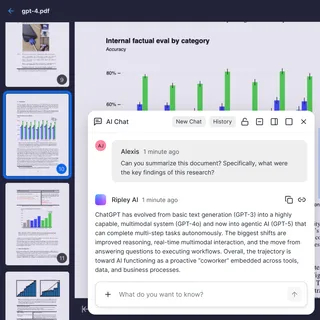
10 Client Portal Examples by Industry and Use Case
Most "client portal examples" articles just list software. This one shows what real portals look like across ten industries, from law firm document rooms to agency creative review spaces. Each example breaks down the workflow, the features that matter, and what makes clients actually use the portal instead of falling back to email.

5 Best Freelance Client Collaboration Tools for 2026
Freelancers who centralize file delivery, feedback, and project tracking in one place spend less time on admin and more time on paid work. This guide compares five collaboration tools built for client-facing freelance workflows, from project hubs and async video to intelligent file handoffs.
7 Best Filestage Alternatives for Review and Approval in 2026
Filestage is a review and approval platform that enables teams to collect feedback on creative assets through collaborative markup tools. But it is not the only option. This guide compares seven alternatives that offer better pricing, integrated file delivery, or specialized features for video production teams.
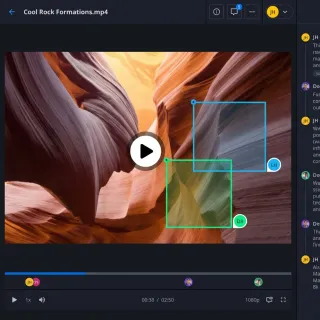
7 Best InVideo Alternatives for 2026 (Free & Paid)
InVideo has 7M+ users worldwide, but it's not the only option. Whether you need better AI avatars, advanced editing timelines, or stronger team collaboration features, there's an InVideo alternative that fits your workflow. This guide compares the top 7 options to help you choose the right video creation tool for your brand.

7 Best IT Team Collaboration Tools for 2026
IT teams need better ways to share files and logs without getting lost in email chains. This guide reviews seven top collaboration tools for IT teams, focusing on file sharing, cost, and how well they work with AI agents. Whether you're handling an outage or a routine deployment, these platforms help keep your team on the same page.
7 Best Photography Client Gallery Platforms for 2026
A photography client gallery is an online platform where photographers deliver, showcase, and sell images to clients. This guide compares seven options for proofing, downloads, and print ordering, covering wedding, portrait, and commercial photography workflows.

7 Best SuiteDash Alternatives for Client Portals and File Sharing
SuiteDash bundles CRM, client portals, invoicing, and project management into one platform, but its complexity and integration gaps push many teams to look elsewhere. This guide compares seven alternatives that handle client-facing file sharing, branded portals, and team collaboration without the learning curve.
7 Best Video Approval Software Tools for Faster Sign-Offs
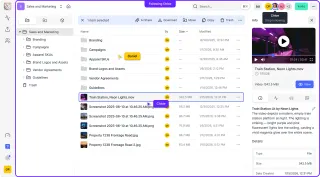
Video approval software manages the sign-off process for video content, providing a structured workflow where stakeholders can review, request changes, and formally approve final deliverables. The best tools combine frame-accurate feedback with clear approval stages so you know exactly where each project stands.
7 Best Video Hosting Platforms for Business in 2026
Video hosting platforms are cloud services that store, organize, and deliver video content to viewers. This guide compares seven platforms for businesses, from marketing-focused tools like Wistia to private hosting solutions for internal videos and client delivery.
7 Best Vidyard Alternatives for Business Video in 2026
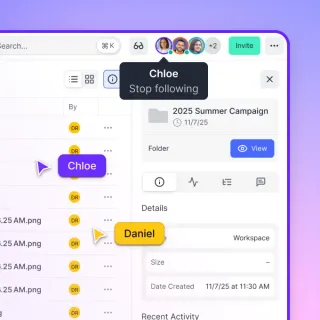
Vidyard is a video hosting platform focused on sales enablement and personalized video outreach. Teams looking for alternatives often want better creative workflow tools, simpler pricing, or fewer restrictions on video length and storage. This guide compares seven Vidyard alternatives based on specific use cases, from async communication to client review workflows.
7 Best Vimeo Alternatives for Professional Video Hosting (2026)
Creative teams are looking for Vimeo alternatives as pricing models shift and upload limits restrict high-volume workflows. While Vimeo remains a standard, platforms like Fastio, Wistia, and Vidyard offer specialized features for review, marketing, and secure delivery, often at a better price. This guide compares seven top options to help you find the right fit.
7 Brandfolder Alternatives That Won't Break Your Budget
Brandfolder is a solid digital asset management platform, but with high enterprise minimums, it's overkill for most teams. This guide compares seven alternatives that deliver brand asset organization, distribution, and governance at price points that actually match your needs.
8 Best Video Review Platforms for Collaborative Feedback
A video review platform is software that enables stakeholders to watch, annotate, and approve video content through a structured workflow. The best platforms replace scattered email feedback with organized, time-coded comments that editors can actually act on.
9 Best Async Collaboration Tools for Remote Teams in 2026
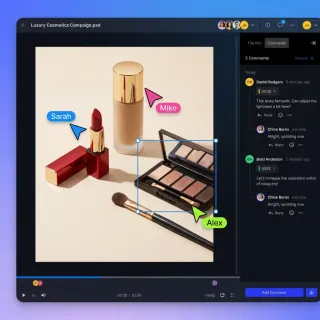
Async collaboration tools let teams work together without requiring everyone to be online at the same time. This guide covers the best options for messaging, file feedback, video updates, and project coordination, with a focus on tools that reduce meetings and keep distributed teams productive.
9 Best Online Proofing Tools for Creative Teams in 2026
Online proofing tools let creative teams collect precise, contextual feedback on visual content in one centralized location. The right tool reduces revision rounds, eliminates scattered feedback, and speeds up approval. Here's what each option does best.
Best Canto Alternatives for Teams That Need Simpler DAM
A Canto alternative is digital asset management software that organizes, stores, and shares brand assets without Canto's enterprise pricing or complexity. If your team manages 10,000+ digital assets but doesn't need Canto's steep enterprise starting price, these alternatives offer comparable organization and sharing at a fraction of the cost.
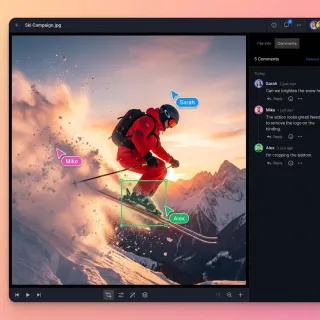
Best Client Collaboration Software for Agencies and Teams
Client collaboration software helps agencies manage review cycles, collect structured feedback, and run approval workflows with external clients. This guide ranks the top platforms for 2026, covering strengths, limitations, and pricing so you can pick the right fit for your team.

Best Client Portal Apps for Teams and Agencies
A client portal app is a mobile or web application that gives clients a dedicated space to access files, track project progress, and communicate with service providers. This guide compares seven client portal apps across different categories, from lightweight file-delivery tools to full-featured CRM platforms, so you can pick the one that fits how your team actually works.
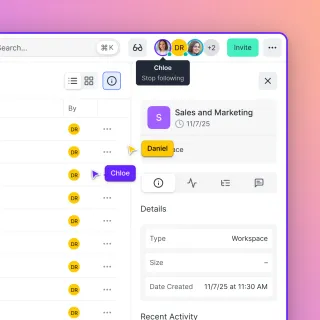
Best DAM Software: 12 Digital Asset Management Tools Compared
Digital asset management (DAM) software helps teams store, organize, and distribute files like images, videos, and documents with metadata tagging and access controls. This guide compares 12 DAM platforms across pricing tiers, from free options to enterprise solutions, so you can find the right fit for your team size and budget.
Best Free Client Portal Tools in 2026
Most free client portal lists skip the fine print. This guide compares seven free client portal tools with their actual limits on storage, users, and branding so you can pick one that fits without surprise paywalls.
Best Loom Alternatives for Video Messaging and File Sharing
Loom changed how teams communicate with async video, but it has limitations around video quality, file storage, and long-term organization. This guide compares the best Loom alternatives based on video quality retention, file management capabilities, and pricing. We cover free options, sales-focused tools, and platforms built for creative teams who need more than basic screen recording.
Best Music Sharing Platforms for Professional Audio in 2026
A music sharing platform is a service designed to upload, store, and share audio files with collaborators, clients, or the public. This guide compares the best options for different use cases: professional audio collaboration, client delivery, and public distribution.
Best Sales Enablement Asset Collaboration Tools
Sales enablement asset collaboration tools organize and share collateral for reps. These platforms centralize pitch decks, videos, case studies, and one-pagers so sales teams access the latest versions quickly. Without them, reps waste time on outdated materials and version hunting slows deals. This guide reviews the best options, highlighting AI tagging gaps and top picks for team sales asset platforms.
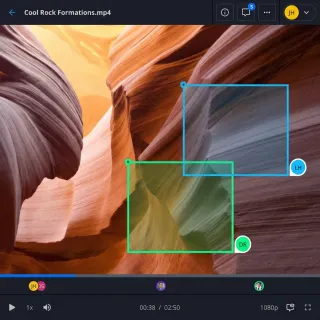
Best Video Collaboration Tools for Teams in 2026
Video collaboration tools are software platforms that help video teams work together on production, from file sharing and review to project management and final delivery. This guide categorizes the best tools by function so you can build the right stack for your team.
Best Video Feedback Tools for Creative Teams in 2026
A video feedback tool lets reviewers leave time-coded comments directly on video content. Editors see exactly what to fix and where. This guide compares video feedback tools that cut revision rounds between creative teams, clients, and stakeholders.
Best WeVideo Alternatives for Video Editing and Collaboration
A WeVideo alternative is a cloud-based video editing or collaboration platform that offers different features, pricing, or export options than WeVideo. While WeVideo works well for educators and beginners with its browser-based editor, professionals often need better export quality, more collaboration features, or different pricing models. This guide compares seven alternatives based on editing capabilities, team collaboration, and value for different use cases.
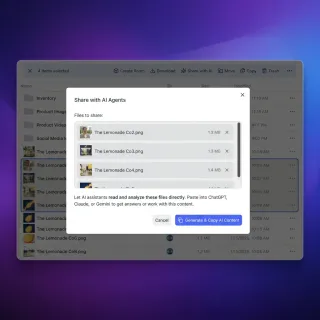
Building Shared Workspaces for LangGraph Multi-Agent Teams
A shared workspace for LangGraph teams gives agents a central spot to access shared files, state, and tools. We'll look at how to move beyond local checkpoints to build reliable collaborative environments for complex agent systems with human oversight.
Choosing a Better Consultant Collaboration Platform
Guide to consultant collaboration platform: Picking the right collaboration platform can save a consulting team time. In a $20 trillion professional services market moving toward fixed-outcome delivery, secure file sharing and project management are must-haves. This guide looks at the top consulting workspaces to help you improve your delivery and keep clients happy with better coordination.
Client Portal Software: What It Is and 8 Best Platforms in 2026
Sharing folders straight from a company cloud drive often exposes internal drafts or forces IT teams to rebuild years of permissions. Client portal software gives each client a dedicated, branded web space for file sharing, feedback, and document delivery while keeping internal workspaces separate. This guide explains what a client portal is and compares eight client portal platforms across file handling, project management, and scoped AI access.
Content Collaboration Software: Choosing a Platform for Teams, Clients, and AI Agents
Pointing an AI assistant or an external client straight at a company-wide SharePoint library or Google Drive exposes years of mixed folders that are too risky to share and too tangled to reorganize. Content collaboration software gives teams a scoped environment to store, preview, annotate, and share files with colleagues, clients, and AI agents. Here is how self-hosted platforms, cloud suites, and scoped workspaces compare.

Donor Portal for Nonprofits: Share Reports and Tax Receipts
A donor portal is a branded workspace where nonprofits share tax receipts, annual reports, and impact updates with individual donors and grantors. This guide covers what to include, how to structure folders, and how to deliver documents without drowning in email attachments.
Game Asset Management: Organize and Share Game Development Files
Game asset management is the systematic organization, versioning, and distribution of digital assets used in game development, including textures, models, audio, and animations. This guide covers best practices for organizing assets, collaborating with teams, and delivering files to stakeholders efficiently.

Grant Management Portal: Share Applications and Reports
A grant management portal is the shared workspace where funders collect applications and grantees submit narrative reports, financial statements, and evidence files. This guide covers what belongs in the portal, how to structure folders for a grant cycle, and how to hand off reporting packets without email attachments or shared drives.

How to Build a Branded Agency Client Portal
An agency client portal is a branded, secure space where agencies share deliverables, collect feedback, and manage approvals with clients outside of email and scattered tools. By centralizing assets and communication, agencies can reduce overhead by 20% while increasing the perceived value of their services. This guide covers the essential features, setup steps, and strategic advantages of implementing a professional portal for your creative or marketing agency.
How to Build a Camera to Cloud Workflow
Camera to cloud is a production workflow where footage uploads directly from the camera to cloud storage, enabling real-time collaboration between on-set crews and remote editors. This guide explains how to implement this workflow to reduce turnaround times by up to 50%, regardless of your camera budget. You will learn both the high-end hardware approach and the more accessible nearline method that works with any camera.

How to Build a Client Onboarding Portal
A client onboarding portal is a dedicated workspace where new clients access welcome materials, submit required documents, and track their setup progress in one place. This guide walks through the seven components every portal needs, how to structure the onboarding flow for agencies and professional services firms, and how to avoid the email chaos that causes early client churn.

How to Build a Client Portal for Your Coaching Practice
A client portal for coaches is a branded online space where coaches share session recordings, worksheets, and program materials with their clients. This guide covers what to look for in portal software, how to organize your coaching content, and how to set up a portal that keeps clients engaged between sessions without drowning in email attachments.

How to Build a Client Portal in ClickUp (And Where It Breaks Down)
ClickUp does not ship with a dedicated client portal, but you can assemble one using guest permissions, shared views, and dashboards. This guide walks through the three main approaches, explains the file sharing gaps that trip up most teams, and covers purpose-built alternatives for when ClickUp's workarounds stop scaling.

How to Build a Client Portal in Notion (And When to Outgrow It)
Notion works as a lightweight client portal when you combine databases, filtered views, and guest permissions into a single bookmarkable page. This guide walks through the full setup process, covers the permission and sharing gotchas that most tutorials skip, and explains when a dedicated portal platform makes more sense.

How to Build a Client Portal in WordPress
A WordPress client portal is a password-protected area on your WordPress site where clients access shared files, project updates, and deliverables. This guide walks through the plugin approach, compares it with external portal services, and covers the security tradeoffs most guides skip.
How to Build a Collaborative Human-AI Medical Image Labeling Workflow
Collaborative human-AI medical image labeling is a specialized workflow where physicians and AI agents work together to annotate diagnostic images in a secure environment. By combining the speed of AI with the clinical judgment of radiologists, teams can improve labeling accuracy by 25%. This approach helps manage the massive volume of imaging data in healthcare records.
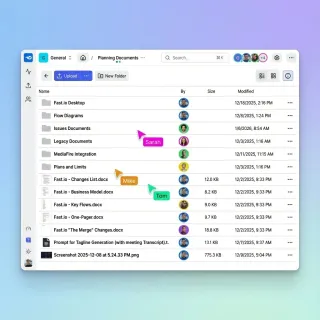
How to Build a Creative Agency Workflow That Saves Hours on File Management
A creative agency workflow is the structured sequence of steps an agency follows to manage client projects, from brief intake through asset creation to final delivery. This guide maps out each stage and shows you how to eliminate the file management bottlenecks that cost agencies a significant portion of their billable time.
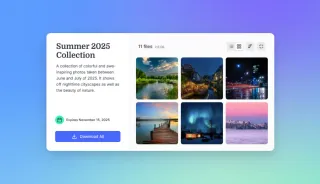
How to Build a Customer Self-Service Portal That Reduces Support Tickets
A customer self-service portal is a secure web interface where customers independently access documents, submit requests, and find answers without contacting support. This guide covers how to plan, build, and maintain a file-centric self-service portal that actually reduces ticket volume, with practical steps for document organization, access controls, and AI-powered search.

How to Build a Partner Ecosystem Collaboration Platform
Partner ecosystems need a better way to share files across different networks. Research shows partners drive multiple% of total revenue for the average B2B company, yet many still rely on outdated portals. This guide shows how to build a modern collaboration platform using shared workspaces, semantic search, and AI agents. Moving away from static storage toward automated workflows can cut partner onboarding time by multiple% and help deals move faster.
How to Build a Remote Video Editing Workflow That Actually Works
A remote video editing workflow is a structured process that enables video editors, producers, and clients to collaborate on projects from different locations without sacrificing efficiency or quality. This guide walks through the five stages of building a workflow that actually works: standardization, file management, review systems, delivery, and the tools that tie it all together.
How to Build a Sales Pipeline Collaboration Workspace
Sales pipeline collaboration lets teams share deal files and updates in real-time to close deals faster. By keeping documents in a shared workspace, teams can increase win rates by up to 38% and cut sales cycles by 30%. This guide shows how to build workspaces that keep sales, marketing, and operations on the same page.

How to Build a Salesforce Client Portal (And What It Actually Costs)
Salesforce Experience Cloud lets you build branded customer portals for case management, knowledge bases, and partner collaboration. But the licensing model is complicated, file sharing is limited, and setup requires Salesforce admin expertise. This guide breaks down what the portal actually does, what it costs, and when a dedicated portal tool makes more sense.

How to Build a Wealth Management Client Portal That HNW Clients Actually Use
A wealth management client portal is a branded digital workspace where wealth managers securely share portfolio reports, financial plans, and investment documents with high-net-worth clients. This guide covers the five features every portal needs beyond basic file sharing, how to structure folders for multi-generational households, and how to pick the right platform without overpaying for features you won't use.

How to Build a Zoho Client Portal (Creator vs Projects vs Desk)
Zoho offers client portal functionality across several products, but each one serves a different purpose. This guide compares Zoho Creator, Zoho Projects, and Zoho Desk portals side by side, explains how to set each one up, and covers what to do when you need capabilities that Zoho's ecosystem doesn't handle well.
How to Build an Efficient Post-Production Workflow for Video Teams
Post-production workflow is the sequence of steps that transforms raw footage into a finished video, typically spanning editing, color grading, audio mixing, VFX, reviews, and final delivery. For teams working remotely or with external clients, the biggest workflow bottleneck often isn't the creative work itself but the file transfers and feedback loops between collaborators.
How to Build an Influencer Content Collaboration Workflow
An influencer content collaboration workflow organizes asset sharing, feedback, revisions, approvals, and final delivery between brands and creators. The influencer market hit $21.1 billion in 2023, according to Statista. Many teams still juggle email, drives, and chat apps. This guide shows how to build a single system with shared workspaces and portals for smoother partnerships.
How to Build Effective Workspace Collaboration for Your Team
Workspace collaboration refers to shared digital environments where teams can organize, access, and work on files and projects together. This guide covers how to structure workspaces, choose the right tools, and avoid the common mistakes that turn shared storage into disorganized chaos.

How to Choose a Board Portal for Your Credit Union
A board portal for credit unions is a secure digital platform that helps volunteer boards manage meeting documents, comply with NCUA regulations, and coordinate decisions without relying on email or paper packets. This guide covers the features credit union boards actually need, how NCUA requirements shape your choice, and how to evaluate portal options on a cooperative budget.
How to Choose a Client Feedback Tool That Fits Your Workflow
A client feedback tool centralizes comments, approvals, and revisions in one place so creative teams stop chasing feedback across email, Slack, and text messages. This guide covers what to look for, how to evaluate options, and which tools work best for different team sizes and project types.
How to Choose a Photo Delivery Service for Professional Photographers
A photo delivery service is an online platform that enables photographers to share, proof, and deliver high-resolution images to clients. This guide covers what to look for, how the top platforms compare, and how to set up a delivery workflow that works.

How to Choose and Set Up Supplier Portal Software
Supplier portal software gives procurement teams a central place to exchange documents, onboard vendors, and track orders without drowning in email threads. This guide covers what supplier portals actually do, the features that matter most for mid-market companies, and how to get one running without a six-month implementation project.
How to Choose Digital Asset Management Software for Your Team
Digital asset management (DAM) software centralizes storage, organization, and distribution of digital files like images, videos, and documents with metadata tagging and version control. This guide explains what DAM is, who actually needs it, and how to evaluate options without getting lost in feature comparisons.
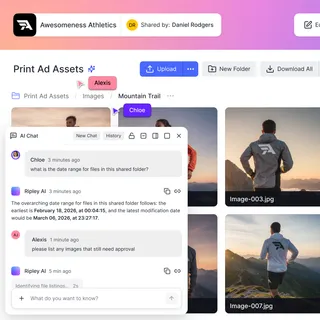
How to Choose Partner Portal Software That Actually Gets Used
Partner portal software gives channel partners, resellers, and distributors a single branded workspace to find sales collateral, product docs, pricing, and co-marketing assets. This guide covers what to look for, how the major platforms compare, and how to build a portal that partners actually log into.
How to Choose Private Video Hosting for Your Business
Private video hosting allows businesses to store and share video content with controlled access, keeping videos hidden from public search and unauthorized viewers. This guide compares privacy levels from unlisted to token-based authentication, explains when each approach works best, and covers file-based workflows that most hosting guides ignore.
How to Choose the Best Creative Cloud Storage for Your Team
Creative cloud storage goes beyond simple file hosting. For design teams and video editors, it means visual previews, large file transfers measured in terabytes, and frame-accurate review tools. This guide breaks down what separates creative-focused storage from generic options like Google Drive or Dropbox, and helps you pick the right solution for your workflow.
How to Collaborate on Architecture Files Across Teams and Firms
Architecture file collaboration enables design teams to share, review, and manage CAD files, BIM models, and project documentation across distributed teams and stakeholders. This guide covers the file types, workflows, and tools that make multi-firm coordination work without version confusion or data loss.
How to Collaborate on Blender Projects with Remote Teams
Blender collaboration is the practice of multiple artists working together on 3D projects, sharing .blend files, textures, and renders across distributed teams. Managing these complex file dependencies requires more than email or basic cloud drives. This guide walks through professional workflows for effective Blender team projects, covering everything from file structure best practices to choosing the right collaboration platform for your studio.
How to Collaborate on Music Remotely with Your Production Team
Musicians, producers, and audio engineers can now create and refine tracks together from anywhere.
How to Collect Documents from Clients Without the Email Chase
Document collection software replaces scattered email requests with secure upload portals, automated reminders, and organized workflows. Instead of chasing clients through endless reply-all threads, you create a single request that tracks what's been submitted and what's still missing. The right tool cuts average collection time per client.

How to Create a Client Portal for Your Business
A client portal is a secure, branded space where businesses share files, collect documents, and communicate with clients outside of email. This guide walks through six steps to create one, compares the three main approaches (custom build, WordPress, SaaS), and helps you pick the right path based on your budget and timeline.
How to Create a Digital Press Kit That Gets Media Coverage
A digital press kit (EPK) is a collection of promotional materials like bios, photos, videos, and press releases, organized in a shareable online format for media and partners. This guide covers what to include, how to organize your assets, and the best methods for delivering press kit materials to journalists.
How to Create and Share Employee Training Videos
Employee training videos are recorded instructional content used to onboard new hires, teach skills, and maintain compliance across an organization. Unlike live training, video assets can be used repeatedly. The same video delivers the same message to every employee while reducing training costs. This guide covers how to plan, produce, and securely host training content for your team.
How to Deliver Photos to Clients: A Photographer's Guide
Photo delivery is the final stage of a photography project where edited images are shared with clients through a gallery, download link, or physical media.
How to Design Self-Healing Workspaces for Multi-Agent Systems
Self-healing workspaces help multi-agent systems recover from tool failures and state drift automatically. By using automated monitors and file-event triggers, these workspaces keep a persistent record of a project's state. This coordination layer helps autonomous agents keep their context and pick up where they left off after a crash or stall.
How to Do Product Roadmap Collaborative Planning
Product roadmap collaborative planning brings product managers, engineers, designers, and stakeholders together to align on priorities using shared visuals and documents. This method reduces misalignment and accelerates delivery by incorporating diverse input early. Learn the steps, tools like Fastio shared workspaces with real-time presence and comments, and practices for success.
How to Enable DevOps Incident Response Collaboration
DevOps incident response collaboration provides shared access to logs and playbooks during outages. With incidents often involving multiple teams from development, operations, and security, coordinated access to critical files cuts resolution time. Fastio workspaces enable real-time presence, contextual comments, advisory file locks, and file version history to streamline incident management without version conflicts.

How to Evaluate Collaborative RAG Performance in Shared Agent Memory
Evaluating collaborative RAG helps teams understand how multiple agents use a unified memory without creating noise or conflicting context. As AI teams move away from isolated agents toward shared workspaces, measuring the efficiency of shared memory becomes important for keeping results accurate and costs low. This guide offers a practical framework for benchmarking multi-agent retrieval using specialized collaboration metrics.
How to Host Video Online for Your Business
Hosting video online means uploading video files to a platform that stores, encodes, and delivers them to viewers via streaming or download.
How to Implement Dynamic Resource Allocation for Multi-Agent Shared Storage
Dynamic resource allocation in agentic storage prevents race conditions and data corruption by managing file locks and storage priorities across an agent swarm. Setting up automated quota management and concurrency controls can significantly reduce file access conflicts and fix the primary cause of multi-agent timeouts. This guide details the architecture, setup, and testing of shared storage for autonomous agents.

How to Improve Cross-Functional Team File Sharing and Workflows
Cross-functional team file sharing means sharing assets across departments while keeping control over who sees what. Research shows that 75% of cross-functional teams struggle because they lack a clear way to share info. By using agentic routing and a single source of truth, companies can break down data silos and finish projects twice as fast.
How to Manage Creative Projects Without Drowning in Files and Feedback
Creative project management is the discipline of planning, organizing, and overseeing creative work from concept to delivery, balancing artistic vision with deadlines and client requirements. This guide covers the five phases every creative project moves through, why asset-heavy workflows break generic PM tools, and how to fix the handoff problems that cause many revision cycles.
How to Manage Video Assets with Digital Asset Management
Video digital asset management handles storing, organizing, and sharing large video files. It includes proxy playback, metadata tagging, and version control.
How to Manage Video Projects Without Losing Your Mind
Video project management is the process of organizing, tracking, and collaborating on video productions from pre-production through final delivery. This guide covers the five biggest challenges video teams face and practical solutions for each, including file organization, review workflows, and delivery to clients.

How to Master BIM Collaboration for Large Projects in 2026
BIM collaboration is the backbone of modern construction, but sharing gigabyte-sized Revit and ArchiCAD files often slows projects to a crawl. This guide shows you how to overcome file size limits, ensure version control, and improve coordination between distributed teams without expensive hardware upgrades.
How to Master Design Handoff: Best Practices & Tools (2026)
Design handoff is the critical phase where designers transfer assets, specifications, and files to developers for implementation. Poor handoffs cause significant development delays. This guide covers the best practices, tools, and checklists to ensure a smooth transition.
How to Orchestrate Cross-Vendor AI Agent Teams in Shared Workspaces
Mixing models like GPT-4, Claude, and Gemini is often the best way to build a high-performance AI strategy. Each model has unique strengths, yet managing these diverse agent teams is difficult without a common ground for files. Shared workspaces provide a vendor-neutral coordination layer where agents collaborate on the same data without being locked into a single ecosystem.
How to Organize Video Files for Faster Editing and Easier Collaboration
Video file organization is a systematic approach to naming, foldering, and tagging video assets so they can be quickly found, tracked, and shared across production teams.
How to Replace SharePoint for Creative Teams
SharePoint handles general document management, but it wasn't built for creative work. Design and video teams need specialized tools that support large media files, instant previews of professional formats, and client-friendly delivery.

How to Run an RFP Response Portal for Vendor Submissions
An RFP response portal gives vendors a single, secure place to submit proposals and supporting documents to a buyer's procurement team. This guide covers what a good portal should support, how to structure submissions, and how to run the process without drowning in email attachments.
How to Send Photos to Clients Professionally
Sending photos to clients professionally means using a delivery method that presents your work beautifully, handles large files easily, and reflects your brand.
How to Set Up a Client Collaboration Portal
A client collaboration portal is a dedicated online space where you share files, collect feedback, and manage projects with external clients. This guide walks you through setting one up, from choosing the right platform to configuring permissions and branding.

How to Set Up a Client Intake Portal That Collects Documents, Not Just Form Fields
A client intake portal is a branded online workspace where professional service firms collect documents, signed agreements, and client information before formally beginning an engagement. This guide covers the difference between simple intake forms and full document collection portals, walks through setting one up step by step, and compares the tools that handle both sides of the intake process.

How to Set Up a Client Portal for Financial Advisors
Financial advisors juggle hundreds of client households, each needing secure access to statements, planning documents, and tax forms. This guide covers what a client portal actually needs to do for an advisory practice, how to evaluate portal software, and how to set one up without rebuilding your tech stack.

How to Set Up a Client Portal for Your Accounting Firm
A client portal for accountants is a secure, branded workspace where accounting firms and their clients exchange tax documents, financial statements, and engagement letters year-round. This guide covers what to look for, how standalone portals compare to all-in-one practice management suites, and how to get your firm set up without overhauling your existing tools.

How to Set Up a Client Portal for Your Photography Business
A client portal for photographers is a branded hub where you manage the full client experience, from contracts and shot lists to final image delivery. This guide covers what separates a real portal from a gallery-one of the few tools, the features that matter most, and how to set one up without stitching together five different apps.

How to Set Up a Client Portal for Your Therapy Practice
A client portal for therapists is a secure online space where practitioners share intake forms, session notes, and treatment plans with clients. This guide covers the features that matter, how EHR-bundled portals compare to standalone file-sharing tools, and how to set up a portal without replacing your existing practice management software.
How to Set Up a Collaborative GeoJSON Review for AI Mapping Agents
Validating GeoJSON data is one of the most expensive parts of building autonomous systems. When mapping agents and human reviewers work in separate silos, costs spiral and metadata errors slip through. This guide shows you how to set up a shared workspace where agents and humans collaborate in real-time. By using automated validation and intelligent indexing, teams can speed up the review cycle while keeping coordinates accurate.
How to Set Up a Collaborative Video Editing Workflow
Collaborative video editing enables multiple team members to contribute to a video project simultaneously or asynchronously, with shared access to footage, timelines, and feedback. This guide walks through building an effective workflow from file upload to final delivery, whether your team works in the same office or across continents.

How to Set Up a HubSpot Client Portal (And When You Need More)
HubSpot's customer portal gives clients a branded interface to track support tickets, but it was never designed for file delivery or document collaboration. This guide walks through the setup process, explains what the portal actually does, and covers alternatives for teams that need more than ticket tracking.
How to Set Up a Remote Video Editing Workflow
Remote video editing is the practice of editing video projects from anywhere, using cloud storage and collaboration tools to work with distributed teams. This guide covers the infrastructure you need beyond just editing software, including file transfer, version control, and feedback workflows that actually work when your team is spread across time zones.
How to Set Up a Secure Client Portal for File Sharing
A secure client portal is a password-protected online space where businesses share files, collect feedback, and collaborate with external clients. This guide covers the essential security features every client portal needs, how to set one up, and the differences between client portals and basic file sharing tools.

How to Set Up a Tax Preparation Client Portal
A tax preparation client portal is a secure online workspace where tax preparers collect documents, share returns for review, and manage e-signatures throughout tax season. This guide covers the five features every tax prep portal needs, how standalone portals compare to all-in-one practice management suites, and how to get your firm running without a major software overhaul.

How to Set Up a Vendor Collaboration Portal
A vendor collaboration portal replaces scattered email threads and shared drives with a single branded workspace for supplier file sharing, bid collection, and approvals. This guide covers what a vendor portal does, which features matter most, and how to set one up from scratch.
How to Set Up a Video Review and Approval Workflow That Works
Video review and approval is a structured workflow where stakeholders provide timestamped feedback on video content before final delivery. Projects typically go through multiple revision rounds, and teams spend a significant portion of project time on feedback coordination. This guide shows you how to build a workflow that reduces both substantially.
How to Set Up a White Label Client Portal for Your Business
A white label client portal is a fully brandable workspace where agencies and service businesses share files, collect feedback, and manage client projects under their own brand identity. This guide covers what to look for in a white label portal, how to set one up, and how to pick the right platform for your business.
How to Set Up an AI-Driven PR Crisis War Room
Guide to shared workspace driven crisis monitoring: A PR crisis workspace is a live hub where agents monitor media sentiment while humans coordinate brand responses. Moving from static dashboards to active shared workspaces helps teams react faster. This ensures every press release and media asset is ready during the first hours of a reputational event.

How to Set Up an Employee Document Portal That People Actually Use
An employee document portal gives your team self-service access to pay stubs, tax forms, benefits information, and company policies without filing HR tickets. This guide walks through what belongs in a portal, how to set one up, and which tools handle the job well.

How to Set Up an Insurance Client Portal for Your Agency
An insurance client portal is a secure online workspace where agencies share policy documents, claims updates, and certificates of insurance with policyholders. This guide covers the features agencies actually need, how to organize your portal by client or policy, and how to avoid the common mistakes that turn a portal into another abandoned tool.
How to Set Up Brand Asset Management That Actually Works
Brand asset management is the systematic organization, storage, and distribution of logos, images, templates, and brand guidelines to ensure consistent brand usage. Done poorly, teams waste hours weekly searching for approved assets. Done well, everyone knows exactly where to find the latest files.
How to Set Up Construction Document Management That Actually Works
Construction document management is how project teams organize, version, and share drawings, specifications, contracts, submittals, and closeout records from bid to handover. When files scatter across office drives and email threads, field crews risk building from superseded plans and subcontractors see folders outside their scope. Setting up a central construction document hub gives office staff, external trades, and field teams reliable access to the current set.
How to Set Up DaVinci Resolve Collaboration for Your Team
DaVinci Resolve collaboration enables multiple editors, colorists, and audio engineers to work on the same project simultaneously. This guide covers three approaches: Blackmagic Cloud for real-time editing, shared storage for local teams, and proxy workflows for remote collaboration without expensive infrastructure.
How to Set Up File Sharing for Post-Production Teams
Guide to post production file sharing: Post-production file sharing refers to specialized workflows and tools for transferring raw footage, project files, and deliverables between editors, colorists, VFX artists, and clients. Post-production houses move hundreds of gigabytes of data daily during active projects.
How to Set Up File Version Control for Teams
File version control automatically tracks changes to files over time, allowing you to view history, compare versions, and restore previous states. This guide covers practical methods for implementing version control, from manual naming conventions to automated cloud-native systems.
How to Set Up Photo Proofing for Client Feedback
Photo proofing is the process of presenting images to clients for review, selection, and approval before final delivery or print production. This guide covers how to set up proofing galleries that reduce back-and-forth communication, speed up approvals, and keep all feedback organized in one place.
How to Set Up Remote Collaboration for Small Businesses
Remote tools keep small business teams connected from anywhere. They cover file sharing, live updates, and feedback to match office work. Hybrid and remote work is popular now. SMBs want tools that handle growth without high prices. Fastio workspaces show live activity and smart search to simplify file sharing. This cuts version problems and delays. This guide shows setup steps, main features, and practical tips.
How to Set Up Team File Sharing That Actually Works
Team file sharing puts files in a central location where everyone with the right access can find them. Teams lose hours daily searching for files, and the right sharing setup eliminates that waste. This guide covers the folder structures, permission setups, and workflows that separate functional teams from those drowning in shared drive chaos.
How to Set Up Temporary Video Hosting for Review and Approval
Temporary video hosting lets teams share video files for a limited time, making it ideal for review cycles, client approvals, and draft sharing. This guide walks through setting up expiring video links, collecting frame-accurate feedback, and managing access without permanent storage costs.

How to Set Up Vendor Portal Document Management That Actually Works
Vendor portal document management centralizes the collection, storage, and tracking of vendor-submitted documents like insurance certificates, tax forms, and compliance paperwork. This guide covers which documents to collect, how to structure your portal, and how to automate follow-up so nothing expires without notice.
How to Share a Premiere Pro Project with Your Team
Sharing a Premiere Pro project involves packaging the project file (.prproj) along with all linked media assets so collaborators can open and edit without missing files.
How to Share Podcast Files with Your Team
Podcast file sharing is the process of transferring large audio files between hosts, guests, editors, and production teams during podcast creation. This guide covers the complete workflow from guest recordings to final edit handoffs, including which file formats to use and how to avoid quality loss.
How to Use a Video Annotation Tool for Faster Feedback Cycles
A video annotation tool lets reviewers pin comments, drawings, and markup directly to specific video frames. This eliminates vague feedback like "that part in the middle looks off" and replaces it with precise, actionable notes. Teams using frame-accurate annotation reduce review cycles compared to email-based feedback loops.
How to Use Cloud Storage for Video Editing Workflows
Cloud storage for video editing provides remote access to large video files, enabling editors to work from anywhere while maintaining project organization.
How to Use Content Calendar for Team Collaboration
Content calendar team collaboration brings planning, files, and feedback into one shared space. Teams coordinate content production more smoothly when everyone sees the same calendar, assets, and comments. Traditional calendars often lack file handling. Fastio workspaces fix this by combining editorial calendars with native previews, real-time presence, and contextual comments on drafts. Follow this guide to set up your system, follow best practices, and choose tools that fit your workflow.
How to Use Photo Proofing Software to Speed Up Client Selection
Photo proofing software allows photographers to share image galleries with clients for selection, approval, and feedback before final delivery or printing. The right tool can cut your editing time in half by confirming selections early, and professional proofing workflows can increase average order values. This guide covers what to look for, how to set up an efficient proofing workflow, and how to choose between dedicated proofing tools and general file sharing platforms.

How to Use the HoneyBook Client Portal (Features, Limits, and Alternatives)
HoneyBook's client portal gives freelancers and small businesses a branded space where clients can view proposals, sign contracts, pay invoices, and access project files. This guide covers exactly what the portal includes, where it falls short, and when you need a dedicated portal tool instead.
How to Use White Label File Sharing for Your Business
Sending clients a raw Google Drive, Dropbox, or SharePoint link exposes your storage vendor and often grants wider access than a single handoff requires. White label file sharing replaces generic links with branded portals and file transfer spaces carrying your logo and colors, with a vanity URL on portals. Here is how white label file service platforms compare and how to set one up without migrating your drive.

Implementing Collaborative Prompt Versioning for Shared Agent Environments
Teams working on AI agents need a way to track changes to their instructions. When multiple people edit the same prompt, things break quickly without version control. Collaborative prompt versioning helps you manage these changes, prevent performance regressions, and keep behavior consistent across your whole team. This guide shows how to set up a prompt registry and manage the full agent lifecycle without losing track of what works.
Simplify Global Video Production with Collaborative AI Localization
Global video teams often struggle when translating content for different languages and cultures. Collaborative AI localization fixes this by bringing distributed teams and automated agents together to translate, dub, and adapt media in one shared workspace. This guide shows how these tools can cut production time while keeping you in control of your shared assets.
Video Localization: How to Share Files for Translation and Dubbing
Video localization is the process of adapting video content for different languages and regions, including translation, subtitling, dubbing, and cultural adaptation. Managing the massive file transfers between production teams and localization vendors can be a logistical nightmare without the right workflow. This guide breaks down the entire localization pipeline and shows you how to organize, share, and track assets so your global content launches on time.
Wiredrive Alternatives: Best Options for Video Production Teams
A Wiredrive alternative is a media sharing platform that provides video review, client presentation, and asset management capabilities for creative teams and production companies. With Wiredrive scaling back its presence in the market, many advertising agencies and post-production houses are evaluating modern replacements that offer better streaming, simpler pricing, and more flexible collaboration tools.