How to Use White Label File Sharing for Your Business
Sending clients a raw Google Drive, Dropbox, or SharePoint link exposes your storage vendor and often grants wider access than a single handoff requires. White label file sharing replaces generic links with branded portals and file transfer spaces carrying your logo and colors, with a vanity URL on portals. Here is how white label file service platforms compare and how to set one up without migrating your drive.


What Is White Label File Sharing?
Sending an outside client a raw Google Drive, Dropbox, or SharePoint link exposes your internal storage vendor, reveals account names or directory paths, and often grants broader access than a single deliverable requires. White label file sharing replaces that third-party vendor chrome with a branded portal or branded file transfer page that carries your organization's logo, color palette, background imagery, and custom URL path.
In practice, buyers are usually choosing between three distinct software models:
- Branded client portals and directional shares: Built for agencies, law firms, investment teams, architecture studios, and consultancies that deliver work or collect documents from clients under their own visual identity.
- Self-hosted white label cloud storage: Self-hosted or single-tenant systems (such as FileCloud Server or Nextcloud) where an internal IT team runs the storage software on company-managed servers or cloud infrastructure.
- Multi-tenant white label file service platforms: Reseller platforms (such as CentreStack or RushFiles) built for managed service providers (MSPs) that package, brand, and bill cloud file hosting as their own product.
Matching the model to your team's actual goal prevents overspending on reseller infrastructure when what you really need is a clean, branded client portal attached to your existing files.
Helpful references: Fastio Workspaces, Fastio Collaboration, and Fastio AI.
Related guides
- How to Set Up a Client Collaboration PortalA client collaboration portal is a dedicated online space where you share files, collect feedback, and manage projects...
- How to Set Up a White Label Client Portal for Your BusinessA white label client portal is a fully brandable workspace where agencies and service businesses share files, collect...
- How to Create a Client Portal for Your BusinessA client portal is a secure, branded space where businesses share files, collect documents, and communicate with...
- How to Set Up a Client Portal for Your Photography BusinessA client portal for photographers is a branded hub where you manage the full client experience, from contracts and shot...
- Best Free Client Portal Tools in 2026Most free client portal lists skip the fine print. This guide compares seven free client portal tools with their actual...
- How to Build a Salesforce Client Portal (And What It Actually Costs)Salesforce Experience Cloud lets you build branded customer portals for case management, knowledge bases, and partner...
More on this subject: Team Collaboration (126 guides)
Why Teams Outgrow Sharing Straight from the Drive
Many growing companies start by sharing deliverables straight out of the drive where the team works every day. As client volume and AI adoption grow, that habit creates three operational bottlenecks:
Source Drives Mix Internal Work and Client Deliverables
Deal folders in SharePoint, case files in Box, and project directories in Google Drive or Dropbox almost always mix working drafts, internal notes, and final client deliverables. Connecting an external client or an AI assistant directly to the source drive exposes too much context, and restructuring years of folders is rarely practical. Teams in this position usually want a clean boundary between where files are drafted and where clients pick them up.
Account Friction Slows External Handoffs
Enterprise storage suites frequently force external recipients to register for a vendor account, verify an email address, or sign in with a matching corporate identity before opening a file. When a managing partner, recruiter, or studio producer sends a time-sensitive package or asks a client to upload financial statements, login hurdles lead to emailed attachments instead.
Per-Seat Licensing Penalizes External Collaboration
Traditional collaboration suites price their plans around internal user seats. Adding outside clients, external counsel, or agency reviewers as full workspace users drives up monthly licensing costs for people who only open a folder once a month.
Rather than migrating terabytes of files out of SharePoint, Google Drive, Box, or Dropbox, IT leads increasingly keep their source drives intact, sync only the relevant folders into a dedicated workspace, and publish a branded share or client portal from that workspace.

What to Evaluate in a White Label File Service Platform
Not every white label file service platform customizes the same layers of the client experience. When evaluating options for client delivery, internal teams, and AI agents, check four technical areas:
1. Visual Branding and Portal Presentation
- Custom logo, colors, and background: The portal header, buttons, and background should reflect your visual identity on desktop and mobile browsers without displaying the vendor's branding to guests.
- Vanity URL paths: Links should identify your organization clearly so recipients recognize who sent the package before clicking.
- Guest access without an account: External clients should be able to open a branded portal or upload files by link without registering for another software service or consuming a paid seat.
2. Directional Sharing Modes (Send, Receive, and Exchange)
A single generic folder link rarely fits every stage of a client engagement. Look for purpose-built share modes:
- Send shares: Outbound branded file transfer for finished deliverables, pitch decks, and media cuts, either as durable shares kept until revoked or as time-limited links.
- Receive shares: Inbound file collection portals where clients or counterparties upload large files via chunked uploads without seeing other people's submissions.
- Exchange shares and portals: Two-way spaces for ongoing project collaboration, backed either by independent room storage or by a live workspace folder.
3. Access Controls, Versioning, and Governance
- Scoped role-based permissions: Access should be set cleanly per organization, workspace, and share through member roles. Instead of maintaining brittle folder-by-folder overrides inside one giant drive, give each client matter, deal, or agent its own workspace or share containing only the folders it should reach.
- Link protection: Support for password protection, expiration dates, revocable per-recipient access grants, and the option to disable file downloads when recipients only need to review files in the browser.
- Version history and advisory file locks: Every file should retain per-file version history so recipients always see the latest version while prior versions remain restorable. When multiple people and AI agents write to the same workspace, advisory per-file locks let a writer acquire a lease that expires unless renewed by heartbeat (and can be overridden by anyone with write permission), while version history preserves every edit.
- Detailed activity log: An organization-wide detailed activity log should record storage changes (uploads, edits, moves, and deletions) alongside membership changes, permission updates, and share creation by both humans and agents.
4. In-Browser Previews and Anchored Review
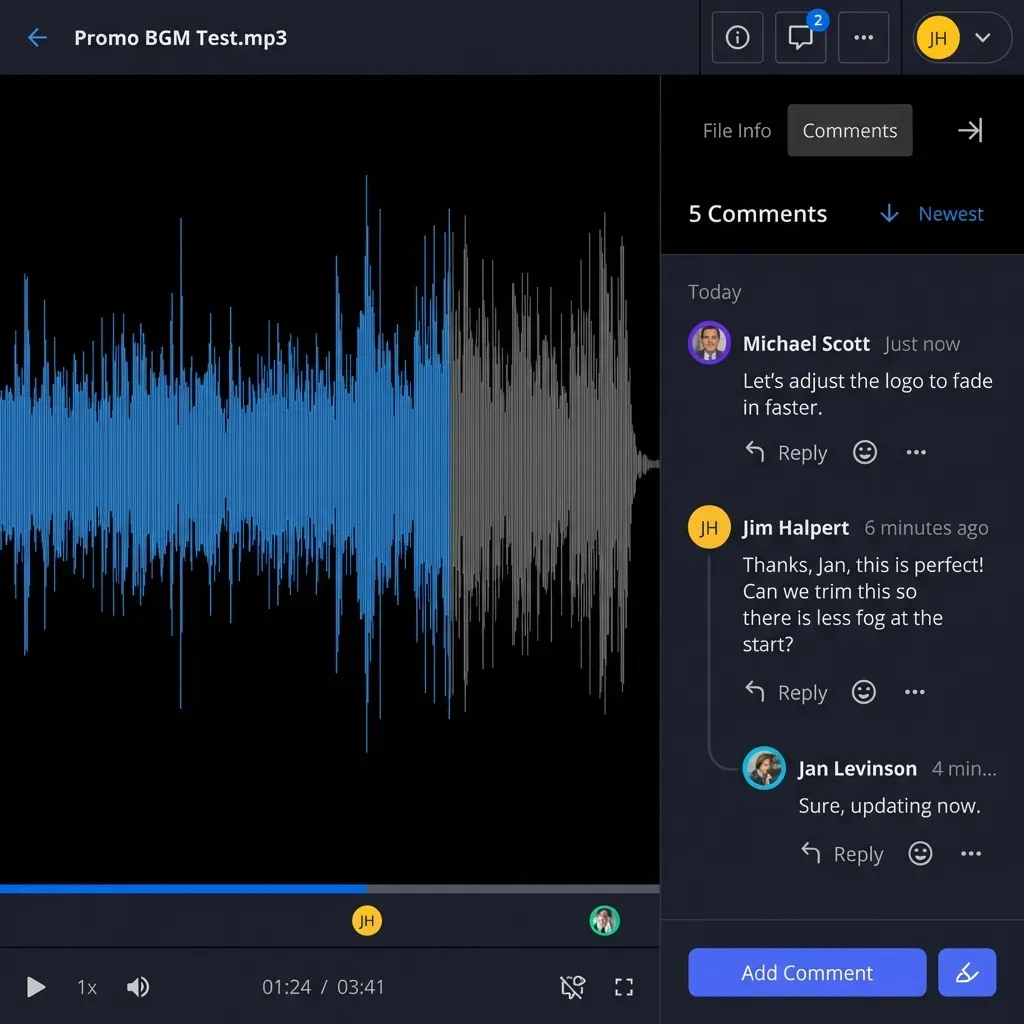
- Universal in-browser previews: Clients should be able to inspect PDFs, spreadsheets, images, audio waveforms, CAD drawings, design and camera formats (PSD, AI, RAW), and high-resolution video via adaptive HLS streaming directly in the browser without downloading bulky source files.
- Anchored comments: Reviewers should be able to pin comments to a specific PDF page, image region, video timestamp, or text selection on a file version so feedback stays attached to the exact asset.


Deliver client files in a branded portal without paying per guest
Share folders from your workspace or synced cloud drive under your own logo and colors. Monthly plans start with a 14-day free trial, and external clients open shares without taking a seat.
Comparing White Label File Sharing Platforms
The market for white label file sharing divides into three categories based on who manages the infrastructure and how external users are billed:
Self-Hosted and Enterprise Platforms
FileCloud, Egnyte, and open-source Nextcloud serve organizations that want deep infrastructure control, including self-hosted white label cloud storage running on their own servers. FileCloud and Nextcloud allow IT administrators to customize login screens, server URLs, and mobile apps when deploying on-premises or in a private cloud. The trade-off is running and patching your own servers.
Best for: Enterprises with dedicated infrastructure teams that want to host their own server instances or rebrand native mobile apps.
MSP and Reseller Platforms
CentreStack and RushFiles are built for managed service providers that resell cloud storage under their own brand. They emphasize multi-tenant partner consoles, wholesale seat packaging, and white-labeled desktop or mobile clients linked to Windows file servers.
Best for: IT service providers and MSPs selling branded cloud storage subscriptions to downstream business customers.
Workspace and Client Portal Platforms
Fastio and Clinked focus on client-facing teams (legal, private equity, finance, life sciences, architecture, executive search, and creative agencies) that want branded portals and shares without managing servers or paying per external guest. In Fastio, plans include a set number of organization member seats, and external clients open branded shares and Content Portals as guests without taking a seat.
Best for: Small and mid-sized firms that want branded file delivery, guest uploads, in-browser media previews, and scoped AI capabilities alongside their existing cloud drives.
How to Set Up Branded File Sharing Without Migrating Your Drive
You do not need to move your company off Google Drive, Dropbox, Box, or SharePoint to give clients a branded portal experience. Here is a practical four-step setup:
Step 1: Scope One Workspace per Client, Deal, or Matter
Collect your primary brand assets, including a transparent PNG logo, brand color hex codes, and an optional background image. Create a dedicated workspace for the unit of work (such as a client engagement, legal matter, or search mandate). Because permissions apply at the organization, workspace, and share levels, isolating each engagement in its own workspace keeps internal teams, external guests, and AI assistants cleanly separated.
Step 2: Sync Existing Cloud Folders or Upload Deliverables
If your files already live in an outside drive, use Cloud Sync to connect selected folders from Google Drive, Dropbox, Box, or OneDrive (including SharePoint document libraries through OneDrive for Business) to your Fastio workspace. You can run sync one-way or two-way, on a recurring schedule or on demand. One-way sync leaves the source drive unchanged. You can also bring folders in as a one-time cloud import or upload large deliverables directly using chunked uploads.
Step 3: Publish a Branded Share or Content Portal
Create a Send, Receive, or Exchange share (or a full Content Portal) from the workspace:
- Upload your custom logo and set your brand colors and background (a Content Portal can also use a vanity URL).
- Choose Room Storage Mode for an independent share space or Shared Folder Storage Mode to back the share with a live workspace folder.
- Apply access controls such as a password, an expiration date, per-recipient access grants, or download blocking.
Step 4: Verify Guest Previews, E-Signatures, and Handoffs
Open the share link in an incognito browser window to verify the guest view on desktop and mobile. Confirm that recipients can preview documents, images, and HLS video in the browser without creating an account, and that signed-in reviewers can leave anchored comments. When an engagement requires signed agreements, send documents for e-signature directly from the workspace: signers can be routed in sequence or in parallel, verify with an optional one-time passcode, and need no account, while a tamper-evident audit certificate records signer identity, timestamp, IP address, and browser before filing the executed copy back into the workspace. If an AI agent builds the organization and portals first, it can hand the organization to a human with a claim link through ownership transfer.
White Label Portals vs. Building Custom File Transfer Infrastructure
Software-literate teams sometimes consider building a custom client portal on top of raw object storage such as Amazon S3 or Google Cloud Storage. Before committing engineering cycles, weigh what a production file portal actually requires:
Building Custom File Sharing
Pros:
- Full control over application layout and custom business logic
- Direct billing from your cloud infrastructure provider
- Custom integration with proprietary internal databases
Cons:
- Engineering teams must build and maintain chunked upload sessions, resumable transfers, and role-based access controls
- In-browser previews for video (adaptive HLS transcoding), RAW photos, PSDs, CAD files, and large PDFs require dedicated media processing pipelines
- Ongoing maintenance for browser compatibility, security patches, version history, and activity logging
Using a White Label File Sharing Platform
Pros:
- Branded portals and Send, Receive, and Exchange shares are ready in minutes
- Built-in encryption in transit and at rest, expiring links, password protection, and a detailed activity log
- Native in-browser media previews, anchored comments, e-signature, and AI search included without custom pipeline code
Cons:
- Visual customization follows the platform's portal layout rather than arbitrary custom HTML
- Recurring monthly or annual subscription cost
Unless file hosting is the core software product your company sells, a dedicated workspace and portal platform removes months of storage, transcoding, and permission engineering.
How Fastio Combines Branded Portals with AI and Agent Access
Fastio treats branded file sharing as part of an intelligent workspace where people, external clients, and AI agents work on the same files under strict scope controls:
- Branded Content Portals and Shares: Customize portals and Send, Receive, and Exchange shares with your logo, colors, and background, and give Content Portals a vanity URL. External guests access shares by link without an account and do not count against organization seats.
- Universal Previews and Anchored Comments: Preview PDFs, spreadsheets, CAD drawings, PSD, AI, RAW camera files, audio waveforms, and HLS video streams in the browser. Pin comments to PDF pages, image regions, video timestamps, and text selections on a specific file version.
- Portal AI (Ripley) and Metadata Views: When Intelligence is enabled, Ripley AI answers questions across workspace and portal files with citations to specific files, pages, and passages. With Metadata Views, teams describe extraction fields in plain English (such as contract dates, counterparties, policy limits, or invoice totals) and turn PDFs, scans, and spreadsheets into a sortable, filterable database.
- Scoped AI Assistants and MCP Integration: Connect Claude or ChatGPT, or connect coding and automation agents through a consolidated MCP toolset (
https://mcp.fast.io/mcp/toolsfor Claude and general MCP clients,https://mcp.fast.io/mcp/operationsfor ChatGPT and Codex custom servers, andhttps://mcp.fast.io/mcp/codefor coding agents). On connection, choose Read Only or Read & Write and scope the assistant to specific workspaces so it never sees your entire cloud drive. - Advisory File Locks and Ownership Transfer: Coordinate concurrent human and agent edits with advisory per-file locks, and an agent that builds an organization can hand it to a human with a claim link.
- Transparent Plans: Creating an account is free, and organizations run on Starter, Business, or Enterprise subscriptions that bundle seats and storage, with a 14-day free trial on monthly plans (credit card required). See fast.io/pricing for plan details.
Frequently Asked Questions
What is white label file sharing?
White label file sharing is a file transfer and portal system that displays your company's logo, color palette, background, and vanity URL instead of a third-party storage vendor's branding. It lets businesses send deliverables, collect client uploads, and collaborate in a branded environment without building custom storage infrastructure.
How do I set up branded file sharing without migrating my files out of Dropbox?
You can keep your existing files in Dropbox, Google Drive, Box, or OneDrive (including SharePoint libraries through OneDrive for Business) and use Fastio Cloud Sync to sync selected folders into a workspace on a schedule or on demand, one-way or two-way. From that workspace, publish a branded Send, Receive, or Exchange share or a Content Portal carrying your logo and colors.
What is the difference between white label cloud storage and a branded client portal?
White label cloud storage software (such as FileCloud Server or Nextcloud) typically runs as a self-hosted or reseller system where you manage the underlying server infrastructure or resell storage accounts. A branded client portal (such as Fastio Content Portals) is a managed workspace and sharing layer designed for delivering files, collecting uploads, previewing media, and collaborating with clients under your brand.
How does branded file transfer work for receiving large files from clients?
With a Fastio Receive or Exchange share, you send clients a branded link carrying your logo and colors. Clients upload large files directly in their browser using chunked uploads without creating an account, and maximum upload sizes scale by plan up to 100 GB on Enterprise.
Do external clients count toward seat limits on white label file sharing platforms?
On traditional per-user platforms, adding external collaborators as registered users often consumes paid seats. In Fastio, seats count organization members only; external guests open branded shares and portals by link without an account and never take a paid seat.
Can I restrict what clients and AI assistants can access in a branded share?
Yes. Fastio sets role-based permissions per organization, workspace, and share. To give a client only one folder or specific files, place that folder or those files in a dedicated share or workspace, and apply passwords, expiration dates, per-recipient access grants, or download blocking. When connecting Claude, ChatGPT, or an MCP agent, you also pick which specific workspaces the assistant can reach and whether its access is Read Only or Read & Write.
Related Resources

Deliver client files in a branded portal without paying per guest
Share folders from your workspace or synced cloud drive under your own logo and colors. Monthly plans start with a 14-day free trial, and external clients open shares without taking a seat.