Video and Media Production
Moving large media around a production without losing a week to uploads. These pages cover review and approval cycles with clients, proxy and dailies delivery, versioning across cuts, archive and retrieval, and the file-size realities of 4K and above. Fast.io handles the delivery side with chunked uploads, previews, versioned shares, and comment threads attached to the file rather than an email chain.
Coverage runs from getting a first cut to a client without a dedicated transfer service through to archive practice once a project wraps. The pages take file size seriously, because it is what breaks most workflows, and they cover review with people who will never install an editing application. Version confusion gets particular attention, since it is the failure that costs a day rather than a minute.
36 guides in this topic.
Start here
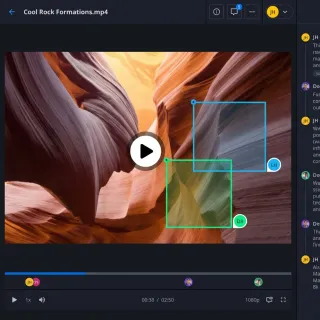
How to Clean Video Metadata and Remove PII for AI Model Training
Guide to video metadata cleaning: Video datasets for AI model training often contain hidden personal information and sensitive metadata. Failing to clean these files can lead to significant compliance fines and security breaches. This guide provides a step-by-step technical process for stripping metadata and anonymizing visual content to ensure your datasets are compliant and secure.
Video Editing Storage Solutions: Best Options for Editors
Video editing storage solutions are specialized systems designed to handle the massive bandwidth and file sizes required for modern video production. This guide compares NAS, SAN, cloud, and hybrid storage options to help editors choose the right setup for their workflow.

How to Extract Metadata from FLAC, WAV, and Lossless Audio Files
Lossless audio formats store metadata differently than MP3. FLAC uses Vorbis Comments, WAV relies on RIFF INFO chunks and optional BWF extensions, and formats like WavPack and Monkey's Audio use APE tags. This guide covers how each system works, how to extract metadata with command-line tools and programming libraries, and how to handle lossless audio metadata at scale.
Animation Pipeline: How Studios Manage and Share Animation Assets
An animation pipeline is the structured workflow that animation studios use to move projects from concept through storyboarding, modeling, rigging, animation, rendering, and compositing to final delivery. Feature films involve vast numbers of files across teams, requiring precise file management and collaboration systems.
VFX Pipeline: File Management and Sharing Guide
A VFX pipeline is the end-to-end workflow that visual effects studios use to manage assets, shots, and renders from initial plate delivery through final composite output. With projects involving many artists across multiple locations and shots going through many iterations during production, efficient file management and collaboration tools are essential to delivering on time and on budget.
How to Collaborate in Premiere Pro with a Remote Team
Premiere Pro collaboration enables multiple editors to work on the same video project simultaneously, sharing footage, sequences, and assets remotely. Adobe offers built-in tools like Team Projects and Productions, but many teams get better results with a shared storage workflow that avoids the complexity of Adobe's cloud sync. This guide walks through all three methods so you can pick the right one for your team size and budget.
All guides
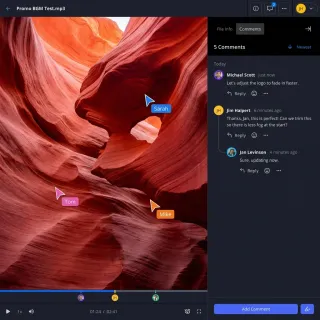
5 Best Blackmagic Cloud Alternatives for Video Teams in 2026
Blackmagic Cloud works well if your entire team lives in DaVinci Resolve, but its tight ecosystem lock-in creates friction for mixed workflows, client delivery, and freelancer collaboration. This guide compares the top alternatives for video teams who need more flexibility with their cloud storage and file sharing.
Animation Pipeline: How Studios Manage and Share Animation Assets
An animation pipeline is the structured workflow that animation studios use to move projects from concept through storyboarding, modeling, rigging, animation, rendering, and compositing to final delivery. Feature films involve vast numbers of files across teams, requiring precise file management and collaboration systems.
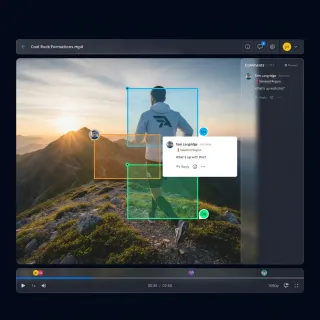
Best Iconik Alternatives for Video Teams in 2026
Iconik is a powerful hybrid cloud media management hub, but its complexity and pricing don't fit every video team. This guide compares the top alternatives from agile cloud storage solutions like Fastio to enterprise DAMs like Bynder.
Best Instructional Video Collaboration Platforms Compared
Instructional video collaboration platforms let training teams review elearning videos with precise feedback. Upload drafts, add timestamped notes, track versions, and approve changes without email chaos. These tools cut revision cycles, especially as video powers most of corporate training. Fastio offers AI-powered clip search, which few competitors match.
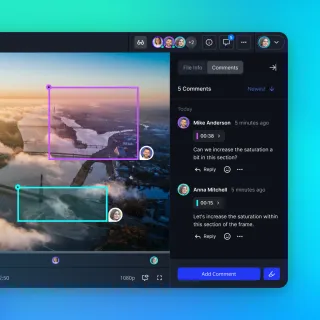
Best Wistia Alternatives for Professional Video Hosting
Wistia is a strong video marketing platform, but its per-video pricing model and feature limitations push many businesses to explore alternatives. Whether you need unlimited video uploads, better collaboration tools, or more affordable pricing, this guide compares the best Wistia alternatives for 2026.

Building AI-Native Video Storage Infrastructure
Guide to native video storage infrastructure: Traditional storage treats video as a playback stream. AI agents treat it as a queryable database. This guide covers the architecture shift required to support frame-level random access, metadata-heavy pipelines, and the I/O throughput that keeps GPU clusters productive instead of idle.
Explainer Video Collaboration Tools Compared
Explainer video collaboration tools improve feedback for animation teams, agencies, and clients on drafts, storyboards, and final renders. They enable precise, frame-specific comments that cut down on miscommunications and speed up iterations. With agencies often handling many projects annually, efficient review processes keep tight deadlines on track. This comparison covers essential features like real-time co-watching, region-based annotations, and adaptive streaming.
How to Archive Live Event Videos
Live event video archiving stores raw footage from conferences, webinars, concerts, and sports for on-demand access and repurposing. Events produce terabytes of high-resolution video that teams need to organize, search, and share. Fastio provides scalable storage with integrated semantic search for quick clip retrieval, filling a gap in most solutions.
How to Automate High-Volume AI Video Review via API
High-volume AI video review APIs help developers submit and analyze video assets generated by AI models at scale. As startups begin producing thousands of clips per day, manual review has become a major bottleneck for growth. This guide explains how to move from frame-by-frame QA to automated review workflows that can handle entire libraries in seconds.
How to Build a Tutorial Video Team Workflow
A tutorial video team workflow organizes the process from planning to publishing, ensuring smooth collaboration among scriptwriters, recorders, editors, and reviewers. Tutorial videos dominate educational content on platforms like YouTube, where creators earn over $100 billion from views and monetization, according to YouTube's official blog. Teams that structure their production pipeline handle multiple versions effectively and deliver content faster.
How to Build Branded Stakeholder Portals for Video Review and Approval
Stakeholder video approval portals are secure, white-labeled web environments where clients and executives can review video content and provide feedback without complex logins. Branded portals increase client approval rates by 25% while reducing the friction of traditional feedback loops. Email-based video feedback often leads to 40% more revision cycles, creating bottlenecks for creative agencies and internal marketing teams.
How to Clean Video Metadata and Remove PII for AI Model Training
Guide to video metadata cleaning: Video datasets for AI model training often contain hidden personal information and sensitive metadata. Failing to clean these files can lead to significant compliance fines and security breaches. This guide provides a step-by-step technical process for stripping metadata and anonymizing visual content to ensure your datasets are compliant and secure.
How to Collaborate in Premiere Pro with a Remote Team
Premiere Pro collaboration enables multiple editors to work on the same video project simultaneously, sharing footage, sequences, and assets remotely. Adobe offers built-in tools like Team Projects and Productions, but many teams get better results with a shared storage workflow that avoids the complexity of Adobe's cloud sync. This guide walks through all three methods so you can pick the right one for your team size and budget.

How to Collaborate on After Effects Projects
After Effects collaboration means coordinating .aep projects, footage, and comps across designers, editors, and clients. Fastio workspaces let teams stream large AE files, add targeted feedback, and work together live. Skip Dropbox sync problems. Get frame-level reviews without extra tools.

How to Edit and Modify Video Metadata Tags
Video metadata tags control how files are titled, organized, and discovered across players and platforms. This guide covers the practical tools and commands for editing metadata in MP4, MKV, and MOV containers, from GUI editors to FFmpeg one-liners and Python scripts for batch processing.
How to Extract Metadata from FLAC, WAV, and Lossless Audio Files
Lossless audio formats store metadata differently than MP3. FLAC uses Vorbis Comments, WAV relies on RIFF INFO chunks and optional BWF extensions, and formats like WavPack and Monkey's Audio use APE tags. This guide covers how each system works, how to extract metadata with command-line tools and programming libraries, and how to handle lossless audio metadata at scale.

How to Extract Podcast Metadata and RSS Chapter Markers
Podcast metadata lives in three places: RSS feed XML, audio file ID3 tags, and external chapter files linked through Podcasting 2.0 tags. This guide walks through extracting structured data from all three sources, normalizing the results, and handling the inconsistencies you will find across hosting platforms.
How to Implement HLS Video Streaming for Corporate Communications
Video works well for company updates, but standard files often struggle on corporate VPNs or risk leaking on public social sites. This guide explains how HLS (HTTP Live Streaming) fixes these problems. It breaks video into small pieces for fast delivery that works securely on any device without buffering.
How to Implement Multi-Camera Semantic Video Indexing for AI Analysis
Multi-camera semantic video indexing uses AI to link visual data across several feeds at once, creating a unified, searchable timeline. This process replaces manual scrubbing with sub-second retrieval. It allows teams to track subjects across different fields of view without losing track of who is who.
How to Index Video Archives for Retrieval-Augmented Generation (RAG)
Indexing your video archive turns old recordings into searchable facts for AI. When you pull out transcripts and visual cues with timestamps, AI agents can use your video library as a source of truth. Most company knowledge stays hidden in unrecorded meetings or raw footage; indexing makes that data useful for the first time.
How to Manage VR Video Assets Effectively
VR video asset management refers to the processes and tools used to organize, store, and share immersive 360-degree videos and VR content for production teams. These files pose unique challenges due to their massive sizes and specialized formats. This guide walks through practical workflows for storage, library building, team review, and advanced features to keep projects on track.
How to Manage Vtuber Video Assets and 3D Avatar Storage
Managing Vtuber assets means keeping track of 3D models, motion capture logs, and massive video archives in one place. As creators switch to higher-resolution streaming and complex rigging, basic cloud storage can't handle the versioning and metadata needed for professional work. This guide shows you how to build a storage system that keeps your models organized and your stream history safe for the long term.
How to Optimize Edge AI Video Storage and Cloud Sync
Edge AI video storage lets AI models analyze high-bandwidth video locally before syncing metadata to a shared workspace. This hybrid approach can cut cloud egress costs by up to 90% and reduce latency from seconds to milliseconds. By processing data at the source, teams keep high-resolution archives local while collaborating on key findings in the cloud. This guide explains how to build a resilient video network that balances local speed with cloud collaboration.

How to Replace Frame.io When Your Video Workflow Runs on AI Agents
Frame.io is excellent for human review, but AI-augmented video production needs a storage layer where agents can trigger events, extract metadata, and move files between stages programmatically. This guide compares Frame.io's limitations for automated workflows against developer-first alternatives built for agent access.
How to Review and Share Film Dailies During Production
Managing terabytes of raw footage daily is one of the biggest logistical challenges in film production.
How to Securely Share Video for Private Equity and M&A
Private equity firms are starting to use video more for investor updates and management talks. But standard file sharing and old-school Virtual Data Rooms often lack the security and playback quality needed for finance. This guide shows how to share video securely to protect sensitive deal info while giving partners a professional experience.
How to Set Up a Medical Simulation Video Storage and Review Portal
Medical simulation video storage lets educators archive high-fidelity training sessions for student review, debriefing, and long-term assessment. Using a centralized portal for these recordings keeps important learning moments accessible for performance reviews. This guide covers the technical requirements, workflows, and storage strategies for managing a professional simulation library.

How to Set Up Identity-Locked Character Asset Management for AI Video
Identity-locked character asset management is the secure storage and retrieval of the digital DNA, including models, weights, and references, that ensure a character looks the same in every frame of an AI video. This guide walks through the folder structures, access controls, versioning strategies, and tooling that professional AI video teams use to prevent identity drift and protect character IP.

How to Set Up Motion Graphics Proxy Sharing Workflows
Proxy files let motion graphics teams review and iterate on compositions without transferring full-resolution source files. This guide walks through proxy generation settings, folder structures for sharing, and tools that keep proxies synced between editors, animators, and clients.
How to Share and Manage EXR Files in VFX Workflows
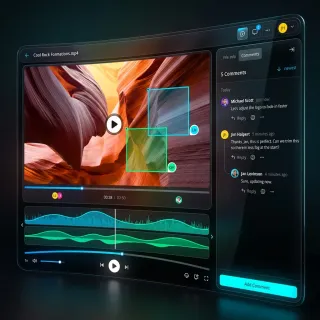
EXR files are the standard for high-end visual effects, but sharing image sequences that total terabytes is a logistical nightmare. This guide covers how to manage OpenEXR workflows, compress files without data loss, and share massive sequences with remote teams using high-speed cloud transfer.

How to Share Forensic Video Securely with Forensic Data Rooms
Investigators need a secure way to share evidence without breaking the chain of custody. Since almost all criminal cases now involve digital evidence, keeping video files exactly as they were captured is a requirement for court. This guide shows how to set up sharing workflows that keep evidence safe, preserve metadata, and make it easier for legal teams to work together.

Managing Video Datasets for Multimodal AI Training
Multimodal AI models need video data aligned with text, audio, and sensor inputs, but managing those datasets is far harder than managing images or text alone. This guide covers storage formats, metadata alignment strategies, versioning approaches, and tooling for teams building multimodal training pipelines at scale.

MediaInfo Tutorial: How to Extract Video and Audio Metadata
MediaInfo is a free, open-source tool that reads technical and tag metadata from video, audio, and container files. This tutorial covers installation, CLI usage, output format options (JSON, XML, custom templates), batch processing, and integration into automated QC pipelines. You will also learn how MediaInfo compares to ffprobe and where each tool fits in a media workflow.
ProRes Workflow: How to Share and Transfer ProRes Files
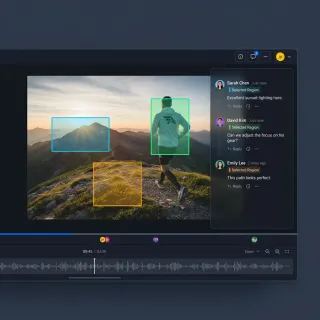
A ProRes workflow is a production pipeline built around Apple's high-quality video codec, used by 90% of professional editors for its color fidelity and editing performance. This guide covers how to share, review, and collaborate on ProRes footage without quality loss. You will learn practical methods for handling massive file sizes, setting up client review systems, and building a complete pipeline from ingest to delivery.
VFX Pipeline: File Management and Sharing Guide
A VFX pipeline is the end-to-end workflow that visual effects studios use to manage assets, shots, and renders from initial plate delivery through final composite output. With projects involving many artists across multiple locations and shots going through many iterations during production, efficient file management and collaboration tools are essential to delivering on time and on budget.
Video Editing Storage Solutions: Best Options for Editors
Video editing storage solutions are specialized systems designed to handle the massive bandwidth and file sizes required for modern video production. This guide compares NAS, SAN, cloud, and hybrid storage options to help editors choose the right setup for their workflow.