How to Extract Podcast Metadata and RSS Chapter Markers
Podcast metadata lives in three places: RSS feed XML, audio file ID3 tags, and external chapter files linked through Podcasting 2.0 tags. This guide walks through extracting structured data from all three sources, normalizing the results, and handling the inconsistencies you will find across hosting platforms.


How to implement podcast metadata extraction rss chapters reliably
Podcast metadata is not stored in one place. It is spread across at least three sources, and each one uses a different format with different levels of completeness. If you only parse the RSS feed, you miss embedded chapter markers. If you only read ID3 tags from the audio file, you miss show-level taxonomy and discovery metadata. A complete extraction pipeline needs to pull from all three.
RSS feed XML is the primary distribution format. Every podcast host generates an RSS feed that contains channel-level metadata (show title, author, description, category, artwork URL) and item-level metadata for each episode (title, publication date, duration, enclosure URL, episode number, season number). Apple Podcasts, Spotify, and every other directory consumes this feed to populate their listings. With over 4.58 million podcast feeds indexed globally as of early 2026, RSS remains the backbone of podcast distribution.
Audio file tags are embedded directly in the media file. MP3 files use ID3v2 frames, where fields like TIT2 (title), TPE1 (artist), and TALB (album) store episode-level information. M4A files use MP4 atoms with a similar but structurally different tag system. The critical addition here is the CHAP frame, defined in the ID3v2 Chapter Frame Addendum, which stores chapter markers with start times, end times, titles, images, and URLs directly inside the audio file.
External chapter files are a newer approach introduced by the Podcasting 2.0 namespace. Instead of embedding chapters in the audio, the RSS feed includes a <podcast:chapters> tag that points to a JSON file hosted on the web. This file contains chapter data with timestamps, titles, images, and URLs. Because the chapter file is separate from the audio, publishers can update chapters after release without re-encoding or re-uploading the episode.
The practical challenge is that most podcasts only populate one or two of these sources, and the data between them does not always agree. A podcast might have accurate titles in the RSS feed but outdated descriptions in the ID3 tags, or chapters in the audio file but no <podcast:chapters> tag in the feed. Your extraction pipeline needs to handle all three and decide which source wins when they conflict.
Related guides
- MediaInfo Tutorial: How to Extract Video and Audio MetadataMediaInfo is a free, open-source tool that reads technical and tag metadata from video, audio, and container files....
- How to Extract Metadata from FLAC, WAV, and Lossless Audio FilesLossless audio formats store metadata differently than MP3. FLAC uses Vorbis Comments, WAV relies on RIFF INFO chunks...
- How to Clean Video Metadata and Remove PII for AI Model TrainingGuide to video metadata cleaning: Video datasets for AI model training often contain hidden personal information and...
- How to Edit and Modify Video Metadata TagsVideo metadata tags control how files are titled, organized, and discovered across players and platforms. This guide...
- 5 Best Blackmagic Cloud Alternatives for Video Teams in 2026Blackmagic Cloud works well if your entire team lives in DaVinci Resolve, but its tight ecosystem lock-in creates...
- How to Review and Share Film Dailies During ProductionManaging terabytes of raw footage daily is one of the biggest logistical challenges in film production.
More on this subject: Video and Media Production (36 guides)
What to check before scaling podcast metadata extraction rss chapters
The fast way to start extracting podcast metadata is to parse the RSS feed directly. Python's feedparser library handles the XML parsing and namespace resolution, giving you clean access to both standard RSS fields and iTunes/podcast namespace extensions.
Install feedparser and fetch a feed:
import feedparser

feed = feedparser.parse("https://example.com/podcast/feed.xml")

### Channel-level (show) metadata
show_title = feed.feed.get("title")
show_author = feed.feed.get("author")
show_description = feed.feed.get("summary")
show_image = feed.feed.get("image", {}).get("href")
show_language = feed.feed.get("language")
For episode-level data, iterate through feed.entries:
for entry in feed.entries:
    episode = {
        "title": entry.get("title"),
        "published": entry.get("published"),
        "summary": entry.get("summary"),
        "duration": entry.get("itunes_duration"),
        "episode_number": entry.get("itunes_episode"),
        "season": entry.get("itunes_season"),
        "episode_type": entry.get("itunes_episodetype"),
        "explicit": entry.get("itunes_explicit"),
        "guid": entry.get("id"),
    }

### Extract audio file URL from enclosure
    for link in entry.get("links", []):
        if link.get("rel") == "enclosure":
            episode["audio_url"] = link.get("href")
            episode["audio_type"] = link.get("type")
            episode["file_size"] = link.get("length")
Feedparser normalizes date formats and handles encoding quirks, but it does not parse Podcasting 2.0 namespace tags automatically. For those, you need to access the raw XML or use a specialized library like podcastparser from the gPodder project, which understands podcast-specific extensions.
A few things to watch for when parsing feeds at scale. Duration formats vary wildly: some feeds report seconds as an integer, others use HH:MM:SS, and some use MM:SS. Episode numbers might be integers or strings with leading zeros. The guid field is supposed to be unique per episode, but some hosts reuse GUIDs or change them when migrating platforms. Normalize these fields early in your pipeline or they will cause downstream headaches.

Extracting Podcasting 2.0 Chapter Markers
The Podcasting 2.0 namespace, maintained by the Podcast Index project, defines over 30 tags that extend standard RSS with features for chapters, transcripts, funding links, person credits, live streaming, and more. For metadata extraction, the most immediately useful tags are <podcast:chapters>, <podcast:transcript>, and <podcast:person>.
The chapters tag looks like this in the RSS feed:
<item>
  <title>Episode 42: Interview with the Author</title>
  <enclosure url="https://example.com/ep42.mp3" type="audio/mpeg" />
  <podcast:chapters
    url="https://example.com/ep42-chapters.json"
    type="application/json+chapters" />
</item>
Fetching and parsing the chapter file is straightforward:
import requests

def extract_chapters(chapters_url):
    response = requests.get(chapters_url)
    data = response.json()

chapters = []
    for chapter in data.get("chapters", []):
        chapters.append({
            "start_time": chapter.get("startTime"),
            "title": chapter.get("title"),
            "image": chapter.get("img"),
            "url": chapter.get("url"),
            "toc": chapter.get("toc", True),
        })
    return chapters
Each chapter object in the JSON file can include startTime (seconds as a float), title, img (URL to chapter artwork), url (a link the listener can open), and toc (a boolean indicating whether the chapter should appear in the table of contents). Silent markers use toc: false to trigger actions like image changes without showing up in the chapter list.
To find the chapters URL in the RSS feed, you need to parse the raw XML since feedparser does not expose Podcasting 2.0 tags natively:
import xml.etree.ElementTree as ET

PODCAST_NS = "https://podcastindex.org/namespace/1.0"

tree = ET.parse("feed.xml")
for item in tree.findall(".//item"):
    chapters_elem = item.find(f"{{{PODCAST_NS}}}chapters")
    if chapters_elem is not None:
        chapters_url = chapters_elem.get("url")
        chapters_type = chapters_elem.get("type")
The same XML parsing approach works for extracting transcript URLs (<podcast:transcript>), person tags (<podcast:person>), and other Podcasting 2.0 extensions. Each follows a similar pattern: the tag contains a URL attribute pointing to an external resource, plus a type attribute indicating the format.


Organize Extracted Podcast Metadata in One Place
Upload episode files and parsed metadata to Fastio workspaces. Metadata Views extract structured fields automatically, and Intelligence Mode makes everything searchable. Free for up to 50GB.
Reading Chapter Markers from ID3 Tags
Before Podcasting 2.0 introduced external chapter files, the only way to embed chapters in a podcast was through ID3v2 CHAP frames inside the MP3 file itself. Many established podcasts still use this method exclusively, and some use both embedded and external chapters. Your extraction pipeline should handle both.
The ID3v2 Chapter Frame Addendum (id3.org/id3v2-chapters-1.0) defines two frame types. The CHAP frame describes a single chapter with a start time, end time, and optional sub-frames for the chapter title (TIT2), description, image (APIC), and URL. The CTOC frame defines a table of contents that references CHAP frames by their element ID, establishing the playback order.
Python's mutagen library reads CHAP frames from MP3 files:
from mutagen.mp3 import MP3
from mutagen.id3 import CHAP, CTOC, TIT2

audio = MP3("episode.mp3")

### Find all CHAP frames
chapters = []
for key, frame in audio.tags.items():
    if isinstance(frame, CHAP):
        title = ""
        for sub in frame.sub_frames:
            if isinstance(sub, TIT2):
                title = sub.text[0]
        chapters.append({
            "element_id": frame.element_id.
            "start_ms": frame.start_time.
            "end_ms": frame.end_time.
            "title": title.
        })

### Sort by start time
chapters.sort(key=lambda c: c["start_ms"])
Note the unit difference: ID3 CHAP frames store times in milliseconds, while Podcasting 2.0 JSON chapters use seconds (often with decimal precision). Normalize to one format early. Seconds with two decimal places is a reasonable default since it aligns with the external chapter format and most display interfaces.
For M4A/AAC files (common with Apple Podcasts), chapters use MP4 chpl atoms instead of ID3 frames. The mutagen library handles these through its MP4 module, though the API is different. The eyeD3 library is another option specifically designed for ID3 tag work, with dedicated chapter-reading methods.
One limitation of embedded chapters: they require downloading the full audio file (or at least the ID3 header, which can be substantial if artwork is embedded). For a pipeline that processes thousands of episodes, downloading gigabytes of audio just to read chapter metadata is impractical. This is exactly the problem that external chapter files solve, and it is a strong argument for checking the RSS feed for <podcast:chapters> first before falling back to ID3 parsing.
Normalizing Metadata Across Hosting Platforms
Podcast hosting platforms generate RSS feeds with varying levels of metadata completeness. Buzzsprout, Libsyn, Podbean, Anchor (now Spotify for Podcasters), Transistor, and RSS.com each have their own defaults, optional fields, and quirks. A metadata extraction pipeline that works on one platform's feeds will fail silently on another unless you build in normalization from the start.
Common inconsistencies you will encounter:
Duration formats. Libsyn typically outputs duration as seconds (e.g., "1832"). Buzzsprout uses HH:MM:SS ("00:30:32"). Some feeds omit duration entirely and expect the player to read it from the audio file. Parse all three formats and store as total seconds.
Episode numbering. Some hosts populate <itunes:episode> and <itunes:season> tags. Others put the episode number in the title ("Ep. 42: Topic Name") and leave the structured fields empty. Regular expressions can extract numbers from titles as a fallback, but they are fragile.
Description encoding. Episode descriptions arrive as plain text, HTML-encoded text, or CDATA-wrapped HTML depending on the host. Some feeds include full show notes with links and formatting in the description, while others provide a one-sentence teaser. Strip HTML tags for plain-text indexing, but preserve the original for display purposes.
Podcasting 2.0 adoption. Hosting platforms that actively support the Podcast Index (RSS.com, Buzzsprout, Podbean, Captivate) tend to populate namespace tags like <podcast:chapters>, <podcast:transcript>, and <podcast:person>. Platforms focused primarily on Apple and Spotify distribution may skip these tags entirely. Always check for the namespace declaration in the feed's root element before attempting to parse namespace tags.
Image references. Channel-level artwork (<itunes:image>) is almost universal. Episode-level artwork is less common. When it exists, the image URL might point to the host's CDN (which requires no authentication) or to an expiring signed URL (which will break after hours or days). Cache images promptly if you need them.
A practical normalization function should accept raw parsed data from any source (RSS, ID3, or external chapters) and output a consistent schema. Define your canonical fields once, map each source to those fields, and flag missing data rather than guessing or padding with defaults.
Building a Complete Extraction Pipeline
A working podcast metadata extraction pipeline combines the three data sources into a single normalized output per episode. Here is a practical architecture that handles real-world feeds without downloading audio files unnecessarily.
Step 1: Fetch and parse the RSS feed. Use feedparser for standard fields and ElementTree for Podcasting 2.0 namespace tags. Store the raw feed XML alongside the parsed data so you can re-extract without re-fetching.
Step 2: Extract external chapter files. For every episode that has a <podcast:chapters> tag, fetch the JSON file and parse it. These are typically small (under 10KB) and fast to retrieve. Store the chapter data keyed by episode GUID.
Step 3: Conditionally parse audio files. Only download and parse audio files when you need data that the RSS feed does not provide, such as embedded chapters, audio-level metadata (bitrate, sample rate, codec), or embedded artwork. For large archives, you can read just the ID3 header without downloading the full file by making an HTTP range request for the first 256KB.
import requests

def fetch_id3_header(audio_url, header_size=262144):
    response = requests.get(
        audio_url.
        headers={"Range": f"bytes=0-{header_size}"},
        stream=True.
    )
    return response.content
Step 4: Merge and deduplicate. When the same data exists in multiple sources, establish a priority order. For chapter markers, prefer external JSON chapters (most likely to be up-to-date) over embedded ID3 chapters (frozen at upload time). For episode titles and descriptions, prefer the RSS feed (canonical for directory listings) over ID3 tags (often incomplete or generic).
Step 5: Store the results. Structured output formats like JSON or YAML work well for individual episode records. For larger datasets, SQLite gives you query capability without infrastructure overhead. Include the extraction timestamp and source indicators so you can trace where each field came from.
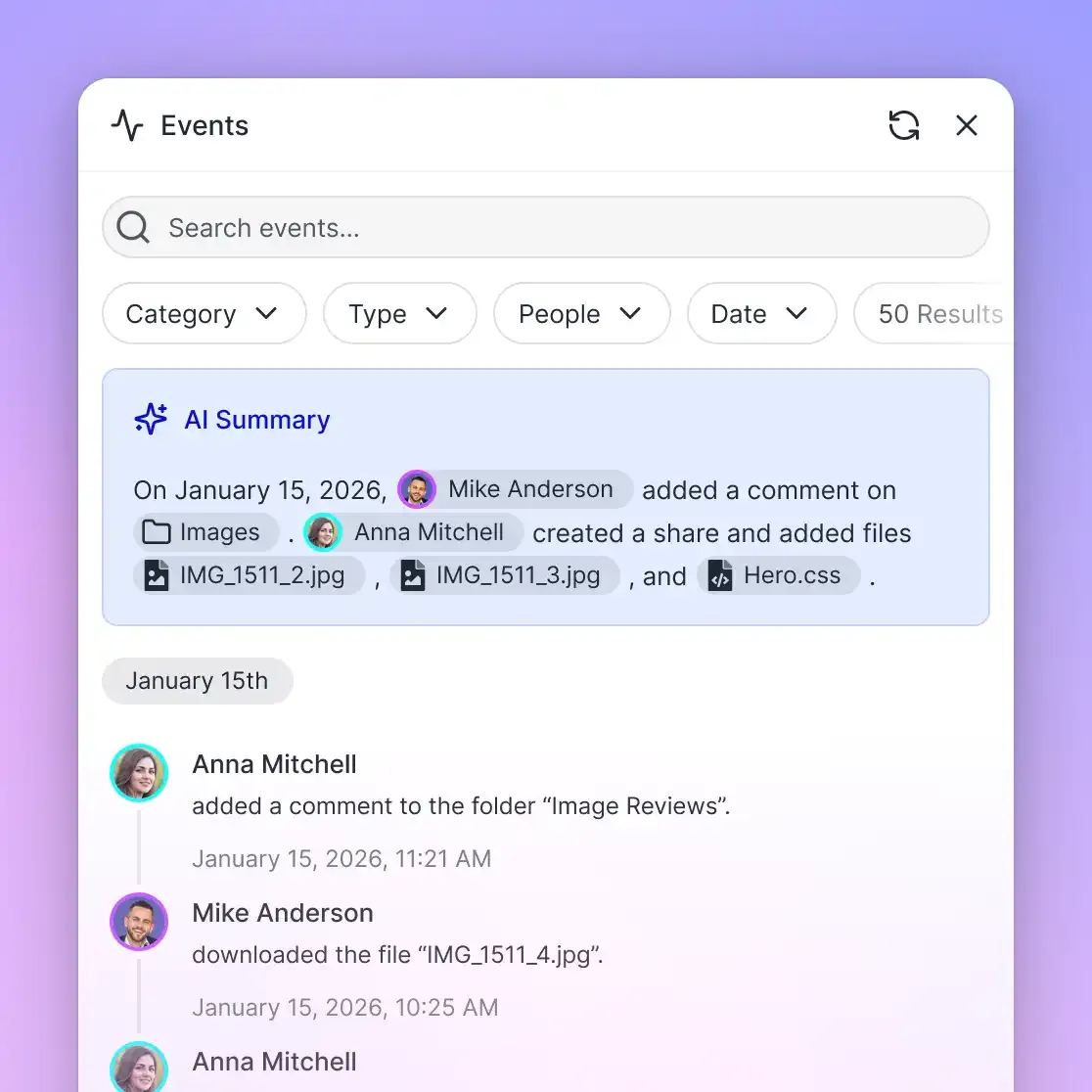
For teams extracting podcast metadata as part of a larger media workflow, Fastio's Metadata Views can structure extracted data without building custom schemas. Upload parsed episode files to a workspace, define the fields you want (episode title, guest names, chapter count, publication date), and the AI extraction layer populates a sortable, filterable view automatically. This works particularly well for podcast production teams that need to catalog episodes across multiple shows, since you can add new extraction fields without reprocessing existing files. Agents can also trigger extraction and query results through the Fastio MCP server, which is useful for automated pipelines that process feeds on a schedule.
Practical Considerations and Edge Cases
Podcast metadata extraction looks clean in documentation and breaks in practice. Here are the edge cases that will trip you up.
Feed pagination. Large podcast archives with hundreds or thousands of episodes often paginate their RSS feeds. Apple Podcasts supports a <link rel="next"> element for feed pagination, but not all hosts implement it. If you are only seeing the most recent 50 or 100 episodes, check for pagination links before assuming you have the complete archive.
Redirects and dead feeds. Podcast feeds move when shows change hosting providers. A feed URL might redirect once, twice, or three times before landing on the current host. Follow redirects, but set a limit (three hops is reasonable) and log the redirect chain so you can update your stored URLs.
Character encoding. RSS is nominally UTF-8, but feeds generated by older systems sometimes contain Windows-1252 characters, unescaped ampersands, or invalid XML entities. Use a lenient XML parser or pre-process the raw feed to fix common encoding issues before passing it to feedparser.
Geo-restricted and authenticated feeds. Premium and private podcast feeds require authentication, typically through unique per-subscriber URLs or HTTP Basic Auth. Public directory APIs (Apple Podcasts Search API, Podcast Index API) only return metadata for public feeds. Plan for this boundary in your pipeline.
Chapter format conflicts. Some episodes have both embedded ID3 chapters and external JSON chapters, and the two do not match. The JSON chapters might have been updated after the audio was published, or the podcast editor might have added chapters in the DAW but forgotten to export them externally. Always prefer the source with the more recent modification date when you can determine it, and default to external JSON chapters when you cannot.
Rate limiting. If you are extracting metadata from thousands of feeds, respect the hosting provider's infrastructure. Space requests at least one second apart per domain. Cache feeds aggressively, since most podcasts publish weekly at most. Use conditional HTTP requests (If-Modified-Since or ETag headers) to avoid re-downloading feeds that have not changed.
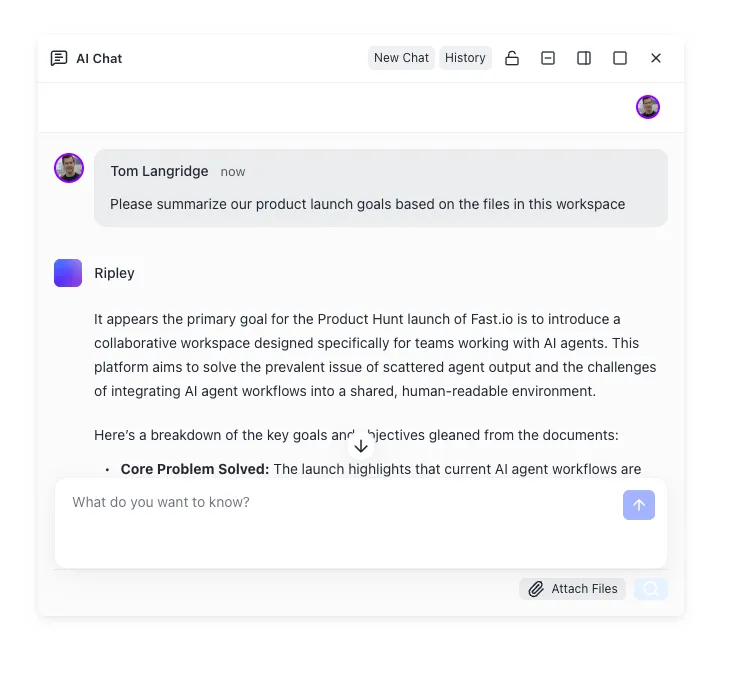
For archival and cataloging workflows where extracted metadata needs to be stored, searched, and shared across a team, Fastio workspaces with Intelligence Mode enabled will auto-index uploaded episode files and metadata documents for semantic search and AI-powered queries. This gives you a searchable knowledge base of your podcast metadata without standing up a separate search infrastructure.
Sources
References used to verify factual claims in this guide.
-
Over 4.58 million podcasts exist worldwide as of early 2026 Apple Podcasts hosts 2.9 million podcasts and 117.19 million episodes
-
Podcasting 2.0 namespace defines over 30 tags
-
ID3v2 Chapter Frame Addendum defines CHAP and CTOC frame types
Frequently Asked Questions
How do you extract metadata from a podcast RSS feed?
Parse the RSS feed XML using a library like Python's feedparser, which extracts standard fields (title, description, publication date, enclosure URL) and iTunes namespace extensions (duration, episode number, season, explicit flag). For Podcasting 2.0 tags like chapters and transcripts, use an XML parser like ElementTree to query the podcast namespace directly, since feedparser does not expose these fields natively.
What are podcast chapter markers?
Chapter markers divide a podcast episode into named segments with timestamps. They can be embedded in the audio file as ID3v2 CHAP frames (MP3) or MP4 chpl atoms (M4A), or linked from the RSS feed as external JSON files using the Podcasting 2.0 podcast:chapters tag. Each chapter can include a title, start time, image, and URL. Players that support chapters let listeners skip directly to specific segments.
How do you parse podcast episode metadata?
Episode metadata comes from three sources. The RSS feed provides titles, descriptions, dates, duration, and episode numbers. The audio file's ID3 or MP4 tags provide embedded metadata and chapter markers. The Podcasting 2.0 namespace in the RSS feed links to external resources like chapter files and transcripts. Parse the RSS feed first for the canonical fields, then fetch external chapter files if the podcast:chapters tag exists, and only download the audio file when you need embedded data that the feed does not provide.
What metadata fields does a podcast RSS feed contain?
A podcast RSS feed contains channel-level fields (show title, author, description, language, category, artwork URL, owner email) and item-level fields per episode (title, description, publication date, GUID, enclosure with audio URL and file size, duration, episode number, season number, episode type, explicit flag). Feeds that support the Podcasting 2.0 namespace add tags for chapters, transcripts, person credits, funding links, alternate enclosures, and location data.
What is the Podcasting 2.0 namespace?
The Podcasting 2.0 namespace is an RSS extension maintained by the Podcast Index project that defines over 30 additional tags for podcast feeds. These include podcast:chapters (external chapter files), podcast:transcript (episode transcripts), podcast:person (host and guest credits), podcast:funding (donation links), podcast:value (cryptocurrency payments), podcast:liveItem (live streaming), and podcast:alternateEnclosure (multiple audio/video formats). Hosting platforms like RSS.com, Buzzsprout, and Podbean actively support these tags.
Do I need to download the audio file to get chapter markers?
Not always. If the podcast uses Podcasting 2.0 external chapters, the chapter data is in a small JSON file linked from the RSS feed, and you never need to touch the audio file. If chapters are only embedded as ID3 CHAP frames in the MP3, you need to download at least the ID3 header. You can use an HTTP range request for just the first 256KB of the file to get the header without downloading the full episode.
Related Resources

Organize Extracted Podcast Metadata in One Place
Upload episode files and parsed metadata to Fastio workspaces. Metadata Views extract structured fields automatically, and Intelligence Mode makes everything searchable. Free for up to 50GB.