Construction
Construction files move among the office, the site, consultants, subcontractors, and owners. The guides in this topic focus on drawings, specifications, RFIs, submittals, site photographs, closeout records, and the revision habits that keep the current set clear. They also address practical constraints such as large CAD files, uneven site connections, and outside recipients who need a direct way to reach the right material.
A sound project record makes it possible to tell which drawing was current, when it changed, and what information each party received. The pages cover naming, folder structure, controlled distribution, field access, and archiving without assuming that every participant uses the same software or device. Fast.io ships an MCP server, a REST API, and the CLI for teams that need to connect these file practices to their own systems.
16 guides in this topic.
Start here
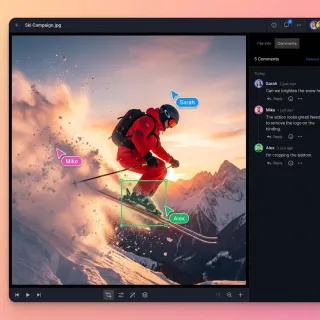
How to Share Revit Files with Construction Teams
Revit files for construction projects regularly exceed 500 MB, making email and basic cloud drives impractical for sharing with general contractors, subs, and field crews. This guide covers the main approaches to Revit model collaboration, from Autodesk's native tools to general-purpose platforms, and walks through setting up secure multi-team workflows that keep every trade working from the current model revision.

How to Share Construction Blueprints Securely
Guide to construction blueprint sharing: Construction teams send blueprints like CAD drawings, PDFs, BIM models to architects, engineers, contractors, subs, inspectors. Files top multiple with proprietary designs, costs, site details needing tight access to block leaks, version errors, bad edits. Email, FTP fail on size, permissions, tracking. Cloud workspaces offer generous storage, role access, audit logs, expiring links, browser CAD previews. Guide covers methods, steps, team tips, tool compa
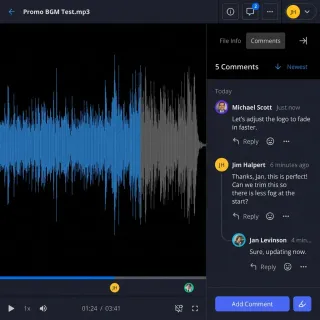
How to Use Construction Photo Sharing Sites for Site Progress
Construction photo sharing sites let field teams document site progress with timestamps and geotags. Field teams upload daily site photos to track foundation work, framing, inspections, and punch list items. Clients and subs access high-res images without email chaos or version mix-ups. This guide compares top platforms, covers workflows, and shows how to set up sharing for faster approvals and fewer disputes.
How to Collaborate on Construction Punchlists with Photos
Teams track construction defects with annotated photos in punchlists. Workers capture images of cracks or misalignments, add notes, and share for quick fixes. Photos show issues that words alone miss and help keep projects on time. The workflow covers capture, annotation, assignment, verification, and archiving.

How to Set Up Multi-Agent Construction Bid Workspaces
Multi-agent construction bid workspaces enable AI agents to collaborate on construction bids using shared intelligent storage. Bids typically require coordinating dozens of files, including blueprints, specifications, cost estimates, subcontractor quotes, project schedules, and compliance documents. Fastio provides the platform with a consolidated MCP toolset for agents, Intelligence Mode for RAG queries, advisory file locks for concurrent access, and WebSocket events for coordination.
How to Share Construction Drawings Online Securely
Secure sharing of construction drawings online helps avoid costly mistakes and project delays. These drawings cover site plans, floor plans, elevations, sections, details, and schedules. Teams use them to coordinate work digitally. Poor document handling causes rework from miscommunication. This guide explains the problems, key features needed, and steps for secure sharing with Fastio.
All guides
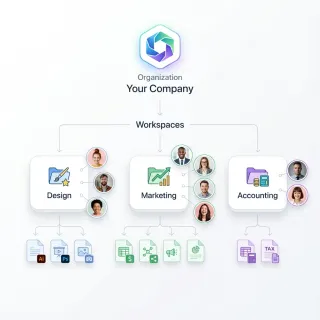
How to Choose the Best Construction CAD File Sharing Solutions
Guide to construction cad file sharing: Construction teams share .dwg and .dxf files with general contractors, subs, architects, and field crews. Files often range from 5 MB to 100 MB per sheet, so email and basic drives don't cut it. The best tools provide detailed permissions, mobile previews, and audit logs to keep projects moving.
How to Collaborate on Construction Punchlists with Photos
Teams track construction defects with annotated photos in punchlists. Workers capture images of cracks or misalignments, add notes, and share for quick fixes. Photos show issues that words alone miss and help keep projects on time. The workflow covers capture, annotation, assignment, verification, and archiving.
How to Improve Construction RFI File Sharing and Collaboration
Construction RFI file sharing centralizes attachments for inquiries and responses. Large commercial projects generate hundreds of RFIs, and poor RFI management significantly impacts project schedules. This guide covers how to organize RFI attachments, track document versions, and collaborate with architects and subs through threaded discussions.

How to Set Up a Construction Subcontractor File Portal
Construction subcontractor file portals simplify document sharing between general contractors (GCs) and subs. They organize blueprints, RFIs, submittals, change orders, and site photos. They replace email chaos and USB drives. Field teams always have the latest versions on mobile devices. Fastio workspaces offer branded, secure portals with real-time collaboration, large file support, and audit logs for construction workflows.

How to Set Up Construction Submittal Sharing and Approval Workflows
Construction submittals are contractor-submitted documents that architects and engineers must approve before installation begins. A typical commercial project generates over 500 submittals, and slow review cycles account for roughly 25% of schedule delays. This guide walks through how to structure submittal sharing workflows, set up approval chains, manage shop drawing reviews, and keep submittal logs accessible to every stakeholder who needs them.
How to Set Up Multi-Agent Construction Bid Workspaces
Multi-agent construction bid workspaces enable AI agents to collaborate on construction bids using shared intelligent storage. Bids typically require coordinating dozens of files, including blueprints, specifications, cost estimates, subcontractor quotes, project schedules, and compliance documents. Fastio provides the platform with a consolidated MCP toolset for agents, Intelligence Mode for RAG queries, advisory file locks for concurrent access, and WebSocket events for coordination.
How to Share As-Built Drawings for Construction Closeout
**As-built drawings file sharing** helps with construction closeout. These drawings show final built conditions, including changes like rerouted plumbing, adjusted HVAC locations, or material substitutions from original plans. Secure, role-based sharing gives general contractors, subcontractors, architects, owners, and inspectors access to files. Version history and anchored comments address gaps in standard file sharing tools.
How to Share Construction Blueprints Securely
Guide to construction blueprint sharing: Construction teams send blueprints like CAD drawings, PDFs, BIM models to architects, engineers, contractors, subs, inspectors. Files top multiple with proprietary designs, costs, site details needing tight access to block leaks, version errors, bad edits. Email, FTP fail on size, permissions, tracking. Cloud workspaces offer generous storage, role access, audit logs, expiring links, browser CAD previews. Guide covers methods, steps, team tips, tool compa
How to Share Construction Daily Logs Efficiently
Construction daily logs sharing keeps subs, owners, and inspectors up to date on site progress. Traditional PDF emails create version confusion and miss real-time updates, but live collaborative workspaces deliver always-current access to logs, attached photos, weather notes, and crew reports. This guide explains common challenges with old methods, highlights benefits of digital workspaces, and provides a complete step-by-step setup using Fastio for construction teams.
How to Share Construction Drawings Online Securely
Secure sharing of construction drawings online helps avoid costly mistakes and project delays. These drawings cover site plans, floor plans, elevations, sections, details, and schedules. Teams use them to coordinate work digitally. Poor document handling causes rework from miscommunication. This guide explains the problems, key features needed, and steps for secure sharing with Fastio.

How to Share Construction Progress Photos with Your Team
Progress photos keep everyone aligned on what happened on site. This guide walks through a practical workflow for capturing, organizing, and sharing construction photos with your team, clients, and subs, without email chains or lost files.
How to Share Construction Specifications Securely
Secure sharing of construction specifications. Specs detail materials, methods, and standards across CSI divisions. They guide every project from foundation to finish. Folder permissions and audit logs limit access to approved users. Sensitive details like pricing stay hidden.
How to Share Point Cloud Files in Construction
Sharing point cloud files in construction projects means handling massive LiDAR data files, often in the gigabytes. These files capture precise 3D scans of sites and structures for planning and verification. Email and basic cloud drives compress them or take hours to transfer. Fastio streams uncompressed point clouds directly to teams, keeping accuracy for architects, engineers, and contractors.
How to Share Revit Files with Construction Teams
Revit files for construction projects regularly exceed 500 MB, making email and basic cloud drives impractical for sharing with general contractors, subs, and field crews. This guide covers the main approaches to Revit model collaboration, from Autodesk's native tools to general-purpose platforms, and walks through setting up secure multi-team workflows that keep every trade working from the current model revision.
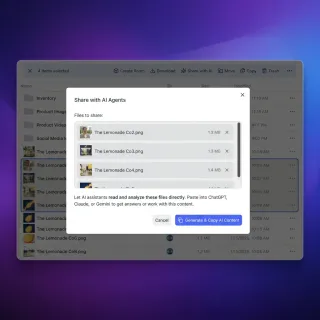
How to Use AI Agent Storage for Construction Scheduling
Scheduling agents for construction need file storage that lasts between sessions. Teams rely on them for Gantt charts, resource plans, and project timelines. These files grow throughout a project as teams add versions, change orders, and coordination documents. Fastio provides generous storage, a consolidated MCP toolset, and RAG once Intelligence is enabled to query schedules.
How to Use Construction Photo Sharing Sites for Site Progress
Construction photo sharing sites let field teams document site progress with timestamps and geotags. Field teams upload daily site photos to track foundation work, framing, inspections, and punch list items. Clients and subs access high-res images without email chaos or version mix-ups. This guide compares top platforms, covers workflows, and shows how to set up sharing for faster approvals and fewer disputes.