Clay and GTM Agents
Clay and the go-to-market automation built around it: enrichment, list building, scoring, outbound sequencing, and the integrations that feed them. These pages are written for revenue teams rather than engineers, and they focus on the data flow, where records come from, what enriches them, and where the resulting assets and reports land. File handling shows up wherever a campaign produces exports, creative, or client-facing collateral that has to be shared outside the tool.
The pages assume you are building a list or a sequence rather than deciding whether to buy anything. They cover the enrichment waterfall and what it costs at volume, integration with the CRM you already run, exporting cleanly when you need the data elsewhere, and keeping the resulting assets somewhere the rest of the team can still reach after the campaign has shipped.
82 guides in this topic.
Start here

How to Export Files and Data from Clay: A Step-by-Step Guide
Exporting data from Clay is critical for maintaining accurate outbound marketing. This step-by-step guide explains how to export tables manually as CSV, set up webhook-based automatic export pipelines for real-time GTM desks, and manage files in shared workspaces.

How to Build Programmatic Workspaces with the Clay API and CLI
The Clay API and CLI enable developers to programmatically manage tables, trigger enrichment waterfalls, and interface Clay with AI agents and custom backend services. By linking these programmatic interfaces to a persistent Fast.io workspace, organizations can construct automated go-to-market data pipelines that maintain full version history and execute real-time document extraction. This guide covers key setup steps, authentication headers, command-line operations, and AI agent integrations.

How to Connect Clay and HubSpot for Automated Data Sync
Connecting a clay hubspot integration allows teams to natively sync contact and company records without manual work. This step-by-step guide explains how to establish bidirectional data loops, prevent recursive syncing, and run automated lead enrichment waterfalls.

A Technical Guide to the Clay Chrome Extension for Scraping Leads
An in-depth guide on using the Clay for Chrome extension to scrape structured lists and create custom recipes for web data extraction. Learn the key differences between the scraping and clipping extensions, how to configure selectors, and how to import lead lists into Fastio workspaces for secure versioning and RAG-powered querying.

Clay Templates: How to Launch Ready-Made GTM Workflows
US searchers look up "clay templates" about 320 times per month, enough demand to justify a real operating playbook rather than another template gallery dump. Clay Templates are prebuilt GTM table workflows you can copy, feed with your data, and run without rebuilding enrichment columns from scratch. This guide covers how they differ from Claybooks, how to launch one end to end, when to save outputs outside Clay, and how teams review generated docs and creative files in a durable workspace.
How to Coordinate DaVinci Resolve Video Editor Pipelines with Clay Outbound
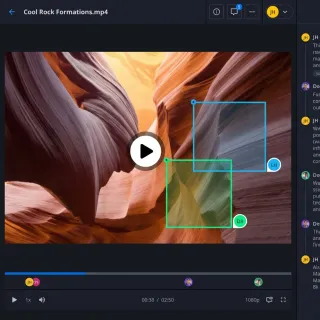
Outbound GTM teams can scale personalized video outreach by connecting Clay enrichment tables with DaVinci Resolve post-production. Using Fast.io as a secure coordination workspace allows remote creative teams to manage heavy media assets and deliver finished videos through branded shares. This guide explains how to establish proxy workflows, map data payloads, and coordinate handoffs between sales data and local editors.
All guides
A Technical Guide to the Clay Chrome Extension for Scraping Leads
An in-depth guide on using the Clay for Chrome extension to scrape structured lists and create custom recipes for web data extraction. Learn the key differences between the scraping and clipping extensions, how to configure selectors, and how to import lead lists into Fastio workspaces for secure versioning and RAG-powered querying.

Adobe Firefly for Clay GTM Creative Automation
Adobe Firefly draws about 135,000 monthly US searches at keyword difficulty 57, yet most product pages never explain how GTM teams turn enrichment rows into personalized visuals. Clay's personalized demo play already shows table-driven mockups at scale with Claygent. Pair that data layer with Firefly generation and a shared asset workspace, and outbound creatives stop living in random downloads.

Automating DaVinci Resolve Plugins with Clay Data Pipelines
Outbound GTM teams can scale personalized video outreach by connecting Clay enrichment tables with DaVinci Resolve post-production. Developing custom scripting plugins allows editors to automate text changes and timeline updates. Using Fastio workspaces as a secure coordination layer ensures that remote teams can manage heavy video assets and coordinate client feedback loops without manual data entry.

Automating Free AI Photo Editor Tasks in Clay Pipelines
A detailed guide on automating free ai photo editor tasks in Clay tables. Learn to set up a custom FastAPI rembg server, run background removal, and store the output files in Fastio workspaces with version history.

Best Clay Alternatives for Sales and GTM Lead Enrichment
While Clay is widely used for outbound prospecting, its pricing starting at $149/month for legacy plans and $185/month for current self-serve tiers can escalate quickly. This guide evaluates the best clay alternatives, including databases, waterfall tools, and custom developer-first pipelines. We explain how organizations can minimize GTM costs by combining custom scraping agents with persistent, intelligent workspaces.

Building a Clay Shared Workspace for GTM Teams
Data shows that 84% of GTM Engineers use Clay as a primary tool for building automation layers. The challenge lies in managing the unstructured files, assets, and cross-team handoffs that surround the tabular data. This guide covers how to set up a shared workspace that bridges Clay workflows with persistent file storage and human collaboration.
Clay AI: Automating GTM Data Enrichment at Scale in 2026
Poor B2B data quality costs organizations millions annually, prompting Go-to-Market (GTM) teams to shift toward real-time automated workflows. Clay AI provides an autonomous solution through Claygent, an AI research agent that queries multiple LLMs to scrape websites and synthesize prospect data directly in tables. This guide explains how to combine Claygent with the Sculptor prompt builder, build multi-step research flows, and persist GTM files securely using Fast.io workspaces.

Clay Database Guide: Connecting Postgres and structuring CRM Data
Sales operations departments spend an average of 10+ hours per week on manual database entry and record verification. This guide explains how to transition from flat lead lists to a relational database architecture. We walk through connecting PostgreSQL, mapping schemas to Clay columns, and syncing enriched data to CRMs.

Clay GTM File Management: How to Structure and Sync Outbound Lead Lists
Dirty data in Go-to-Market outbound lists reduces overall campaign conversion rates by up to 25% [Reach Marketing 2026]. Implementing Clay GTM file management to manage this data decay requires structuring, naming, and syncing campaign data, CSV inputs, and export assets in an external shared workspace to maintain data hygiene. This guide covers how to design outbound folder templates, govern team CSV imports, and automate raw document processing using structured metadata extraction.
Clay Templates: How to Launch Ready-Made GTM Workflows
US searchers look up "clay templates" about 320 times per month, enough demand to justify a real operating playbook rather than another template gallery dump. Clay Templates are prebuilt GTM table workflows you can copy, feed with your data, and run without rebuilding enrichment columns from scratch. This guide covers how they differ from Claybooks, how to launch one end to end, when to save outputs outside Clay, and how teams review generated docs and creative files in a durable workspace.
Clay vs Apollo: Which GTM Tool is Right for Your Team?
While many sales leaders view Clay and Apollo as direct competitors, high-performing teams use them together. Only 14% of high-growth B2B teams rely solely on a single data provider for outbound prospecting, with 86% combining contact databases with dynamic waterfall enrichment [Devcommx 2026 Comparison]. This guide compares Apollo's database with Clay's waterfall engine, explaining how to build a unified outbound pipeline.

Clay vs ZoomInfo vs Apollo: Which GTM Platform is Best?
Relying on a single B2B data provider yields a contact match rate of only 30.0% on average, whereas waterfalling data across multiple sources increases coverage to over 80.0% [Genesys Growth 2026]. This difference between buying a closed database and orchestrating a data waterfall defines the choice between Clay, ZoomInfo, and Apollo. This guide compares ZoomInfo's enterprise data and Apollo's all-in-one engagement suite with Clay's waterfall orchestration.

Clay vs ZoomInfo: GTM Data Coverage and Cost Comparison
Clay vs ZoomInfo is a GTM stack choice between multi-provider waterfall enrichment and a single-source B2B data platform, with optional ZoomInfo-as-a-provider usage inside Clay. Clay's own FAQ cites an enterprise path from about 30% ZoomInfo coverage at roughly 25 cents per enrichment to about 80% coverage under about 1 cent with waterfalls. This comparison covers data models, cost structure, the overlooked hybrid stack, and how to hand off enriched lists after the table work is done.

Claygent Web Scraping: How to Automate AI-Powered Research
Claygent web scraping allows GTM teams to deploy autonomous AI agents that browse pages, run search queries, and extract structured insights from domains in parallel. Moving these logs and scraped profiles to a persistent workspace prevents data loss and minimizes credit overhead. This guide details how to configure extraction pipelines and build a searchable outbound database with Fastio workspaces.

Getting Started with Clay.com: GTM Platform Pricing and Features
On March 11, 2026, clay.com overhauled its pricing model to introduce a dual-credit system that separates Data Credits from Actions, raising the starting tier to $185/month. While this provides pricing clarity, running multi-provider data waterfalls can lead to unexpected billing because platform Actions accumulate even on failed lookups. This guide explains how clay.com pricing works and how GTM teams use persistent workspaces to optimize their data management costs.

How Clay Pricing Works: Data Credits vs Actions Explained
Clay's March 2026 pricing overhaul separated costs into platform Actions and vendor Data Credits. While the change dropped third-party data costs by 50% to 90%, it introduced complex monthly meters for GTM teams. This guide explains the self-serve subscription plans, details how to connect private API keys to save credits, and shows how outbound teams can combine scrapers with persistent, intelligent workspaces to manage budgets.

How to Access the Clay App: Chrome Extension and Web Workspaces
Understand the access paths for the Clay GTM app, including the web workspace at app.clay.com and the companion Chrome extension. Clarify the brand distinction between Clay.com and Mesh CRM, troubleshoot common access issues, and learn how to manage your data exports.
How to Automate Canva AI Video Generator Workflows with Clay
Growth teams can bypass the direct integration gap between Clay's data tables and Canva's video generator tools by building a custom API pipeline. By combining Clay data enrichment with the Canva Connect API and Fast.io's secure, version-controlled workspaces, teams can automate outreach video production. This guide details how to configure the templates, write the integration code, and manage media deliverables.

How to Automate Canva Templates with Clay HTTP Enrichments
Outbound personalization can lift engagement significantly, but manual asset creation creates massive operational bottlenecks. This step-by-step guide explains how to programmatically connect Canva templates to Clay tables using HTTP enrichments, using Fastio to store, verify, and share the generated files.

How to Automate E-Signatures from Clay Prospect Workflows
Clay e-signature workflow automation is the process of triggering contract signing and capturing executed agreements automatically when a prospect reaches a specific stage in a Clay CRM table. By bridging prospect tables directly to automated e-signature engines, sales teams can speed up deal cycles by up to 400% while eliminating manual data entry and transcription errors.

How to Automate Image Vectorization in Clay Asset Pipelines
Images dominate web payloads, accounting for roughly 42% of a median mobile page's total weight of 2300 kilobytes [HTTP Archive 2024 Web Almanac]. Transitioning these assets to Scalable Vector Graphics yields load time reductions of 60% to 80% [SVGAI 2025 Vector Graphics Analysis]. This guide explains how to vectorize image assets using Clay enrichment workflows, store the files in persistent Fastio workspaces, and automate quality control at scale.

How to Automate JPG to PNG Conversion in Clay Pipelines
Converting source images from JPG to PNG in automated Clay pipelines standardizes outbound assets to preserve visual layout. Manually preparing personalization screenshots is a bottleneck. This guide details how to build an automated pipeline using Clay HTTP enrichments and external APIs, while storing and indexing assets in Fastio workspaces.

How to Automate JPG to SVG Vectorization in Clay Workflows
US searchers look up jpg to svg about 12,100 times a month, yet standard guides ignore database-level automation. Tracing raster graphics into mathematical coordinates saves up to 90% in image file size overhead. This guide explains how to connect Clay's Custom HTTP API enrichment to programmatic tracing endpoints and organize the output vector assets in shared Fastio workspaces.

How to Automate PNG Compression in Clay Workflows
Automating PNG compression in Clay workflows refers to using API actions to compress large screenshots and attachments before they are sent to prospects or stored in shared workspaces. This guide explains how to integrate TinyPNG and CloudConvert APIs into Clay tables, preventing email deliverability issues and reducing storage costs.

How to Automate PNG to GIF Asset Generation in Clay Workflows
Automating the conversion of png to gif files in Clay outreach tables allows go-to-market teams to generate personalized animated outreach assets at scale. Drag-and-drop tools are a bottleneck for high-volume sales campaigns. This step-by-step guide explains how to capture screenshot frames programmatically, send them to a conversion API, and store the output in Fast.io workspaces to drive client engagement.

How to Automate PNG to PDF Conversion in Clay Tables
Automating file conversions directly within your data table reduces errors and saves manual coordination time. This guide shows you how to programmatically convert transparent PNG images to PDFs inside Clay rows using external REST APIs, and then organize and index the outputs in Fastio workspaces.

How to Automate PNG to SVG Vectorization in Clay Workflows
Switching from raster PNG logos to vector SVGs provides between 60% and 90% bandwidth savings on customized web headers [Vecta Vector Performance Analysis]. Manually converting thousands of prospect logos is a bottleneck. This guide details how to build an automated PNG to SVG vectorization pipeline using Clay tables and external APIs, while persisting and managing assets in collaborative Fast.io workspaces.

How to Automate SVG to PNG Rasterization in Clay Workflows
Automating SVG to PNG rasterization in Clay ensures dynamic assets render correctly across all email clients. By using a custom Node.js middleware wrapper, teams can programmatically convert SVGs, upload the rasterized PNGs to Fast.io for secure storage, and automatically sync them with CRMs. This approach eliminates rendering failures and optimizes delivery pipelines.

How to Automate WebP to PNG Conversion in Clay Pipelines
According to a 2026 survey, over 90% of lead list designers face format compatibility errors in email client delivery when using WebP images, despite the format saving up to 30% in file size compared to PNGs. Converting WebP to PNG in Clay pipelines using custom HTTP enrichment steps solves this delivery bottleneck. This guide explains how to automate bulk format conversions and store the PNG assets in Fastio workspaces.

How to Build a B2B Data Enrichment Waterfall in Clay
Configuring sequential waterfall logic for clay data enrichment allows go-to-market teams to query multiple third-party databases in order of cost and accuracy. This guide details how to construct conditional waterfalls, configure fallback rules, manage validation gates, and write enriched lead lists to a shared, intelligent Fastio workspace.
How to Build a Clay Client Asset Delivery Portal with Fast.io
Transitioning lead generation delivery from raw email attachments to an automated portal reduces routine agency emails by up to 80%. This technical guide demonstrates how to construct a white-labeled client delivery portal by linking Clay enrichment tables to Fastio workspaces. Learn to configure asynchronous webhook syncs, implement structured Metadata Views, and establish secure access controls for lead deliverables.

How to Build a Clay Email Finder Waterfall for Sales Outreach
Relying on a single B2B data provider leaves a massive gap in outbound sales coverage. By implementing a sequential email finder waterfall in Clay, sales teams can chain multiple database integrations and real-time verification APIs together to double email match rates. This guide details how to construct these cascades, configure conditional rules, and manage output files in versioned team workspaces.
How to Build a Clay File Handoff Workflow for Sales Teams
Automating lead file transfers between prospecting tools and sales workspaces is crucial for conversion speed. This guide details how to build a webhook-based file handoff workflow that automatically routes enriched datasets and generated sales collateral from Clay to Fast.io.

How to Build a High-Converting Clay Prospecting Pipeline
Average cold email response rates sit at 3% across the industry due to template fatigue and poor B2B data quality. Building a signal-based Clay prospecting pipeline allows teams to run multi-source data waterfalls and automate research tasks with AI. This guide outlines a five-step process to deploy Clay prospecting workflows and integrate them with Fastio shared workspaces for secure, versioned file management and ownership handoff.

How to Build a Modern GTM Stack with Clay Software
Building a modern go-to-market stack requires connecting dynamic data enrichment tables with persistent, structured document repositories. This guide outlines how to integrate Clay software with Fast.io's API to construct automated multi-agent prospecting pipelines. We cover manual CSV export workflows, custom HTTP enrichment configurations, and structured document extraction using Metadata Views.
How to Build an AI Image Upscaler Pipeline in Clay Workflows
Images account for the largest mobile page payload, representing roughly 900 kilobytes of the median 2,360 kilobyte page [HTTP Archive 2025 Web Almanac]. While AI upscaling APIs resolve pixelation in under 3 seconds [Upscale.media 2026 Product Documentation], manual converters create a severe bottleneck. This guide outlines how to build an image upscaler ai pipeline using Clay, run batch enhancements, and host outputs in version-controlled Fastio workspaces.

How to Build an Automated Image Combiner Pipeline in Clay
Building an automated image combiner pipeline in Clay allows growth teams to overlay variable dynamic graphics onto static background templates at scale. By connecting Clay's HTTP enrichment capabilities with image rendering APIs, you can automate visual personalization for outbound campaigns. This guide details how to construct payload JSON structures, handle API orchestration, and store the output assets.

How to Build an Image to Text OCR Pipeline in Clay
Google Cloud Vision achieves 80% to 95% handwriting accuracy, while open-source Tesseract drops to 20% to 40% [Eklavvya OCR Handwriting Accuracy Study]. This guide shows how to build an image to text folder-to-table data pipeline using Clay, staging your files in persistent workspaces, and using Metadata Views for structured document parsing. Learn to configure integrations, write extraction prompts, and establish human review queues.

How to Build Custom RevOps Workflows on the Clay Platform
The Clay platform is a go-to-market engineering environment that automates lead enrichment and routing. By using inbound webhooks and public REST APIs, developers can trigger enrichment waterfalls and update CRM records. When connected to Fast.io workspaces, RevOps teams establish a persistent storage layer with version history, audit logs, and automated metadata extraction.

How to Build End-to-End Clay Automation Workflows for Outbound Outreach
Clay automation workflows allow revenue teams to schedule tables and automatically execute data enrichment cascades. This guide explains how to build a continuous lead routing system that connects inbound CRM events with real-time outbound messaging channels. We explore how scaling organizations can eliminate data gaps and reduce operational overhead by storing enriched leads in a collaborative workspace with automated metadata extraction.
How to Build Programmatic Workspaces with the Clay API and CLI
The Clay API and CLI enable developers to programmatically manage tables, trigger enrichment waterfalls, and interface Clay with AI agents and custom backend services. By linking these programmatic interfaces to a persistent Fast.io workspace, organizations can construct automated go-to-market data pipelines that maintain full version history and execute real-time document extraction. This guide covers key setup steps, authentication headers, command-line operations, and AI agent integrations.

How to Build Scalable Lead Generation Workflows in Clay
Waterfall enrichment increases contact find rates by up to 80%, yet many sales teams fail to scale outbound workflows due to credit leaks and unqualified lists. Stacking multiple databases in a sequential cascade allows outbound engineers to maximize coverage while protecting campaign budgets. This guide outlines how to build a structured lead generation pipeline in Clay and integrate it with secure, versioned workspaces in Fast.io.

How to Configure Clay CRM Integrations for GTM Enrichment
Connecting HubSpot and Salesforce natively to Clay allows go-to-market teams to enrich leads and companies directly within automated tables. By replacing fragile middleware connections with high-performance native mapping, organizations can configure clay crm integrations to combat B2B contact data decay and keep their CRM records updated in real time. This guide outlines the step-by-step connection process and best practices for establishing a two-way synchronization.
How to Connect Canva AI Image Generator to Clay Workflows
Although visual content is 40 times more likely to get shared on social media than text-only formats, automating Canva's native AI image generator in Clay workflows is blocked by Canva's lack of a public API. This guide explains how to bridge this gap in Clay using external image APIs, Canva's Connect API, and Fastio's persistent storage. Learn the exact HTTP configurations, payload schemas, and rate limit handling required for high-volume graphic pipelines.
How to Connect Clay and HubSpot for Automated Data Sync
Connecting a clay hubspot integration allows teams to natively sync contact and company records without manual work. This step-by-step guide explains how to establish bidirectional data loops, prevent recursive syncing, and run automated lead enrichment waterfalls.

How to Connect Clay to Apollo.io for Real-Time Lead Enrichment
According to database decay research by MarketingSherpa, B2B contact records decay at an annual rate of 22.5%, making real-time validation essential. Setting up a clay apollo integration allows sales teams to enrich records dynamically during outbound runs. By structuring search parameters and applying conditional workflows, teams can filter company lookups and optimize credit consumption.

How to Connect Clay to Outreach for Automated Sequence Enrichment
Cold email open rates increase by up to 40% when utilizing highly personalized AI snippets rather than standard templates. This guide details how to build an automated pipeline between Clay's list enrichment tables and Outreach.com sequences. By setting up native account connections, mapping dynamic variables, and checking prospect existence before enrolling leads, sales teams can scale campaigns without sending redundant messages.

How to Connect Clay to Salesforce for CRM Enrichment and Upserts
Setting up a clay salesforce integration automates CRM data enrichment and record management. This technical guide explains how to set up External Client App OAuth credentials, execute real-time SOQL queries, run salesforce clay upsert loops to prevent duplicate leads, and use Fastio Metadata Views to structure incoming files before enrichment.

How to Convert AVIF to JPG in Clay Workflows for Asset Pipelines
AVIF to JPG conversion in Clay workflows converts high-efficiency AVIF images scraped by agents into widely readable, compressed JPGs. By building a programmatic AVIF to JPG pipeline inside Clay tables using the HTTP API enrichment column, sales and marketing operations can automate image conversion at scale. This integration prevents broken image icons in email client campaigns, updates prospect data in customer relationship managers, and stores processed files in secure team workspaces.

How to Convert HEIC to JPG for Clay GTM Asset Pipelines
US searchers look up "heic to jpg" about 246,000 times a month, yet converter pages almost always stop at a ZIP download. Clay GTM teams still need durable JPG URLs, shared storage, and a way to call conversion endpoints from table rows. This guide covers conversion options, quality gates, and a practical Clay HTTP API pipeline with Fast.io as the collaborative asset layer.

How to Convert HEIC to PNG for Clay GTM Asset Pipelines
US searchers look up "heic to png" about 49,500 times a month, yet most converters stop at a browser download. Clay GTM teams need a clear PNG versus JPG rule, normalized iPhone photos, and a shared library so multi-channel packages keep working after export. This guide covers when PNG is required, four conversion and storage steps, and how Fast.io holds durable PNG URLs for Clay rows and campaign handoffs.
How to Convert JPG to PDF inside Clay GTM Workflows
According to the Gartner B2B GTM Operations Survey, manual document styling errors account for 15% of pipeline delays in enterprise GTM. Personalizing sales outreach with raw images often fails to scale because email clients block image files or render them incorrectly. This guide details how to automate JPG to PDF conversion inside Clay tables using HTTP API enrichments and store the compiled assets in Fast.io's secure, collaborative workspaces.

How to Convert PDF to JPG for Clay GTM Asset Pipelines
US searchers look up "pdf to jpg" about 201,000 times a month, yet most results stop at a one-click download. Clay GTM engineers still need account-named JPGs sized for email and LinkedIn, a shared library sales can trust, and durable links parked next to lead rows. This guide covers lossy-quality tradeoffs, a five-step prep pipeline, and how to hand raster creatives to outbound without treating Clay as a media library.

How to Convert PDF to PNG for Clay GTM Creative Assets
US searchers look up "pdf to png" about 74,000 times a month, yet most converters stop at a ZIP download. Clay GTM teams still need PNG vs JPG decisions for ABM modules, transparent embeds, and versioned URLs they can attach to account rows. This guide covers conversion steps, format tradeoffs, and a practical Clay creative prep pipeline with Fast.io as the shared asset layer.

How to Convert PNG to JPG in Clay Automated Pipelines
Converting high-resolution images from png to jpg in automated Clay pipelines can reduce email asset sizes by up to 80% to optimize outbound speed. Manually converting prospect screenshots is a bottleneck. This guide details how to build an automated pipeline using Clay HTTP enrichments and external APIs, while storing and indexing assets in Fast.io workspaces.

How to Convert WebP to JPG for Clay GTM Asset Pipelines
US searchers look up "webp to jpg" about 110,000 times a month, yet most converter pages end at a ZIP download. Clay GTM desks still need email-safe JPEGs, table-linked filenames for multi-rep sequences, and durable asset URLs after Claygent pulls site images into research rows. This guide covers conversion options, quality gates, and a convert-normalize-store-link pipeline with Fast.io as the shared asset layer.
How to Coordinate DaVinci Resolve Video Editor Pipelines with Clay Outbound
Outbound GTM teams can scale personalized video outreach by connecting Clay enrichment tables with DaVinci Resolve post-production. Using Fast.io as a secure coordination workspace allows remote creative teams to manage heavy media assets and deliver finished videos through branded shares. This guide explains how to establish proxy workflows, map data payloads, and coordinate handoffs between sales data and local editors.
How to Export Files and Data from Clay: A Step-by-Step Guide
Exporting data from Clay is critical for maintaining accurate outbound marketing. This step-by-step guide explains how to export tables manually as CSV, set up webhook-based automatic export pipelines for real-time GTM desks, and manage files in shared workspaces.

How to Import CSV into Clay: Step-by-Step Table Setup
Importing a CSV into Clay involves loading raw lead data, mapping file headers to target table fields, and configuring row execution parameters. This guide explains how to import CSV lists, configure column mapping, and manage execution settings while resolving remote file URL parsing gaps.

How to Integrate an AI Video Editor in Clay GTM Sequences
Integrating an AI video editor API into Clay Go-To-Market (GTM) sequences automates personalized video creation for outbound sales. This step-by-step technical guide shows you how to connect an external AI video editor to your sequences, structure your data schemas, secure callback webhooks, and manage campaign media assets.

How to Personalize Outreach Collateral with Canva Bulk Create and Clay
Personalized outreach significantly outperforms generic messaging, yet scaling custom visual collateral remains a bottleneck. By exporting enriched Go-To-Market (GTM) data from Clay and importing it into Canva's Bulk Create tool, growth teams can generate hundreds of personalized assets in minutes. Organizing these generated design assets within Fast.io ensures they are easily searchable and safely distributed to sales representatives.

How to Programmatically Compress PDF Files in Clay
Automating PDF compression in Clay workflows prevents outbound email delivery blocks. This guide explains how to connect document optimization APIs via Clay's HTTP column and use Fastio for persistent file versioning.

How to Scale Canva Video Editor Asset Pipelines with Clay Automation
Outbound GTM teams can scale their Canva video editor workflows by connecting Clay data enrichment tables with the Canva Connect API. By automating the visual asset pipeline, creative teams reduce production cycles by 60% and ensure personalized videos reach clients faster. This guide explains how to construct the automation, structure the API payloads, and manage raw assets in secure, version-controlled workspaces.

How to Set Up Clay Scraper and Data Extraction Workflows
Go-to-market teams can automate lead generation by building web scraping pipelines directly within Clay. This guide outlines how to set up clay scraper data extraction workflows using the Chrome extension, Claygent for autonomous research, and ZenRows for anti-bot bypass. It also explains how to pair Clay with Fast.io to securely store, index, and query your extracted records.

How to Use a Canva Brand Kit with Clay GTM Workflows
About 85% of companies say they have brand guidelines, yet nearly two-thirds admit those rules are not enforced. A Canva Brand Kit fixes the design-side gap for Clay-driven outbound, while a shared delivery workspace keeps every personalized export versioned, searchable, and ready for handoff.

How to Use Canva Background Remover in Clay GTM Workflows
"Canva background remover" draws about 40,500 monthly US searches at keyword difficulty 17 and a CPC near $7, yet most guides stop at the click path. Clay GTM teams need the rest: transparent PNG export standards, multi-account cutout libraries, approval handoff, and sequence or ad launch. This walkthrough connects Canva BG Remover to Clay account data and a shared asset workspace.

How to Use Canva Magic Design in Clay Outbound Creative Pipelines
US searchers look up "canva magic design" about 3,600 times per month, and the $7.34 CPC points to commercial evaluation rather than casual curiosity. Canva Magic Design turns prompts and assets into on-brand layout options, while Clay supplies the prospect data those prompts should reference. This guide shows how GTM teams map enrichment columns into prompts, generate variants, approve winners, and keep deliverables in durable storage without inventing a native Canva Magic Design integration.

How to Use DALL-E 3 Image Generation in Clay GTM Workflows
The query "dall-e 3 ai image generator" draws about 60,500 monthly US searches at a keyword difficulty of 53 and roughly $4.07 CPC, yet most guides stop at one-off prompts. GTM teams that already enrich accounts in Clay can map firmographic and ICP fields into DALL-E 3 prompts, generate unique campaign visuals, and store versioned assets so multi-rep sequences stay on brand instead of recycling stock art.

How to Use the GIMP Photo Editor in Clay Creative Ops
The phrase "gimp photo editor" draws 33,100 monthly US searches with keyword difficulty 27 and a CPC of $2.81. Most results teach brush tools, not how GTM teams version GIMP exports next to Clay prospect tables. This guide connects free desktop editing to Clay HTTP API orchestration and shared workspace delivery.

Image Converter Workflows for Clay GTM Pipelines
US search demand for image converter alone sits at 22,200 monthly queries, while related seeds like webp to png and png to jpg run far higher. GTM teams still treat conversion as a one-off browser click instead of a Clay-driven pipeline with format standards, batch QA, and a shared handoff for campaign assets.

Image Resizer Workflows for Clay GTM Campaigns
Pages that rank for "image resizer" almost never show how Clay GTM teams turn one master creative into email, ad, and social sizes with a durable inventory. This guide covers a channel size checklist and a four-step resize, store, and link loop that keeps Clay rows pointed at the right files for multi-rep campaigns.

Integrating Canva AI Photo Editor with GTM Pipelines
Outbound and account-based marketing campaigns require highly personalized visual assets, but manual creation stalls pipelines. This guide shows how to programmatically integrate Canva's AI photo editor with Clay workflows, using Fastio for persistent storage, automated verification, and secure client handoff.

Is Clay a CRM? How to Connect Clay to Your Sales Workflows
Clay is not a CRM, but a GTM database layer (Audiences) that integrates with CRM platforms like HubSpot and Salesforce. This guide explains how to partition Clay lead enrichment from CRM relationship records, run waterfall lookup queries, and store outreach collateral in Fast.io workspaces.

PDF to Text: How to Extract Document Data in Clay
Repetitive manual data entry costs U.S. businesses an average of $28,500 per employee each year in lost productivity. This guide walks you through automating PDF to text extraction and OCR inside Clay tables using Claygent Navigator and the PDF.co API, eliminating manual copy-pasting of document data.

Photopea for Clay GTM Creative Editing Workflows
Photopea draws about 450,000 monthly US searches at keyword difficulty 31 and a CPC of three dollars and fifty-three cents, yet almost none of that demand explains how GTM teams use Photopea with Clay for ABM creative production. This guide walks through a practical loop: store brand PSD sources, edit them in Photopea online, return exports to a shared workspace, and attach durable links in Clay rows without inventing a first-party Clay-Photopea integration.

Programmatic Data Ingestion: Clay API File Upload Guide
Implementing a Clay API file upload allows go-to-market teams to ingest large lead lists in bulk without hitting typical API payload limits. By requesting a presigned PUT URL and executing a JSONL batch upload, developers can automate complex data enrichment pipelines. Learn how to configure these uploads, write a custom Node.js script, and coordinate files in a secure, shared workspace.

Programmatic Image Processing: Convert AVIF to PNG in Clay Tables
Convert AVIF images to PNG format programmatically in Clay tables to prevent rendering failures in outbound email campaigns. Using external API webhook calls, go-to-market teams can standardize scraped images into universally compatible PNG files. Host these assets in secure workspaces to access fast, permanent CDN URLs.

Screenshot to Text: Automated Image OCR in Clay Workflows
Standard web scraping frequently fails when encountering anti-bot protections on modern domains. Implementing a screenshot to text workflow in Clay solves this by capturing visual layouts and parsing them with vision-capable models. This guide outlines how to build automated image OCR tables and secure your scraping assets.

The Best Storage Solutions for High-Volume Clay Workflows
Clay workflows require a persistent storage layer to manage high-volume lead enrichment data. This guide compares Google Drive, AWS S3, and Fastio, highlighting how GTM teams can handle API limits and pipeline automation. Learn how to structure your lead data pipelines using intelligent workspace features.

The Clay Tool: A Comprehensive Guide to No-Code GTM Workflows
While traditional B2B databases yield low match rates, the Clay tool sequences data waterfalls across multiple providers to reach optimal coverage. This comprehensive guide covers Clay's no-code spreadsheet interface, Claygent AI research workflows, and GTM data orchestration. When integrated with Fast.io's workspaces, growth teams establish a versioned, secure storage layer for all GTM assets.

The Complete Guide to Clay Integrations: CRMs, Enrichment, and Outreach Tools
While a single-source B2B database typically yields email match rates between 30% and 50%, chaining multiple providers in a Clay waterfall sequence raises the overall match rate to between 78% and 85% [Leadhaste 2026 Guide]. The 35% performance gap is why GTM teams are shifting from single-provider databases to multi-enrichment workflows. This guide covers how to connect CRM databases, build custom webhooks, and set up clay integrations for automated pipeline sync.

Using an MCP Server for Clay Automation and Data Enrichment
An MCP server for Clay automation connects AI models securely to Clay's data enrichment capabilities. By exposing your enrichment waterfalls as tools, you can run complex account research and outreach directly from your AI agent's chat interface.