ChatGPT Cloud Storage: Connect Cloud Drives Without Rate Limits
Connecting ChatGPT to cloud storage often triggers strict rate limits and context saturation when querying multi-file datasets. While native cloud drive integrations download entire raw documents per prompt, a remote MCP storage layer indexes files in the cloud so agents only retrieve precise, citation-backed text chunks. Here is how to link cloud drives to OpenAI models and ChatGPT without hitting API throttling.


Why ChatGPT Cloud Storage Triggers Rate Limits
ChatGPT cloud storage is an architecture pattern that connects OpenAI language models and ChatGPT interfaces to external cloud file repositories such as Google Drive, OneDrive, Box, and Dropbox for reading, searching, and updating business documents. Teams rely on cloud storage as their central source of truth for design specifications, financial models, customer research, and legal agreements. When developers and knowledge workers connect ChatGPT to cloud storage, they expect the model to behave like an intelligent colleague that can review hundreds of documents, find obscure details, and synthesize answers across disparate folders.
However, standard implementations of chatgpt cloud drive integration run into an immediate operational wall: API rate limits and context saturation. When you connect ChatGPT to cloud storage through native workspace apps or naive tool integrations, the system attempts to fetch raw file streams directly from third-party storage APIs. When an agent queries a folder containing dozens of technical whitepapers or financial spreadsheets, the connector sequentially streams megabytes of unstructured text into the conversation context window.
This approach collides directly with API throttling rules. As documented in OpenAI Documentation: Rate Limits, "Rate limits are restrictions that our API imposes on the number of times a user or client can access our services within a specified period of time." OpenAI enforces two primary rate limits across its platform: Requests Per Minute (RPM) and Tokens Per Minute (TPM). Enterprise developers building agentic workflows frequently find that a single complex prompt spanning multiple corporate documents can consume 50,000 to 100,000 input tokens in one shot. If two or three agents query chatgpt cloud file storage simultaneously, your organization exceeds its TPM ceiling within seconds, resulting in HTTP 429 errors and interrupted sessions.
Beyond rate limits, naive file ingestion degrades model performance. When an entire 50-page PDF is loaded into context to answer a single specific question, the model must sift through thousands of irrelevant tokens. This phenomenon, known as attention dilution, causes language models to overlook key facts located in the middle of long contexts. Furthermore, downloading raw files on every user turn introduces multi-second latency, turning an interactive assistant into a sluggish batch processor. Solving this problem requires shifting from raw document streaming to an indexed AI file storage architecture.
Related guides
- Connect Amazon Bedrock Knowledge Base to Google DriveAmazon Bedrock Knowledge Base Google Drive integration connects foundation models to corporate documents, but native...
- How to Connect Google Gemini to Cloud Storage: Drive, OneDrive, and BoxGemini cloud storage connectors link Google's Gemini models to enterprise file repositories across providers, indexing...
- How to Connect LangGraph to Cloud StorageA LangGraph storage connector bridges cyclical agent graphs with external cloud storage drives, allowing graph nodes to...
- Best Cloud Storage for AI Agents: Top 7 Platforms ComparedCloud storage for AI agents provides persistent file access, version control, and API-driven operations that let...
- How to Give AI Agents Secure Cloud File StorageAutonomous agents need more than vector memory. They need actual file storage to read documents, generate reports, and...
- ChatGPT Projects Context Window: Token Limits, Hidden Context and MCPThe ChatGPT Projects context window provides a 128,000-token working memory buffer shared across custom instructions,...
More on this subject: Agent Memory and Storage (277 guides)
Compare Native Connectors and Remote MCP Indexing
Understanding why native connectors struggle requires looking at the mechanics of cloud storage APIs. Traditional connectors from Microsoft, Google, or Dropbox are designed for human file management, not high-frequency AI ingestion. When an AI agent interacts with a standard cloud drive, it must issue directory listing calls, inspect metadata headers, download complete binary objects, and parse formatting on the fly. If your team relies on local desktop sync clients, pointing agent tools at local sync directories creates Files-on-Demand errors where 0-byte placeholder stubs return empty text or crash the process entirely.
The alternative is an external coordination and storage layer powered by the Model Context Protocol (MCP). Instead of forcing ChatGPT to download and parse entire files, a remote MCP storage layer maintains pre-parsed, vector-indexed representations of your documents in the cloud. When ChatGPT needs information, it invokes a semantic search tool over the remote MCP connection. The storage layer executes hybrid search across your files and returns only the most relevant text chunks along with exact page citations and metadata.
The operational difference between these two approaches has been measured directly. Fastio publishes a head to head comparison of agent file work at Fast.io Benchmarks, putting the same agent through the same multi-document audit against Fastio, Dropbox, Box, Google Drive, and OneDrive over an identical corpus. Every run is scored on completion time, connector tool calls, tokens consumed, and total cost.
Fastio finished the audit fastest and at the lowest cost of the connectors tested. Because a Fastio workspace indexes documents on arrival, the agent works from retrieved passages instead of repeating tree traversals and full-file downloads, which is also what keeps it clear of the request bursts that trigger provider rate limits. Teams evaluating a Google Drive alternative for agent workflows see the same gain in reliability.
How to Connect Cloud Storage to Fastio Workspaces
To connect ChatGPT to cloud storage without running into rate limits, you can link your existing storage drives to Fast.io using Cloud Import. Fast.io serves as an intelligent bridge between your primary file repositories and AI agents, keeping your original storage systems intact while providing high-speed indexing and retrieval.
Fast.io supports automated Cloud Sync for Google Drive, Dropbox, Box, and OneDrive. Cloud Sync can be configured for one-way or two-way synchronization, running on a recurring schedule or triggered on demand.
Setting up an indexed workspace involves four straightforward stages:
- 1. Create an Organization and Workspace. Sign up for Fast.io and initialize an intelligent workspace dedicated to your project or team. Plans: Starter, Business, and Enterprise at $9.99/mo | $49.99/mo | $199.99/mo. Monthly plans start with a Business Trial of up to 14 days (credit card required); annual plans have no trial.
- 2. Authenticate Cloud Storage Providers. Open the Cloud Import section in the Fast.io dashboard. Authorize your storage provider using standard OAuth credentials. Cloud Import connects to both consumer accounts and enterprise business tenants without requiring complex directory administrator consent or custom service principal configurations.
- 3. Select Folders and Sync Schedules. Choose the specific folders, directories, or shared drives you want to make accessible to ChatGPT. For Dropbox, Box, and OneDrive, select whether synchronization runs one-way or two-way, and define your sync frequency. For Google Drive, initiate an on-demand import to bring current files into the workspace.
- 4. Enable Intelligence Mode. In your workspace settings, toggle Intelligence Mode on. Fast.io automatically processes incoming files, generating semantic embeddings and lexical indexes for PDFs, presentations, spreadsheets, markdown files, and plain text documents.
Once Intelligence Mode is active, Fast.io generates structured Metadata Views across your files. These views allow agents to filter documents by file type, creation date, extracted keywords, and custom tags. Instead of forcing ChatGPT to browse through nested folder structures, the agent can query specific metadata subsets, drastically minimizing network requests and token usage.


Connect Your Cloud Storage to ChatGPT
Set up a shared Fast.io workspace with remote MCP to index Google Drive, OneDrive, and Dropbox files for AI agents without hitting token limits.
Steps to Connect OpenAI Models via Remote MCP
Once your cloud drive files are indexed within a Fastio workspace, you can connect OpenAI models and ChatGPT through the Model Context Protocol. Anthropic introduced MCP in late 2024 to standardize tool connectivity, and OpenAI models support MCP integrations through custom tools, agent frameworks, and desktop clients.
Fast.io hosts an official remote MCP server using Streamable HTTP: ChatGPT connects at https://mcp.fast.io/mcp/operations, and agents built on OpenAI models connect at https://mcp.fast.io/mcp/tools. Unlike local filesystem servers that require Node.js runtime environments and local file synchronization, the Fast.io MCP server runs entirely in the cloud. You authenticate your agent with a scoped API key, sent as a Bearer header on the connection. In ChatGPT, turn on Developer mode under Settings, then Security and login, add the server at chatgpt.com/plugins, and sign in to Fastio when prompted instead of using a key.
The remote MCP server exposes a consolidated MCP toolset designed specifically for file and workspace operations. Key actions include:
- Search: The search action of the Fastio
storagetool performs hybrid semantic and keyword search across all indexed files in the workspace. Returns highly relevant text passages alongside document titles, path locations, and page numbers. - Read: The Fastio storage
contentaction reads a file's indexed text by page or chunk when an agent needs to inspect a targeted section in detail. - List: The Fastio storage list action inspects workspace directories and lists files without downloading their underlying contents.
- Write: The Fastio
upload_managetool (action stream-upload) writes new text files, updates existing drafts in place, or saves analytical summaries generated by ChatGPT directly back into the workspace.
To connect an OpenAI agent built with Python, LangChain, or custom client scripts, you provide the remote server URL and your bearer token:
{
  "mcpServers": {
    "fastio": {
      "url": "https://mcp.fast.io/mcp/tools",
      "headers": {
        "Authorization": "Bearer YOUR_FASTIO_MCP_KEY"
      }
    }
  }
}
When ChatGPT needs to answer questions about your cloud storage data, it asks Fastio to search the workspace with the user query. The remote server scans the pre-computed index and returns three to five precise paragraphs of relevant context, keeping token consumption low. By avoiding full-document downloads, your workflow stays well within OpenAI's Tokens Per Minute boundaries, completely avoiding the rate limit throttling that plagues direct cloud drive integrations.
Team Governance, Version History, and Ownership Handoff
Deploying AI agents across enterprise cloud storage requires disciplined governance controls. Autonomous agents that read and write files must operate within strict boundaries to prevent accidental data loss, race conditions, or unauthorized access. Fast.io builds team coordination and governance directly into the storage layer.
A primary risk in multi-agent environments is concurrent write collisions. If two ChatGPT agents or a human teammate attempt to edit the same project specification simultaneously, uncoordinated writes can overwrite critical work. Fast.io provides advisory file locks to solve this problem. An agent can acquire an advisory per-file lease via MCP storage actions or REST endpoints before beginning an edit. Advisory file locks signal active writes so other agents can wait, while version history preserves all revisions. Locks expire automatically unless refreshed with a periodic heartbeat, preventing abandoned locks from stalling downstream work.
For visibility and oversight, Fast.io provides multiple collaborative features:
- Per-File Version History. Every edit made by ChatGPT or human contributors creates a distinct version snapshot. If an agent generates inaccurate copy or formats a file incorrectly, teammates can inspect earlier revisions and restore previous versions immediately.
- Granular Access Permissions. Permissions can be scoped at the organization, workspace, folder, or file level. You can issue scoped API keys that limit an AI agent to reading a single project folder, ensuring it cannot access sensitive personnel files or corporate records.
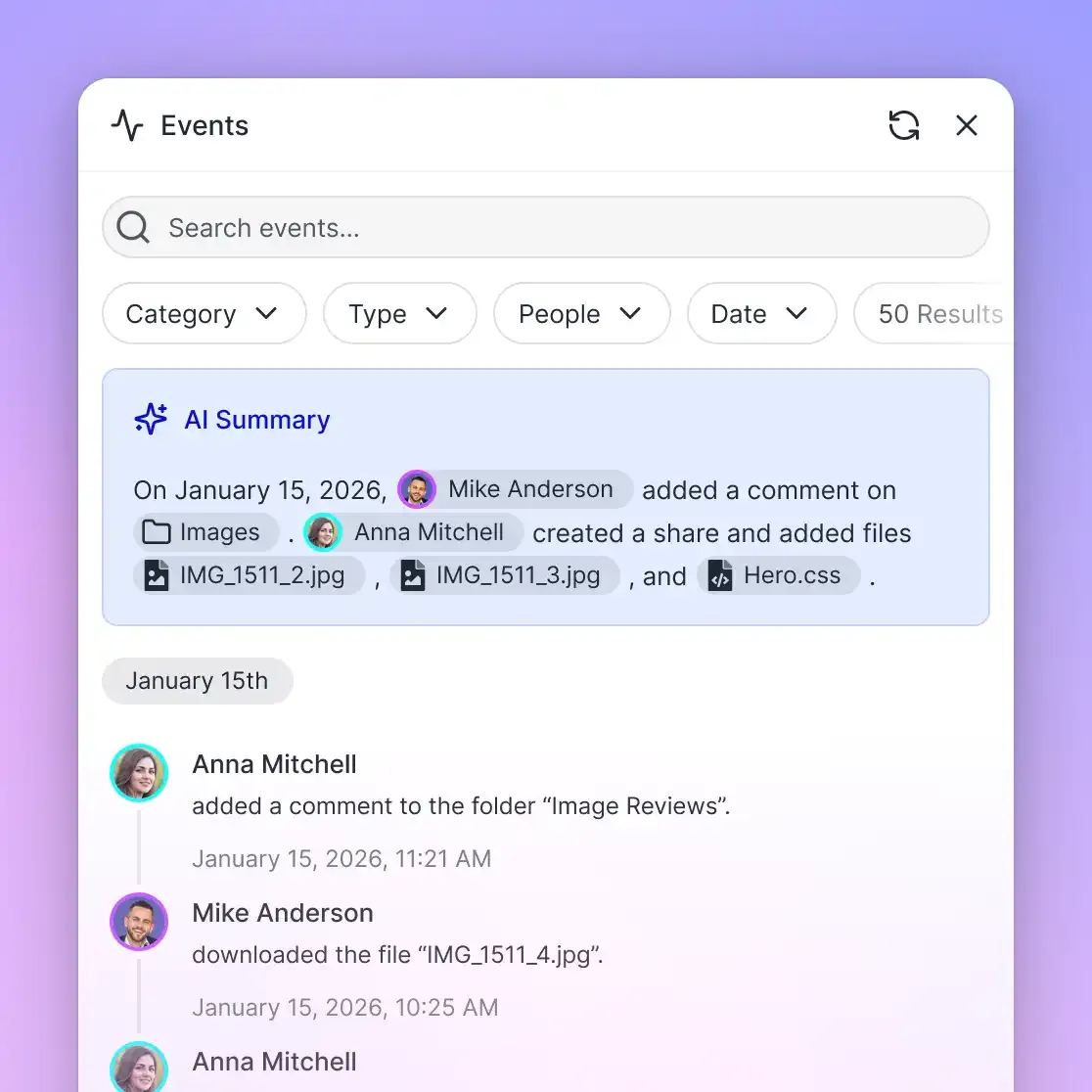
- Real-Time Activity Feed. Fast.io provides a real-time activity feed and a WebSocket events stream that broadcasts file modifications, downloads, and lock status changes. Team monitoring systems can observe agent actions as they happen without polling APIs repeatedly.
- Collaborative Notes. Fast.io Notes offers real-time multiplayer co-editing with visible cursors. Human supervisors and AI agents can draft summaries, document decisions, and assemble research reports side by side in the same workspace.
- Organization Ownership Transfer. Development agencies and consultants building custom AI workflows for clients can initialize workspaces, configure Cloud Import connections, and test MCP integrations under an agent-created organization. Once setup is complete, administrators can transfer full organization ownership to the client via a secure claim link while retaining ongoing collaborator permissions if desired.
Fast.io plans scale with team size and storage requirements. Available tiers include Starter, Business, and Enterprise at $9.99/mo | $49.99/mo | $199.99/mo, supported by a 14-day Business Trial on monthly plans that requires a credit card.
Sources
References used to verify factual claims in this guide.
-
OpenAI rate limits restrict how often a user or client can access services within a specified period of time.
Frequently Asked Questions
Can ChatGPT connect directly to cloud storage providers like Google Drive and Dropbox?
Yes, ChatGPT can connect to cloud storage through native workspace apps or remote Model Context Protocol (MCP) servers. However, native connectors download entire raw files into the model context window, which rapidly consumes token allowances and triggers rate limits. Connecting through a remote MCP storage layer like Fast.io indexes your files in advance, allowing ChatGPT to retrieve only relevant text snippets via semantic search.
Why does ChatGPT hit rate limits when reading files from cloud drives?
Rate limits occur because OpenAI restricts both Requests Per Minute (RPM) and Tokens Per Minute (TPM). Native cloud drive integrations stream complete documents, such as 50-page PDFs or multi-megabyte spreadsheets, directly into the context window. Processing multiple large files in a single prompt quickly exceeds TPM thresholds, causing HTTP 429 throttling errors. Indexing files beforehand reduces token consumption by returning targeted excerpts rather than full files.
Which cloud storage providers can connect to Fast.io workspaces?
Fast.io provides automated Cloud Sync for Google Drive, Box, Dropbox, and OneDrive with one-way or two-way synchronization on a schedule or on demand. Once files are imported from Google Drive into a Fast.io workspace, Intelligence Mode indexes their contents for semantic search.
How do I configure ChatGPT or an OpenAI agent to access Fast.io?
You configure your agent or MCP-compatible client to connect to the Fast.io remote endpoint at `https://mcp.fast.io/mcp/tools` (ChatGPT uses `https://mcp.fast.io/mcp/operations`), signing in with OAuth or sending a scoped API key as a Bearer header. The remote server provides a consolidated MCP toolset that enables ChatGPT to search, read, and write workspace documents without local file synchronization or 0-byte stub errors.
What pricing plans and trial options does Fast.io offer?
Fast.io provides a 14-day Business Trial on monthly plans, requiring a credit card. Paid subscription tiers include [Starter, Business, and Enterprise](/pricing/) at $9.99/mo | $49.99/mo | $199.99/mo. All plans include workspace collaboration, remote MCP connectivity, and intelligent document search.
Related Resources

Connect Your Cloud Storage to ChatGPT
Set up a shared Fast.io workspace with remote MCP to index Google Drive, OneDrive, and Dropbox files for AI agents without hitting token limits.