In-Memory File Systems in Python: Overcoming Agent RAM Limits and Memory Ceilings
An in-memory file system in Python provides volatile storage for agent tasks, but container heap limits can cause immediate process terminations. Storing large documents in RAM risks exit code 137 under strict container limits. Learn how to configure PyFilesystem2 MemoryFS, implement memory buffers, and offload large corpora to persistent workspaces through MCP.


How In-Memory File Systems Function in Python
According to Anthropic's documented upload limits, Claude chat conversations accept up to 20 files at up to 500MB each, while Claude Projects accept files up to 30MB each with no fixed file-count cap, bounded only by the model's context window. When developers build autonomous Python agents to ingest, transform, and evaluate document collections, they frequently keep files in memory to avoid container disk writes and disk latency. However, buffering raw documents directly in Python RAM rapidly exhausts container memory limits, turning transient file operations into catastrophic process failures.
An in-memory file system in Python is a RAM-resident file system implementation (such as fs.memoryfs or custom VFS wrappers) that enables programs to create, read, and manipulate virtual files without persisting them to physical disk.
Unlike physical disk storage or local block devices, an in-memory filesystem allocates file contents, directory nodes, and path hierarchies directly within the process's heap memory. This pattern has become standard in autonomous AI agent architectures. Coding agents, retrieval pipelines, and web scrapers frequently generate intermediate files such as raw HTML snapshots, converted Markdown documents, parsed PDF pages, and compiled JSON schemas. Keeping these ephemeral artifacts in memory prevents disk clutter, eliminates the need for manual filesystem cleanup scripts, and delivers sub-millisecond read and write latency. For broader architectural patterns around VFS implementations, see our guide to virtual file systems in Python. To explore hardware ceilings and container boundaries across environments, refer to in-memory file system limits.
The Mechanics of PyFilesystem2 MemoryFS
The most comprehensive implementation of a virtual filesystem in the Python ecosystem is PyFilesystem2 (fs). Rather than interacting with standard library modules like os or pathlib that bind directly to host kernel calls, PyFilesystem2 provides a unified filesystem abstraction (FS).
PyFilesystem2 MemoryFS provides full POSIX-like directory and file semantics entirely within Python heap memory. It exposes directory creation, nested path traversal, binary and text streaming, wildcard searches, and file metadata inspection without writing a single byte to physical storage.
from fs.memoryfs import MemoryFS
with MemoryFS() as mem_fs:
    mem_fs.makedirs("workspace/transcripts")  # Create virtual directory hierarchy
    mem_fs.writetext(  # Write virtual text and binary files to heap memory
        "workspace/transcripts/session_01.txt",
        "Agent execution output and intermediate analysis."
    )
    content = mem_fs.readtext("workspace/transcripts/session_01.txt")  # Read virtual file contents
    print(f"Read {len(content)} characters from virtual storage.")
    info = mem_fs.getinfo("workspace/transcripts/session_01.txt", namespaces=["basic", "details"])  # Inspect metadata
    print(f"Virtual file size in RAM: {info.size} bytes")
    print("Files in workspace:", mem_fs.listdir("workspace/transcripts"))  # List directory contents
Comparing Python In-Memory Storage Abstractions
Python developers have several ways to hold data in memory, ranging from single byte streams to full OS-level RAM disks. Choosing the appropriate mechanism depends on whether your agent needs a flat stream or a structured directory tree.
While io.BytesIO is sufficient for single-file conversions, agent frameworks often manage complex multi-file structures, such as unzipped repositories, multi-page document packages, or modular code trees. MemoryFS solves the structure problem, but introduces severe memory risks when deployed inside resource-constrained environments.
Related guides
- In-Memory File Systems: RAM Ceilings, Performance, and Persistent WorkspacesAn in-memory file system is a file storage abstraction that stores all file contents and directory hierarchies directly...
- How to Add File Storage to SmolagentsSmolagents is a fast way to build AI agents, but it lacks persistent storage by default. This guide shows you how to...
- Gemini 2.5 Flash Context Window: Token Limits, Latency, and Memory ManagementThe Gemini 2.5 Flash context window provides 1,048,576 tokens of input capacity alongside a 65,536 token output...
- Grok Context Window: Token Limits, Architecture, and Large File HandlingThe Grok context window spans from 256,000 tokens on grok-build-0.1 up to 1,000,000 tokens on Grok 4.3 and the Grok...
- How to Implement LangGraph Persistence for Long-Term MemoryLangGraph persistence allows AI agents to maintain state and memory across multiple sessions by saving graph...
- How to Set Up Agentic AI Storage for Persistent Agent MemoryAgentic AI storage provides persistent file and data access that autonomous agents need to complete multi-step tasks...
More on this subject: Agent Memory and Storage (277 guides)
Why In-Memory File Systems Trigger Exit Code 137 in Containers
While in-memory file systems offer speed and isolation, they present a dangerous scaling hazard in containerized environments. Storing unstructured documents and media in Python in-memory file systems directly consumes container RAM, triggering exit code 137 under memory-constrained runtimes.
In modern AI agent deployments, Python processes rarely run on unmetered bare-metal servers. Instead, they execute inside Docker containers, Kubernetes pods, AWS Lambda functions, Google Cloud Run instances, or isolated serverless sandboxes. These environments enforce rigid memory allocations, frequently configured with strict container heap limits per worker process. When an agent buffers large files in an in-memory filesystem, it competes directly with the Python runtime, dependencies, model embeddings, and language model context buffers for every byte of available RAM.
The Mechanics of Exit Code 137 and the Linux OOM Killer
When a Python process exceeds its container memory ceiling, the crash is neither graceful nor catchable. On Linux systems, memory limits are enforced by the control groups (cgroups) subsystem. As heap allocations push memory usage toward the configured threshold, the kernel's Out-Of-Memory (OOM) killer intervenes.
The OOM killer selects the offending process and dispatches an uncatchable SIGKILL (signal 9). In Linux process exit status conventions, an exit code for a process killed by a signal is calculated as 128 + signal_number. For SIGKILL, this yields:
128 + 9 = 137
Because SIGKILL cannot be intercepted by user space processes, standard Python exception handling cannot protect your agent:
try:
    with MemoryFS() as mem_fs:
        for document in large_corpus:
            mem_fs.writebytes(document.filename, document.payload)  # Triggers SIGKILL if limit reached
except MemoryError:
    print("Caught memory error")  # This block never executes when OOM killer fires
When the kernel terminates the container, Python does not execute finally blocks, context manager __exit__ methods, database connection teardowns, or cleanup hooks. The container terminates immediately, discarding all in-flight work and leaving external state uncoordinated.
CPython Heap Allocation and Memory Retention Quirks
A frequent surprise for developers is that deleting files from an in-memory filesystem does not necessarily return physical RAM to the host operating system. This behavior stems from CPython's internal memory management architecture:
- Small Object Allocations (
pymalloc): CPython uses a specialized memory allocator calledpymallocfor allocations equal to or smaller than 512 bytes. It organizes memory into 256 KB arenas, subdivided into 4 KB pools, which contain fixed-size blocks. CPython rarely releases an arena back to the operating system unless every single pool and block within that arena becomes completely vacant. - System Allocations (
malloc): Allocations larger than 512 bytes, such as raw binary file payloads, bypasspymallocand request memory directly from the system C library allocator (glibc mallocon Linux). - Memory Fragmentation: When an agent writes thousands of small virtual files and subsequently deletes them, the underlying heap memory becomes fragmented. The resident set size (RSS) of the Python process remains high, and the Linux kernel continues to count this fragmented memory against the container's cgroup ceiling.
Tracking Heap Allocation with Bounded Memory Wrappers
To prevent fatal OOM terminations, agent developers must enforce explicit memory accounting before writing bytes into volatile storage. A custom subclass of MemoryFS can monitor internal allocations and inspect process RSS through psutil, rejecting writes that would exceed a pre-configured memory budget:
import os
import psutil
from fs.memoryfs import MemoryFS
from fs.errors import ResourceError
class BoundedMemoryFS(MemoryFS):
    def __init__(self, max_bytes: int = 100 * 1024 * 1024):
        super().__init__()
        self.max_bytes = max_bytes
        self.allocated_bytes = 0
        self.process = psutil.Process(os.getpid())
    def _validate_budget(self, incoming_bytes: int):
        if self.allocated_bytes + incoming_bytes > self.max_bytes:  # Internal quota check
            raise ResourceError(
                f"MemoryFS budget exceeded: {self.allocated_bytes + incoming_bytes} "
                f"bytes exceeds limit of {self.max_bytes} bytes."
            )
        rss = self.process.memory_info().rss  # Inspect process resident set size
        if rss + incoming_bytes > 400 * 1024 * 1024:  # Safety ceiling check
            raise ResourceError("Container RSS ceiling approaching. Rejecting allocation.")
    def writebytes(self, path: str, data: bytes):
        data_size = len(data)
        self._validate_budget(data_size)
        super().writebytes(path, data)
        self.allocated_bytes += data_size
    def remove(self, path: str):
        if self.exists(path):
            info = self.getinfo(path, namespaces=["details"])
            size = info.size or 0
            super().remove(path)
            self.allocated_bytes = max(0, self.allocated_bytes - size)
By enforcing application-level bounds, the agent raises a standard, catchable ResourceError rather than triggering a fatal kernel SIGKILL.
Concurrency Hazards and Multi-Agent Process Isolation
Most tutorials present simple MemoryFS examples without explaining RAM scaling hazards, concurrent agent locking issues, or how to bridge in-memory staging to remote indexed workspaces via MCP. When autonomous architectures expand from single scripts to multi-agent swarms, the assumptions behind in-memory filesystems break down completely.
Modern agent frameworks like CrewAI, LangGraph, and AutoGen coordinate multi-agent teams where specialized agents handle distinct subtasks. For example, a research agent scrapes web documentation, a data extraction agent parses tables, an analysis agent formats metrics, and a reporting agent drafts the final delivery.
The Process Isolation Barrier
An in-memory filesystem instantiated in Python exists exclusively within the private virtual address space of a single operating system process. When agent frameworks scale horizontally across multiple worker processes, Celery tasks, or Kubernetes pods, those processes cannot access the same MemoryFS instance.
Process A (Research Agent)              Process B (Analysis Agent)
+-------------------------------+      +-------------------------------+
| Python Memory Space           |      | Python Memory Space           |
|                               |      |                               |
| (MemoryFS Instance)           |      | (Empty / Separate MemoryFS)   |
|   /workspace/doc_01.pdf       |      |   (Cannot see Process A data) |
|   /workspace/data.json        |      |                               |
+-------------------------------+      +-------------------------------+
                |                                      ^
                +==== (IPC Serialization Bottleneck) ==+
To transfer in-memory files from Process A to Process B, frameworks must serialize the files using pickle or IPC message queues. Serializing an entire virtual filesystem into an IPC pipe creates duplicate copies in RAM across both sending and receiving processes, multiplying total memory consumption and accelerating container memory exhaustion.
Threading Locks Versus Distributed Coordination
Developers attempting to avoid process isolation often run multiple agents as threads within a single Python process. While PyFilesystem2 uses internal reentrant locks (threading.RLock) to prevent memory corruption of its internal dictionary structures during concurrent access, these locks do not provide transactional coordination for multi-step agent workflows.
Consider a race condition where Agent A reads an in-memory document to generate a summary while Agent B concurrently updates the document with newly scraped paragraphs:
- Step 1: Agent A reads
/reports/draft.txt(10,000 characters). - Step 2: Agent B opens
/reports/draft.txtfor writing and truncates the file. - Step 3: Agent A attempts to read subsequent chunks, encountering an unexpected EOF or half-written buffer.
- Step 4: Both agents proceed with corrupted data, generating hallucinated summaries or failing outright.
Python's Global Interpreter Lock (GIL) also limits multi-threaded agents. When multiple threads perform CPU-intensive tasks such as parsing complex PDFs, tokenizing text, or running regex extractions, execution is serialized. You pay the memory penalty of running multiple agents concurrently without achieving true parallel throughput.
Why Multi-Agent Systems Require Advisory Locking and Versioning
Distributed agent swarms require true coordination primitives that in-memory filesystems cannot provide:
- Advisory File Leases: Agents must be able to acquire, heartbeat, and release locks on shared files so other workers know an edit is in progress.
- Complete Version History: If two agents produce conflicting updates, the system must retain every version rather than overwriting intermediate work.
- Persistent Shared State: Every member of the agent team needs immediate, authenticated access to the same files without copying multi-megabyte payloads across network sockets or IPC queues.
These coordination requirements cannot be met by volatile process RAM. They demand a persistent, shared storage substrate designed for collaborative agent workflows.
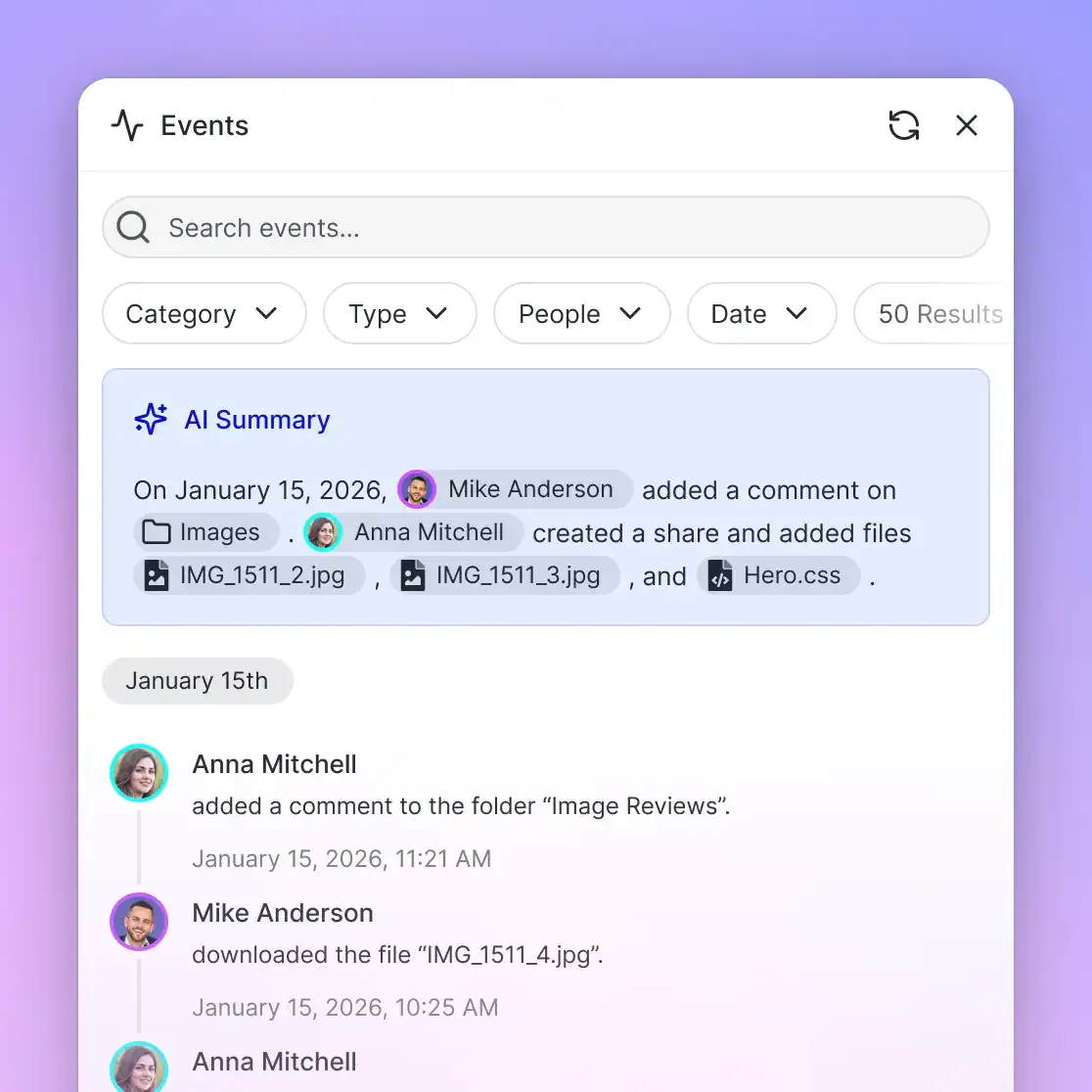


Scale Agent File Operations Beyond Container RAM Ceilings
Stop buffering massive document sets and multi-agent outputs in volatile container memory. Connect your Python agents to persistent Fast.io workspaces with built-in indexing and hybrid search over MCP. Start with a 14-day free trial.
How to Implement Hybrid Spooling and Memory Budgets
To maintain agent stability while preserving fast execution, production engineering teams implement hybrid memory patterns. In-memory file systems should be used strictly as volatile scratchpads for small, sub-second transformations, coupled with explicit memory budgets and automatic spillover mechanics.
Pattern 1: Spooling with Threshold-Based Spillover
For individual file operations where artifact sizes vary unpredictably, the Python standard library provides tempfile.SpooledTemporaryFile. This object buffers data in RAM up to a defined byte limit (max_size). If the file size remains below the threshold, all operations stay entirely in memory. The moment the buffer crosses the threshold, it automatically creates an ephemeral file on local container disk and streams subsequent bytes there:
from tempfile import SpooledTemporaryFile
with SpooledTemporaryFile(max_size=5 * 1024 * 1024, mode="w+b") as spooled_file:
    spooled_file.write(b"Initial agent tool output...")  # Fast in-memory write
    spooled_file.write(large_document_payload)  # Large payloads automatically rollover to disk storage
    if hasattr(spooled_file, "_file") and not isinstance(spooled_file._file, type(spooled_file)):
        print("Buffer exceeded threshold; rollover to ephemeral disk complete.")
    spooled_file.seek(0)
    processed_content = spooled_file.read()
While SpooledTemporaryFile does not provide a directory tree like MemoryFS, it prevents container memory exhaustion for large file downloads and raw API payloads.
Pattern 2: Ephemeral In-Memory Scratchpads
When an agent genuinely requires directory structures, such as unzipping a codebase or running multi-file AST analyses, use MemoryFS as a strictly bounded, short-lived scratchpad.
To prevent memory retention and heap bloat:
- Enforce Context Boundaries: Always instantiate
MemoryFSwithin awithstatement so that.close()is called immediately upon completion. - Explicit Deletion of In-Flight Buffers: Delete large variable references using
delonce data has been written to the virtual filesystem. - Explicit Garbage Collection: Call
gc.collect()following heavy file transformation batches to encourage CPython to release freed memory blocks.
import gc
from fs.memoryfs import MemoryFS
def execute_transient_transformation(file_batches: list[dict]) -> dict:
    results = {}
    with MemoryFS() as mem_fs:  # Confine virtual filesystem to an isolated scope
        for item in file_batches:
            path = f"staging/{item['name']}"
            mem_fs.makedirs("staging", recreate=True)
            mem_fs.writebytes(path, item["bytes"])  # Write and process virtual file bytes
            extracted_text = mem_fs.readtext(path)
            results[item["name"]] = extracted_text.strip()  # Transform and collect output
            mem_fs.remove(path)  # Remove virtual file to free memory chunks inside filesystem
    gc.collect()  # Trigger garbage collection to clean up unreferenced heap allocations
    return results
Even with strict garbage collection, transient in-memory file systems cannot store permanent assets, handle large document libraries, or support multi-turn agent memory. For persistent corpora, agents must offload artifacts to an external workspace.
When to Transition from MemoryFS to Persistent Workspaces
When an AI agent's corpus exceeds container memory budgets or crosses language model upload limits, the solution is not to allocate larger virtual machines. Instead, decoupling transient in-memory processing from persistent cloud storage creates an architecture that scales without memory constraints.
The Limits of Ingestion at the LLM Boundary
Language models themselves impose strict file attachment boundaries. As documented by the Anthropic Help Center, Claude chat conversations accept up to 20 files at up to 500MB each, while Claude Projects accept files up to 30MB each with no fixed file-count cap, bounded only by the model's context window. Attempting to ingest entire documentation repositories, legal discovery files, or large codebases directly into model prompts or container memory creates severe operational friction:
- Storing files in container RAM risks exit code 137 crashes under standard cloud runtimes.
- Stuffing raw file text into prompts consumes hundreds of thousands of input tokens on every turn.
- Model attention degrades across massive prompts, leading to missed instructions and hallucinations.
- Ephemeral container disks lose all state when worker instances scale down or restart.
Evaluating Persistent Storage Alternatives
When moving beyond local container RAM, engineering teams evaluate several storage models:
- Raw Object Storage (e.g., AWS S3, Google Cloud Storage): Excellent for cost-effective binary blobs, but lacks built-in semantic search, document parsing, or collaborative coordination. Agents must implement custom indexing pipelines and metadata databases.
- Traditional Cloud Drives (e.g., Google Drive, Dropbox): Familiar to humans, but API rate limits, complex OAuth token refresh cycles, and file sync latency create bottlenecks for automated multi-agent pipelines.
- Intelligent Cloud Workspaces (Fast.io): Provides an intelligent workspace substrate where files are indexed upon upload, queryable by meaning, and accessible by humans and agents alike.
The Fast.io Intelligent Workspace Substrate
Fast.io provides an intelligent workspace platform designed for agentic teams. Rather than treating storage as a passive bucket or struggling with volatile container RAM, teams organize files in org-owned workspaces accessible by both human teammates and autonomous AI agents. For teams seeking dedicated agent persistence, Storage for AI Agents enables continuous read and write operations without local container constraints.
Key architectural capabilities include:
- Intelligence Mode (Auto-Indexing for RAG): When Intelligence Mode is enabled on a workspace, Fast.io automatically indexes incoming files for hybrid search, combining full-text keyword indexing with semantic meaning. Agents query the workspace with citations instead of loading multi-gigabyte corpora into memory.
- Metadata Views: For structured data extraction, Metadata Views turn documents into a queryable database without manual OCR rules. Agents define target schemas, extract structured fields, and query results via API or MCP.
- Advisory File Locking: Multi-agent teams prevent conflicting edits through advisory per-file leases acquired and released via MCP (
lock-acquireandlock-releaseon thestorage_managetool, withlock-statuson thestoragetool). Locks expire unless heartbeated, and concurrent writes preserve every edit. - Per-File Version History: Every workspace file retains complete version history, allowing agents and humans to audit changes or revert edits without data loss.
- Detailed Activity Log: Organization administrators and developers track all workspace modifications, including uploads, edits, moves, deletions, and permission changes.
- Cloud Sync: Workspaces connect directly to external cloud repositories. Cloud Sync connects Google Drive, Dropbox, Box, and OneDrive folders to a workspace, one-way or two-way, on a schedule or on demand.
Connecting Python Agents to Fast.io via the Model Context Protocol
AI agents interact with Fast.io workspaces through the Model Context Protocol (MCP) using a hosted Streamable HTTP server. Fast.io exposes dedicated endpoints configured for specific agent runtime environments:
- For Claude applications, desktop clients, and general agent frameworks (such as OpenClaw and Hermes Agent):
https://mcp.fast.io/mcp/tools. - For coding agents operating in IDEs and terminals (such as Claude Code, Cursor, Cline, and VS Code):
https://mcp.fast.io/mcp/code. - For ChatGPT and Codex custom connectors:
https://mcp.fast.io/mcp/operations.
Setup steps are documented in the Fast.io MCP setup guide, and agent tooling instructions are provided in the Fast.io agent instructions.
For headless Python agents, serverless workers, and automated scripts, agents authenticate using a scoped API key passed via the Authorization: Bearer <api key> header on the Streamable HTTP connection.
Offloading In-Memory Files to a Persistent Workspace
By bridging Python's transient in-memory staging with Fast.io's persistent storage, agents can perform sub-second data preparation in MemoryFS, then upload the resulting artifact directly to a shared workspace:
import os
import httpx
from fs.memoryfs import MemoryFS
FASTIO_API_KEY = os.environ.get("FASTIO_API_KEY")
WORKSPACE_ID = "ws_research_team"
def offload_staging_file(file_name: str, mem_fs: MemoryFS):
    payload = mem_fs.readbytes(file_name)  # Read virtual file from MemoryFS
    headers = {
        "Authorization": f"Bearer {FASTIO_API_KEY}",
        "Accept": "application/json"
    }
    url = f"https://api.fast.io/current/workspace/{WORKSPACE_ID}/storage/root/addfile/"
    files = {"file": (file_name, payload, "application/octet-stream")}
    with httpx.Client(timeout=30.0) as client:
        response = client.post(url, headers=headers, files=files)
        response.raise_for_status()
        result = response.json()
        print(f"File {file_name} persisted to Fast.io workspace.")
        return result
Once uploaded, the file is indexed by Intelligence Mode. Other agents in your swarm can query its contents semantically through the MCP search tool, eliminating the need to hold the file in volatile container RAM.
Transparent Pricing and Team Scaling
Fast.io provides predictable subscription tiers tailored to autonomous agents and collaborative teams:
Monthly plans begin with a 14-day free trial, which requires a credit card. Additional enterprise seats, extra storage, and credit allowances scale smoothly with team requirements. For complete plan specifications, review Fast.io pricing. Human teammates manage files through the intuitive web UI, while AI agents coordinate through the consolidated MCP toolset.
Sources
References used to verify factual claims in this guide.
-
Claude chat conversations support uploads of up to 20 files per chat.
Frequently Asked Questions
How do you create an in-memory file system in Python?
You can create an in-memory file system in Python using the PyFilesystem2 library. Import MemoryFS using `from fs.memoryfs import MemoryFS` or open an FS URL with `import fs; mem_fs = fs.open_fs('mem://')`. The constructor initializes a virtual root directory in RAM where you can create directories, write files, and inspect metadata without touching physical disk.
What are the best in-memory file system libraries for Python?
PyFilesystem2 (`fs.memoryfs`) is the premier library for building full hierarchical POSIX-like directory trees in memory. For flat, single-file in-memory streaming, Python provides standard library modules `io.BytesIO` and `io.StringIO`. For automatic RAM-to-disk spillover based on buffer size, `tempfile.SpooledTemporaryFile` buffers bytes in memory until a threshold is crossed, then automatically writes to disk.
How do you prevent out-of-memory errors when using MemoryFS in Python?
To prevent out-of-memory errors, implement strict byte budgets using custom wrappers around MemoryFS, run operations inside context managers to trigger automatic cleanup upon exit, remove virtual files immediately after processing, and force garbage collection with `gc.collect()`. For large datasets, offload files to persistent cloud workspaces over MCP rather than holding them in volatile RAM.
Why does an in-memory file system trigger exit code 137 in Docker or Kubernetes?
Exit code 137 occurs when the operating system kernel dispatches a `SIGKILL` (signal 9) via the cgroup out-of-memory killer (128 + 9 = 137). When Python allocates more heap memory for virtual files than the container's RAM limit permits, the kernel terminates the process immediately. Because `SIGKILL` cannot be caught or handled in Python code, the container crashes without executing cleanup handlers.
Can multiple Python worker processes share a PyFilesystem2 MemoryFS instance?
No. A PyFilesystem2 MemoryFS instance exists strictly within the private virtual address space of a single Python process. Worker processes created via multiprocessing or Celery cannot access the in-memory files without serializing them over IPC channels, which duplicates memory usage. Multi-agent teams require a shared persistent storage layer with advisory file locking.
How do Claude file upload limits affect agent data pipelines?
Anthropic documents that Claude chat conversations accept up to 20 files at up to 500MB each, while Claude Projects accept files up to 30MB each with no fixed file-count cap, bounded only by the context window. Feeding large document collections directly into model prompts quickly exhausts token limits. Instead of loading whole document libraries into memory or prompt payloads, agents keep files in an indexed workspace and retrieve only the relevant passages.
When should an AI agent transition from in-memory staging to persistent cloud storage?
Use in-memory file systems for transient, sub-second transformations, temporary file formatting, and small unit test runs. Transition to a persistent cloud workspace when files exceed container RAM budgets, when multiple agents must coordinate over the same documents, when artifacts require version history, or when files must be delivered to human team members.
Related Resources

Scale Agent File Operations Beyond Container RAM Ceilings
Stop buffering massive document sets and multi-agent outputs in volatile container memory. Connect your Python agents to persistent Fast.io workspaces with built-in indexing and hybrid search over MCP. Start with a 14-day free trial.