How to Upload Large Files to Claude: Limits, Workarounds, and MCP
Uploading large files to Claude requires matching each asset to the correct environment. Standard web chats accept up to 20 files at 500MB each, while Claude Projects caps individual files at 30MB bounded by the 200,000-token context window. While small files can be split or compressed locally, larger multi-gigabyte collections require an external indexed workspace. Connecting Claude to remote MCP storage allows the model to search and retrieve content without exhausting working memory.


What Are Claude File Upload Limits in Web Chat and Projects?
According to Anthropic documented platform limits in the official Claude file upload documentation, standard Claude chat sessions accept up to 20 files at 500MB each with a 1,000-page limit on PDFs, while Projects allows files up to 30MB each bounded by total context capacity. However, physical file size thresholds do not dictate operational capacity. The true operational ceiling for every conversation is the model 200,000-token context window.
Uploading large files to Claude requires matching the asset to the appropriate environment: standard web chats accept up to 20 files at 500MB each for ephemeral analysis, while Claude Projects caps individual files at 30MB and bounds all project knowledge by the 200,000-token context window.
Understanding the boundary between physical file transmission and active model attention prevents failed uploads and truncated replies. When you attach a document to a standard web chat, Claude extracts the text or runs visual processing on the file. That extracted data is placed directly into the conversation prompt. If you upload multiple large spreadsheets containing dense text or financial data, the files transfer without error, but their combined textual volume can saturate the context window instantly. When the context window fills, Claude displays a warning that the conversation is too long and halts further input.
In Claude Projects, the mechanics differ. Project knowledge is designed for persistent reference materials across multiple conversations. Anthropic sets an individual file upload ceiling of 30MB for project files. Many competitor articles claim that Claude Projects enforces a hard limit of 50 files. That claim is an outdated myth. Anthropic official documentation specifies that the number of files in a project is unlimited. The real barrier is cumulative token volume. All files added to project knowledge must fit within Claude 200,000-token context window. If you upload dense technical manuals that consume most of the context budget, you leave minimal tokens for system instructions, conversation history, and model responses.
The following comparison table outlines file limits, processing rules, and operational constraints across Claude environments and external workspace storage:
When selecting where to place your assets, consider lifespan and volume. Standard web chat handles quick, one-off analyses of individual documents up to 500MB. Claude Projects provides persistent reference for small sets of core documents under 30MB each. For document libraries that span hundreds of megabytes or multiple gigabytes, offloading storage to an external intelligent workspace and connecting through Model Context Protocol (MCP) provides the only scalable architecture.
PDF Processing Thresholds and Page Ceilings
When working with PDF files, page counts impose strict technical limits that override raw byte size. Anthropic processes PDF files through three distinct operational tiers based on total document length:
- Documents of 100 pages or fewer. Claude applies visual document analysis. The model evaluates layout geometry, embedded charts, data graphs, illustrations, and typography alongside the text. This multimodal inspection allows Claude to interpret complex financial tables and architectural diagrams accurately.
- Documents between 101 and 1,000 pages. Claude shifts to text extraction mode. Visual formatting, diagrams, and raster images are stripped. The model extracts and reads the plain text stream, ignoring visual design elements.
- Documents exceeding 1,000 pages. Claude rejects the file immediately at the upload boundary. The web interface returns an error stating that the uploaded file is too large, regardless of file size in megabytes.
This distinction explains why document structure matters more than storage weight. A scanned historical docket exceeding 1,000 pages fails upload instantly due to the page ceiling, regardless of whether the file itself is small in megabytes. Conversely, a large graphic presentation containing fewer than 100 pages uploads and processes smoothly in standard chat because it stays under both the 500MB cap and the 100-page visual threshold. Before attempting to upload any PDF asset, check its internal page count in your document viewer.
Related guides
- Copilot File Upload Limits, Formats, and Workarounds for Large FilesThe Copilot file upload limit restricts direct document attachments to 10 MB per file across standard chat interfaces,...
- How to Handle Claude Code Token Limits in Large ProjectsClaude Code enforces a 200,000-token context window that fills quickly on complex repositories as file reads and bash...
- Claude Excel Limits: File Sizes, Row Caps, and Large Spreadsheet Analysis FixesThe Claude Excel limit encompasses a 500MB upload cap in chat, a 30MB cap in Projects, and token boundaries when...
- Claude Message Limit: Rules, Reset Times, and Large File WorkaroundsThe Claude message limit is Anthropic's dynamic usage cap that limits how many messages a user can send within a...
- Claude Character Limit: Prompt Caps, Paste Rules, and WorkspacesThe Claude character limit is the interface paste boundary in Claude.ai where long pasted text is automatically...
- Claude Artifact Size Limits: Token Ceilings, Rendering Caps, and WorkaroundsClaude artifact size limits are bounded by the model's maximum output token generation cap (typically 4,096 to 8,192...
More on this subject: Claude and Claude Code (285 guides)
How to Upload Large Files to Claude in Four Steps
Preparing large files for Claude requires balancing raw file size against token budgets. Following this four-step sequence prevents upload failures and token exhaustion:
Evaluate file size, page count, and destination against Anthropic limits. Determine whether the document requires short-term conversational analysis or persistent availability across a team. If the file is an ephemeral asset under 500MB and fewer than 1,000 PDF pages, upload it directly to web chat. If the file must live inside a persistent Claude Project, verify that it is under 30MB and that its extracted text leaves ample headroom inside the 200,000-token context window.
Strip visual overhead and extract raw text. Non-PDF documents such as DOCX, XLSX, and HTML extract text only, discarding embedded media. For PDFs between 101 and 1,000 pages, visual elements are ignored entirely. Stripping embedded high-resolution graphics, slide backgrounds, and redundant layout metadata reduces multi-megabyte binaries to compact text files without losing data.
Partition large text corpora into focused modular segments. When a technical manual, legal docket, or dataset exceeds Claude token budget, divide the material into logical segments. Partition by chapter, chronological period, or functional module rather than arbitrary byte boundaries. Preserving header structures within each partition maintains topical coherence when prompting Claude.
Connect an external indexed workspace for multi-gigabyte collections. When working with extensive documentation, codebases, or multi-gigabyte archives that exceed direct upload limits, offload storage to an external workspace. Connecting Claude via remote Model Context Protocol (MCP) allows the model to query indexed content on demand, returning relevant passages without loading complete files into prompt memory.
Automating Text Extraction and Document Partitioning
Splitting large text files manually is tedious and error-prone. A targeted Python script can parse a massive text file, monitor token boundaries, and output clean, numbered segments that fit within Claude context requirements.
import os

def chunk_text_file(input_path, output_dir, max_chars_per_chunk=120000):
    os.makedirs(output_dir, exist_ok=True)
    with open(input_path, "r", encoding="utf-8", errors="ignore") as f:
        text = f.read()
    total_len = len(text)
    chunk_index = 1
    start = 0
    while start < total_len:
        end = min(start + max_chars_per_chunk, total_len)
        if end < total_len:
            last_break = text.rfind("
", start, end)
            if last_break != -1 and last_break > start + (max_chars_per_chunk // 2):
                end = last_break
        chunk_content = text[start:end].strip()
        header = f"# Segment {chunk_index} of {input_path}
"
        out_file = os.path.join(output_dir, f"segment_{chunk_index:02d}.txt")
        with open(out_file, "w", encoding="utf-8") as out:
            out.write(header + chunk_content)
        print(f"Created {out_file} ({len(chunk_content)} chars)")
        start = end
        chunk_index += 1

chunk_text_file("corpus_dump.txt", "claude_chunks")
This script preserves paragraph boundaries and prepends a structural header to each file. You can attach individual segments to separate chat sessions or upload only the relevant chapter to a Claude Project.
Preparing Spreadsheets and Tabular Datasets
Spreadsheets present unique challenges for Claude. In standard accounts, uploading an Excel workbook (.xlsx) requires enabling code execution and file creation in your account settings. When code execution is active, Claude runs a sandboxed Python environment to inspect the workbook via pandas rather than reading every cell as prompt tokens.
If you upload data without code execution, convert your spreadsheet to CSV format. CSV files are plain text, but raw exports frequently contain thousands of empty trailing rows, redundant ID columns, and verbose metadata. Cleaning spreadsheets prior to upload saves substantial context space:
- Remove non-essential columns: Drop internal tracking IDs, system timestamps, and secondary status flags that do not inform the analytical query.
- Filter date ranges: Rather than uploading years of transaction logs, export the specific quarter or month under investigation.
- Aggregate granular records: Pre-calculate daily or weekly totals if the model needs to analyze high-level trends rather than individual receipts.
A large transaction export containing hundreds of thousands of rows can be aggregated into a compact summary CSV that preserves every analytical metric while fitting comfortably within Claude token limits.
Why Local Compression Workarounds Fail with Large Contexts
When files exceed direct platform limits, developers often turn to local compression and consolidation workarounds. While these techniques solve immediate transmission issues, they introduce subtle failure modes during model reasoning.
One standard workaround is compressing collections of documents into a ZIP archive. Claude accepts .zip files in chat sessions when code execution is enabled, but the model cannot read files inside the archive as part of its native attention layer. Instead, Claude must write and run a Python script to decompress the archive to local disk, locate target files, and print contents to standard output. If the script encounters nested directories, unsupported character encodings, or corrupt headers, execution halts. For Claude Projects, ZIP files are not supported as knowledge base entries, meaning archived files cannot serve as background context across a project.
Another common tactic is consolidating entire software repositories into a single monolithic document using repository packing utilities. While tools like Repomix package a directory into a structured markdown file, packing an entire production codebase often produces massive files that exceed the 30MB Claude Projects limit and instantly overflow the 200,000-token context window. To make repository packing viable, developers must configure strict exclusion patterns:
- Exclude build directories and compiled binaries: Directories such as
dist/,build/,target/, and.next/contain minified code and machine artifacts that waste tokens. - Exclude package manager lockfiles: Files like
package-lock.json,pnpm-lock.yaml, andCargo.lockcan consume tens of thousands of tokens while providing minimal context for code generation. - Strip media assets and fonts: Image files, vector icons, and font binaries add zero value to text models and inflate export sizes.
Even when local workarounds succeed in fitting a file under upload ceilings, packing massive text files into Claude context creates operational drawbacks. Processing large prompt contexts on every message turn causes latency spikes, with response generation times stretching out noticeably. Furthermore, language models exhibit attention degradation when searching for details buried in the middle of massive context blocks. The model may overlook critical clauses or variable declarations located between hundreds of preceding pages. For large or evolving corpora, stuffing entire files into prompts creates fragile workflows.
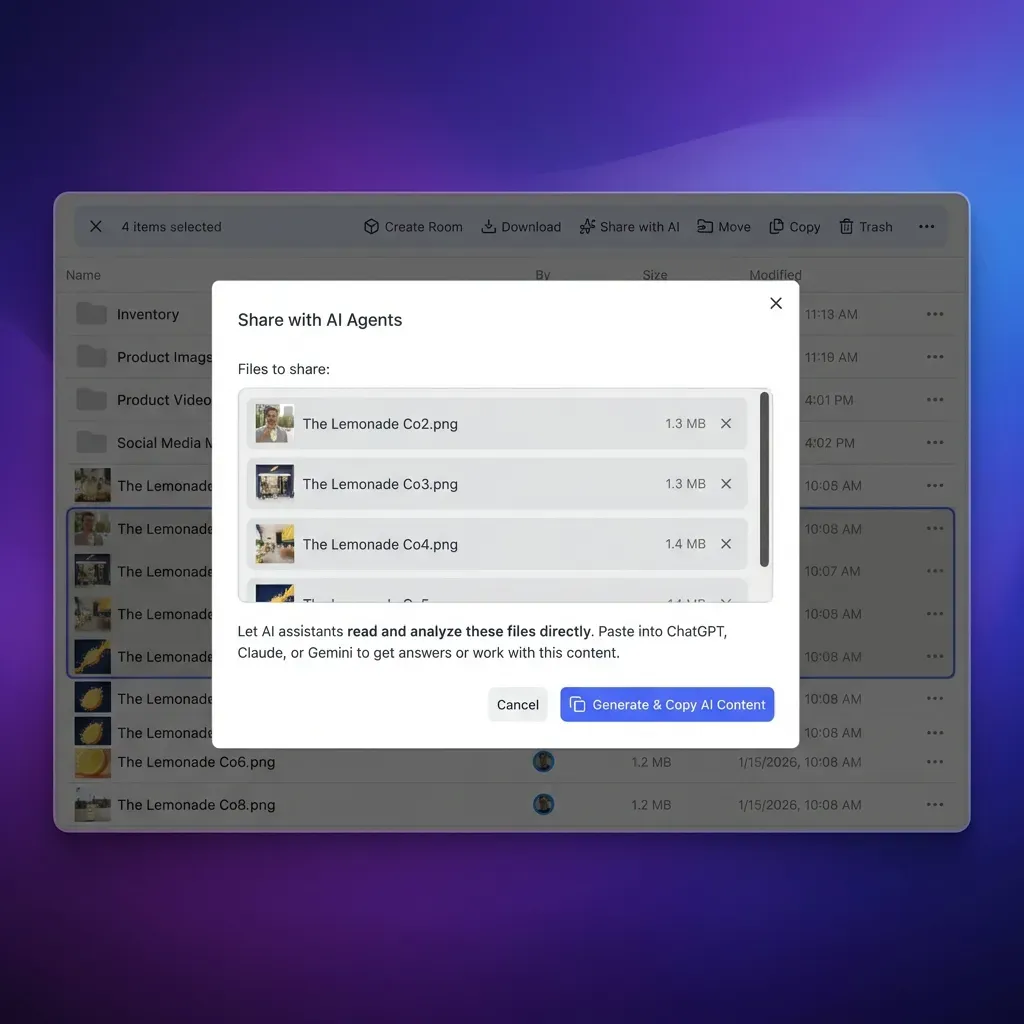


Search Multi-Gigabyte Document Archives Directly in Claude
Connect Claude to an indexed Fastio workspace using remote Model Context Protocol. Query large document archives with citations without exhausting your 200,000-token context window. Monthly plans start with a 14-day free trial (credit card required).
How to Connect External Workspaces to Claude with Remote MCP
The architectural resolution for large files is shifting from static file upload to dynamic external retrieval. Instead of pushing whole documents into the model context window, you store your files in an external cloud workspace where they are indexed for search. The AI model connects to the storage layer through the Model Context Protocol (MCP), an open standard developed by Anthropic that allows assistants to discover and call remote tools.
Fastio provides this storage for agents and human teams. When files are added to an organization workspace, Fastio Intelligence Mode indexes them for hybrid search, combining full-text keyword indexing with semantic vector embeddings. Fastio plans accommodate multi-gigabyte collections and files that exceed standard chat limits. Subscriptions start with a 14-day free trial that requires a credit card.
The following table summarizes Fastio subscription plans and capacities:
Connecting Claude to Fastio over remote MCP requires four direct steps in the Claude interface:
- In Claude (web, desktop, or mobile), open Customize, then Connectors.
- Add a custom connector and enter
https://mcp.fast.io/mcp/tools. - Select Connect and sign in to Fastio in the window that opens. Complete the Review Permissions screen, selecting Read Only or Read & Write and choosing which workspaces Claude can reach.
- In a chat, turn Fastio on from the + menu under Connectors.
Never edit claude_desktop_config.json for Fastio; the connector runs over Streamable HTTP and connects directly through Claude custom connector menu. Consult the MCP documentation for client-specific details. For developers using Claude Code CLI in a terminal, connect the server with:
claude mcp add --transport http fast-io https://mcp.fast.io/mcp/code
After adding the endpoint, run /mcp inside Claude Code to complete authentication.
Once connected, Claude queries the remote workspace dynamically. When you ask a question regarding an extensive corpus, Claude calls the storage read tool to perform a hybrid search across workspace files. The server returns only the relevant excerpts and citations. Claude synthesizes the answer using clean context memory, without loading hundreds of megabytes of raw files into the prompt. For modifications, Claude calls storage_manage to create files, update contents, or manage file locks.
Structured Extraction with Metadata Views
For large archives of operational documents, full-text search is only half the solution. Teams frequently need to extract structured data points across hundreds of files without reading each document manually.
Fastio Metadata Views converts unstructured file repositories into live, queryable databases. Rather than configuring complex OCR parsing templates, users define required extraction fields using plain language. The AI schema generator identifies field types such as Text, Integer, Decimal, Boolean, URL, JSON, and Date & Time. Metadata Views matches documents across the workspace and populates a structured spreadsheet view automatically.
- Legal Agreements: Extract contracting parties, governing law, effective dates, termination notice windows, and renewal terms across supplier agreements.
- Invoices and Financial Reports: Extract invoice numbers, vendor tax IDs, line item totals, currency codes, and payment due dates.
- Insurance Policies: Pull policy numbers, coverage limits, named insureds, and expiration dates across insurance policies.
Because Metadata Views structures this data at the storage layer, Claude does not need to parse multi-megabyte PDFs on every question. Through MCP, Claude queries the structured Metadata View directly, retrieving precise values across hundreds of files in milliseconds without exhausting context tokens.
Managing Multi-Gigabyte Document Archives for Teams and Agents
When multiple team members and AI assistants collaborate on large document sets, file management requires systematic governance. Pushing static files into personal chat windows isolates knowledge and causes version confusion. Managing files in a centralized, intelligent workspace creates a reliable operational foundation for both human colleagues and autonomous agents.
Fastio provides shared, organization-owned workspaces where team members and AI agents operate on the same files. Workspaces maintain per-file version history, recording every file modification as a distinct, restorable snapshot. When an AI agent updates a dataset, refactors a script, or edits a document, previous revisions remain accessible. If an automated process generates an unexpected edit, human administrators can inspect the differences and restore the prior version instantly.
System accountability is maintained through a detailed activity log. The activity log records changes across the organization, tracking file uploads, edits, moves, deletions, and permission adjustments. Every entry identifies whether the action was taken by a human team member or an automated agent. The log focuses on state modifications and does not track read-only actions such as views or file downloads.
To keep external assets synchronized without manual file re-uploading, Fastio Cloud Sync connects Google Drive, Dropbox, Box, and OneDrive folders to a workspace. Sync operations run one-way or two-way, on a schedule or on demand. Organizations storing documentation across enterprise SharePoint libraries can connect those repositories directly through the OneDrive connector. Files synced into the workspace are indexed by workspace intelligence automatically, making them immediately searchable by Claude through MCP. Review Fastio pricing to evaluate storage tiers for your team.
Workspaces also support clean operational handoffs through ownership transfer. An AI agent or technical lead can create an organization, configure workspaces, establish folder structures, and sync enterprise documents. Once the workspace environment is configured, the agent transfers organization ownership to a human executive or client administrator with a claim link. The agent retains its administrative role to manage files and execute operations through MCP, while legal and financial ownership rests with the human organization owner.
Sources
References used to verify factual claims in this guide.
-
Anthropic Claude standard web chat sessions accept up to 20 files at 500MB each with a 1,000-page limit on PDFs, while Claude Projects limits individual project file uploads to 30MB bounded by total context window capacity. Claude analyzes visual elements and text in PDF documents of 100 pages or fewer, extracts plain text only for PDFs between 101 and 1,000 pages, and rejects uploads exceeding 1,000 pages.
Frequently Asked Questions
What is the file size limit for Claude?
In standard web chat sessions, Claude accepts files up to 500MB each, with a maximum of 20 files per chat. In Claude Projects, individual files are capped at 30MB each, with no restriction on the number of files as long as the total text fits within the 200,000-token context window.
How do I upload a file larger than 30MB to Claude Projects?
Directly uploading a file over 30MB to Claude Projects is blocked by the platform interface. To use files larger than 30MB, you can either split the document into smaller chapters under 30MB each, or store the file in an external workspace like Fastio and connect Claude via remote Model Context Protocol (MCP) at `https://mcp.fast.io/mcp/tools`. This allows Claude to search the document index on demand without uploading raw files into the project.
Can Claude read a 1000-page PDF?
Yes, Claude can process PDFs up to 1,000 pages, but it extracts text only for documents between 101 and 1,000 pages, ignoring images, charts, and diagrams. For PDFs of 100 pages or fewer, Claude provides multimodal analysis of both text and visual elements. Any PDF exceeding 1,000 pages is rejected with an error message.
How can Claude search documents without uploading them?
Claude can search documents without direct file uploads by connecting to an external indexed workspace using remote MCP. By adding `https://mcp.fast.io/mcp/tools` as a custom connector in Claude, the model gains access to workspace search tools. When asked a question, Claude queries the external index, retrieves relevant text passages, and cites the source document without loading full files into the prompt.
Does Claude Projects have a 50-file upload limit?
No. The belief that Claude Projects limits uploads to 50 files is an outdated myth. Anthropic official documentation states that the number of files in a project is unlimited. However, the cumulative textual content of all uploaded files must fit within Claude 200,000-token context window.
Can Claude extract text from ZIP archives or disk images?
Claude does not unpack or extract compressed archive formats like ZIP, TAR, or RAR when attached directly to standard chat or project knowledge. To analyze files inside an archive, you must decompress them locally before uploading, or place the unpacked directory into an external workspace accessible through MCP.
Related Resources

Search Multi-Gigabyte Document Archives Directly in Claude
Connect Claude to an indexed Fastio workspace using remote Model Context Protocol. Query large document archives with citations without exhausting your 200,000-token context window. Monthly plans start with a 14-day free trial (credit card required).