ChatGPT Context Window: The 128,000 Token Limit and Corpus Workarounds
OpenAI sets the ChatGPT context window for GPT-4o at 128,000 tokens with a maximum completion limit of 16,384 output tokens per response. While this accommodates roughly 300 pages of text, consumer web chat session management and prompt overhead make direct context stuffing impractical for multi-document research. Teams can query large document libraries by indexing files in Fast.io workspaces and retrieving excerpts via MCP.


What Is the ChatGPT Context Window?
OpenAI documentation specifies that flagship GPT-4o models operate with a 128,000-token context window and a maximum completion limit of 16,384 output tokens. Tokenization converts text strings into discrete units that determine whether input exceeds model processing boundaries. The ChatGPT context window refers to the combined limit of prompt, conversation history, and document tokens (128k tokens in GPT-4o) that OpenAI models can retain before older details are compressed or forgotten.
In transformer-based large language models, the context window defines the finite buffer of attention available during any single inference cycle. Tokens represent sub-word fragments. In standard English prose, 1,000 tokens corresponds to roughly 750 words, which equals approximately three double-spaced manuscript pages. Therefore, a 128,000-token context window translates to roughly 96,000 words or 300 to 350 pages of single-spaced text.
Understanding the context window requires recognizing that input and output share the exact same pool. The 128,000-token limit is not an input-only capacity that permits an additional response on top. It represents the total ceiling for prompt instructions, conversational history, uploaded reference documents, tool definitions, and generated completion tokens combined.
If an analysis task supplies an input prompt consuming 115,000 tokens, the model cannot generate its theoretical maximum of 16,384 tokens. It can generate at most 13,000 tokens before exhausting the total 128,000-token budget. If an automated script passes 127,500 tokens of background context, the completion truncates after only 500 tokens, regardless of how long the requested answer was meant to be.
Output generation ceilings represent an additional architectural constraint. Earlier iterations of GPT-4 limited responses to 4,096 tokens, whereas modern GPT-4o snapshots provide 16,384 tokens of completion text. In OpenAI reasoning models such as o1 and o3-mini, the output budget expands to 100,000 tokens, though that allocation must accommodate both hidden reasoning tokens and visible reply tokens.
Token Encodings and Practical Density
The relationship between raw text length and token count depends directly on the tokenizer encoding family. GPT-4o and GPT-4o mini use OpenAI's o200k_base byte-pair encoding, which features a vocabulary of 200,000 token identifiers. Earlier GPT-4 models used the cl100k_base encoding with a 100,000-token vocabulary.
Expanding the vocabulary size allows o200k_base to compress text with greater efficiency. In non-English languages, mathematical formulas, and structured code snippets, the newer encoding uses fewer tokens to represent the identical string. However, text density still varies widely across document formats:
- Plain English Narrative: Averages roughly 1.3 tokens per word. A 50,000-word corporate policy manual consumes approximately 65,000 tokens.
- Source Code and Configuration: Syntax characters, indentation whitespace, and variable naming conventions expand token consumption. Python, TypeScript, or JSON structures average between 1.8 and 2.5 tokens per word.
- Tabular Data and Spreadsheets: Comma-separated or markdown tables with numeric values, delimiters, and repeating headers frequently consume 2.0 to 3.0 tokens per cell, causing spreadsheet attachments to consume context far faster than narrative prose.
- Non-Latin Scripts: While
o200k_basesignificantly improved multi-lingual compression, scripts such as Japanese, Arabic, and Cyrillic still require more tokens per sentence than Latin alphabet counterparts.
When calculating whether a document collection fits within GPT-4o's 128,000-token boundary, simple character or word counts provide only a rough estimate. Precise calculation requires inspecting tokenization directly with tools like tiktoken.
Related guides
- ChatGPT Projects Context Window: Token Limits, Hidden Context and MCPThe ChatGPT Projects context window provides a 128,000-token working memory buffer shared across custom instructions,...
- Gemini 1.5 Flash Context Window: Token Limits, Multimodal Capacity, and WorkaroundsGemini 1.5 Flash provides a native 1,048,576-token context window that accommodates 700,000 words, an hour of video, or...
- Mistral Context Window: Token Limits Across Models and MCP Storage WorkaroundsThe Mistral context window defines the upper token capacity for prompt ingestion and generation across Mistral AI...
- Agent Context Window: Managing Token Budgets in Multi-Step AI SystemsAn agent context window is the finite working memory buffer available to an autonomous AI agent to process...
- Cohere Context Window: Command R Token Limits and Enterprise SearchThe Cohere context window provides 128,000 tokens of sequence capacity on Command R and Command R+, and 256,000 on the...
- Context Window Exceeded: Diagnosing LLM Token Limits and FixesA context window exceeded error occurs when the total volume of system instructions, conversation turns, file...
More on this subject: Agent Memory and Storage (277 guides)
Why Web Chat Memory Differs From the 128k API Limit
Articles evaluating token limits frequently make the mistake of conflating the raw API specification with the consumer ChatGPT web application. Developers calling OpenAI models directly through the API control the exact payload sent in every HTTP request. If your code transmits 100,000 tokens of prompt messages, the model evaluates those 100,000 tokens directly. In contrast, the consumer interface at chatgpt.com operates under proprietary session management that behaves very differently from a raw API connection.
The web chat interface injects substantial hidden context into every exchange before your message is evaluated. OpenAI loads system behavioral guidelines, multimodal tool schemas (code interpreter, web browsing, image generators, and canvas), user memory records, and custom instructions into the prompt background. This systemic overhead consumes several thousand tokens of your available context window before you type a single character.
As a conversation extends across multiple turns, ChatGPT does not continuously re-send the full transcript to the underlying neural network. Doing so would rapidly degrade performance and generate unsustainable computational costs. Instead, the web application applies sliding-window context truncation and rolling conversational summarization:
- Active Immediate Window: The most recent exchanges are retained verbatim in full detail.
- Compressed History: Intermediate conversational turns are condensed into concise background summaries.
- Evicted Context: Older exchanges, detailed tables, and early file attachments are silently purged from the active context buffer.
What happens when ChatGPT hits its context limit depends on the environment. In the API, the system returns an explicit signal. If prompt tokens exceed the window, the API responds with an HTTP 400 error. If a response hits the generation ceiling, the response returns with a stop status indicating that the maximum token limit was reached. In the web interface, the transition is silent. There is no banner warning that older context was purged. The assistant simply starts hallucinating details, forgetting established rules, or contradicting decisions made twenty turns earlier.
Document attachments in the web interface compound this unpredictability. When you attach a 200-page financial audit or technical manual to a web chat, ChatGPT does not paste the full document into the model's raw attention buffer. Instead, it routes the file through an internal Python environment or creates dynamic text chunks. If your question requires cross-referencing a footnote on page 14 with a balance sheet on page 182, the internal retrieval mechanism frequently misses the relationship because the full text is not simultaneously active in attention.
The Large-Corpus Dilemma: Why Context Stuffing Fails
Attempting to solve multi-document research by stuffing ever-larger text files into the context window creates severe operational bottlenecks. Enterprise analysis rarely centers on a single isolated whitepaper. Real-world projects require evaluating thirty vendor master services agreements, two years of quarterly financial reports, entire software codebases, or hundreds of customer research interviews. A collection of twenty detailed corporate PDF documents easily reaches 500,000 to 2,000,000 tokens, far exceeding GPT-4o's 128,000-token ceiling.
Even when a collection of documents fits narrowly within 128,000 tokens, stuffing the entire corpus into the prompt creates significant cognitive degradation:
- Positional Attention Bias: Transformer attention mechanisms exhibit positional bias, commonly known as the lost-in-the-middle effect. Models recall information placed at the immediate beginning or the extreme end of a long prompt with high accuracy. When critical facts, liability clauses, or technical parameters are located in the middle sections of a 100,000-token prompt, retrieval accuracy drops markedly.
- Multiplied Inference Latency: Processing a 100,000-token input payload requires substantial computation. Every single conversational turn requires the model to re-encode that entire document block. Responses that take two seconds with a focused prompt can take twenty to forty seconds when the model must attend over massive contexts.
- Exponential API Token Consumption: In an API workflow, message history is stateless. If you re-transmit a 100,000-token document payload on every turn of a 20-message research dialogue, you consume 2,000,000 input tokens for a single investigative session, turning a straightforward inquiry into an expensive computational run.
- Session Fragility and Browser Freezes: In web chat applications, uploading several massive documents causes interface sluggishness, memory crashes, and file extraction timeouts.
This dilemma is not unique to OpenAI. Users in competing ecosystems hit identical boundaries. In Claude Projects, project knowledge is limited by the context window, 30MB per file (https://support.claude.com/en/articles/8241126-upload-files-to-claude). The moment a user exceeds the project token capacity, they realize that consumer chat workspaces are not designed to function as primary document management repositories. The solution is not hunting for models with hypothetical multi-million-token windows; the solution is changing the retrieval architecture.


Query Enterprise Document Corpora Beyond Context Limits
Index large document libraries in persistent Fast.io workspaces and query them through the remote MCP server with citations. Monthly plans start with a trial of up to 14 days (credit card required); annual plans have no trial. Plans are Starter at $9.99/mo, Business at $49.99/mo, and Enterprise at $199.99/mo.
Indexing External Corpora Instead of Stuffing Active Context
The architectural solution to context limits is decoupling document storage and indexing from the language model's immediate context window. Instead of forcing the language model to read an entire document library on every prompt, you store the library in an external, intelligent workspace. The workspace indexes every file on arrival, performs semantic and keyword retrieval against specific questions, and passes only the relevant paragraphs into the prompt.
Fast.io provides this intelligent workspace layer for teams and AI agents. Rather than treating cloud storage as a passive folder tree, Fast.io treats workspaces as live, queryable knowledge systems:
- Ingesting the Corpus: You create an organization workspace and populate it with your project documents. You can upload files directly through the web interface or via @vividengine/fastio-cli. For existing corporate repositories, Fast.io provides Cloud Sync for Google Drive, Dropbox, Box, and OneDrive.
- Automatic Intelligence Mode: When you enable Intelligence Mode on a workspace, Fast.io automatically indexes incoming files for Retrieval-Augmented Generation (RAG). The platform parses PDFs, Word documents, spreadsheets, presentations, and scanned papers, generating both full-text search indexes and semantic vector embeddings without requiring external vector databases.
- Hybrid Search Precision: When an assistant needs information, it executes a hybrid search combining lexical keyword matching with vector semantic search. If an inquiry asks about termination notice requirements, hybrid search retrieves the exact clauses whether the text uses the phrase 'notice period', 'termination for convenience', or 'cancellation window'.
- Document Extraction with Metadata Views: When workflows require comparing structured parameters across hundreds of documents (such as contract parties, expiration dates, or invoice totals), Metadata Views turns unstructured files into a sortable, filterable spreadsheet. Users describe the desired schema in plain language, and the system populates typed columns without manual data entry or rigid OCR templates.
It is critical to understand the operational boundary: Fast.io does not raise or modify ChatGPT's 128,000-token context window. OpenAI's model remains strictly bounded by its vendor specifications. The difference is that by using an intelligent workspace, your assistant no longer needs a larger context window. Instead of stuffing 120,000 tokens of raw documentation into the prompt, the assistant searches the workspace, extracts 1,200 tokens of exact, citation-backed excerpts, and answers the prompt with 126,800 tokens of headroom to spare.
Connecting OpenAI Assistants to Remote Workspaces via MCP
Connecting OpenAI models to an external workspace is standardized through the Model Context Protocol (MCP). Fast.io hosts a remote MCP server that exposes consolidated MCP tools for workspace file management, hybrid search, and content retrieval over Streamable HTTP at https://mcp.fast.io/mcp/tools (ChatGPT connects through the Fastio plugin, with the custom MCP server at https://mcp.fast.io/mcp/operations as an alternative).
Assistants that run without a browser send an API key as a Bearer token in the HTTP headers on that connection, while ChatGPT signs in to Fastio in the browser. The connection requires no local package installation and operates without custom daemons.
A standard configuration in an MCP client points to the remote Fast.io endpoint:
{
  "mcpServers": {
    "fastio": {
      "url": "https://mcp.fast.io/mcp/tools",
      "headers": {
        "Authorization": "Bearer YOUR_FASTIO_API_KEY"
      }
    }
  }
}
Once connected, an assistant running on OpenAI models interacts with the workspace through structured tool calls:
- User Inquiry: A user asks, 'What are the cross-indemnification liabilities across our active vendor agreements?'
- Tool Execution: Instead of apologizing for a context overflow, the assistant calls the search action of the Fast.io MCP
storagetool, passing the semantic query along with folder or file scope filters. - Fast.io Retrieval: Fast.io searches the indexed workspace, returning the top matching passages, file identifiers, and version metadata.
- Synthesized Response: The assistant reviews the concise excerpts, synthesizes the comparative answer, and includes precise citations pointing to the source documents.
This pattern keeps the total conversational footprint under 3,000 tokens, leaving the remainder of the 128,000-token context window available for analytical reasoning and follow-up exploration. Detailed documentation on tool parameters is available on the Agent Storage Overview and the official MCP skill documentation. For autonomous agent onboarding, Fast.io also provides machine-readable guidelines at https://fast.io/llms.txt.
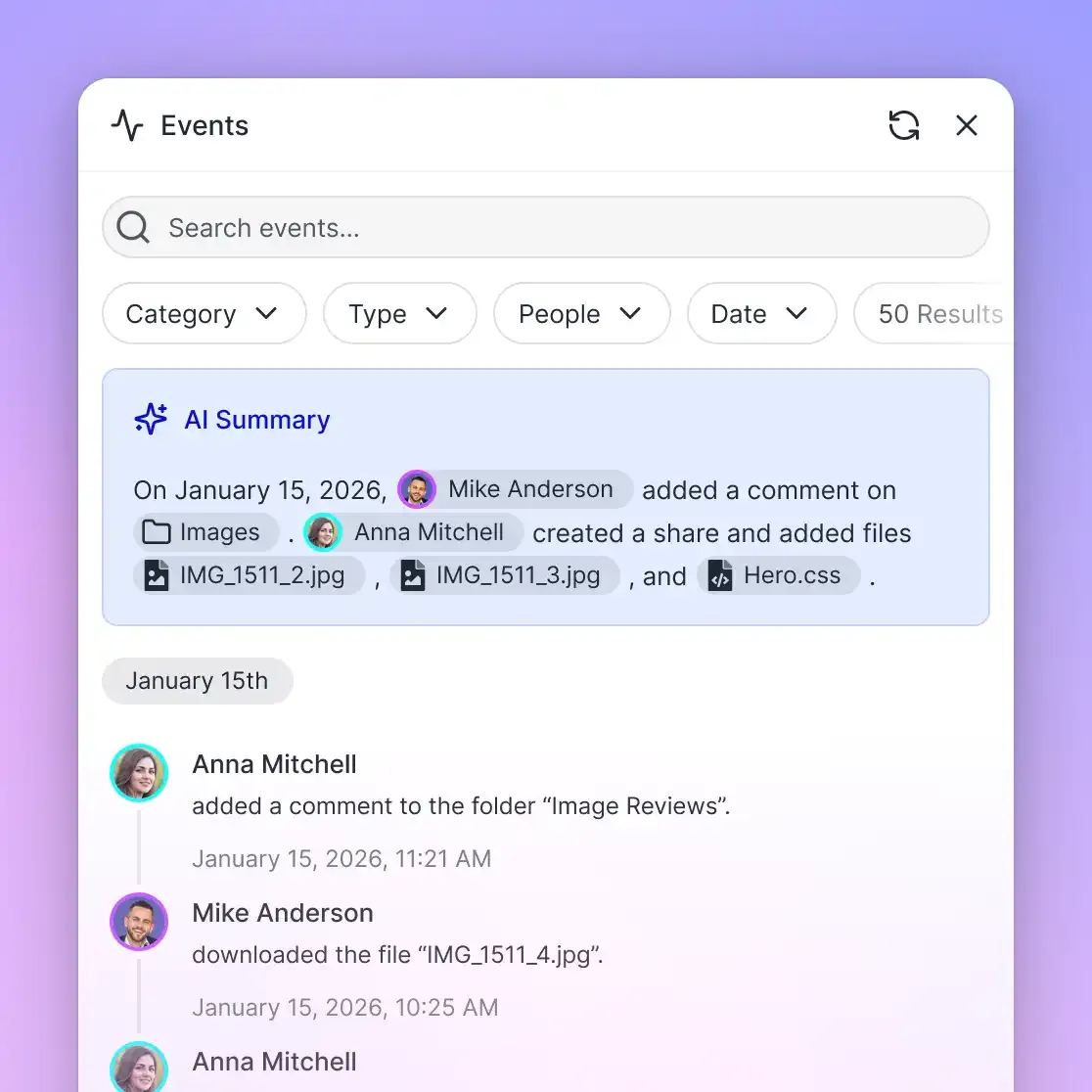
Enterprise deployments require governance alongside retrieval. Fast.io enforces granular permissions at the organization, workspace, folder, and file level. Every document maintains full per-file version history, allowing agents and human teammates to update files concurrently while retaining the ability to audit or restore earlier revisions. All workspace interactions are recorded in a detailed activity log. When work is complete, teams can share deliverables with external partners using branded, durable shares (Send, Receive, and Exchange) that feature password protection and expiring access links.
Monthly plans start with a 14-day trial (credit card required); annual plans have no trial. You can generate an API key and connect an LLM in minutes. Build a workspace, enable Intelligence, and see how programmatic storage speeds up your build.
Sources
References used to verify factual claims in this guide.
-
Flagship GPT-4o models feature a 128,000-token context window with a maximum completion limit of 16,384 output tokens.
-
Tokenization converts text strings into discrete units that determine whether input exceeds model processing boundaries.
Frequently Asked Questions
What is the context window for ChatGPT-4o?
GPT-4o operates with a 128,000-token context window and a maximum completion limit of 16,384 output tokens per response. This shared budget accommodates roughly 96,000 words or 300 pages of text across both input prompts and generated completions.
How many tokens can ChatGPT process at once?
In a single API call, GPT-4o provides a 128,000-token context window combined across system instructions, message history, and generated output. Reasoning models such as o1 and o3-mini support expanded context windows of up to 200,000 tokens.
What happens when ChatGPT hits its context limit?
When an API request exceeds the 128,000-token limit, OpenAI returns an HTTP 400 error. If generated output reaches the completion cap, the response finishes with a length cutoff. In the consumer web chat interface, older messages quietly fall out of the active context window, causing the model to forget earlier constraints or repeat questions.
What is the difference between the context window and maximum output tokens?
The context window is the total capacity for input and output combined during a single turn. Maximum output tokens represents the separate ceiling on how many tokens the model can generate in its reply. For GPT-4o, the context window is 128,000 tokens, but a single response cannot exceed 16,384 tokens.
Does ChatGPT remember information across separate conversations?
In the web interface, ChatGPT features an optional Memory capability that stores concise factual snippets across conversations. However, Memory does not persist full documents or conversation threads. In API workflows, each request is completely stateless unless you explicitly pass prior message history.
Can you expand ChatGPT's context window beyond 128,000 tokens?
You cannot alter the model's native context window limit. Instead of attempting to expand the window, teams handle larger corpora by storing documents in an indexed workspace like Fast.io and querying relevant excerpts on demand via the Model Context Protocol.
Related Resources

Query Enterprise Document Corpora Beyond Context Limits
Index large document libraries in persistent Fast.io workspaces and query them through the remote MCP server with citations. Monthly plans start with a trial of up to 14 days (credit card required); annual plans have no trial. Plans are Starter at $9.99/mo, Business at $49.99/mo, and Enterprise at $199.99/mo.