Best WeTransfer Alternatives for Teams and Large Files
WeTransfer Free limits senders to 10 transfers or 3 GB in total across any 30-day rolling window, and free links expire after up to 3 days. Teams that deliver multi-gigabyte video cuts, CAD packages, or client documents regularly outgrow disposable links and need persistent workspaces, branded portals, or uncapped file transfers. This guide compares top WeTransfer alternatives across file size limits, retention, branding, video playback, and pricing models.

Why Teams Look for a WeTransfer Alternative
WeTransfer Free allows up to 10 transfers or 3 GB in total during any 30-day rolling window, and transfers on the free plan expire after up to 3 days. A single multi-gigabyte video export, raw photo shoot, or architectural archive can exhaust that 30-day allowance in one delivery.
Teams searching for websites like WeTransfer usually run into structural limits beyond the upload cap:
- 3 GB rolling cap and 10 transfers on Free: Both limits apply in total across a 30-day window rather than per individual transfer.
- Short link retention: Free transfers expire after up to 3 days, forcing teams to re-upload files when a client opens an email late.
- 300 MB preview ceiling on Free: Recipients get an in-browser preview page that plays MP4 and MOV files up to 300 MB, so larger cuts require a full download before review.
- Tiered branding and team controls: Download tracking is available on all WeTransfer plans, but custom branding per transfer, a custom page, and wallpapers require the Ultimate plan, and only the Teams plan is priced per user.
- Per-transfer organization: Files are sent as isolated packages rather than kept in shared project workspaces where teammates, clients, and AI agents can find prior versions.
For a direct one-to-one breakdown, see our WeTransfer vs Fastio comparison. If you are evaluating broader options across cloud drives, transfer tools, and client workspaces, the comparison below covers how each category handles large files.
Helpful references: Fastio Workspaces, Fastio Collaboration, and Fastio Content Portals.
Related guides
- WeTransfer vs Dropbox: Which One Do You Actually Need?WeTransfer and Dropbox both move files, but they solve different problems. WeTransfer sends files that expire in 7...
- OneDrive Alternatives for Teams Who Don't Live in Microsoft 365A OneDrive alternative is cloud storage software that provides file sharing and collaboration features without...
- Smash File Transfer Review and Better Alternatives for 2026Smash (fromsmash.com) is a file transfer service from France that lets you send large files for free. While generous...
- Best Onehub Alternatives for Secure File Sharing in 2026Onehub is a solid file sharing and virtual data room platform, but it is not the only option. This guide compares the...
- How to Choose the Best Large File Sharing Platform for Your BusinessLarge file sharing platforms handle GB and TB transfers for businesses that have outgrown email or basic cloud storage....
- Dropbox vs Google Drive vs OneDrive: Which Cloud Storage Wins in 2026?Dropbox, Google Drive, and OneDrive are the three most popular cloud storage services, each with different strengths:...
More on this subject: File Sharing (155 guides)
What to Check When Comparing Websites Like WeTransfer
Sites like WeTransfer split into two categories: point-to-point package couriers and persistent cloud workspaces. Choosing between them depends on what happens after the recipient clicks the link.
Single-File Size Limits vs Total Transfer Quotas
Smash accepts files of any size and MASV sets no limit on how much you can send, though Smash queues free transfers over 2 GB and MASV bills per gigabyte downloaded. Cloud storage platforms set per-file maximums instead: Dropbox supports files up to 2 TB and Google Drive up to 5 TB. Fastio sets its maximum upload size by plan (see fast.io/pricing).
Link Expiration vs Persistent Workspaces
Disposable transfer links work when sending a one-time archive to an outside vendor. When you exchange revisions with a client over several weeks, expiring links create version confusion. Persistent workspaces keep every file in an organized project structure with per-file version history, so recipients always open the latest cut while older versions stay restorable.
Client Branding and Access Controls
External deliverables represent your studio or firm. Look at whether the platform lets you customize the recipient view with a logo, colors, and background image, protect links with passwords or expiration dates, and disable file downloads when sharing review-only drafts.
In-Browser Previews and Video Streaming
Downloading a 20 GB video file just to check a three-second edit slows down client feedback. Adaptive bitrate video streaming (such as HLS streaming in Fastio, adaptive resolution in Dropbox, or adaptive bitrate playback in Google Drive) lets reviewers watch in the browser and leave feedback without pulling the raw file to disk.
Scoped Access for Teams, Clients, and AI Assistants
Many small and mid-sized companies keep their primary files in SharePoint, Google Drive, Box, or Dropbox and also use AI assistants like Claude or ChatGPT. Connecting an AI assistant directly to an entire corporate drive often exposes folders the assistant should never read. A workspace platform that syncs selected folders from your existing drive lets an IT lead scope each project, client, or AI agent to its own workspace without restructuring the source drive.
WeTransfer vs Alternatives at a Glance
The table below compares WeTransfer against five widely used alternatives across file size limits, retention, branding, media playback, and billing structure.
Each tool solves a different bottleneck. Below is how the five alternatives to WeTransfer work in practice.


Replace Expiring Transfer Links with Branded Client Workspaces
Share large files, stream video in the browser, and sync folders from Google Drive, SharePoint, Box, and Dropbox in scoped workspaces. Monthly plans start with a 14-day trial (card required).
Five WeTransfer Alternatives Compared
The order below is not a ranking; each tool fits a different workflow.
1. Fastio
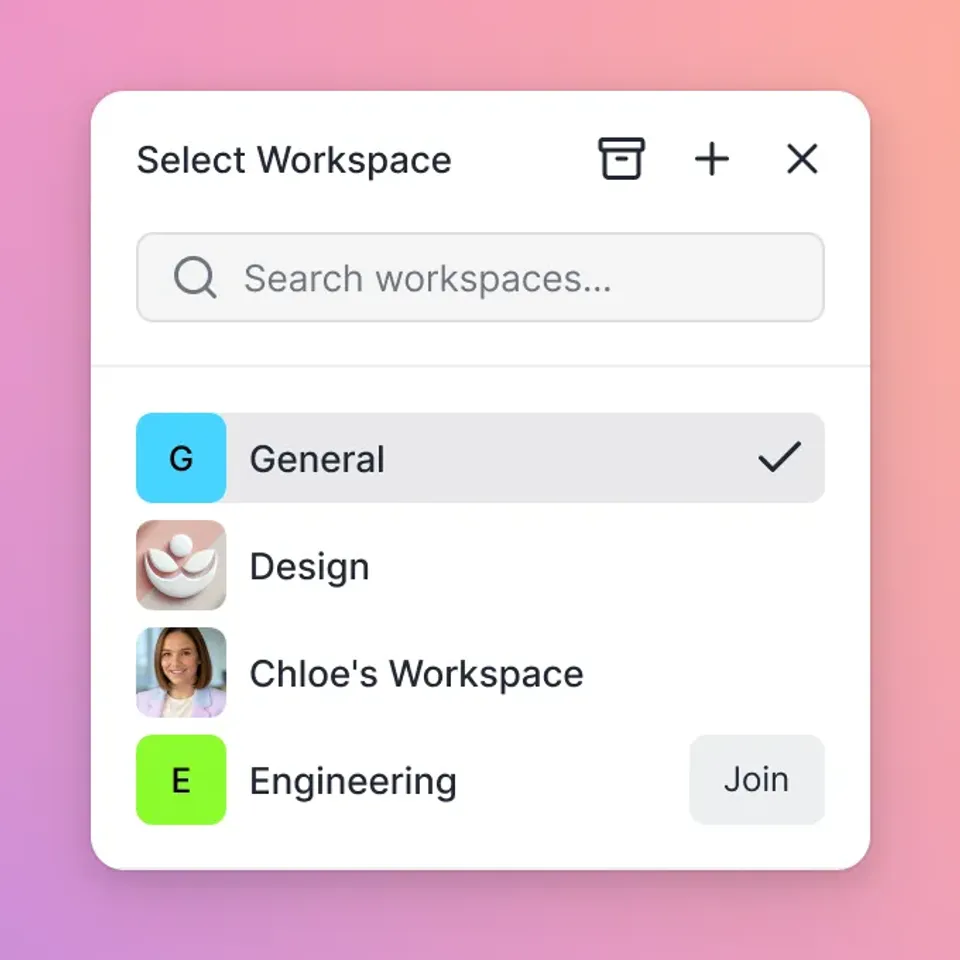
Fastio is a cloud workspace platform built for teams and AI agents that need to organize, preview, share, and process project files in one place. Rather than sending isolated packages that expire in a few days, teams organize deliverables into org-owned workspaces and share them with clients through branded Content Portals and purpose-built shares (Send for outbound deliveries, Receive for collecting guest uploads without an account, and Exchange for two-way collaboration).
Best for: Agencies, legal and financial firms, architecture studios, video teams, and companies scoping files for clients and AI agents.
Key capabilities:
- Branded shares and portals: Customize portals with your logo, colors, background, and vanity URL. Set optional passwords, expiration dates, or disable file downloads, and let external guests open shares by link without consuming a seat.
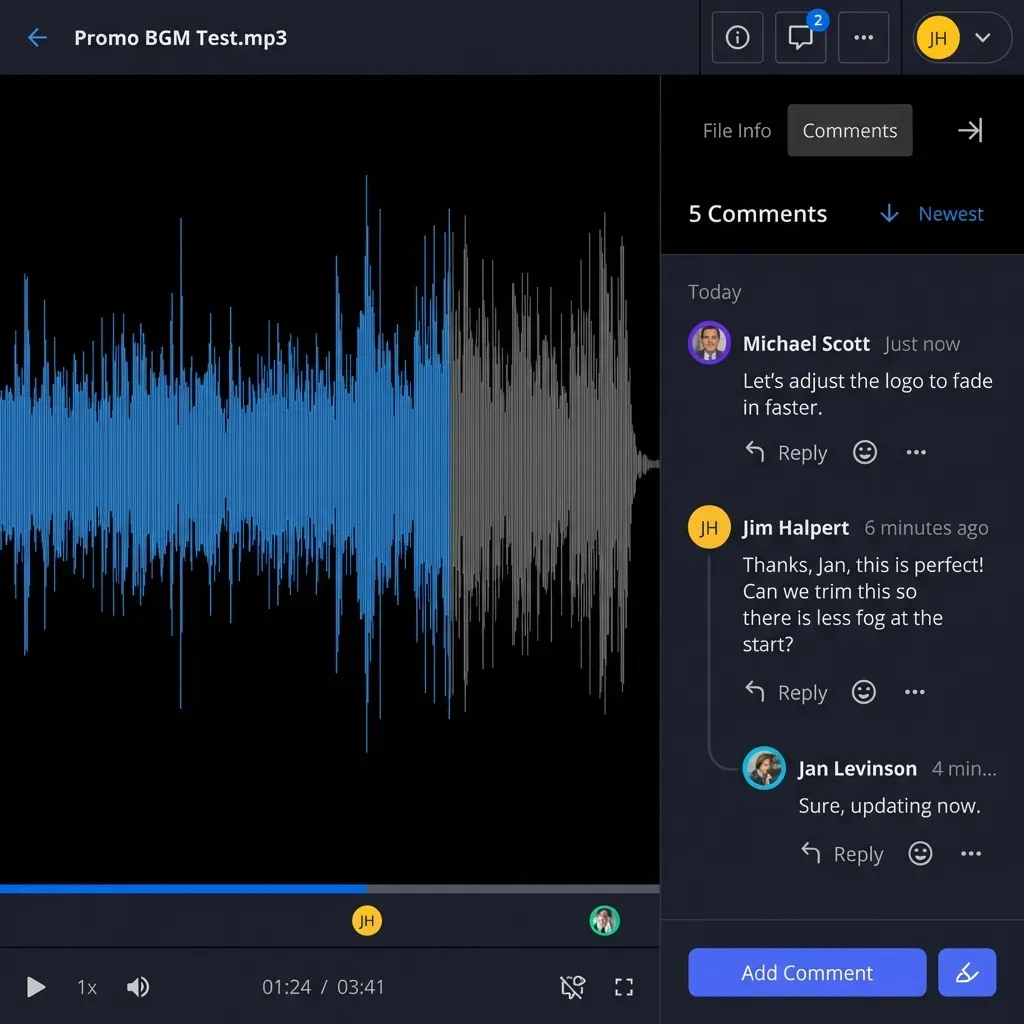
- In-browser previews and anchored comments: Preview PDFs, spreadsheets, PSDs, AI files, RAW photos, CAD drawings, audio waveforms, and HLS adaptive-bitrate video directly in the browser. Reviewers can pin anchored comments to exact video timestamps, image regions, PDF pages, or text selections.
- Version history, file locks, and activity logs: Every file keeps per-file version history, advisory file locks (per-file leases that writers acquire, heartbeat, and release) coordinate concurrent edits, and a detailed activity log records uploads, edits, moves, deletions, permission changes, and share creation across people and agents.
- Cloud Sync without migration: Cloud Sync connects folders from Google Drive, Dropbox, Box, and OneDrive (including SharePoint document libraries through OneDrive for Business) to a Fastio workspace on a schedule or on demand, one-way or two-way.
- Built-in AI, e-signature, and agent handoffs: With workspace intelligence enabled, teams can run hybrid semantic and full-text search, ask questions across folders with page citations, and use Metadata Views to extract structured fields from PDFs and contracts into a filterable grid. Teams can also send documents for e-signature with sequential or parallel signers, optional one-time passcodes, and an audit certificate recording IP address and browser. External AI assistants (Claude, ChatGPT, and coding agents) connect via a consolidated MCP toolset, and agent accounts support ownership transfer via a claim link so an agent can build a client workspace and hand ownership to a human.
Access and pricing: Permissions are granted per organization, workspace, and share through member roles; to limit a client or an AI agent to part of a project, place those files in their own share or workspace. Creating an account is free, and every organization runs on a paid subscription with seats and storage included in the plan and AI work metered by credits. Monthly plans include a 14-day trial (credit card required; yearly plans start paid). Maximum upload size is 25 GB on Starter, 50 GB on Business, and 100 GB on Enterprise. See fast.io/pricing for current plan rates.
2. Smash
Smash is a browser-based file transfer service that stays close to WeTransfer's simple upload-and-send layout while removing file size caps on its free tier.
Best for: Senders who need an occasional large transfer at no cost and do not need persistent workspaces.
Key advantages over WeTransfer:
- No file size limit, even on free transfers
- Transfers are kept for 7 days on the free tier, compared to up to 3 days on WeTransfer Free
- Password protection is available to secure links
Tradeoffs:
- Free transfers over 2 GB are placed in a processing queue rather than sent with priority speed
- Files still expire after the retention window rather than living in permanent project workspaces
- No team workspace hierarchy, document chat, or cloud drive synchronization
3. Dropbox
Dropbox combines desktop folder synchronization with link-based sharing and supports individual uploads up to 2 TB.
Best for: Teams that want traditional folder sync across laptops alongside large file link sharing.
Key advantages over WeTransfer:
- Maximum file size of 2 TB (via help.dropbox.com), which covers large project archives
- Video files stream in the browser with adaptive resolution
- Shared-link branding supports a custom logo and background image
- Dropbox Standard costs $15 per user per month billed yearly or $18 billed monthly, with no minimum user requirement
Tradeoffs:
- Per-user pricing scales up as you add internal seats
- Sharing subfolders directly from a deep corporate directory tree makes it easy to over-share adjacent files unless admins maintain separate structures
4. Google Drive
Google Drive comes built into Google accounts with 15 GB of free storage and supports individual files up to 5 TB on paid storage tiers.
Best for: Organizations standardized on Google Workspace that want to share files via drive links.
Key advantages over WeTransfer:
- 15 GB of free persistent storage compared to WeTransfer Free's 3 GB rolling 30-day cap
- Supports individual files up to 5 TB
- Uploaded video plays in the browser with adaptive bitrate
Tradeoffs:
- No custom branding for external client portals or delivery links
- Permissions across nested "My Drive" and Shared Drive links often confuse external recipients when Google accounts and non-Google emails mix
5. MASV
MASV is a dedicated large-file courier built for broadcast, film, and post-production teams that move multi-hundred-gigabyte camera originals against tight deadlines.
Best for: Production houses sending massive raw media packages where pay-as-you-go delivery fits better than a workspace subscription.
Key advantages over WeTransfer:
- No limit on how much you can send
- Files are stored free for 5 days by default, with adjustable storage windows
- Custom branding includes your logo, custom background image, and colors
Tradeoffs:
- Pay-per-GB pricing is designed for point-to-point transport rather than ongoing storage, search, or multi-team collaboration
- No persistent project workspaces or AI search over project archives

Choosing the Right Alternative by Workflow
Different teams hit WeTransfer's ceilings for different reasons. Match the tool to how your files are reviewed and stored after delivery:
Video Production and Creative Agencies
When delivering rough cuts, brand assets, and design files to clients, forcing recipients to download multi-gigabyte archives slows down feedback. Fastio streams video over adaptive HLS, previews PSD, AI, and RAW files in the browser, and lets signed-in reviewers pin anchored comments to video timestamps and image regions. When you need to ship a 500 GB camera card dump once to an outside colorist, MASV handles uncapped pay-per-GB delivery.
Legal, Private Equity, Consulting, and Architecture Firms
Knowledge-work firms deal with thousands of PDFs, spreadsheets, and CAD drawings stored in SharePoint, Google Drive, Box, or Dropbox. Rather than emailing expiring transfer links or exposing an entire SharePoint site to an outside party or an AI assistant, an IT lead can use Fastio's Cloud Sync to bring specific project folders into a dedicated workspace. Each deal, matter, or client gets its own workspace with role-based permissions, per-file version history, Collaborative Notes, e-signature, and scoped access for Claude or ChatGPT.
Internal Cloud Storage vs Dedicated Client Sharing
If your team already pays for Dropbox or Google Drive and only shares occasional files with coworkers who use the same suite, native drive links handle files up to 2 TB on Dropbox and 5 TB on Google Drive. When external clients need a clean, branded portal without creating a Google or Dropbox account, Fastio's Send, Receive, and Exchange shares keep client deliveries separate from internal working folders.
Occasional Free Transfers
If you have no budget for a subscription and only send a large file a few times a year, Smash removes the file size limit on its free tier and keeps transfers for 7 days (with transfers over 2 GB queued), while Google Drive gives you 15 GB of free storage.
When Staying on WeTransfer Makes Sense vs Switching
Upgrading to a paid WeTransfer plan can work if your workflow is strictly one-way file handoffs. Paid tiers lift the 3 GB / 10-transfer rolling cap, and the Ultimate plan adds custom branding per transfer, a custom page, and wallpapers. Ultimate and Teams keep transfers longer; Starter keeps the 3-day limit. Download tracking is included across all WeTransfer plans, and solo senders do not face a multi-seat minimum because only the Teams plan is priced per user.
Switching to a workspace alternative makes more sense when your team outgrows the transfer-and-expire model:
- You share files repeatedly with the same clients or partners: Setting up one branded client portal or Exchange share per client eliminates re-uploading assets every time a link expires.
- Your files already live in SharePoint, Google Drive, Box, or Dropbox: Instead of downloading files to your laptop and re-uploading them to a transfer site, connect the source folder to a Fastio workspace with Cloud Sync on a schedule or on demand.
- Reviewers need more than a 300 MB video preview: WeTransfer's in-browser preview plays MP4 and MOV files up to 300 MB. Fastio streams larger video cuts with adaptive HLS and previews CAD, PSD, RAW, and multi-page PDF documents in the browser.
- You connect AI assistants or agents to project documents: Connecting Claude (
https://mcp.fast.io/mcp/tools), ChatGPT (https://mcp.fast.io/mcp/operations), or coding agents (https://mcp.fast.io/mcp/code) to a scoped workspace lets your team query only the folders synced into that workspace.
Sources
References used to verify factual claims in this guide.
-
WeTransfer Free transfers expire after up to 3 days, download tracking is available on all plans, custom branding per transfer, a custom page, and wallpapers are on Ultimate, and only the Teams plan is priced per user
-
Smash has no file size limit, keeps transfers for 7 days on free, queues transfers over 2 GB on free, and includes password protection
-
Dropbox supports a maximum file size of 2 TB, video streams with adaptive resolution, and shared-link branding includes a logo and background image
-
Dropbox Standard costs $15 per user per month billed yearly or $18 billed monthly, with no minimum user requirement
-
Google Drive provides 15 GB of free storage, supports files up to 5 TB, and plays video with adaptive bitrate
-
MASV stores files free for 5 days by default (adjustable) and supports custom branding with a logo, custom background image, and colors
Frequently Asked Questions
What is the best free WeTransfer alternative?
Smash is a strong free alternative for one-off transfers because it has no file size limit and keeps files for 7 days on its free tier, though transfers over 2 GB are queued. If you need files to stay online past a week at no cost, Google Drive includes 15 GB of free persistent storage.
What are the limits on WeTransfer Free in 2026?
WeTransfer Free allows up to 10 transfers or 3 GB in total across any 30-day rolling window, and transfers expire after up to 3 days. Recipients get an in-browser preview page that plays MP4 and MOV files up to 300 MB, and download tracking is available on all plans.
Is there a WeTransfer alternative with no file size limit?
Smash accepts files with no file size limit, and MASV sets no limit on how much you can send. Smash offers uncapped file sizes on its free tier (queuing transfers over 2 GB) with 7-day retention, while MASV bills per gigabyte downloaded and stores files free for 5 days by default. For persistent storage, Google Drive supports files up to 5 TB and Dropbox up to 2 TB. Fastio sets its maximum upload size by plan, as listed on fast.io/pricing.
Which apps like WeTransfer are best for video review and client portals?
Fastio combines branded client portals and Send, Receive, and Exchange shares with adaptive HLS video streaming, universal in-browser previews for design and camera formats, and comments anchored to video timestamps or image regions. Dropbox and Google Drive also stream video with adaptive resolution or bitrate, while MASV focuses on fast raw package delivery.
How does Fastio handle permissions, existing cloud drives, and trial access?
Fastio sets role-based permissions per organization, workspace, and share; to restrict a client or AI agent to a subset of files, place those files in a dedicated share or workspace. Cloud Sync connects folders from Google Drive, Dropbox, Box, and OneDrive (including SharePoint libraries through OneDrive for Business) on a schedule or on demand, one-way or two-way. Creating an account is free, and every organization requires a paid subscription with a 14-day trial on monthly plans (credit card required).
Related Resources

Replace Expiring Transfer Links with Branded Client Workspaces
Share large files, stream video in the browser, and sync folders from Google Drive, SharePoint, Box, and Dropbox in scoped workspaces. Monthly plans start with a 14-day trial (card required).