Legal Tech Trends in 2026: Practice Modernization Guide
Legal tech trends represent the structural evolutions in software architecture, file governance, and AI integration that law firms adopt to improve efficiency, defensibility, and client experience. Rather than chasing experimental tools, legal operations teams focus on consolidating fragmented repositories into unified matter workspaces. This modernization guide examines the primary shifts reshaping legal workflows, data governance, and client collaboration.

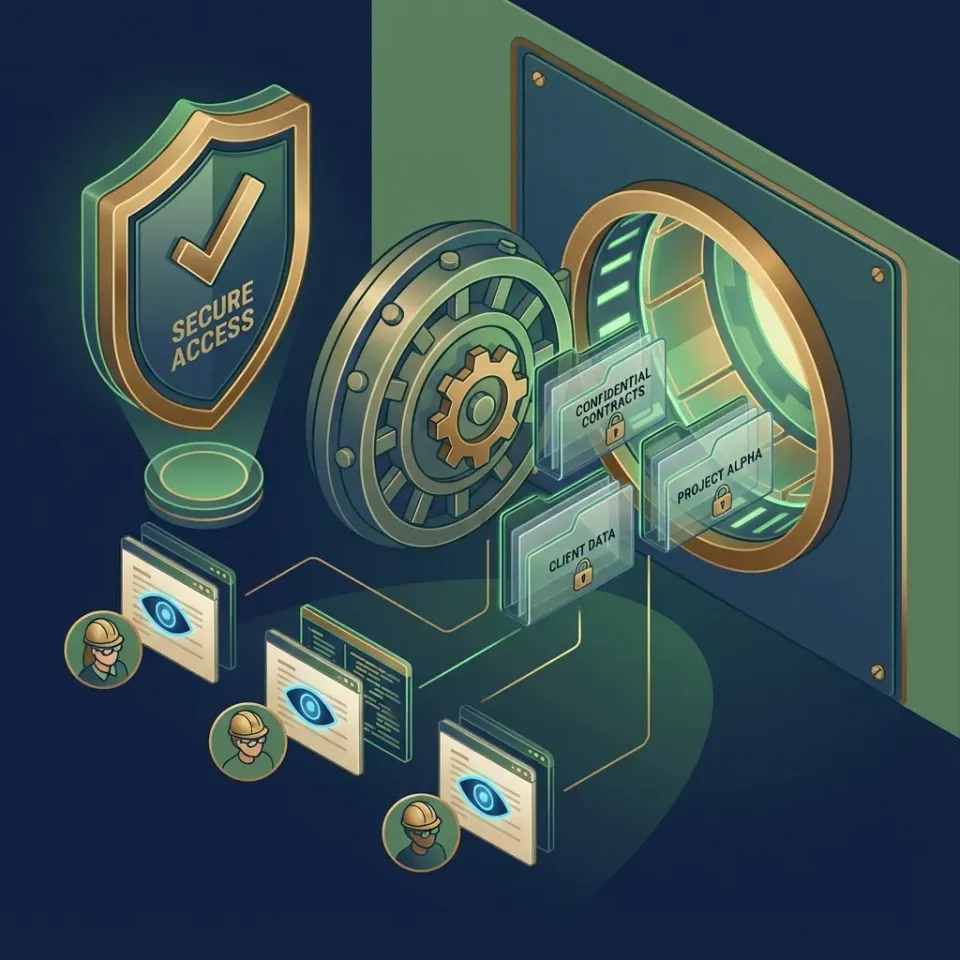
Why Legal Tech Trends Prioritize Centralized Matter Workspaces
According to the American Bar Association, approximately 75% of attorneys use cloud computing for work-related tasks, yet the daily operational reality across many practices remains defined by fragmented desktop folders, isolated cloud drives, and unmanaged email attachments. Law firms have historically adopted software through reactive procurement, buying dedicated point solutions for individual operational headaches as they arose. Over years of practice growth, this approach creates an unmanageable software footprint: one tool for time tracking and billing, legacy network file shares for active document drafting, separate consumer cloud accounts for outside file sharing, and disconnected utilities for optical character recognition.
Legal tech trends represent the structural evolutions in software architecture, file governance, and AI integration that law firms adopt to improve efficiency, defensibility, and client experience. In 2026, practice modernizations are no longer focused on isolated feature additions or speculative artificial intelligence pilots. Instead, managing partners, legal operations leaders, and law firm IT directors are restructuring core practice infrastructure. They are dismantling disconnected software silos and replacing them with unified, matter-centric legal workspaces that support collaborative drafting, defensible information governance, and secure client communication.
Understanding these shifts requires evaluating where standard commercial cloud storage tools fail in daily legal practice. General cloud platforms like Dropbox, Box, Google Drive, and Microsoft OneDrive organize information around individual user accounts and arbitrary folder trees. In contrast, legal practice demands strict matter-centric discipline. When files are organized by person rather than matter, critical case documents scatter across personal drives, creating duplicate drafts and increasing the risk of unauthorized data exposure.
The Operational Breakdown of Disjointed Legal Tool Stacks
When a law firm relies on a patchwork of disconnected software, administrative overhead compounds across every billable hour. Paralegals spend billable time reconciling competing redlines because two attorneys edited disconnected copies of the same brief on local hard drives. Case intake stalls because clients struggle with file size limits on standard email attachments, forcing staff to walk non-technical clients through third-party file transfer portals.
Point solution proliferation introduces severe visibility gaps. Managing partners cannot quickly verify whether all relevant trial exhibits were filed, while IT administrators face a sprawling attack surface spread across multiple software vendors. Consolidating these disjointed systems into centralized matter workspaces establishes an authoritative source of truth. Every pleading, contract draft, deposition transcript, exhibit, and piece of client correspondence attaches directly to an identified client matter container.
Architectural Discipline: Matter-Centric Workspace Taxonomy
The foundation of law practice modernization is matter-centric architecture. In this model, the primary organizational boundary is never an individual lawyer or an administrative department; it is the client matter. Every active case or transaction exists as a dedicated workspace.
This structure establishes clear information boundaries. Practice administrators define access permissions at the organization, workspace, and share levels through member roles. Attorneys and staff only reach the specific matter workspaces assigned to their practice team, preventing internal conflicts of interest and enforcing firm ethical walls. Inside each matter workspace, files remain organized in predictable directory layouts, complemented by Collaborative Notes for case chronologies, trial strategies, and witness preparation outlines kept directly beside the evidentiary files.
Related guides
- Aderant Legal Software: Enterprise Law Firm Practice and Financial ManagementAderant legal software serves as the operational and financial backbone for enterprise law firms, powering timekeeping,...
- Cloud-Based Legal Practice Management Software: Architecture, Security, and File WorkspacesCloud-based legal practice management software centralizes matter tracking, billing, and document administration on...
- Legal Tech Solutions: The Modern Law Firm Technology GuideLegal tech solutions encompass software applications and digital platforms engineered to coordinate legal operations,...
- Paralegal Technology: Modern Tech Stacks for Legal SupportParalegal technology encompasses the integrated software platforms, cloud workspaces, and collaborative tools legal...
- PracticeMaster Guide: Practice Management and Modern File WorkspacesPracticeMaster from Tabs3 provides centralized matter management, conflict checking, and calendar tracking for boutique...
- Box for Lawyers: Enterprise Document Storage, Security, and Legal WorkflowsDeploying Box for lawyers requires balancing enterprise cloud storage with matter-centric document organization. While...
More on this subject: Legal Teams (247 guides)
Grounding Legal Intelligence in Matter Repositories
The future of legal technology has shifted away from public, generic conversational interfaces. Early experimentation with consumer chatbots revealed significant operational risks for law firms: factual hallucinations, unpredictable reasoning, and the critical danger of leaking privileged client confidences into public training datasets. In 2026, legal intelligence is strictly matter-grounded. Modern firms demand artificial intelligence systems that operate exclusively on verified firm documents, providing verifiable citations for every factual assertion.
This evolution centers on retrieval-augmented generation (RAG) and hybrid search. When workspace intelligence indexes a matter repository, the system processes text, document formatting, and associated metadata simultaneously. Hybrid search combines full-text keyword indexing, semantic search, and metadata value filtering. An associate drafting a motion for summary judgment no longer needs to remember the exact filename or precise statutory citation used in prior pleadings. By querying the matter workspace in natural language, the search engine surfaces relevant prior work product, deposition testimony, and motion precedents in seconds, pointing directly to the exact page and paragraph of the source document.
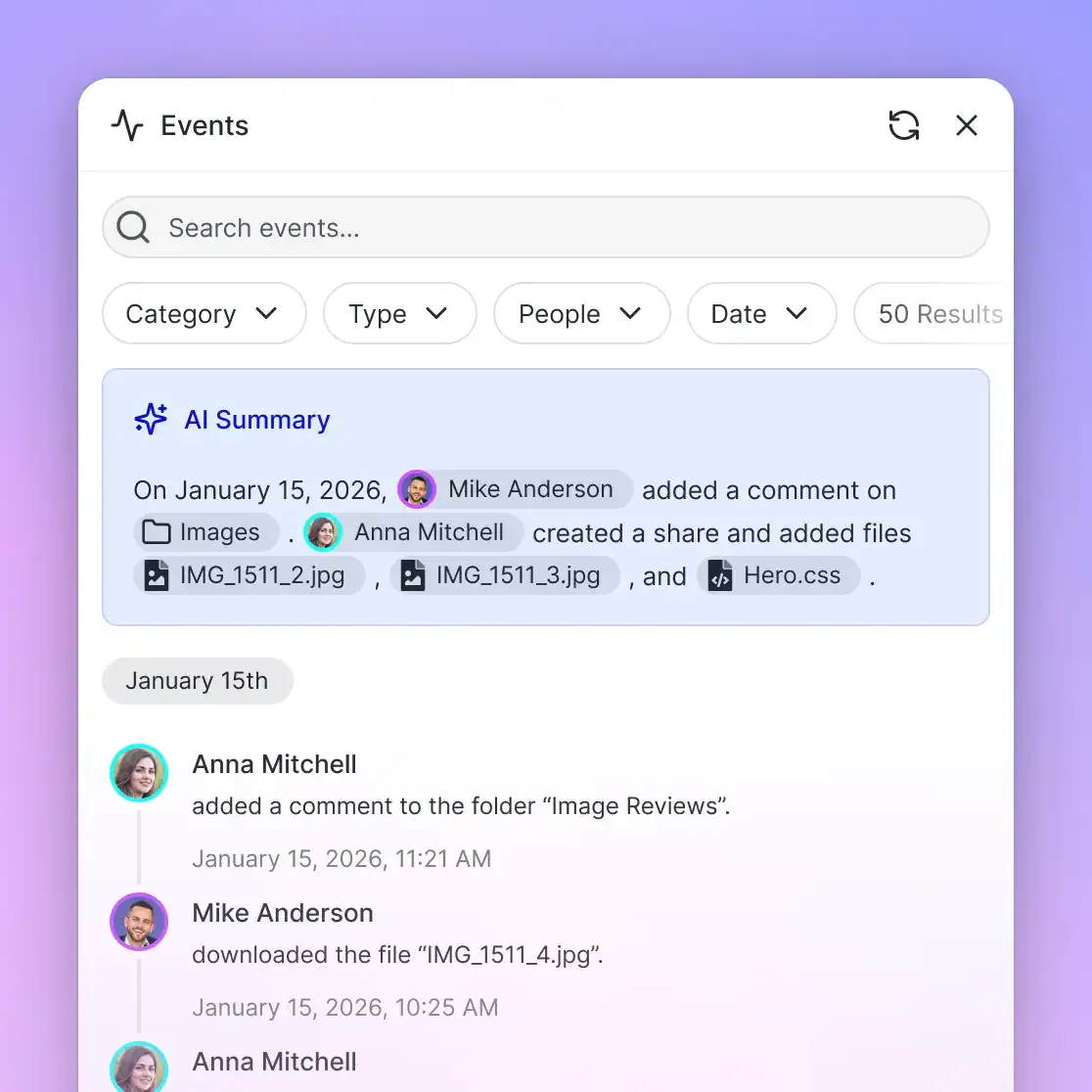
From General Chatbots to Matter-Centric Semantic Retrieval
Traditional keyword search engines in legal document management systems often fail when attorneys search for concepts rather than literal text matches. If an attorney searches for 'non-compete enforceability', a keyword-only engine misses relevant agreements that describe 'covenants not to compete' or 'restrictive covenants'.
Semantic search overcomes this limitation by evaluating conceptual meaning across matter files. In litigation workspaces containing thousands of discovery documents, police reports, and deposition transcripts, semantic search allows case teams to uncover patterns and corroborate witness statements across disparate files. Because the search engine operates within the boundaries of the matter workspace, confidential case data never mingles with outside repositories.
Structured Contract and Discovery Extraction with Metadata Views
Law firms routinely process hundreds of unstructured documents during corporate mergers, real estate portfolio acquisitions, and electronic discovery reviews. Historically, extracting key business and legal terms required manual review by paralegals or rigid optical character recognition (OCR) software requiring complex coordinate templates and zone rules.
Modern practices replace manual data entry with Fastio Metadata Views. Instead of configuring brittle templates, legal teams describe the fields they want to extract using plain natural language: contract title, counterparties, effective date, governing law jurisdiction, termination notice window, and liability caps. The system establishes a typed schema supporting Text, Integer, Decimal, Boolean, URL, JSON, and Date & Time formats, inspects the documents in the workspace, and populates a filterable, sortable spreadsheet.
Because Metadata Views operate dynamically, litigation and transactional teams can add new columns at any stage of a matter without reprocessing the document collection. If regulatory inquiries require tracking a newly contested clause, the administrator adds the field, and the system extracts the relevant values across the entire workspace automatically.
Modernizing Client Intake and High-Capacity Discovery Delivery
Transmitting sensitive case materials via unencrypted email attachments remains one of the largest operational and security liabilities in legal practice. Standard email systems lack security protections for privileged communications, impose restrictive file size limits that reject large attachments, and scatter sensitive drafts across personal inbox folders. When clients receive unbranded links from consumer file transfer services, they face account registration walls and confusing download procedures that undermine their professional confidence in the firm.
Modern law firms modernize client communication by deploying branded client portals and scoped file shares directly from their matter workspaces. Through Send, Receive, and Exchange shares, firms control external file distribution with precision. A Receive share provides clients, expert witnesses, and co-counsel with a secure upload destination where tax records, medical histories, and corporate filings land directly inside the designated matter workspace without requiring clients to register for an account.
For outward delivery, administrators configure durable or expiring shares with per-recipient access controls. If an engagement involves sensitive transaction terms, the firm can disable file downloads, allowing counterparties to review drafts in a secure web viewer without saving local offline copies.
Eliminating Insecure Email Attachments with Branded Portals
Client portals bridge the gap between internal firm governance and external client convenience. When a client needs to submit discovery records or review estate planning documents, they access a branded interface carrying the law firm's visual identity.
This approach eliminates the recurring administrative chore of following up on missed email attachments. Instead of chasing lost files across inbox threads, paralegals direct clients to an established matter portal. Because all submitted documents land directly inside the matter workspace, file naming, version tracking, and activity logging begin the moment an external file arrives.
High-Capacity Ingestion for Discovery and Deposition Media
Modern litigation matters generate massive digital files that routinely crash legacy legal software. High-definition video depositions, digital forensic disk images, audio recordings, and electronic discovery productions often span tens or hundreds of gigabytes. Traditional practice management tools cap individual file uploads at restrictive thresholds, forcing litigation teams to mail physical hard drives or resort to unvetted third-party transfer utilities.
Modern cloud workspaces solve this bottleneck through chunked upload architecture. By dividing massive files into smaller binary chunks over encrypted HTTPS connections, transfers resume automatically if an internet connection drops, without restarting from zero. For video depositions, browser-based HTTP Live Streaming (HLS) allows litigation attorneys and expert witnesses to review video testimony immediately in their web browser, eliminating the need to wait hours for an uncompressed video deposition file to download to a local workstation.
When transactional agreements or settlement releases reach final execution form, legal teams execute them directly from the workspace through e-signature. The platform routes documents to signers in sequence or in parallel, supports optional one-time passcodes per signer, and produces a tamper-evident audit certificate, filing the fully executed document directly back into the matter workspace.


Turn Legal Tech Trends into Practical Workspace Modernization
Consolidate matter documents, structured contract extraction, and branded client portals in one place with per-file version history and a detailed activity log of changes. Monthly plans start with a 14-day free trial that requires a credit card.
How Legal AI Agents Connect via Open Workspace Protocols
Emerging legal software trends highlight a profound transition from closed, proprietary software ecosystems to open, modular workspaces. Rather than purchasing monolithic software suites that dictate how attorneys work, forward-thinking practices connect specialized artificial intelligence agents directly to their matter files using open standards.
The emerging standard for connecting language models to external data repositories is the Model Context Protocol (MCP). Fastio provides a consolidated MCP toolset over Streamable HTTP at https://mcp.fast.io/mcp/tools. Through this interface, headless legal AI agents running in custom firm frameworks interact with matter workspaces using consolidated tools:
{
  "mcpServers": {
    "fastio": {
      "url": "https://mcp.fast.io/mcp/tools",
      "headers": {
        "Authorization": "Bearer your-fastio-api-key"
      }
    }
  }
}
Through this connection, an agent authenticates using a scoped workspace API key. The agent calls the storage tool for read actions like search, list, and details, while administrative updates and file leases run through storage_manage (with actions like lock-acquire and lock-release). This programmatic capability allows firms to deploy autonomous agents that summarize medical records, cross-reference contract clauses, and organize discovery productions without manual human data transfer.
Securing Agent Access with Role-Based Workspace Scoping
Deploying autonomous agents in a legal setting requires strict governance boundaries. If an AI agent has unrestricted access to a firm's entire document collection, it risks violating client confidentiality rules and breaching ethical walls by surfacing information from an adverse matter.
In Fastio, permissions are configured per organization, workspace, and share through member roles. An agent assigned to a specific commercial litigation workspace cannot search, read, or list documents belonging to an unrelated corporate client. Administrators grant agents scoped access strictly to designated workspaces, maintaining rigorous information barriers across all firm matters.
Advisory File Leases and Automated Version History
Collaborative drafting between multiple attorneys and AI agents often causes document collisions. Legacy legal document management systems attempted to prevent conflicts with rigid document checkout locks. When an attorney checked out a contract, the file locked into read-only status for everyone else. If that attorney stepped away from their computer or traveled, drafting halted for the entire deal team.
Modern workspaces replace exclusive file locks with advisory per-file leases. When an attorney or an AI agent begins editing a document, they acquire an advisory lease via the storage_manage tool using lock-acquire. The lease alerts other team members that active drafting is underway and maintains its status through periodic heartbeats. Advisory leases never block concurrent writes. If two collaborators save revisions simultaneously, the workspace accepts both updates and records each version in the per-file version history under the persistent document identifier.
Every document modification, upload, rename, deletion, and share creation is logged in a detailed activity log of changes. This activity log provides legal operations managers with a complete chronological record of matter activity across both human team members and autonomous software agents.
Practical Modernization Steps for Law Practice Administrators
Many legal technology publications offer high-level predictions about automation without giving firm administrators actionable guidance on modernizing their infrastructure. Transitioning away from legacy servers and disconnected cloud drives does not require a disruptive firm-wide shutdown. Practice modernizations succeed when approached through deliberate, phased implementation steps.
- Conduct a Comprehensive File and Tool Inventory: Audit your firm's current storage locations, identifying active matters, closed archives, local desktop folders, and shadow IT file transfer accounts. Quantify how many separate software subscriptions the firm maintains for storage, client intake, document comparison, and e-signatures.
- Establish Standardized Matter Workspace Taxonomies: Define uniform workspace naming conventions and folder structures across practice groups. Create standard workspace templates for corporate transactions, estate planning, and litigation, incorporating Collaborative Notes directly beside case files for matter briefs and trial strategies.
- Connect and Consolidate Existing Repositories: Avoid high-risk data migrations that disrupt active caseloads. Use Cloud Sync to connect existing Google Drive, Dropbox, Box, and OneDrive folders to your matter workspaces, one-way or two-way, on a schedule or on demand. Case files migrate cleanly into matter containers while attorneys continue daily drafting.
- Pilot Branded Client Portals and Structured Extraction: Select a single high-volume practice group to pilot modern client intake and Metadata Views. Ingest historical contracts, configure custom metadata schemas, and test branded Receive shares with real clients to gather user feedback before expanding across the practice.
- Evaluate Total Cost of Ownership and Infrastructure Predictability: Replace opaque enterprise software agreements that impose third-party reseller markups, multi-year commitments, and unpredictable per-page processing fees. Choose transparent subscription tiers with predictable monthly pricing and self-serve onboarding. Fastio provides straightforward subscription tiers across Starter, Business, and Enterprise plans. Monthly plans start with a 14-day free trial requiring a credit card, allowing IT leaders to test matter workspaces, client delivery, and structured data extraction thoroughly before committing firm budget.
Assessing Storage Fragmentation and Security Exposure
The first phase of modernization requires locating unmanaged case files. Attorneys frequently copy sensitive client documents to personal cloud storage or USB drives to work remotely when legacy on-premise systems prove too slow over virtual private networks.
By identifying these data fragmentation points, IT leaders can quantify the security vulnerabilities facing the firm. Migrating these files to cloud-native matter workspaces with role-based permissions resolves remote access friction while restoring centralized administrative oversight.
Staged Rollout: Piloting High-Impact Modernization Workflows
Attempting to modernize every practice group simultaneously often creates change resistance among partners and staff. Successful legal operations teams launch pilots in practice areas that suffer the highest administrative drag, such as real estate transaction closings or personal injury intake.
Demonstrating concrete time savings on routine tasks, such as extracting lease dates automatically or collecting client medical records through a branded portal, builds firm-wide momentum. Once the pilot practice group validates the workflow, expanding the workspace architecture across the rest of the firm becomes straightforward and collaborative.
Sources
References used to verify factual claims in this guide.
-
According to the American Bar Association, approximately 75% of attorneys use cloud computing for work-related tasks.
Frequently Asked Questions
What are the biggest technology trends in the legal industry?
The primary legal tech trends in 2026 center on consolidating fragmented point solutions into centralized matter workspaces, adopting retrieval-augmented generation (RAG) for semantic search across case files, extracting structured contract data using Metadata Views, replacing insecure email attachments with branded client portals, and integrating AI agents via open standards like the Model Context Protocol (MCP).
How is AI changing law firm file management?
Artificial intelligence transforms legal file management from static document storage into active matter intelligence. Rather than relying solely on exact keyword searches, modern workspaces index matter files for semantic search, surfacing relevant testimony and precedent clauses based on conceptual meaning. Structured document extraction also converts unstructured PDF filings and contracts into queryable databases without manual template configuration.
What technology investments are law firms prioritizing in 2026?
Law practices prioritize technology investments that eliminate software fragmentation and improve operational defensibility. Key focus areas include centralized matter-centric workspaces, secure client intake portals, high-capacity cloud infrastructure capable of streaming large video depositions, and open API or MCP interfaces that connect AI assistants securely to firm repositories without vendor lock-in.
How do modern matter workspaces enforce ethical walls and information barriers?
Modern cloud workspaces enforce information barriers through strict role-based permissions configured at the organization, workspace, and share levels. By assigning attorneys, paralegals, and software agents strictly to designated matter workspaces, firms prevent unauthorized personnel from viewing directory contents, file metadata, or search results for sensitive or adverse matters.
How can law practices share massive litigation files and video depositions securely?
Law firms handle large litigation productions and video depositions by using cloud workspaces equipped with chunked upload protocols. These protocols divide multi-gigabyte files into discrete binary segments over encrypted HTTPS connections, allowing transfers to resume automatically if disconnected. Browser-based HTTP Live Streaming (HLS) also enables attorneys and experts to review video depositions immediately without downloading massive files to local workstations.
What is the difference between a traditional legal DMS and an intelligent cloud workspace?
Traditional legal document management systems are often Windows-centric, closed proprietary suites requiring extensive server infrastructure or certified reseller implementations, rigid checkout locks, and slow OCR queues. In contrast, an intelligent cloud workspace provides self-serve deployment, cross-platform web access, matter-centric organization, advisory per-file leases that prevent drafting roadblocks, built-in semantic search, structured metadata extraction, and open MCP connectivity for AI agents.
Related Resources

Turn Legal Tech Trends into Practical Workspace Modernization
Consolidate matter documents, structured contract extraction, and branded client portals in one place with per-file version history and a detailed activity log of changes. Monthly plans start with a 14-day free trial that requires a credit card.