LangGraph State Size Limit: Checkpointer Bottlenecks and State Offloading
LangGraph state size limits are determined by checkpointer serialization overhead, memory consumption, and database storage ceilings rather than hardcoded framework caps. Large state payloads like documents or raw file buffers degrade checkpointer throughput and bloat thread checkpoint history. Implementing a reference-based offloading pattern keeps the control plane fast while delegating large file storage to an indexed workspace.

What Is the LangGraph State Size Limit?
When an autonomous agent pipeline stalls during multi-step execution, the root cause is rarely an explicit framework exception; it is checkpointer serialization lag caused by state bloat. A LangGraph state size limit refers to the maximum payload capacity of the state object before triggering checkpointer serialization latency, database field limits (such as PostgreSQL's jsonb limits), or network transfer bottlenecks between graph nodes.
In LangGraph, workflows are compiled from StateGraph. As documented in the LangChain Graph API overview, a StateGraph is defined as a graph whose nodes communicate by reading and writing to a shared state. Each node receives the current state, executes its processing logic, and returns a dictionary of state updates that get merged into the shared channels according to defined reducers.
LangGraph does not impose an arbitrary, hardcoded byte limit on the state dictionary. You can technically pass tens of megabytes through a state channel in a single Python process without the framework throwing a validation error. However, production applications rely on checkpointers to achieve persistence, fault tolerance, human-in-the-loop review, and time-travel debugging. The moment you compile a graph with a checkpointer, your effective state size limit becomes governed by three concrete system constraints:
- Serialization Latency: The wall-clock time required to convert Python state objects into serialized binary or text payloads on every node transition.
- Database Field Ceilings: The maximum column or document size permitted by the underlying persistence engine, such as PostgreSQL column restrictions or document store document caps.
- I/O and Memory Multipliers: The compounding overhead of persisting complete state snapshots at every execution turn across a thread's operational history.
PostgreSQL caps the logical size of any value in a TOAST-able column at 1 GB. Different checkpointer backends exhibit starkly different failure modes as state sizes grow:
Understanding where these bottlenecks emerge requires analyzing how LangGraph checkpointers persist graph state across discrete execution turns.
Related guides
- LangGraph Recursion Limit: GraphRecursionError and State FixesA LangGraph GraphRecursionError occurs when a compiled graph exceeds its maximum allowed execution steps before hitting...
- How to Connect LangGraph Agent Workflows to OneDrive DocumentsConnecting LangGraph to OneDrive enables cyclic agent workflows and state machines to retrieve, synthesize, and ground...
- How to Manage AI Agent State: Patterns for PersistenceState management is how agents save, retrieve, and sync their work, memory, and files across sessions. Without it,...
- ChatGPT Canvas Limits: File Sizes, Document Length, and WorkaroundsChatGPT Canvas limits documents to practical thresholds of roughly 4,000 lines of code or 25,000 words, running in an...
- ChatGPT Character Limits: The 25,000-Character Paste Limit and SolutionsThe ChatGPT web interface enforces a frontend paste limit that triggers truncation warnings or forces file attachment...
- ChatGPT Message Limits: Quotas, Cooldowns, and Large File WorkaroundsText chat in ChatGPT is unlimited; uploads, images, and voice are capped within rolling windows. When conducting...
More on this subject: AI Agents: General Guides (218 guides)
Checkpointer Bottlenecks: How Large State Degrades Latency and I/O
LangGraph operates on a Pregel execution model. Execution proceeds in discrete super-steps. In each super-step, the runtime identifies all active nodes, executes them, applies their returned updates to state channels, and invokes the checkpointer to write a snapshot.
This architecture introduces write amplification. A checkpointer does not simply update a single mutable row in place. To preserve complete execution history, time-travel capabilities, and replayability, the checkpointer writes new snapshot rows into persistence tables for every step. Storing document bytes in state multiplies memory usage by the number of active checkpoints in thread history.
Consider an agent that analyzes legal agreements or financial statements. If a developer stores a parsed PDF document directly inside a state channel, that entire document payload is written to the checkpointer after the retrieval node. When the routing node evaluates the document, another identical snapshot is written. When the extraction node runs, another snapshot is written. Over an extended agent execution thread, that single document generates a compounding volume of redundant checkpoint writes.
In production environments using PostgresSaver or AsyncPostgresSaver, this write pattern causes severe database degradation. PostgreSQL jsonb checkpointers suffer sharp latency degradation when handling heavy payloads per step.
Three specific hardware and database bottlenecks occur:
1. TOAST Table Churn and Write-Ahead Log Bloat
PostgreSQL stores table rows in 8KB disk pages. When a column value exceeds the page threshold (typically around 2KB), PostgreSQL invokes TOAST (The Oversized-Attribute Storage Technique). TOAST compresses the value and splits it into discrete chunks stored in a secondary TOAST table, leaving an out-of-line pointer in the main table row.
While TOAST allows individual text and binary fields to store large values out-of-line, writing large JSON payloads on every graph step forces the database to repeatedly compress, chunk, and index TOAST entries. This generates intense Write-Ahead Log (WAL) traffic, saturates disk input/output operations per second (IOPS), and triggers aggressive autovacuum cycles that consume database compute.
2. Serialization and Deserialization Overhead
LangGraph state objects must serialize and deserialize on every node transition and checkpoint. Serializing complex data structures containing nested dictionaries, raw text strings, and message objects is CPU-intensive. When state payloads grow large, serialization alone can consume hundreds of milliseconds per step, dwarfing the execution time of lightweight routing and evaluation nodes.
3. Connection Saturation and Network Transfer Delays
When your application server runs separately from your database server, every checkpoint write pushes the entire serialized state over the network connection. If multiple agent instances run concurrently, transferring heavy state payloads across nodes exhausts network bandwidth, increases database connection pool wait times, and causes query timeouts.
Three Architectural Signals of LangGraph State Bloat
Identifying state bloat before it causes production outages requires monitoring graph performance metrics. Systems suffering from oversized state payloads display three consistent symptoms:
1. Latency Spikes on Non-LLM Computation Nodes
In a well-designed graph, routing nodes, conditional gates, and state-merging functions execute in 1 to 5 milliseconds because they perform simple dictionary lookups or conditional checks. When state bloat occurs, these lightweight nodes suddenly show execution latencies of 800 milliseconds to 3 seconds. The delay does not originate inside the node function itself; it occurs after the node returns, while the checkpointer serializes the bloated state and awaits database confirmation.
2. Database Buffer Cache Eviction
Database engines use shared buffer pools to keep frequently accessed table rows and indexes in memory. Heavy checkpoint writes flood the PostgreSQL buffer cache with transient TOAST chunks, evicting relational tables and indexes needed by other parts of your application. Database CPU usage rises, read queries slow down, and connection pool queues grow.
3. Out-of-Memory Errors During Time-Travel and State Inspection
LangGraph provides diagnostic tools like graph.get_state_history(config) to inspect past steps or roll back execution to a prior checkpoint. If an execution thread contains dozens of checkpoints and each checkpoint holds a heavy state snapshot, calling get_state_history() attempts to load every historical snapshot into Python heap memory simultaneously. Under concurrent load, worker processes exceed their container memory limits and trigger operating system out-of-memory termination.
You can measure your state payload size and identify heavy channels by running a lightweight profiling inspection:
import json
from typing import Dict, Any

def profile_state_channels(state: Dict[str, Any]) -> Dict[str, Any]:
    """Profile individual channel sizes in LangGraph state."""
    channel_report = {}
    total_bytes = 0
    ### Inspect each channel in state
    for key, value in state.items():
        try:
            serialized = json.dumps(value, default=str).encode("utf-8")
            size_kb = len(serialized) / 1024
            channel_report[key] = f"{size_kb:.2f} KB"
            total_bytes += len(serialized)
        except Exception as err:
            channel_report[key] = f"Error serializing: {err}"
    ### Compile total size summary
    return {
        "total_state_size_mb": round(total_bytes / (1024 * 1024), 2),
        "channels": channel_report,
    }
When profiling reveals that a few document or data channels consume the vast majority of state volume, the solution is not to provision a larger database; it is to restructure your graph using state offloading.
The State Offloading Pattern: External Storage with Pointer Architecture
The architectural solution to LangGraph checkpointer bottlenecks is the state offloading pattern. This pattern separates your agent's architecture into two distinct tiers:
- The Control Plane (LangGraph State): Carries lightweight metadata, execution flags, routing counters, entity identifiers, and user query strings. State channels remain compact, ensuring sub-millisecond serialization and minimal database overhead.
- The Data Plane (External Workspace Storage): Holds raw document text, large PDF files, tabular data, generated media, and full historical transcripts. Data assets are stored once and retrieved on demand.
The 3-Step State Offloading Checklist
- Audit State Channels: Identify every state key that stores file buffers, raw document strings, web scraping dumps, or large JSON responses.
- Replace Payloads with Reference Pointers: Update your state schema to store persistent file identifiers, storage URIs, document hashes, and brief content summaries instead of full file contents.
- Query Data Just-in-Time: Modify downstream processing nodes to fetch specific excerpts or perform semantic queries against the external store only when processing requires that data.
Implementing External Workspace Storage with Fast.io
Generic object stores like AWS S3 or Google Cloud Storage let you offload raw bytes, but they require you to build and maintain separate vector databases, chunking pipelines, and metadata search systems just to find relevant passages.
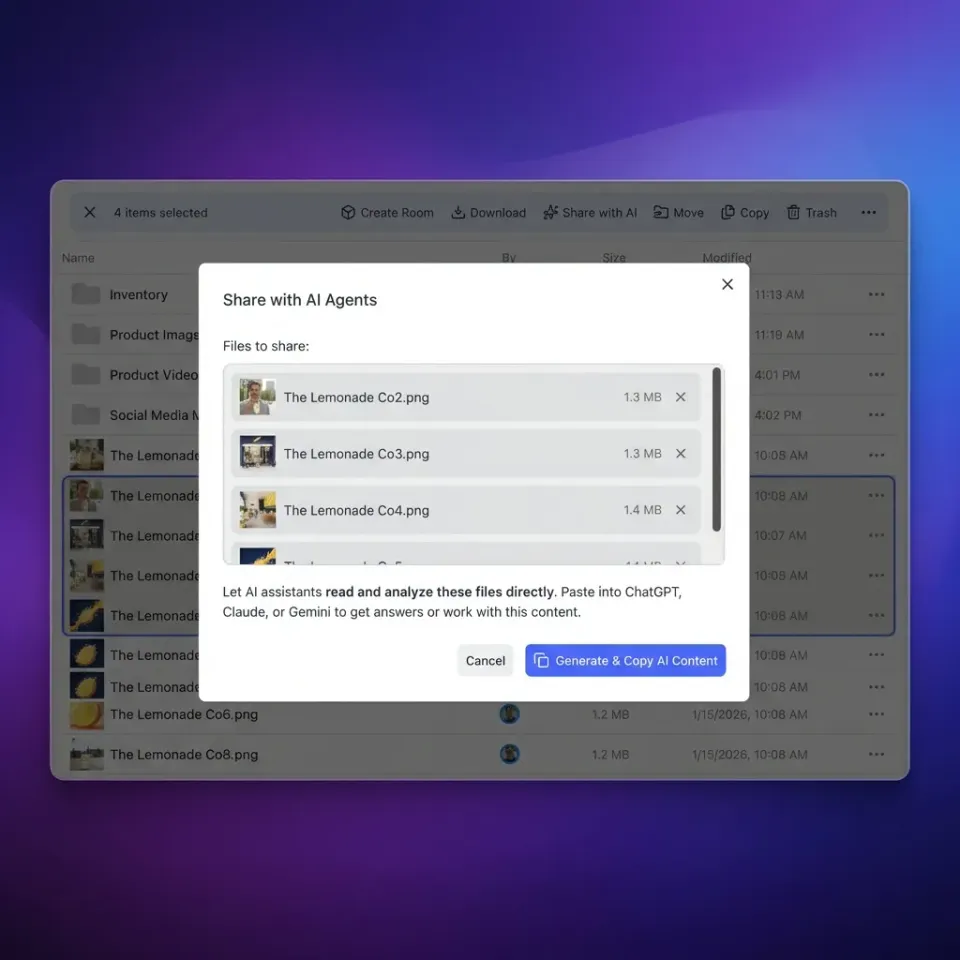
Fast.io is an intelligent cloud workspace designed for agentic teams. Instead of passing massive documents through graph state or managing external vector databases, teams place project files in shared org-owned workspaces. With Intelligence Mode enabled, files are automatically indexed for semantic search, full-text retrieval, and metadata extraction.
Agents interact with Fast.io workspaces through Model Context Protocol (MCP). Agents can connect over Streamable HTTP at https://mcp.fast.io/mcp/code (for coding agents) or https://mcp.fast.io/mcp/tools (for general clients) using OAuth or a scoped API token passed via Authorization: Bearer <api key>.
Here is how a LangGraph node offloads document handling by querying an external workspace via MCP instead of storing raw documents in state:
from typing import TypedDict, List
import httpx
from langgraph.graph import StateGraph, START, END

### Control plane: only store pointers, queries, and extracted answers
class LeanAgentState(TypedDict):
    query: str
    workspace_id: str
    file_id: str
    relevant_excerpts: list
    answer: str

def query_file_excerpts_node(state: LeanAgentState) -> dict:
    """Query indexed workspace data via MCP rather than loading full files into state."""
    mcp_endpoint = "https://mcp.fast.io/mcp/tools"
    api_key = os.environ.get("FASTIO_API_KEY", "")
    ### Call storage search action to retrieve semantic matches
    payload = {
        "jsonrpc": "2.0",
        "id": 1,
        "method": "tools/call",
        "params": {
            "name": "storage",
            "arguments": {
                "action": "search",
                "workspace_id": state["workspace_id"],
                "query": state["query"]
            }
        }
    }
    headers = {
        "Authorization": f"Bearer {api_key}",
        "Content-Type": "application/json",
        "Accept": "application/json, text/event-stream"
    }
    response = httpx.post(mcp_endpoint, json=payload, headers=headers, timeout=15.0)
    search_results = response.json().get("result", {}).get("matches", [])
    ### Keep state minimal: extract only top relevant snippets
    excerpts = [match["snippet"] for match in search_results[:3]]
    return {"relevant_excerpts": excerpts}

builder = StateGraph(LeanAgentState)
builder.add_node("query_file_excerpts", query_file_excerpts_node)
builder.add_edge(START, "query_file_excerpts")
builder.add_edge("query_file_excerpts", END)
graph = builder.compile()
In this architecture, a large technical document remains safely stored in the Fast.io workspace. The LangGraph state object stores only the workspace identifier string, the file identifier string, and targeted excerpts. The checkpointer serializes only lightweight identifiers and snippets per step, eliminating serialization lag and database bloat.
Fast.io workspaces provide per-file version history so concurrent multi-agent updates remain auditable, while advisory file locks coordinate writes without blocking graph execution. Teams requiring structured data extraction from incoming documents can define typed schemas using Metadata Views to query fields directly without parsing raw files in node functions.
Workspaces support file uploads with 25 GB on Starter ($9.99/mo, 3 seats, 250 GB storage), 50 GB on Business ($49.99/mo, 10 seats, 5 TB storage), and 100 GB on Enterprise ($199.99/mo, 30 seats included, 25 TB storage). Monthly plans start with a 14-day free trial that requires a credit card. Explore how engineering teams configure these environments on the Fast.io workspace storage for agents page, or examine subscription options on the Fast.io pricing page.


Keep LangGraph state lean with external workspace storage
Avoid checkpointer serialization lag and database bloat. Store heavy document collections in Fast.io workspaces and query them on demand through MCP. Monthly plans start with a 14-day free trial (credit card required).
Implementation: Message Pruning, Custom Reducers, and Checkpoint Maintenance
In addition to offloading large file payloads, managing conversational message history and database retention ensures your checkpointer maintains steady throughput over months of production use.
1. Message Pruning with RemoveMessage
Chat agents using LangGraph's standard add_messages reducer append every user prompt, assistant response, and tool output to the messages list. In extended agent loops, raw tool responses (such as JSON API payloads or HTML scrapes) bloat message arrays rapidly.
LangGraph provides the RemoveMessage primitive to programmatically prune ephemeral or redundant messages from the state channel:
from typing import Annotated
from typing_extensions import TypedDict
from langchain_core.messages import BaseMessage, RemoveMessage
from langgraph.graph import StateGraph, START, END
from langgraph.graph.message import add_messages

class ConversationState(TypedDict):
    messages: Annotated[list, add_messages]

def prune_intermediate_tools(state: ConversationState) -> dict:
    """Remove older tool execution messages while preserving user and final assistant turns."""
    messages = state["messages"]
    ### If message history grows past threshold, prune intermediate tool outputs
    if len(messages) > 10:
        messages_to_remove = [
            RemoveMessage(id=m.id)
            for m in messages[:-4]
            if m.type == "tool"
        ]
        return {"messages": messages_to_remove}
    return {"messages": []}
Using RemoveMessage actually deletes the target messages from the active state channel, preventing them from being serialized in subsequent checkpoints.
2. Custom Channel Reducers
When managing non-message state channels, avoid default append reducers that accumulate unbounded lists. Define custom reducer functions that enforce sliding windows or merge state deterministically:
from typing import Annotated

def sliding_window_reducer(current: list, update: list) -> list:
    """Maintain only the most recent items in state history."""
    combined = current + update
    return combined[-5:]

class WindowedState(TypedDict):
    recent_queries: Annotated[list, sliding_window_reducer]
3. Checkpoint Lifecycle and Database Pruning
LangGraph checkpointers do not automatically delete completed or abandoned thread checkpoints. In a high-volume application, your database tables (checkpoints, checkpoint_blobs, checkpoint_writes) will grow continuously.
Implement a scheduled cleanup maintenance job in PostgreSQL to purge checkpoints for threads that have been inactive past your retention window:
-- Delete historical checkpoints for threads inactive past retention window
DELETE FROM checkpoints
WHERE thread_id IN (
    SELECT thread_id
    FROM checkpoints
    GROUP BY thread_id
    HAVING MAX(checkpoint_id) < (NOW() - INTERVAL '30 days')
);
Summary of State Management Architectural Patterns
By decoupling heavy document storage from graph state, structuring channels with bounded reducers, and pruning ephemeral messages, engineering teams eliminate checkpointer bottlenecks and build resilient LangGraph agents that run reliably at production scale.
Sources
References used to verify factual claims in this guide.
-
PostgreSQL caps the logical size of any value in a TOAST-able column at 1 GB.
Frequently Asked Questions
What is the maximum state size in LangGraph?
LangGraph does not hardcode an internal maximum state size in the Python runtime. Practical state size limits are determined by your checkpointer backend and database engine. For PostgreSQL checkpointers (PostgresSaver), serialization latency and TOAST table overhead degrade throughput long before reaching theoretical database field boundaries.
How do you handle large files in LangGraph state?
Handle large files by applying the state offloading pattern. Instead of storing file bytes or raw parsed text directly inside state channels, upload files to external persistent storage such as a Fast.io workspace. Store only lightweight reference pointers (such as file IDs, workspace URIs, and metadata) in LangGraph state, and allow specific nodes to query or retrieve relevant excerpts on demand using MCP.
Why is my LangGraph checkpointer slowing down?
Checkpointers slow down when state payloads become bloated with large message histories, document dumps, or binary data. Because LangGraph serializes and writes complete state snapshots to database tables on every super-step, megabyte-scale state objects generate massive disk I/O, TOAST table churn, and network latency. Profiling state channel sizes and offloading large files to external storage resolves the slowdown.
What is the difference between MemorySaver, SqliteSaver, and PostgresSaver state limits?
MemorySaver is limited solely by process RAM and does not persist across restarts, making it fast but unsuitable for production. SqliteSaver stores checkpoints in a local SQLite database subject to local disk capacity and single-writer file locks. PostgresSaver provides production-grade persistence supporting concurrent threads, but requires disciplined state sizing to prevent PostgreSQL TOAST bloat and WAL saturation.
How do I prune old checkpoints to prevent database bloat?
LangGraph checkpointers do not automatically delete historical thread checkpoints. To prevent database bloat in production, establish an automated database maintenance job that periodically deletes records from the checkpoints, checkpoint_blobs, and checkpoint_writes tables for threads that have completed or remained inactive past your organization's retention window.
Related Resources

Keep LangGraph state lean with external workspace storage
Avoid checkpointer serialization lag and database bloat. Store heavy document collections in Fast.io workspaces and query them on demand through MCP. Monthly plans start with a 14-day free trial (credit card required).