Best AI Note Taking Apps in 2026: 11 Tools Compared
AI note taking apps now record meetings with or without a bot, write summaries and action items, and connect your meeting history to tools like Claude, ChatGPT and your CRM. This guide compares 11 AI note taking apps by what each vendor documents (how it records, platforms, transcription languages, AI features, integrations, privacy and pricing), using each vendor's own website, help center and pricing page as read on October 28, 2026.


What AI Note Taking Apps Do
An AI note taking app records a conversation, transcribes it, and turns the transcript into notes: a summary, decisions, action items and a searchable record. Most also let you ask questions across past meetings, send notes to other tools, and connect an AI assistant such as Claude or ChatGPT to your meeting history.
The tools in this guide fall into three groups:
- Meeting note-takers that send a bot. A notetaker joins the call as a participant and records it. Otter, Fathom, tl;dv and Fireflies work this way. Otter, Fathom and Fireflies also offer a way to record without the bot.
- Bot-free meeting recorders. An app on your computer or a browser extension captures the call audio, and no extra participant appears in the meeting. Jamie, Granola, Krisp and Scribbl work this way.
- Notes apps with meeting features. Notion AI, Mem and Reflect are places to write and organize notes. Notion AI and Mem record meetings without a bot, and Reflect records audio memos.
Sales teams have a further option, deal tools such as Sybill, which record calls and also update a CRM. Sybill is covered in the last section.
Related guides
- Best AI Summarizers in 2026: 10 Tools Tested and ComparedKnowledge workers spend 1.8 hours every day just searching for information, according to McKinsey. AI summarizers cut...
- Best AI Meeting Assistants in 2026: 10 Tools ComparedA Calendly survey found that 58% of professionals feel uncomfortable when an AI meeting bot joins their call uninvited,...
- Best AI Browsers in 2026: 8 Options Compared by Use CaseAI browsers now range from a chat panel inside a familiar browser to agents that open websites and complete tasks for...
- Best Free AI Tools in 2026: What's Actually Free and Worth UsingMost free AI tool lists include 14-day trials that quietly start charging you. This guide covers 11 tools that are free...
- 8 Best AI Search Engines in 2026, Ranked and ComparedAI search engines use large language models to understand queries contextually and synthesize answers from multiple...
- Best AI Tools for Excel in 2026Microsoft, OpenAI, and Anthropic all shipped native Excel add-ins in early 2026, joining established third-party tools...
More on this subject: AI Tool Directories and Comparisons (231 guides)
How This Comparison Works
This guide compares 11 AI note taking apps on what each vendor documents:
How it records: Whether a bot joins the call or an app records from your device, and which meeting platforms it supports.
Apps: The desktop, mobile and browser apps the vendor offers.
Languages: The transcription languages the vendor lists.
Notes and AI: Summaries, action items, chat across meetings, and connections to Claude, ChatGPT or other AI tools.
Integrations: Where notes can go after the meeting, such as a CRM, Slack or Notion.
Privacy and data handling: Model training, data location, audio retention and consent features, as each vendor describes them.
Pricing: Free plans, trials and paid tiers in US dollars.
Every feature, plan and price below comes from the vendor's own website, help center, pricing page or app store listing, read on October 28, 2026. Where a capability or compliance claim is the vendor's own description, the text says so. This guide does not measure transcription accuracy or rate summary quality. Prices change often, so check the vendor's pricing page before you buy.
The tools are numbered for reference only. The numbers are not a ranking.
Update: Reflect launched Reflect Open on July 14, 2026, a rebuilt, open-source app that stores notes as local Markdown files. Reflect says its original app, now called Reflect Classic, is still maintained. The Reflect entry below describes Reflect Open. Separately, Fathom announced on September 14, 2026 that it is now part of Superhuman, and says nothing changes for Fathom users: same app, same login and same product.
AI Note Taking Apps at a Glance
Six of the 11 tools record without a bot by default: Jamie, Granola, Krisp, Scribbl, Notion AI and Mem. Otter, Fathom and Fireflies use a bot but also offer a bot-free option. Nine have a free plan or a free app. Notion includes a limited trial of AI Meeting Notes on its Free and Plus plans, and Krisp offers a 7-day free trial.
8 Meeting Note-Takers Compared
These tools focus on recording calls and producing structured notes afterward. The differences come down to how they record (bot or no bot), which platforms and languages they cover, what they do with the transcript, and what they cost. The numbers are for reference and are not a ranking. Here is a quick overview before the detailed breakdown:
- Otter.ai: Free Basic plan; Pro $16.99/mo. A bot or a bot-free desktop app, with a live transcript you can annotate during the call.
- Fathom: Free plan with unlimited recordings; Premium $20/mo. A bot, or bot-free capture on Mac, in 38 languages.
- tl;dv: Free plan; Pro $18/seat/mo billed yearly. Records Zoom, Meet and Teams in 30+ languages, with insights across many meetings.
- Jamie: Free plan; Plus $24/mo billed yearly. Bot-free notes in 99+ languages, with data kept in the EEA, Switzerland and the UK.
- Granola: Free Basic plan; Business $14/user/mo. A bot-free AI notepad that builds on the notes you type.
- Krisp: 7-day free trial; Core $16/mo. Noise cancellation and a bot-free meeting assistant in one app.
- Scribbl: Free plan; Pro $20/mo. Bot-free notes for Meet, Zoom and Teams, with a Claude and ChatGPT connector and follow-up automations.
- Fireflies.ai: Free plan; Pro $18/seat/mo. A meeting bot with 100+ languages and integrations with CRMs and project tools.
1. Otter.ai
Otter records meetings in two ways. Its AI notetaker can join Zoom, Microsoft Teams and Google Meet calls from your calendar, or you can record without a bot from Otter's Mac or Windows desktop app, its Chrome extension, or its iOS and Android apps. Otter shows a live transcript during the call and lists real-time annotation (highlights, comments and images), a takeaways panel that assigns action items, and automated slide capture. After the meeting it writes a summary with decisions and action items, and Otter AI Chat answers questions within and across meetings. Otter transcribes English, Spanish, French, German, Japanese and Chinese.
Key strengths:
- A live transcript with highlights, comments and assigned action items during the call
- A bot-free desktop app alongside the meeting bot
- An Otter MCP server, listed on every plan, lets ChatGPT, Claude and other AI chat tools reach your meeting knowledge
Limitations:
- Six transcription languages, fewer than most tools here
- The free Basic plan includes 300 transcription minutes a month, 30 minutes per conversation and the 25 most recent conversations
- Salesforce and HubSpot sync starts on Pro, and SSO and SCIM are Enterprise features that need a 100-user license
Best for: Teams that want a live, shared transcript they can annotate during the call.
Pricing: Basic is free. Pro is $16.99 per user per month, or $8.33 billed annually. Business is $30 per user per month, or $19.99 billed annually, with unlimited meetings and up to 4 hours per conversation. Enterprise is custom and adds SSO, SCIM, an API and webhooks, and a HIPAA compliance add-on.
2. Fathom
Fathom records Zoom, Google Meet and Microsoft Teams calls on Mac and Windows computers, and its iOS app records in-person conversations. Its notetaker bot can join the call, or on a Mac you can use bot-free capture, which records audio and a transcript without a participant joining; bot-free video capture is in a limited beta. Fathom says bot-free recording also lets it capture Slack Huddles on Mac. After each call you get a summary, action items and a searchable transcript, and Ask Fathom answers questions about one call or across your calls. Fathom transcribes 38 languages and translates summaries for calls in Spanish, Portuguese, German, French, Italian or Dutch.
Key strengths:
- Unlimited recordings, transcripts and call storage on the free plan
- Claude and ChatGPT integrations on every plan, plus a public API and MCP server
- Notes sync to Slack, Salesforce, HubSpot, Notion, Asana and Zapier
Limitations:
- Bot-free capture is Mac only for now; Fathom says Windows support is coming soon
- Ask Fathom and advanced summaries have limited use on the free plan
- Team and Business plans need at least 2 users
Best for: Individuals and small teams who want unlimited free recordings, with a bot or without one on a Mac.
Pricing: Free plan. Premium is $20 a month, or $16 billed annually. Team is $19 per user per month, or $15 billed annually. Business is $34 per user per month, or $25 billed annually, and adds CRM field sync and coaching metrics. Enterprise is sold through Fathom's sales team and adds SSO, SCIM and a signed HIPAA BAA.
3. tl;dv
tl;dv records, transcribes and summarizes Zoom, Google Meet and Microsoft Teams meetings, including slide capture, and its iOS and Android apps record as well. It transcribes more than 30 languages, can detect the meeting language automatically, and can translate transcripts and summaries. Beyond single-meeting notes, the Business plan adds multi-meeting AI insights and scheduled AI reports that summarize trends across many calls, plus playbook monitoring and objection handling for sales coaching. tl;dv says recordings are hosted and stored in the EU and that it never uses them to train AI.
Key strengths:
- Unlimited video recordings and transcription on the free plan
- More than 30 transcription languages, with translated transcripts and summaries
- Pro adds an MCP server, API and webhooks, and 5,000+ integrations through Zapier
Limitations:
- The free plan includes AI notes for 10 meetings, keeps data for up to 3 months and caps web recordings at 40 a week
- Custom vocabulary and unlimited multi-meeting insights need the Business plan
- Questions across many meetings (multi-meeting Ask AI) are capped at 5 on the Free and Pro plans
Best for: Multilingual teams that record most calls and want summaries across many meetings.
Pricing: Free plan. Pro is $18 and Business $29 per seat per month, billed annually. Enterprise is custom and adds SCIM, custom SSO and privately hosted AI.
4. Jamie
Jamie runs on your device and records without a meeting bot, so it works with Zoom, Microsoft Teams, Google Meet and other platforms, and it also captures in-person meetings from a laptop or phone. Apps are available for Mac, Windows and iPhone. It writes notes with speaker recognition and task detection in 99+ languages, Ask Jamie answers questions across your meetings, and Workflows handle the steps after a meeting, such as updating a CRM or drafting a follow-up. Jamie says storage and processing stay within the EEA, Switzerland and the UK, that audio is streamed and never stored, and that it never trains models on your data.
Key strengths:
- No bot, and in-person meetings on every plan
- Notes and transcripts in 99+ languages
- Jamie lists EU data residency, ISO 27001 certification and GDPR compliance, with SAML SSO and SCIM on Enterprise
Limitations:
- The free plan includes 10 AI notes a month and a 30-minute meeting limit
- CRM integrations (Salesforce, HubSpot, Pipedrive and others), the API, webhooks and MCP start on Pro
- Because Jamie does not store audio, you keep notes and transcripts rather than recordings
Best for: Professionals in client-facing or regulated work who want bot-free notes with data kept in Europe.
Pricing: Free plan. Billed annually, Plus is $24 a month (20 AI notes, 2-hour meetings), Pro is $46 a month (unlimited notes, 5-hour meetings) and Team is $37 per seat per month. Enterprise is custom.
5. Granola
Granola is an AI notepad. It transcribes your computer's audio in the background without inviting a bot, works with Zoom, Google Meet, Teams, Slack Huddles and in-person meetings, and runs on Mac, Windows, iOS and Android, plus Apple Watch. You type your own notes during the call, and Granola uses the meeting context to turn them into enhanced notes. It syncs with your calendar, prepares a brief before external meetings on paid plans, and Granola Chat answers questions within and across meetings. Granola transcribes 31 languages on desktop and 17 on mobile.
Key strengths:
- No bot, with desktop and mobile apps
- Your own notes steer the AI summary
- Shared folders on every plan, and an MCP connector for Claude, ChatGPT and other AI apps (personal notes from the last 30 days on the free plan)
Limitations:
- The free Basic plan shows 30 days of meeting history; older notes need a paid plan
- Integrations with Notion, HubSpot, Attio, Affinity and Zapier start on Business, and Salesforce needs Enterprise
- Granola transcribes only after you open a meeting note or click its notification, so you start it for each meeting
Best for: People who take their own notes in meetings and want AI to fill in the rest.
Pricing: Basic is free. Business is $14 per user per month. Enterprise is $35 per user per month and adds SSO, org-wide auto-deletion periods, HIPAA-compliant workspaces and admin controls.
6. Krisp
Krisp combines AI noise cancellation with a bot-free meeting assistant. Because it works at the audio level, Krisp says it works with Zoom, Google Meet, Microsoft Teams, Slack Huddles and other calling apps, and you can enable a bot to join meetings when you prefer one. It records audio or video, transcribes, and writes notes and action items, with transcripts and summaries in 16 languages: English on your device and 15 more on Krisp's servers. Its mobile app records in-person meetings and, Krisp says, works offline. Noise cancellation removes background noise, echo and cross-talk, and accent conversion is also available.
Key strengths:
- Noise cancellation and meeting notes in one app, with unlimited noise cancellation on every plan
- Custom vocabulary of up to 750 workspace terms
- Integrations with Slack, Notion, Zapier, HubSpot and Pipedrive, plus an MCP integration for Claude, ChatGPT and Cursor
Limitations:
- The pricing page lists a 7-day free trial rather than a free plan
- Krisp's mobile app does not include noise cancellation yet
- Salesforce integration needs the Advanced plan, and SSO and SCIM need Enterprise
Best for: Remote workers in noisy places who want noise cancellation and meeting notes in one app.
Pricing: A 7-day free trial with no credit card. Core is $16 per user per month, or $8 billed annually. Advanced is $30 per user per month, or $15 billed annually. Enterprise is custom.
7. Scribbl
Scribbl is an AI meeting notetaker that records without a bot. On Google Meet it works through a Chrome extension. On Zoom and Microsoft Teams, Scribbl Desktop records from your own computer, on a Mac with Apple silicon or on 64-bit Windows 10 or 11. Nothing is added to the participant list, and every meeting lands in one account with AI notes, action items, a transcript with speaker names, and the video. Scribbl transcribes more than 85 languages and can write your notes in a different language from the meeting.
Smart Collections sort meetings into groups you describe in one sentence, such as sales calls or a client's project. Automations then do the follow-up for meetings in a collection: drafting a follow-up email, logging notes in HubSpot or Pipedrive, posting a summary to Slack or Microsoft Teams, saving notes to Google Drive, Notion or Confluence, opening tickets in Linear, Jira, Asana or Monday, or adding a row to a Google Sheet. Scribbl says Automations ask before they change anything by default. On Pro and Team, a connector lets Claude or ChatGPT search and read the transcripts and notes of the meetings you have recorded. Scribbl describes the connector as read-only and as an MCP server, and it needs a paid Claude or ChatGPT plan on their side.
Key strengths:
- No bot on Google Meet, Zoom or Teams, on every plan including free
- Smart Collections and Automations carry notes into CRMs, Slack, docs and ticketing tools
- A read-only Claude and ChatGPT connector on paid plans
Limitations:
- Zoom and Teams need Scribbl Desktop, which does not run on Intel Macs
- The free plan includes 10 meetings a month, 1 AI chat question per meeting and 3 Automations runs a month
- Writing a job in plain words for Scribbl to run with your own Claude is a Team plan feature
Best for: People who want bot-free notes on Meet, Zoom and Teams and want to ask Claude or ChatGPT about past meetings.
Pricing: Free with 10 meetings a month and no limit on meeting length. Pro is $13 per user per month billed annually, or $20 monthly, with unlimited meetings and AI chat, integrations with HubSpot, Pipedrive, Slack, Asana, Monday and Google Drive, and 50 Automations runs a month. Team is $20 per person per month billed annually, or $29 monthly, for 3 or more people, with no limit on Automations runs; 1 or 2 people pay $50 per person a month.
8. Fireflies.ai
Fireflies records through its notetaker, Fred, which you invite to a meeting or let join your calendar meetings on Zoom, Google Meet, Microsoft Teams and other platforms. Its Chrome extension records Google Meet without the Fireflies bot, and Fireflies also offers a desktop app, iOS and Android apps, dialer integrations such as Aircall and RingCentral, and uploads of MP3, MP4, WAV and M4A files. It transcribes 100+ languages with automatic language detection. AskFred answers questions about your meetings, Live Assist gives suggestions during a call, and AI Skills pull out details such as follow-up emails or candidate scores. Conversation intelligence on Business tracks talk time, sentiment and topics.
Key strengths:
- 100+ transcription languages
- Integrations with CRMs, project management tools, applicant tracking systems and Slack, plus an MCP server for Claude and ChatGPT
- Search across meetings, soundbite clips, time-stamped comments and channels for sharing with a team
Limitations:
- The free plan has limited AI summaries and 400 minutes of storage per team
- Video recording and downloads start on Pro
- HIPAA compliance, SSO and SCIM need Enterprise, which is billed annually only
Best for: Sales, recruiting and operations teams that want meeting data pushed into CRMs and other tools.
Pricing: Free plan. Pro is $18 per seat per month, or $10 billed annually. Business is $29 per seat per month, or $19 billed annually. Enterprise is $39 per seat per month, billed annually only.


Keep your meeting notes indexed, searchable, and permission-controlled
Fastio's intelligent workspaces auto-index documents for AI-powered search and chat, with granular permissions and a full audit trail.
Notes Apps With Meeting Features
Not everyone needs a dedicated meeting recorder. These three tools are notes apps first. Notion AI and Mem record meetings without a bot and keep the notes next to your other work, and Reflect is a personal notes app with audio memos.
- Notion AI: AI Meeting Notes on Business ($20 per member per month billed yearly) and Enterprise. Notes live next to your docs and databases.
- Mem: Free plan; Plus $9/mo. Bot-free Voice Mode and an agent that tracks tasks across your notes.
- Reflect: Free on Mac. Open-source Markdown notes with bring-your-own-key AI.

9. Notion AI
Notion's AI Meeting Notes transcribe and summarize a meeting inside a Notion page, without a bot. In the Notion desktop app it captures your system audio and microphone, so it records all sides of a video call. In a browser or the mobile app it hears only the microphone, which suits in-person meetings. You start it by typing /meet, and you can also upload AAC, M4A, MP3 or WAV recordings. Summaries include citations that jump to the transcript, and you can choose built-in instructions for meeting types such as a sales call or standup, or write your own summary instructions. AI Meeting Notes supports 16 languages. The notes live next to your projects, docs and databases, and Notion AI can draft from them.
Key strengths:
- Meeting notes sit in the same workspace as your docs and databases
- Custom summary instructions, and citations from the summary back to the transcript
- Consent tools: a message you can paste into the meeting chat or play aloud, and a setting that lets workspace owners require it
Limitations:
- AI Meeting Notes needs the Business or Enterprise plan; Free and Plus include a limited trial
- Notion says speaker labels work best in one-on-one virtual meetings on the desktop app and may be limited in group or in-person meetings
- The desktop app needs macOS 13 or later, or the latest version of Windows
Best for: Teams already on Notion who want meeting notes stored next to their projects.
Pricing: Business is $20 per member per month billed yearly, or $24 monthly, and includes AI Meeting Notes. Enterprise is custom and adds zero data retention with Notion's AI model providers. Free and Plus ($10 per member per month billed yearly) include a limited AI trial.
10. Mem
Mem is a notes app built around Mem Agent, which reads what you save and tracks tasks, projects and follow-ups across your notes. For meetings, Voice Mode in the Mac and Windows apps records system audio and your microphone without a bot, transcribes, and turns the conversation into a structured note with a summary and action items. The audio and transcript stay attached to the note. Mem connects to Google Calendar and Microsoft Outlook, sends a notification before each meeting, and detects calls on Zoom, Google Meet, Teams or Slack that were not on your calendar. Heads Up shows related notes before a meeting, and Chat answers questions across your notes and meetings. Notes are organized in Collections rather than folders, and Shared Collections let a team share them.
Key strengths:
- Bot-free meeting notes that land with your other notes, with a briefing before the next meeting
- Mem Agent detects tasks and projects in your notes and checks in when something needs you
- One-click Markdown export, and a Claude connector announced on Mem's blog
Limitations:
- Mem says its transcription is optimized for English only
- Recording other participants needs the Mac (Apple silicon) or Windows app; the web and iOS apps capture only your microphone
- Every plan caps new notes, messages to Mem and Voice Mode hours each month
Best for: Individuals who want meeting notes, personal notes and follow-ups in one place.
Pricing: Free with 25 new notes a month and 3 hours of Voice Mode. Plus is $9 a month with 10 hours of Voice Mode, and Pro is $29 a month with 25 hours, one custom routine and one connection to a source such as Gmail or Slack. Larger Pro tiers run from $49 to $199 a month.
11. Reflect
Reflect is now Reflect Open, an open-source notes app (MIT license) built on a folder of Markdown files. It opens to today's daily note, connects notes with wiki links and backlinks, and includes local search, tasks, a Chrome extension that saves links, text and screenshots, and Apple Calendar events beside your daily note for meeting notes. AI is optional: you add your own OpenAI, Anthropic, Google or OpenRouter key, Reflect sends requests directly to that provider, and the provider bills you. Audio memos are transcribed into your daily note by the provider you configure. Notes marked private are blocked from AI and other services that read note content, and sync runs through iCloud Drive or a Git repository such as GitHub.
Key strengths:
- Your notes are plain Markdown files in a folder you choose, with no Reflect account and no Reflect-hosted notes database
- Bring-your-own-key AI, with answers that cite your notes and private notes kept out
- Free on Mac
Limitations:
- Meeting features are calendar-linked notes and audio memos, lighter than the dedicated meeting tools above
- Reflect Open does not add its own end-to-end encryption; Reflect notes that iCloud offers end-to-end encryption in many countries
- There is no web app, and Windows and Linux builds are experimental
Best for: People who want private, local Markdown notes with optional AI on Apple devices.
Pricing: Free on Mac. The iPhone and iPad app is a paid subscription, which the US App Store lists as Reflect Pro at $9.99 a month or $99 a year. Reflect says paid Reflect Classic subscribers get one year of the iPhone and iPad app free.
Privacy and Security: What to Check Before You Buy
AI note-taking tools handle some of your most sensitive conversations. The vendors in this guide document different answers to the same questions, so check each one against your own requirements.
Model training. Fireflies, Jamie, Krisp, Mem and tl;dv each say they do not use your meetings to train AI models. Notion says it will not use your data to train its models unless you opt in, Scribbl says it does not use your meetings to train AI for anyone other than you, and Granola lets each user opt out of model training (Enterprise admins can set this for the whole workspace).
Where data lives and what is kept. Jamie says storage and processing stay within the EEA, Switzerland and the UK, and that audio is never stored. tl;dv says it hosts and stores data in the EU. Granola deletes audio after transcription and lets you set transcript retention and auto-deletion. Otter, Fathom and Fireflies list custom data retention on their top plans, and Notion lets admins delete AI Meeting Notes transcripts on a schedule. Reflect Open keeps notes as files on your device, in iCloud Drive or in a Git repository you control.
Bots and consent. A bot in the participant list shows everyone that the meeting is being recorded. Bot-free tools add no participant, so the person recording is responsible for telling others. Several vendors document consent tools: Notion can post or play a consent message and lets workspace owners require it, Fathom's bot-free mode posts a Recording Notice in the meeting chat, Jamie sends a consent email, Granola can tell participants it is being used, and tl;dv has recording consent settings. Recording laws differ by state and country, so confirm what yours require.
Compliance and enterprise controls. Vendors list their own certifications, which you can confirm in their trust centers. Fathom says it is SOC 2 Type II, GDPR and HIPAA compliant. Fireflies lists SOC 2 Type II and ISO 42001, with HIPAA on Enterprise. Granola lists SOC 2 Type II, with HIPAA-compliant workspaces on Enterprise. Krisp says it is certified for SOC 2 Type II, GDPR and HIPAA. Jamie lists ISO 27001 and GDPR. Mem and Notion each list SOC 2 Type II, and tl;dv says it is GDPR and SOC 2 compliant. Otter offers HIPAA compliance as an Enterprise add-on. SSO and SCIM are usually on the top plan.
Here's what to verify for any tool you're evaluating:
- Does the vendor train models on your data, and can you opt out on your plan?
- Where are recordings and transcripts stored, and is the audio kept?
- Can you set retention periods and delete recordings and transcripts permanently?
- How are meeting participants told that the meeting is being recorded?
- Does the tool meet your industry's rules, such as attorney-client privilege or health data?
- Are SSO, SCIM and admin controls included in the plan you are buying?
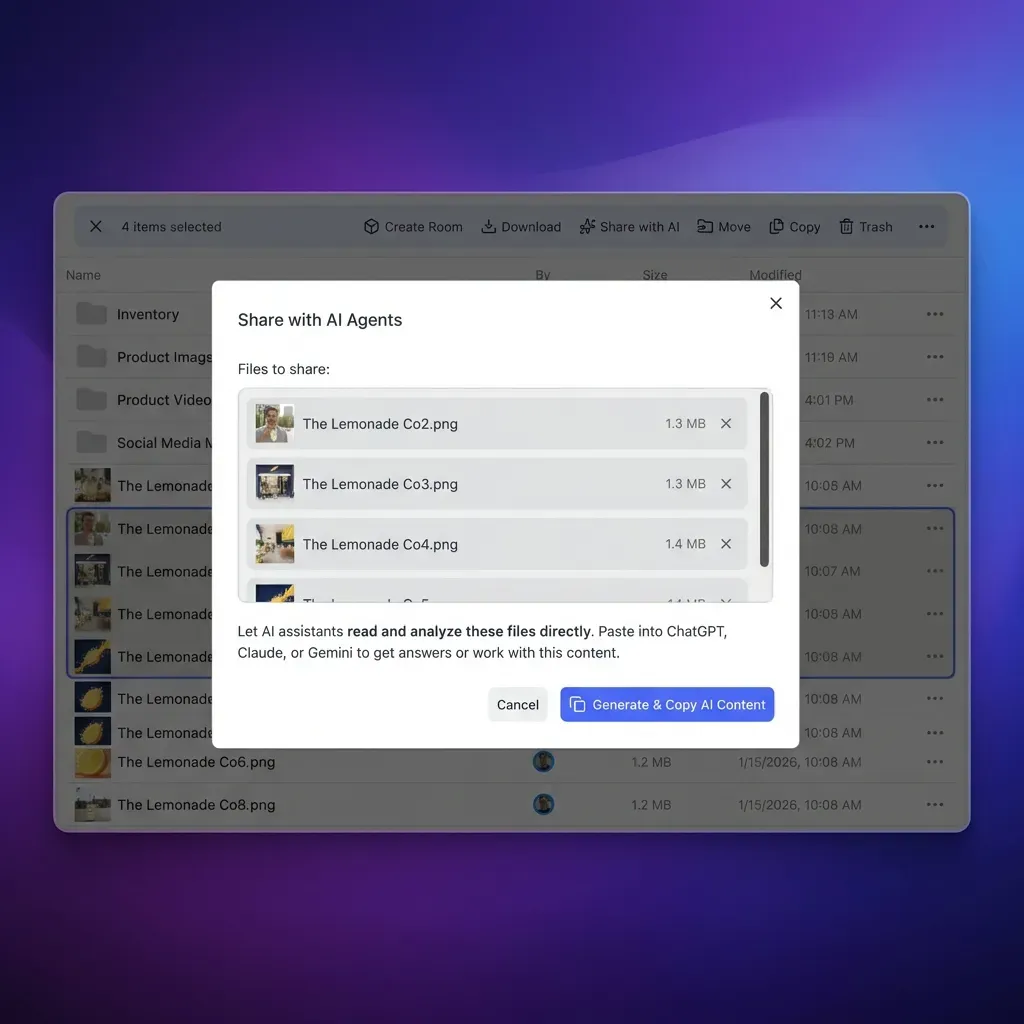
If you keep meeting outputs alongside project files, a workspace like Fastio indexes uploaded documents for AI search and chat, with granular permissions and an activity log that records uploads, permission changes and who made them.
Which Tool Should You Pick?
Start with how you meet and where the notes need to go.
If you want a free plan with unlimited recordings: Fathom and tl;dv both list unlimited recordings on their free plans, and Fireflies' free plan includes unlimited transcription with limited AI summaries. Otter's free plan includes 300 minutes a month, and Scribbl's includes 10 meetings a month.
If a bot in the call is a problem: Jamie, Granola, Krisp and Scribbl record without one by default. Scribbl covers Google Meet through a Chrome extension and Zoom and Teams through a desktop app, and Jamie and Granola also capture in-person meetings. Otter's desktop app, Fathom on Mac and Fireflies' Chrome extension for Google Meet are bot-free options in tools that otherwise use a bot.
If your team is multilingual: Fireflies lists 100+ transcription languages, Jamie 99+, Scribbl 85+, Fathom 38, Granola 31 on desktop and tl;dv 30+. Otter lists six, and Mem says its transcription is optimized for English.
If you're in a noisy environment: Krisp removes background noise, echo and cross-talk from calls and takes meeting notes in the same app.
If you want to ask Claude or ChatGPT about your meetings: Otter, Fathom and Granola list Claude and ChatGPT connections on their free plans, Krisp on Core, Jamie and tl;dv from Pro, and Scribbl on Pro and Team. Fireflies offers an MCP server, and Mem has announced a Claude connector.
If you want notes as part of a broader workspace: Notion AI keeps meeting notes next to your projects and docs, and Mem ties them to your personal notes and tasks. For teams that need file storage, search and AI chat alongside their meeting notes, Fastio's intelligent workspaces index uploaded documents for search and AI chat, with a 14-day trial on monthly plans and MCP server access for agents.
If privacy is the top priority: Reflect Open keeps notes as local Markdown files with no Reflect server. Jamie keeps data in the EEA, Switzerland and the UK and does not store audio. Whichever tool you choose, check its training and retention terms for the plan you buy.
If you're in sales: Fireflies and tl;dv integrate with CRMs and add sales coaching features (conversation intelligence, playbook monitoring) on their Business plans, and Scribbl's Automations log meeting notes in HubSpot or Pipedrive. Sybill, a sales assistant, goes further into deals: it records calls with its Invisible Recorder, drafts follow-up emails, and on its Business plan ($90 per user per month billed annually) fills CRM fields after each call. Sybill has a free plan, and its Pro plan is $30 per user per month billed annually, or $36 monthly.
Sources
References used to verify factual claims in this guide.
-
Otter Basic is free with 300 transcription minutes a month; Pro costs $16.99 a month or $8.33 billed annually; transcription covers English, Spanish, French, German, Japanese and Chinese
-
Fathom's free plan includes unlimited recordings and transcripts, with bot-free or bot capture; Premium costs $20 a month or $16 billed annually
-
Fathom supports transcripts in 38 languages
-
Fathom is now part of Superhuman, announced September 14, 2026
-
tl;dv's free plan includes unlimited video recordings and transcription in 30+ languages; Pro costs $18 and Business $29 per seat per month billed annually
-
Jamie's free plan includes 10 AI notes a month with a 30-minute limit, and every plan includes notes and transcripts in 99+ languages and EU hosting
-
Granola Basic is free, Business costs $14 and Enterprise $35 per user per month, and audio is deleted after transcription
-
Granola supports 31 transcription languages on desktop and 17 on mobile
-
Krisp offers a 7-day free trial; Core costs $16 a month or $8 billed annually, and transcripts and summaries cover 16 languages
-
Fireflies' free plan includes unlimited transcription and limited AI summaries; Pro costs $18 per seat a month or $10 billed annually
-
Notion AI Meeting Notes are included in the Business and Enterprise plans, with a limited trial on Free and Plus
-
Notion AI Meeting Notes support 16 languages and capture system audio in the desktop app
-
Mem's free plan includes 25 new notes a month and 3 hours of Voice Mode; Plus costs $9 a month and Pro $29 a month
-
Reflect Open launched July 14, 2026 as an open-source, local-first Markdown app, and the existing Reflect app remains maintained
-
Sybill has a free plan; Pro costs $30 and Business $90 per user per month billed annually
Frequently Asked Questions
What is the best AI note taking app?
It depends on how you meet, and this guide does not rank the tools. Fathom and tl;dv offer free plans with unlimited recordings. Otter shows a live transcript you can annotate during the call. Jamie, Granola, Krisp and Scribbl record without a bot. Fireflies lists the most transcription languages (100+) and a wide set of integrations. Notion AI suits teams that want meeting notes next to their docs and projects.
Are AI note taking apps safe for confidential meetings?
It depends on the vendor and the plan. Most vendors in this guide say they do not train AI models on your meetings, and some go further. Jamie keeps data in the EEA, Switzerland and the UK and does not store audio, Granola deletes audio after transcription, and Reflect Open keeps notes as local files. Enterprise plans typically add SSO, custom retention and, from some vendors, HIPAA options. Check each vendor's trust center and retention terms, and get consent from participants before you record.
Which AI note takers work without a bot joining the call?
Jamie, Granola, Krisp, Scribbl, Notion AI and Mem record from your device without a bot. Scribbl uses a Chrome extension for Google Meet and a desktop app for Zoom and Teams. Otter's desktop app, Fathom on Mac and Fireflies' Chrome extension for Google Meet are bot-free options in tools that also offer a bot. Without a bot, nothing appears in the participant list, so the person recording should tell the other participants.
Can AI note takers work offline?
Most AI note taking apps transcribe and summarize in the cloud, so they need an internet connection. Krisp says its mobile app works offline for recording and transcribing in-person conversations, and it transcribes English on your device. Reflect Open stores notes as local files, though its AI and transcription go through the provider you connect.
How accurate are AI note taking apps?
This guide does not measure transcription accuracy. Vendors publish their own figures, and results depend on audio quality, accents, overlapping speech and jargon. Custom vocabulary helps with names and terms and is available in Otter, Krisp (up to 750 workspace terms), Jamie, Granola Business and tl;dv Business. Krisp's noise cancellation also cleans the audio before transcription. Try a tool on your own meetings before you commit.
Can I connect Claude or ChatGPT to my meeting notes?
Yes, with most of the tools in this guide. Otter, Fireflies, Jamie (Pro and up), tl;dv (Pro and up) and Krisp offer MCP servers or integrations, Fathom and Granola list Claude and ChatGPT connections, and Scribbl's read-only connector on Pro and Team lets Claude or ChatGPT search every meeting you have recorded. Custom connectors may also need a paid Claude or ChatGPT plan.
How much do AI note taking apps cost?
Otter, Fathom, tl;dv, Jamie, Granola, Scribbl, Fireflies and Mem have free plans with limits, and Reflect is free on Mac. On monthly billing, paid plans include Mem Plus at $9, Granola Business at $14 per user, Otter Pro at $16.99, Krisp Core at $16, Fireflies Pro at $18 per seat, Fathom Premium and Scribbl Pro at $20, and Notion Business at $24 per member. Annual billing lowers most of these, for example Krisp Core to $8, Otter Pro to $8.33, Fireflies Pro to $10 and Scribbl Pro to $13 a month. Prices are from each vendor's site on October 28, 2026.
Related Resources

Keep your meeting notes indexed, searchable, and permission-controlled
Fastio's intelligent workspaces auto-index documents for AI-powered search and chat, with granular permissions and a full audit trail.