How to Set Up the Raspberry Pi AI Kit for Local OpenClaw Inference
The Raspberry Pi AI Kit adds a Hailo-8L neural network accelerator to a Pi 5, delivering 13 TOPS of on-device inference for $70. This guide walks through assembling the hardware, installing Hailo drivers, connecting OpenClaw to the accelerator through the Hailo-Ollama adapter, and running your first locally-powered agent. It also covers syncing agent output to a persistent workspace with Fastio so nothing gets lost between sessions.


Why a $70 Accelerator Changes the Agent Math
Cloud API calls add 200 to 2,000 milliseconds of latency per request, depending on network distance and provider load. For a single chatbot query, that is fine. For an autonomous agent making 50 to 200 tool calls per task, those round trips stack up fast. A 2025 evaluation of LLM inference on single-board computers found that even quantized 1.5B-parameter models run at 2 to 7 tokens per second on a Raspberry Pi 5's CPU alone, enough for simple agent reasoning but painful for anything sustained.
The Raspberry Pi AI Kit changes that equation. It bundles an M.2 HAT+ board with a Hailo-8L neural processing unit that delivers 13 TOPS of dedicated inference performance. The NPU handles model execution entirely off the CPU, so the Pi stays responsive for OpenClaw's orchestration, tool calls, and channel integrations. The whole package costs $70 and draws under 3 watts.
For agent workloads specifically, local inference eliminates three costs at once. First, there is no per-token API bill. An agent running 24/7 on cloud APIs can easily burn $50 to $150 per month depending on model and usage. Second, there is no network dependency. The agent keeps working during internet outages, which matters for home automation, security monitoring, or any task where downtime is not acceptable. Third, your data never leaves the device. Prompts, tool outputs, and reasoning traces stay on a machine you physically control.
The tradeoff is model size. The Hailo-8L runs models up to about 1.5B parameters well. That covers Qwen 2.5 1.5B and similar compact models, which handle tool-calling, basic reasoning, and structured output generation. For complex multi-step planning or long-context tasks, you will still want to route those calls to a cloud API. OpenClaw supports this hybrid approach natively, letting you point different task types at different providers.
If 13 TOPS is not enough, the newer AI HAT+ 2 ($130) ships with a Hailo-10H chip delivering 40 TOPS and 8 GB of dedicated LPDDR4X RAM. It runs Llama 3.2 1B, Qwen 2.5 1.5B, and DeepSeek R1 1.5B entirely on-chip. The setup process covered here applies to both kits with minor driver differences.
Related guides
- How to Set Up Hermes Agent From ScratchHermes Agent is an open-source autonomous AI agent from Nous Research that supports 200+ LLM models, 20+ messaging...
- How to Set Up a Hermes Agent Email BotHermes Agent connects to any email provider through standard IMAP and SMTP protocols, turning an inbox into a...
- How to Build a TensorFlow Lite Edge Inference Agent with OpenClaw on Raspberry PiAn edge inference agent combines OpenClaw's tool-calling orchestration with TensorFlow Lite's optimized runtime to...
- How to Build a Wildlife Camera Trap with OpenClaw on Raspberry PiA wildlife camera trap agent uses an OpenClaw-powered Raspberry Pi with a PIR motion sensor and camera module to...
- 10 Raspberry Pi 5 Projects That Run OpenClaw AI AgentsRaspberry Pi's AI HAT+ 2 brought 40 TOPS of on-device inference to the Pi 5 for $130, turning a single-board computer...
- How to Build a Traffic Counting Station with OpenClaw on Raspberry PiA traffic counting agent uses a Raspberry Pi camera with computer vision to detect, classify, and count vehicles on a...
More on this subject: OpenClaw on Raspberry Pi (192 guides)
What Hardware and Software You Need
The Raspberry Pi AI Kit is a specific product bundle, not a generic category. It contains the M.2 HAT+ interface board and a Hailo-8L AI module pre-installed in the M.2 slot. A thermal pad, ribbon cable, spacers, screws, and a GPIO stacking header are included in the box. You supply the Raspberry Pi 5 and everything else.
Hardware checklist:
- Raspberry Pi 5 with 8 GB RAM ($80)
- Raspberry Pi AI Kit with Hailo-8L ($70) or AI HAT+ 2 with Hailo-10H ($130)
- 27W USB-C power supply (the official one, not a phone charger)
- Active cooler or heatsink case (sustained inference generates real heat)
- MicroSD card (32 GB minimum) or M.2 SSD on a second HAT+ for better I/O
- Phillips crosshead screwdriver
The 27W power supply requirement is not a suggestion. The Hailo module draws additional current through the PCIe bus, and underpowered setups trigger CPU throttling that tanks inference performance. If you see a lightning bolt icon on screen, your power supply is too weak.
Software requirements:
- Raspberry Pi OS based on Debian Bookworm or Trixie, 64-bit
- The openclaw-raspberry-installer targets Trixie (Debian 13) specifically
- Python 3.11 or newer
- Node.js 22 or newer (required by OpenClaw)
Raspberry Pi OS Lite (no desktop) saves roughly 600 MB of RAM over the full desktop edition. Since OpenClaw runs headless and you will SSH in for management, the Lite image is the better choice for a dedicated agent box.
Checking compatibility
The AI Kit works only with Raspberry Pi 5. It will not fit a Pi 4 (different PCIe interface) or any Pi Zero variant. If you are running an older Pi, consider using OpenClaw with cloud APIs instead and skip the hardware accelerator entirely.
How to Assemble the AI Kit and Install Drivers
Power off your Pi completely before starting. The M.2 slot carries PCIe signals, and hot-plugging can damage both the HAT+ and the Pi.
Physical assembly:
- If you have an active cooler, install it first. Peel the thermal pad backing, align the push pins with the heatsink mounting holes on the Pi 5, press down until each pin clicks, and connect the fan's JST connector to the fan header
- Screw the four brass spacers into the yellow-highlighted holes on the Pi 5
- Disconnect the ribbon cable from the HAT+ board (it ships pre-connected)
- Insert one end of the ribbon cable into the Pi 5's PCIe FPC connector with the metallic contacts facing inward, then close the retaining clip
- Place the HAT+ board on the spacers and secure it with the shorter screws
- Connect the other end of the ribbon cable to the HAT+ PCIe connector and close that retaining clip
The Hailo-8L module should already be seated in the M.2 slot on the HAT+. Do not remove it.
Flashing the OS:
Download Raspberry Pi Imager on your computer, select Raspberry Pi OS (64-bit) for the Pi 5, and write it to your microSD card. In the imager's advanced settings, enable SSH and set your hostname, username, and WiFi credentials so you can connect headlessly after first boot.
Installing Hailo drivers:
Boot the Pi, SSH in, and update everything first:
sudo apt update && sudo apt full-upgrade -y
sudo reboot
After reboot, enable PCIe Gen 3 for optimal NPU throughput:
sudo raspi-config
Navigate to Advanced Options, then PCIe Speed, and select Yes to enable Gen 3 mode. Reboot again.
Now install the Hailo software stack:
sudo apt install hailo-all -y
sudo reboot
This single package installs the kernel device driver, firmware, HailoRT middleware, and Tappas post-processing libraries. After the final reboot, verify the NPU is detected:
hailortcli fw-control identify
You should see output listing the Hailo-8L device with its firmware version. If the command returns an error, check that the ribbon cable is fully seated and the retaining clips are closed on both ends.


Persist your Pi agent's output across sessions
Persistent workspace with an MCP-ready endpoint for your agent's reads and writes. Files are versioned and indexed once Intelligence is enabled.
Installing OpenClaw with Hailo Acceleration
With the NPU confirmed working, you need three components: Ollama (the local model server), the Hailo-Ollama adapter (a proxy that routes Ollama requests to the NPU), and OpenClaw itself.
Option 1: Automated installer
The openclaw-raspberry-installer handles everything in one script. It installs system dependencies, the Hailo GenAI components, Ollama, and OpenClaw, then validates the installation:
git clone https://github.com/sanchorelaxo/openclaw-raspberry-installer.git
cd openclaw-raspberry-installer
./install-openclaw-rpi5.sh
The installer runs through nine phases and offers several "flavors" of OpenClaw (openclaw, picoclaw, zeroclaw, nanobot, and others). The default openclaw flavor is the full-featured version. Set CLAW_FLAVOR=openclaw or just accept the default.
Option 2: Manual setup
If you prefer to understand each step, install the components individually.
First, install Ollama:
curl -fsSL https://ollama.com/install.sh | sh
Pull a model that fits the Hailo-8L's capacity. Qwen 2.5 1.5B is the recommended starting point for its balance of quality and speed:
ollama pull qwen2:1.5b
Next, set up the Hailo-Ollama-OpenClaw adapter. This lightweight Python proxy translates between OpenClaw's API format and the Hailo-accelerated Ollama backend. It trims context to the last user message (critical for keeping small models from overloading) and reformats responses into the OpenAI-compatible format that OpenClaw expects.
The adapter runs on port 11435 by default. You configure OpenClaw to point at this adapter instead of a cloud API by editing the provider settings in your OpenClaw configuration.
Finally, install OpenClaw:
curl -fsSL https://openclaw.ai/install.sh | bash
OpenClaw installs its Node.js runtime and creates a configuration directory. Point it at your local adapter endpoint so agent reasoning runs through the Hailo NPU instead of a cloud provider.
Choosing the right model
The Hailo-8L handles quantized models up to about 1.5B parameters. Larger models will either fail to load or run so slowly they are impractical. Here is what works:
- Qwen 2.5 1.5B: Best quality-to-size ratio. Handles basic tool-calling and structured output
- DeepSeek R1 1.5B: Good for reasoning-heavy tasks, slightly slower
- Phi-3 Mini (3.8B): Pushable on the AI HAT+ 2 with its 8 GB dedicated RAM, too large for the original AI Kit
For tasks that exceed these models' capabilities, configure OpenClaw to route complex queries to a cloud provider while keeping routine tool calls local. This hybrid approach gives you fast local execution for most operations and cloud-grade reasoning when you actually need it.
Running Your First Locally-Accelerated Agent
With everything installed, start the components in order. Open three SSH sessions (or use tmux):
Terminal 1 starts the Hailo-Ollama backend. If you used the automated installer, it may already be running as a service. Otherwise, start Ollama manually:
ollama serve
Terminal 2 starts the adapter proxy if you installed it separately. This bridges Ollama's output to the format OpenClaw expects.
Terminal 3 launches OpenClaw. Access the agent through the OpenClaw dashboard in your browser by navigating to your Pi's IP address on the configured port.
The first thing to test is a simple tool-calling task. Ask the agent something that requires it to use a tool, like checking disk space or listing files in a directory. Watch the terminal output to confirm that reasoning is flowing through the local Hailo-accelerated model rather than a cloud API. You should see responses generated with Hailo-accelerated speed rather than network-dependent latency.
What to expect from local performance
Be realistic about what a 1.5B-parameter model can do. It handles single-step tool calls well: running a command, parsing output, and reporting results. It manages structured output like JSON formatting reliably. Basic multi-step plans with two or three sequential tools work, though the agent may need more attempts than a larger model.
Where small models struggle: complex reasoning chains requiring five or more steps, nuanced natural language generation, and tasks requiring broad world knowledge. For these, configure a cloud fallback. OpenClaw's provider system lets you define rules like "use local for tool execution, use Claude for planning."
The Hailo community benchmarks show the adapter delivering noticeably faster responses compared to CPU-only Ollama on the same Pi 5. The NPU offloads matrix operations that would otherwise saturate all four Cortex-A76 cores, keeping the system responsive for OpenClaw's orchestration overhead.
Practical agent use cases on Pi hardware
Agents running on Pi hardware with local inference work best for focused, repetitive tasks:
- Home automation control (reading sensor data, toggling devices over MQTT, scheduling actions)
- File organization and monitoring (watching a directory, renaming files by pattern, moving completed downloads)
- Network monitoring (checking device status, logging connectivity, alerting on changes)
- IoT data collection and basic analysis (aggregating readings, flagging anomalies, generating daily reports)
These tasks involve short reasoning chains, predictable tool usage, and structured outputs, exactly where 1.5B models perform well.
Persisting Agent Output with Fastio
A Pi running OpenClaw locally solves the inference problem but creates a storage problem. MicroSD cards fail. Local SSDs fill up. If the Pi loses power or the card corrupts, every report, log, and generated file the agent created is gone.
The standard approach is syncing output to cloud storage. You could use rsync to an S3 bucket, set up Nextcloud on another machine, or mount a Google Drive via rclone. Each option works but requires ongoing maintenance, credential management, and manual setup.
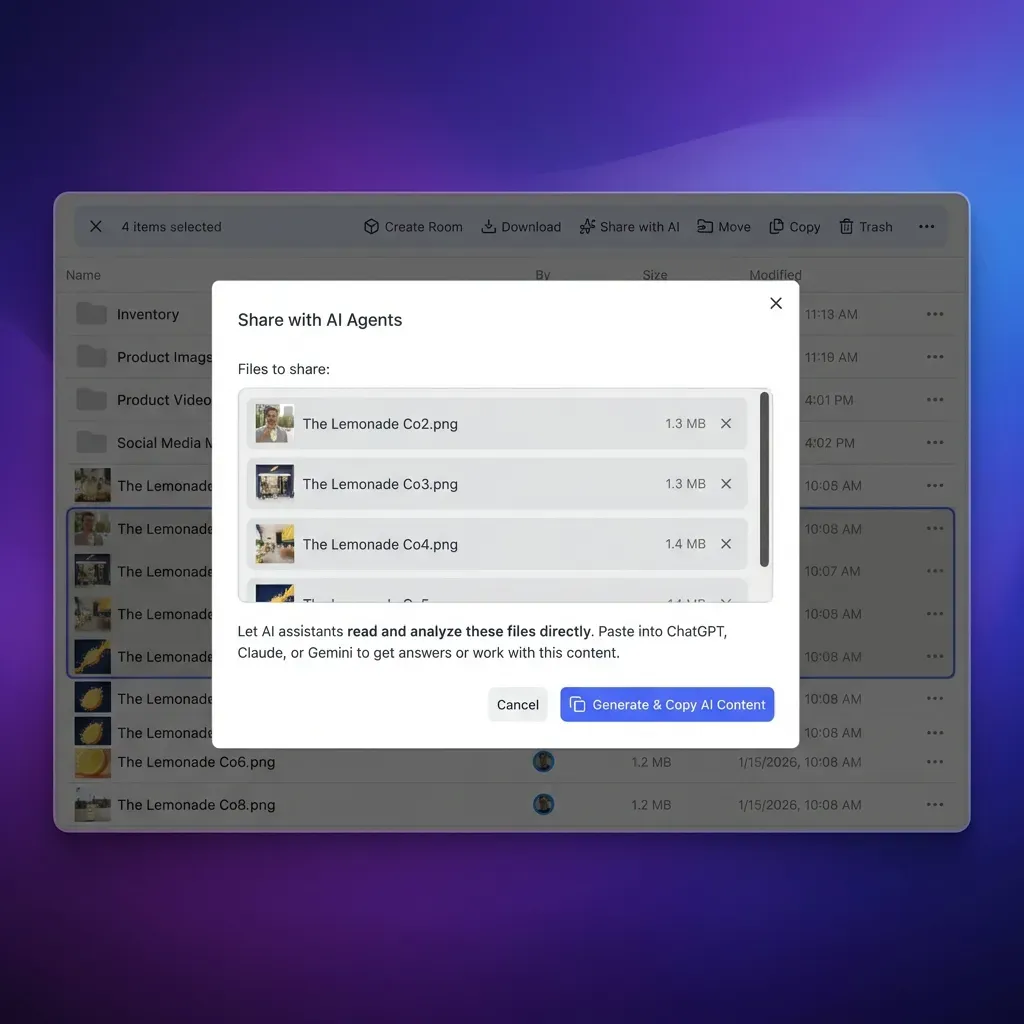
Fastio offers a workspace-based alternative designed for exactly this kind of agent output. Fastio offers a 14-day Business Trial (card required; see /pricing/). Your OpenClaw agent can push files to a Fastio workspace using the MCP server at /mcp, and those files are immediately versioned and, once Intelligence is enabled, indexed and searchable.
The workflow looks like this: your agent runs a monitoring task on the Pi, generates a report, and uploads it to a Fastio workspace. Once Intelligence is enabled for the workspace, the document is indexed, so you can later ask questions about it through the chat interface or through the API. When you have collected enough reports, you can create a branded share link and send it to a client or team member without giving them access to your full workspace.
For teams running multiple Pi-based agents, each agent can write to its own workspace. Ownership transfer lets an agent build out a complete workspace with organized folders and files, then hand control to a human who reviews and distributes the output. The agent retains admin access for continued uploads.
This separation matters because the Pi is good at running the agent but bad at being a file server. Persistent storage, versioning, access control, and search belong somewhere more reliable. Local inference handles the compute. A cloud workspace handles the output. Your agent gets the best of both approaches without the maintenance burden of self-hosted storage.
Other platforms that serve this role include Dropbox (limited free tier, no built-in AI indexing), Google Drive (15 GB free, requires OAuth setup per agent), and self-hosted options like Nextcloud (full control but you manage the server). Fastio's combination of persistent workspaces, MCP-native access, and built-in indexing makes it a practical default for agent output that needs to survive beyond the Pi's local disk.
Sources
References used to verify factual claims in this guide.
-
Quantized 1.5B-parameter models run at 2 to 7 tokens per second on a Raspberry Pi 5's CPU
-
Hailo-8L delivers 13 TOPS of neural network inference performance for $70
-
AI HAT+ 2 delivers 40 TOPS with Hailo-10H and 8 GB LPDDR4X RAM for $130
-
Cloud API calls add 200 to 2,000 milliseconds of latency per request
-
OpenClaw on Raspberry Pi uses a single-line installer
-
The Hailo-Ollama-OpenClaw adapter translates requests between incompatible API formats on port 11435
Frequently Asked Questions
What does the Raspberry Pi AI Kit include?
The AI Kit bundles a Raspberry Pi M.2 HAT+ interface board with a Hailo-8L AI accelerator module pre-installed in the M.2 slot. It also includes a thermal pad, FPC ribbon cable, brass spacers, mounting screws, and a 16mm GPIO stacking header. You need to supply a Raspberry Pi 5, power supply, storage, and cooling separately.
How do I set up the Raspberry Pi AI Kit?
Power off the Pi, install any active cooler first, then mount the brass spacers, connect the ribbon cable between the Pi 5's PCIe connector and the HAT+ board, and secure everything with the included screws. On the software side, update Pi OS, enable PCIe Gen 3 in raspi-config, and install the Hailo driver stack with "sudo apt install hailo-all" followed by a reboot.
Can you run AI locally on Raspberry Pi?
Yes. The Pi 5 can run quantized models up to about 3B parameters on CPU alone through Ollama, though performance is limited to 2 to 7 tokens per second. Adding the AI Kit's Hailo-8L NPU (13 TOPS) offloads inference from the CPU, improving speed and freeing the processor for other tasks. The AI HAT+ 2 with Hailo-10H goes further at 40 TOPS with 8 GB dedicated RAM.
What is the difference between AI Kit and AI HAT+ 2?
The original AI Kit ($70) uses a Hailo-8L chip delivering 13 TOPS with no dedicated RAM, designed primarily for computer vision tasks. The AI HAT+ 2 ($130) uses a Hailo-10H chip delivering 40 TOPS with 8 GB of dedicated LPDDR4X RAM, which enables running small language models (1B to 1.5B parameters) entirely on the accelerator. Both connect to the Pi 5 via the PCIe slot.
What models can the Hailo-8L run with OpenClaw?
The Hailo-8L handles quantized models up to about 1.5B parameters effectively. The Hailo community recommends Qwen 2.5 1.5B as the best balance of quality and speed for agent tasks. DeepSeek R1 1.5B is another option. Models larger than 1.5B either fail to load or run too slowly to be practical on the original AI Kit hardware.
Do I need an internet connection to run OpenClaw with local inference?
Not for inference itself. Once Ollama and the model weights are downloaded and the Hailo adapter is configured, OpenClaw runs tool calls and generates responses entirely on-device. You only need internet if you configure a cloud provider as a fallback for complex reasoning tasks, or if you want to sync agent output to a remote workspace like Fastio.
Related Resources

Persist your Pi agent's output across sessions
Persistent workspace with an MCP-ready endpoint for your agent's reads and writes. Files are versioned and indexed once Intelligence is enabled.