Implementing Fast.io Webhooks with Python FastAPI
Implementing Fast.io webhooks in FastAPI lets you securely validate signatures and trigger background tasks when file events occur. This guide covers how to set up reliable endpoints, define Pydantic payload models, and verify cryptographic signatures in Python. If you are building AI agents or managing team workflows, Fast.io webhooks give you the reactive infrastructure you need.

Why Choose FastAPI for Fast.io Webhooks?
Webhooks are the foundation of event-driven automation. When someone uploads a file to a Fast.io workspace, your system needs to know right away so it can process the data, trigger an AI agent, or notify human collaborators. Python is the primary language for AI and data engineering teams, making FastAPI a practical choice for receiving these events.
According to the FastAPI Documentation, adopting the framework increases feature development speed by 200% to 300%. That speed helps because building a reliable webhook receiver involves several steps. You have to accept incoming HTTP POST requests, validate the payload, verify the cryptographic signature, and process the event without timing out the original request.
FastAPI handles these requirements well. It uses standard Python types and Pydantic models, giving you automatic data validation and clear editor support. Instead of writing boilerplate code to check for specific fields, you define a structured model and let the framework handle the parsing. You can then focus on building your custom AI agent integration or media pipeline.
Helpful references: Fast.io Workspaces, Fast.io Collaboration, and Fast.io AI.
What to check before scaling Implementing Fast.io webhooks with Python FastAPI
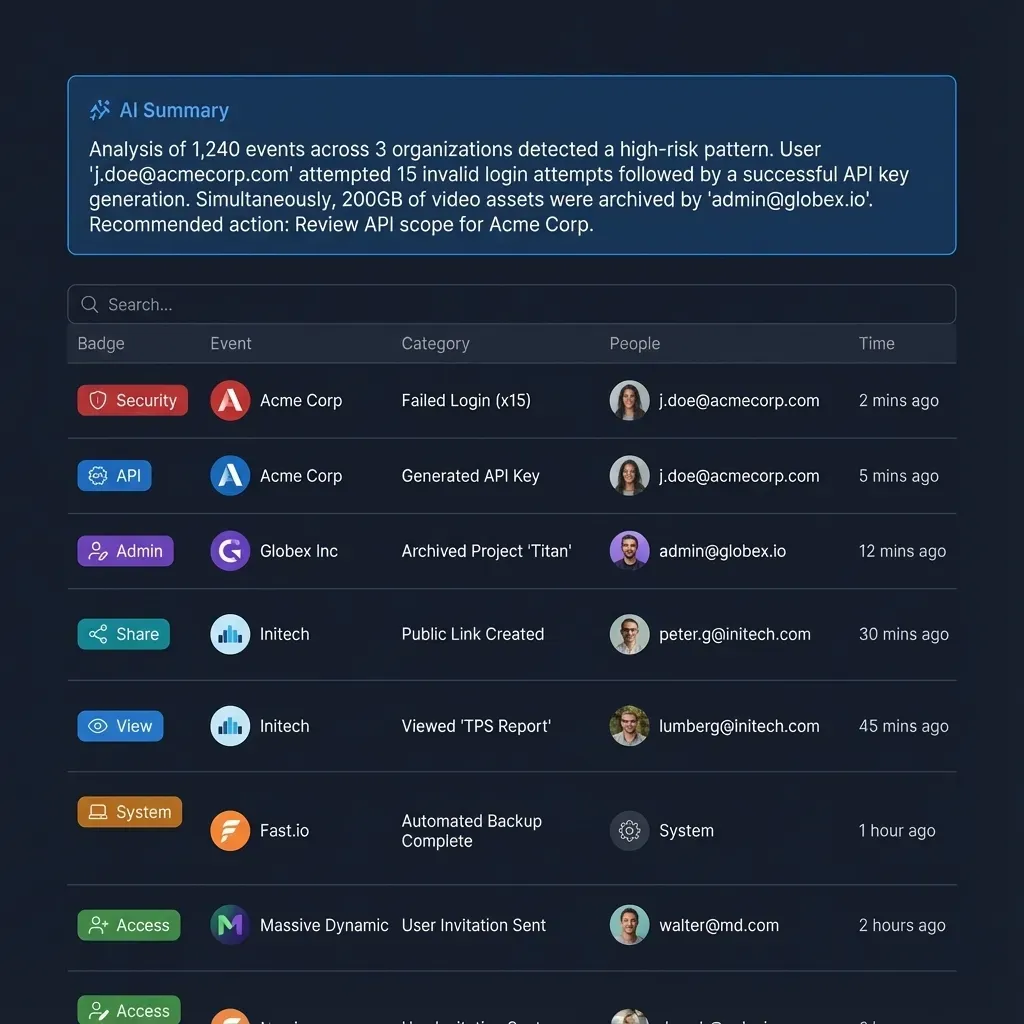
Before writing code, you should understand the shape of the data Fast.io sends. A webhook payload contains details about the event that happened in your workspace, giving your system the context it needs to route the data properly.
Each event payload includes metadata about the resource, the user or agent that triggered the action, and the workspace where the event took place. A file creation event, for example, includes the file name, size, workspace ID, and timestamp.
This data is helpful when integrating AI tools. If you configure a model to summarize new documents, the webhook tells it exactly which file to pull and which workspace needs the summary. Since Fast.io workspaces are shared environments for agents and humans, this context ensures agents work on the correct files.
Developers sometimes fail to validate this payload. If someone sends a malformed request to your public webhook URL, your application might crash or behave unpredictably. We use Pydantic to enforce a strict schema before processing the data to prevent this.
Defining the Pydantic Payload Model
Handling incoming webhook data securely in FastAPI starts with a strict Pydantic model. This ensures your application only accepts payloads that match the expected structure. If a field is missing or the data type is wrong, FastAPI automatically rejects the request and returns an error message.
Here is an example of the Pydantic model needed to parse Fast.io's webhook payload:
from pydantic import BaseModel
from typing import Dict, Any, Optional
from datetime import datetime

class EventUser(BaseModel):
    id: str
    email: Optional[str] = None

class EventResource(BaseModel):
    id: str
    type: str
    name: str
    size: Optional[int] = None

class WebhookPayload(BaseModel):
    event_id: str
    event_type: str
    workspace_id: str
    created_at: datetime
    resource: EventResource
    user: Optional[EventUser] = None
    metadata: Dict[str, Any] = {}
This nested structure maps directly to the Fast.io event. Typing payload.event_type in your IDE gives you autocompletion and type checking, which makes the integration easier to maintain. Combined with FastAPI's automatic documentation generation, this approach keeps your webhook receiver organized and predictable.
Verifying the Cryptographic Signature
Security matters when implementing webhooks. Since webhook endpoints are publicly accessible, anyone can send a POST request to your URL. You have to verify the cryptographic signature to prove the request actually came from Fast.io.
Fast.io signs every webhook payload using a secret key from your dashboard. The signature arrives in an HTTP header named X-Fastio-Signature. To verify it, your FastAPI application needs to read the raw request body, compute an HMAC-SHA256 hash using your secret key, and compare it to the header.
Here is how you implement signature verification in FastAPI:
import hmac
import hashlib
import os
from fastapi import FastAPI, Request, Header, HTTPException, BackgroundTasks

app = FastAPI()
WEBHOOK_SECRET = os.environ.get("FASTIO_WEBHOOK_SECRET", "").encode('utf-8')

async def verify_signature(request: Request, signature_header: str):
    raw_body = await request.body()

    expected_signature = hmac.new(
        WEBHOOK_SECRET,
        raw_body,
        hashlib.sha256
    ).hexdigest()

    if not hmac.compare_digest(expected_signature, signature_header):
        raise HTTPException(status_code=401, detail="Invalid signature")
Using hmac.compare_digest prevents timing attacks. A basic string equality check might let an attacker guess the signature by measuring response times. The standard library function avoids this issue.
Always read the raw request body before FastAPI parses it into JSON. If the framework changes the byte sequence during parsing, the hash will change and verification will fail on valid requests.


Give Your AI Agents Persistent Storage
Set up a shared workspace, configure your webhooks, and start building automations today. The free agent tier includes 50GB of storage and 5,000 monthly credits. Built for implementing fast webhooks with python fastapi workflows.
Handling File Events Asynchronously
After validating the payload and signature, your application processes the event. Webhooks require a fast response, and Fast.io expects an HTTP multiple OK status within a few seconds. If your application blocks the request to run a long task, Fast.io might assume the delivery failed and retry the event.
You can solve this by separating the event reception from the processing. FastAPI has a BackgroundTasks feature for this. You acknowledge the webhook immediately and move the actual work to a background function.
Here is an implementation example:
def process_file_event(payload: WebhookPayload):
    ### This function runs in the background
    if payload.event_type == "file.created":
        print(f"New file uploaded: {payload.resource.name}")
        ### Trigger AI processing, database updates, or notifications here
        ### You could invoke OpenClaw or an MCP tool to process the file

@app.post("/webhook/fastio")
async def fastio_webhook(
    request: Request,
    background_tasks: BackgroundTasks,
    payload: WebhookPayload,
    x_fastio_signature: str = Header(...)
):
    ### 1. Verify the signature securely
    await verify_signature(request, x_fastio_signature)

    ### 2. Add the heavy lifting to a background task
    background_tasks.add_task(process_file_event, payload)

    ### 3. Return a quick success response
    return {"status": "success", "message": "Event received"}
This pattern keeps your endpoint responsive. It matters when dealing with AI agents that might need a few minutes to process a large document. The webhook signals that a file is ready, and the agent picks up the background task to access the workspace file without keeping the HTTP connection open.
Testing with Localhost and Ngrok
Testing webhooks locally takes some setup because Fast.io needs a public URL to send events to. Your local server on localhost:multiple is blocked from the outside internet.
Developers often use a tunneling service like Ngrok for this. Ngrok gives you a temporary public URL that forwards traffic to your local FastAPI instance. You can trigger events in your Fast.io workspace and watch the requests hit your local terminal.
To test the integration, start your FastAPI server with Uvicorn. Open a new terminal window and run ngrok http multiple. Ngrok displays a forwarding URL. Copy that HTTPS address and paste it into the webhook configuration panel in the Fast.io dashboard, making sure to append the /webhook/fastio path.
Upload a test file to a connected workspace. You should see the POST request show up in the Ngrok console and your Uvicorn logs. If signature verification fails during testing, check your local environment variables to confirm the webhook secret key is correct.
Integrating Webhooks with the Free Agent Plan
Webhook receivers are useful when connected to automated AI systems. Fast.io gives developers the tools to build these workflows.
According to Fast.io Pricing, the free agent plan includes 50 GB storage and 5,000 monthly credits. You can use this space to build and test reactive workflows without paying upfront. Set up a workspace, link a webhook to your FastAPI app, and try out automated file processing.
Running scripts right when a file changes turns regular cloud storage into an intelligent workspace. Instead of checking an API every five minutes for a new client upload, your FastAPI application waits for Fast.io to send a notification. This event-driven approach keeps your code clean, saves resources, and makes the system run smoother.
Frequently Asked Questions
How do you receive webhooks in FastAPI?
You receive webhooks in FastAPI by defining an asynchronous POST endpoint. You use Pydantic models to automatically parse the incoming JSON payload and dependencies like `BackgroundTasks` to handle the processing without delaying the HTTP response.
How to verify Fast.io webhook signatures in Python?
Verify Fast.io webhook signatures in Python by using the `hmac` and `hashlib` libraries. Read the raw request body, compute a SHA256 hash using your secret key, and securely compare it to the `X-Fastio-Signature` header using `hmac.compare_digest` to prevent timing attacks.
Can I test Fast.io webhooks on localhost?
Yes, you can test Fast.io webhooks on localhost by using a tunneling tool like Ngrok. Ngrok generates a temporary public HTTPS URL that forwards incoming webhook traffic directly to your local FastAPI server running on your machine.
Why is my signature verification failing in FastAPI?
Signature verification in FastAPI often fails because the framework parses the request body into JSON before the raw bytes are read. You must use `await request.body()` to capture the exact raw byte sequence before computing the hash, as any formatting changes will invalidate the signature.
What is the timeout for a Fast.io webhook?
Fast.io expects a fast HTTP response, typically within a few seconds, to acknowledge that the webhook was received successfully. If your endpoint takes too long to process the data, Fast.io may consider the delivery failed and attempt to resend the event payload.
Related Resources

Give Your AI Agents Persistent Storage
Set up a shared workspace, configure your webhooks, and start building automations today. The free agent tier includes 50GB of storage and 5,000 monthly credits. Built for implementing fast webhooks with python fastapi workflows.