Claude Multi-Agent Coworking: Architecture and Patterns
Claude multi-agent coworking is an architectural pattern where several specialized Claude agents share a single workspace to collaboratively solve complex tasks. This guide covers the three dominant coordination patterns, concurrency controls for shared files, context-sharing strategies that keep token costs manageable, and how to wire everything together with persistent storage and event-driven triggers.
What Is Claude Multi-Agent Coworking?
Claude multi-agent coworking is an architectural pattern where several specialized Claude agents share a single workspace to solve complex tasks collaboratively. Instead of routing everything through one massive prompt, you divide work among agents with distinct roles. Each agent operates in its own context window but coordinates through a shared environment: files, task lists, or message channels.
A typical coworking setup might include a Planner Agent that decomposes user requests, a Researcher Agent that gathers information, a Coder Agent that writes implementation, and a Reviewer Agent that validates output. Because each agent focuses on one responsibility, it makes fewer mistakes and uses its context window more efficiently. This mirrors how human engineering teams operate, where specialists contribute expertise toward a shared goal.
Anthropic draws a useful distinction between two types of agentic systems. Workflows are systems where LLMs and tools follow predefined code paths. Agents are systems where LLMs dynamically direct their own processes and tool usage. Multi-agent coworking falls into the second category: agents decide how to accomplish tasks, coordinate with each other, and adapt when things go wrong.
The practical challenge is not the agents themselves. It is the infrastructure connecting them. Agents need somewhere to store files, share state, acquire locks on contested resources, and hand off results to humans. Without that coordination layer, multi-agent systems devolve into a collection of disconnected chat sessions that duplicate work and overwrite each other's output.
Why Multi-Agent Beats Single-Agent for Complex Work
The performance case for multi-agent systems is strong but nuanced. Large-scale evaluations across 25 reasoning domains show multi-agent systems achieve an average performance gain of 21.3% over single foundation models, with the greatest improvements in step-by-step logical reasoning (31.7%) and multi-perspective analysis (28.4%).
Anthropic's own production data tells a similar story. Their multi-agent research system, which uses Claude Opus 4 as a lead agent coordinating Claude Sonnet 4 subagents, outperformed single-agent Claude Opus 4 by 90.2% on internal research evaluations. For tasks like identifying board members across S&P 500 IT companies, the distributed approach succeeded where sequential single-agent searches failed.
Three mechanisms drive this improvement.
Specialization reduces hallucination. When a code reviewer agent dedicates its entire context window to finding flaws, it does not need to simultaneously hold generation logic in memory. This focused attention produces more reliable output than asking one model to generate and review at the same time.
Parallel execution compresses timelines. A Researcher Agent can query databases while a Setup Agent scaffolds a project repository. For I/O-bound tasks, parallel execution cuts total wall-clock time significantly. Anthropic reports that parallel tool calling alone reduced research time by up to 90% in their multi-agent system.
Modular error recovery prevents cascading failures. If a monolithic model makes a mistake at step two of a ten-step process, the error compounds through every subsequent step. In a multi-agent system, a Verification Agent catches the error at step two, requests a correction, and resolves the issue before it pollutes downstream work.
The tradeoff is cost. Multi-agent systems use approximately 15x more tokens than standard chat interactions. Anthropic found that token usage alone explains 80% of the variance in research quality, with model choice and tool call count as secondary factors. This means multi-agent architectures work best when the task genuinely benefits from parallel exploration and the extra token spend is justified by improved outcomes.
Three Core Architectural Patterns
Choosing the right coordination pattern is the most consequential design decision in any multi-agent system. Each pattern has distinct strengths, failure modes, and infrastructure requirements.
Orchestrator-Worker (Hierarchical)
A central Orchestrator Agent receives the user's request, decomposes it into subtasks, and delegates them to specialized Worker Agents. The Orchestrator does not execute work itself. It acts as a project manager: routing data, tracking progress, and synthesizing the final output.
This is the most widely used pattern. Anthropic's multi-agent research system follows it, with a lead agent analyzing queries, developing strategy, and spawning subagents to explore different aspects simultaneously. Claude Code's subagent system also implements this pattern, where spawned agents report results back to the calling session.
Best for: Tasks with clear decomposition, content pipelines, data processing workflows.
Key risk: The orchestrator becomes a bottleneck if it waits synchronously for each worker to complete before dispatching the next task.
Agent Teams (Peer Coordination)
In Claude Code's experimental Agent Teams feature, multiple Claude instances work as peers. One session acts as team lead, but teammates share a task list, claim work independently, and communicate directly with each other. Unlike subagents, which only report back to the caller, teammates can challenge each other's findings and coordinate on their own.
This pattern works well for tasks where parallel exploration adds genuine value. The Claude Code documentation highlights four strong use cases: research and review where teammates investigate different aspects simultaneously, new modules where teammates each own separate files, debugging with competing hypotheses where teammates test different theories in parallel, and cross-layer coordination spanning frontend, backend, and tests.
Best for: Open-ended research, adversarial review, problems with multiple viable approaches.
Key risk: Higher token costs since each teammate maintains its own context window. Coordination overhead increases with team size. Anthropic recommends starting with 3-5 teammates and targeting 5-6 tasks per teammate.
Shared Workspace (Message Bus)
This pattern uses a centralized filesystem as the primary coordination medium. Instead of passing large JSON payloads between agents, they read and write to shared files. Agent A writes an outline to outline.md. Agent B detects the new file via a webhook, reads it, and begins drafting content into draft.md.
This is the most token-efficient pattern because agents only load the specific files they need. It also creates a natural audit trail since every action produces a file artifact.
Best for: Content pipelines, document processing workflows, any system where agents can work on separate files.
Key risk: Requires robust file locking to prevent race conditions when agents modify the same resource.
Context Sharing and Memory Management
The biggest operational challenge in Claude multi-agent coworking is managing shared context without exhausting token budgets. Naive approaches, like passing full conversation histories between agents, blow through context windows fast and degrade reasoning quality.
File-Based State Over Conversational History
Treat a shared workspace as the long-term memory of your agent system. When an agent completes a task, it summarizes findings and writes them to a structured file like state.json or context.md. Subsequent agents read this synthesized summary rather than processing the entire chat transcript. This keeps each agent's context window focused on reasoning rather than filled with stale history.
Fast.io workspaces fit this pattern well. Agents connect through the MCP server using Streamable HTTP at /mcp or legacy SSE at /sse, giving them programmatic control over file operations. Each agent authenticates independently and gets the permissions appropriate to its role.
Semantic Search Instead of Full File Injection
Rather than injecting entire documents into agent prompts, use Retrieval-Augmented Generation. Enable Intelligence Mode on a Fast.io workspace, and uploaded files are automatically indexed for semantic search. When a new agent joins the coworking session, it queries the workspace for specific answers rather than loading entire files into its prompt. This preserves context window capacity for reasoning.
The intelligence layer works the same way for agents and humans. Agents query through the MCP server's AI tools; humans use the workspace chat UI. Both get cited answers grounded in the indexed files.
Scoping Context Per Agent
Each agent should receive only the context it needs for its current subtask. Anthropic's research system implements this by having the lead agent provide detailed task descriptions to subagents, specifying exactly what information to look for and what format to return results in. Vague delegation leads to duplicated work and wasted tokens. Specific, bounded instructions produce better outcomes.
In practice, this means your Orchestrator Agent should write a brief for each worker: what files to read, what question to answer, and what format to use for the response. Workers write their output to designated files in the shared workspace, and the Orchestrator reads only the results it needs for synthesis.


Give Your Claude Agents a Shared Workspace
Fast.io provides persistent storage, built-in RAG, file locking, and 19 MCP tools for multi-agent coordination. 50GB free, no credit card required.
Concurrency Controls and File Locking
When multiple Claude agents operate concurrently on a shared workspace, they will inevitably try to read, modify, or create the same files at the same time. Without concurrency controls, you get race conditions, overwritten data, and corrupted state.
Exclusive File Locks
The most reliable approach is explicit file locking. Before an agent modifies a file, it must acquire an exclusive lock. If Agent A holds the lock on index.js, Agent B receives a "Resource Locked" response and can either wait, work on a different file, or subscribe to a webhook notification for when the lock releases.
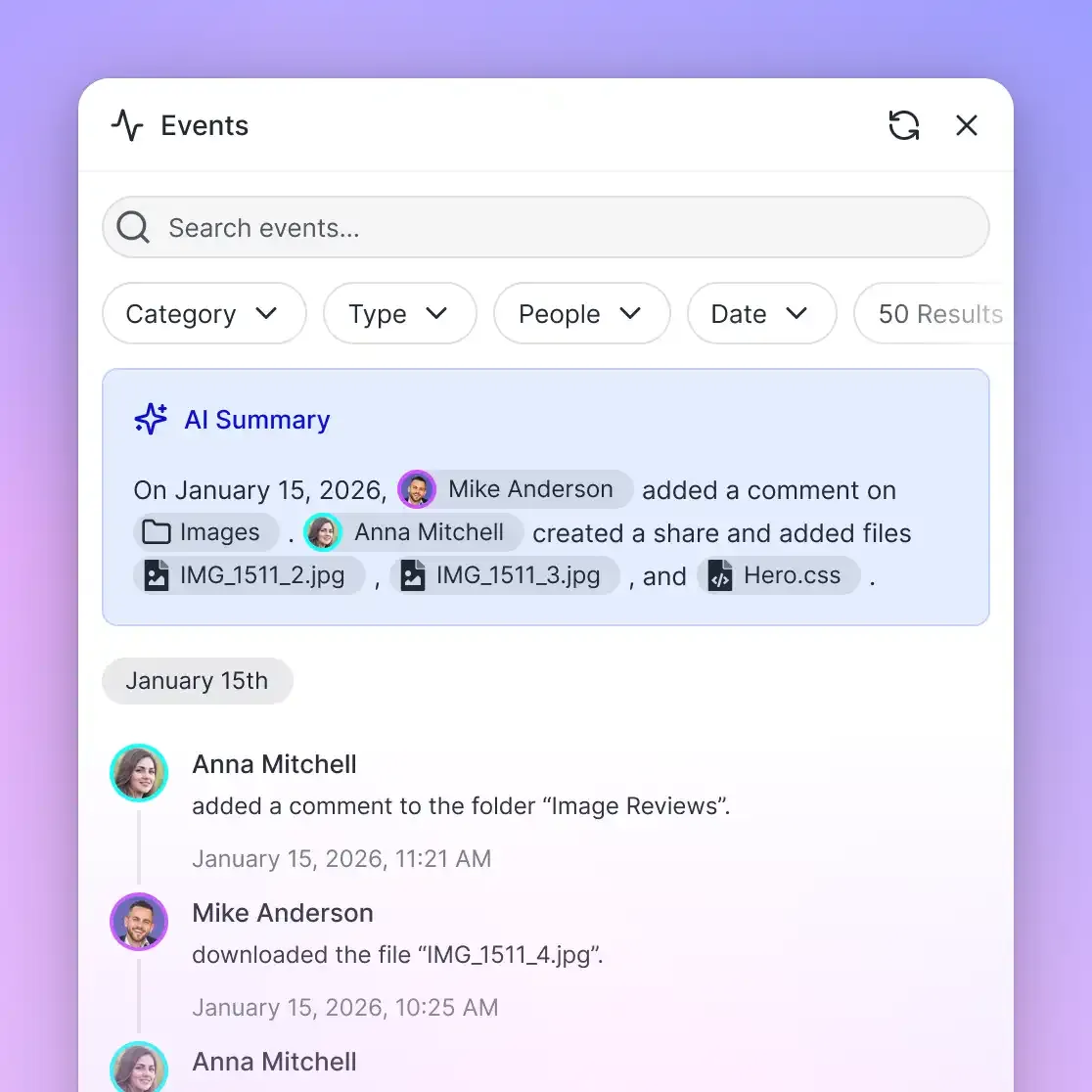
Fast.io provides native file locks designed for multi-agent coordination. Lock acquisition and release happen through MCP tool calls, and every lock event is recorded in the workspace audit log. This gives you full visibility into which agent modified which file and when, which is essential for debugging complex multi-agent interactions.
Claude Code's Agent Teams feature takes a different approach to the same problem. Task claiming uses file locking to prevent race conditions when multiple teammates try to claim the same task simultaneously. The team lead can also enforce directory ownership, where each teammate works in designated file paths to minimize conflicts entirely.
Atomic Writes
A complementary strategy is having agents write to temporary files first, then move the completed file into place. This prevents other agents from reading a half-written document. Combined with file locks, atomic writes eliminate most concurrency hazards.
Webhook-Driven Coordination
Rather than having agents poll the workspace to check if dependencies are met, use event-driven triggers. When a Research Agent finishes its task and writes the output file, a webhook fires to wake the Drafting Agent. This reduces unnecessary API calls and keeps agents idle until there is actual work to do.
Fast.io webhooks notify agents when files change, locks release, or tasks complete. This event-driven architecture is more efficient than polling and scales better as the number of concurrent agents grows.
Building Your First Multi-Agent Workspace
Here is a practical walkthrough for setting up a Claude multi-agent coworking environment with persistent shared storage.
1. Provision the Shared Workspace
Create a dedicated workspace for the project. This becomes the shared filesystem where all agents read, write, and coordinate. With Fast.io's free agent plan, you get 50GB of storage, 5 workspaces, and 5,000 monthly credits with no credit card required. Sign up at fast.io/pricing and create an organization and workspace through the API or MCP server.
If you are building for a client, use ownership transfer: have your agents create the workspace, build the initial scaffolding, populate files, and then transfer the entire organization to the client. Your agent retains admin access for ongoing maintenance while the client gets full ownership.
2. Connect Agents via MCP
Equip each Claude instance with Fast.io MCP tools. The server exposes 19 consolidated tools covering workspace management, file operations, AI queries, and workflow primitives. Each agent authenticates independently using API keys or the PKCE OAuth flow.
Configuration varies by client. Claude Desktop and Claude Code both support MCP server configuration. For custom orchestrators using the Claude API directly, include MCP tool definitions in the system prompt or tool list.
3. Define the Workflow State
Create a central manifest file in the workspace root, something like workflow-state.json or tasks.md. The Orchestrator Agent initializes this file with the full task breakdown: what needs to happen, in what order, and which agent role owns each task. Worker agents update their task status as they complete work.
4. Enable Intelligence Mode for RAG
If your agents need to query documents semantically, enable Intelligence Mode on the workspace. Uploaded files are automatically indexed. Agents can then ask questions through the MCP AI tools and receive cited answers without loading entire documents into their prompts.
5. Wire Up Webhooks
Configure webhooks so agents react to events rather than polling. When a file is created or modified, the webhook payload tells downstream agents exactly what changed. This is especially useful in pipeline architectures where each stage's completion triggers the next.
6. Add Human-in-the-Loop Checkpoints
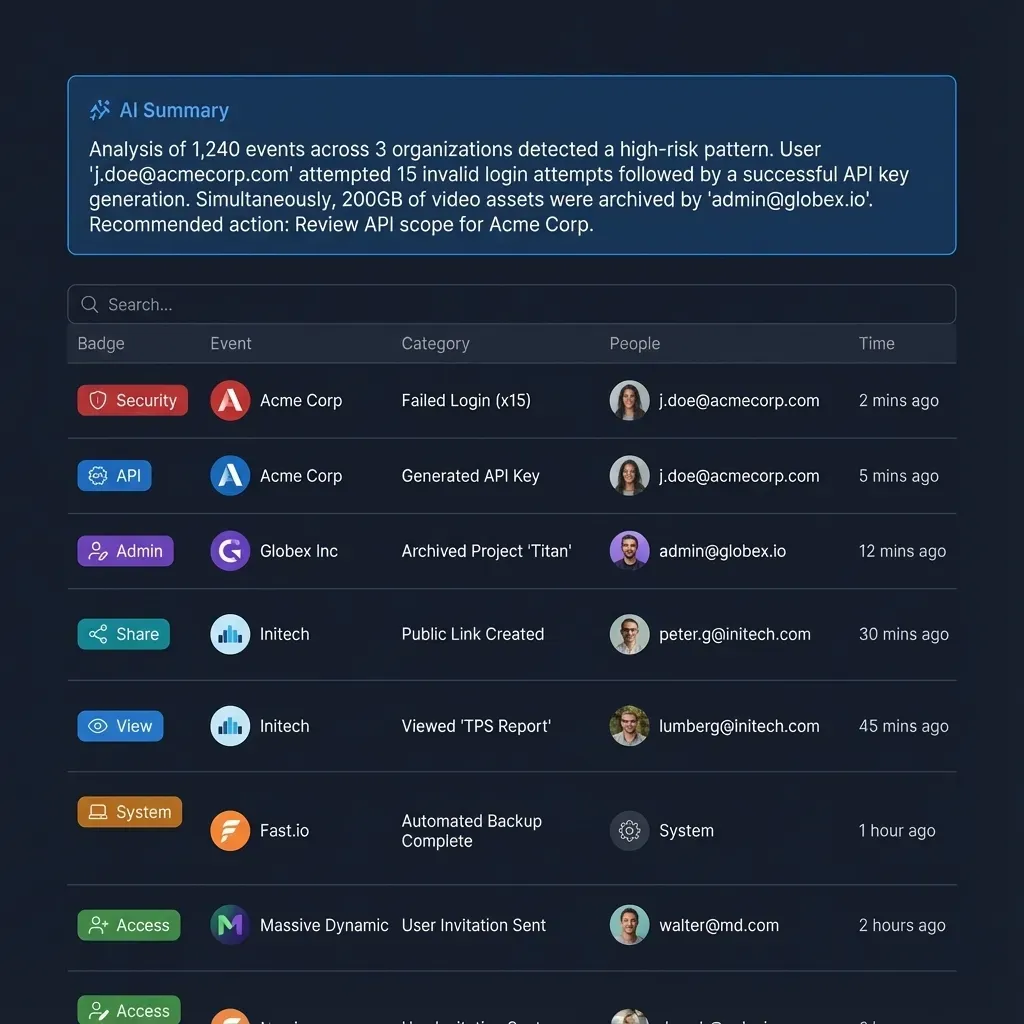
Multi-agent coworking includes humans too. Use the Fast.io workspace UI to monitor agent activity in real time. For sensitive decisions, have agents write to a designated approval file and pause until a human provides sign-off. Fast.io's granular permissions let you restrict what agents can modify while giving humans full access.
You can explore the full MCP tool surface and API documentation at mcp.fast.io/skill.md and agent onboarding at fast.io/llms.txt.
Common Pitfalls and How to Avoid Them
Multi-agent systems introduce failure modes that single-agent setups never encounter. Knowing these patterns saves debugging time.
Agent Deadlock
If Agent A waits for Agent B to provide data, and Agent B waits for Agent A to clarify the request, the system enters a deadlock that consumes tokens without progress. This happens more often than you would expect, especially with loosely defined agent responsibilities.
Fix: Implement strict timeout thresholds and maximum iteration counts. If an agent cannot resolve a dependency within three attempts, it should halt, write a summary of what it tried, and flag the issue for human review. Anthropic's research team found that designing agents to fail gracefully when tools break, rather than retrying endlessly, dramatically improved system reliability.
Context Window Exhaustion Even with multiple agents, passing large file contents back and forth can exhaust context windows. This is particularly acute when agents try to share full conversation histories.
Fix: Force agents to use file-based state and semantic search. Upload large documents to the workspace, enable Intelligence Mode, and instruct agents to query for specific answers through MCP tools rather than ingesting entire files. This keeps each agent's context window focused on reasoning.
Unclear Role Boundaries
When agent personas overlap, they duplicate work or conflict over implementation decisions. Two agents both trying to refactor the same function produces worse output than one agent doing it alone.
Fix: Be explicit in system prompts about what each agent is and is not allowed to do. Tell the Coder Agent: "You write implementation code. You do not run tests or review your own output." Tell the Reviewer Agent: "You review code written by other agents. You do not modify source files directly." Clear boundaries prevent both duplication and territorial conflicts.
Token Cost Spiraling
Multi-agent systems can burn through API budgets quickly if agents communicate too freely. Broadcast messages to all teammates scale linearly with team size. Long-running agents accumulate context that may no longer be relevant.
Fix: Use the Shared Workspace pattern to minimize direct agent-to-agent communication. Have agents write results to files and let downstream agents read only what they need. Reserve direct messaging for urgent coordination that cannot wait for a file write. Anthropic recommends starting with 3-5 agents and scaling up only when the work genuinely benefits from additional parallelism.
Missing Observability
When something goes wrong in a multi-agent system, you need to trace which agent took which action and when. Without audit trails, debugging is guesswork.
Fix: Use workspace audit logs to track every file operation, lock acquisition, and agent action. Fast.io records these automatically. Combine audit logs with structured output files from each agent to reconstruct the full execution timeline when investigating failures.
Frequently Asked Questions
How do multiple Claude agents work together?
Multiple Claude agents work together by dividing complex tasks into specialized roles and coordinating through a shared environment. Common patterns include the Orchestrator-Worker model, where a lead agent delegates subtasks, and Agent Teams, where peers share a task list and communicate directly. They synchronize through shared files, message channels, and task tracking systems.
What is the best architecture for multi-agent coworking?
The best architecture depends on the task. The Orchestrator-Worker pattern works well for tasks with clear decomposition, like content pipelines or data processing. Agent Teams are better for open-ended research where parallel exploration adds value. The Shared Workspace pattern is most token-efficient for systems where agents can work on separate files and coordinate through a central filesystem.
How do you prevent agents from overwriting each other's work?
Use explicit file locking so agents must acquire an exclusive lock before modifying a file. If another agent holds the lock, the requesting agent receives a locked response and can wait, work on a different file, or subscribe to a webhook notification for when the lock releases. Combining file locks with atomic writes and directory ownership rules eliminates most concurrency hazards.
Are multi-agent systems more expensive than single-agent setups?
Yes. Multi-agent systems use approximately 15x more tokens than standard chat interactions because each agent maintains its own context window. You can manage costs by using file-based state instead of passing conversation histories, leveraging semantic search to avoid loading full documents, and starting with 3-5 agents rather than over-provisioning.
Can humans participate in a multi-agent workspace?
Humans and agents share the same workspace. Humans use the UI to monitor activity, review agent output, and provide approvals. Agents use the API or MCP server to read and write files. This shared access model means humans can step in at any point to correct course, approve sensitive actions, or take over tasks that require judgment.
What is the difference between subagents and agent teams in Claude Code?
Subagents run within a single session and report results back to the calling agent. They cannot communicate with each other. Agent teams are independent Claude Code instances that share a task list, claim work autonomously, and message each other directly. Use subagents for focused tasks where only the result matters. Use agent teams for complex work that benefits from discussion and peer review.
Related Resources

Give Your Claude Agents a Shared Workspace
Fast.io provides persistent storage, built-in RAG, file locking, and 19 MCP tools for multi-agent coordination. 50GB free, no credit card required.